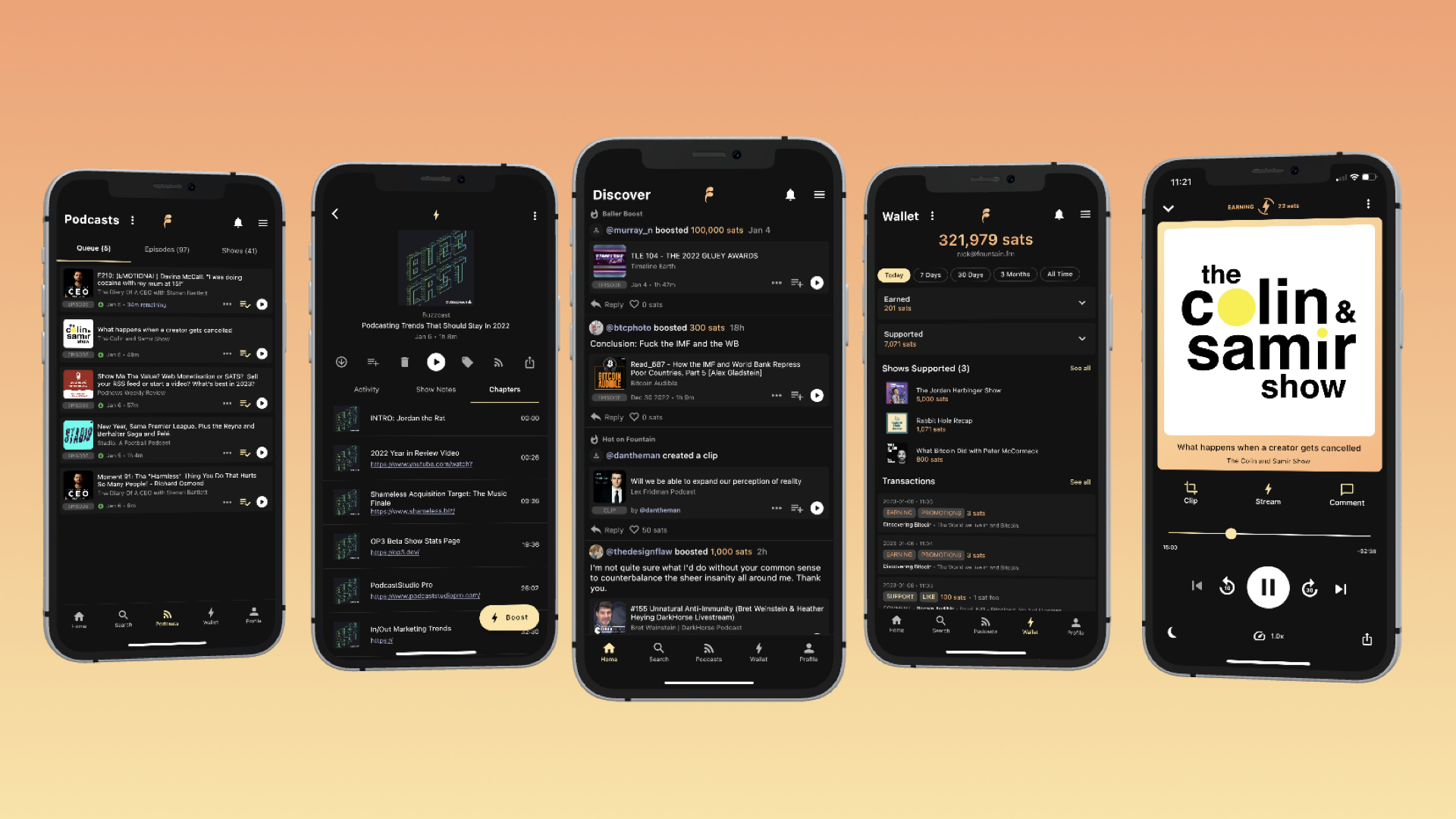
Fountain logo
ProductsFeaturesResourcesPricing

Changelog

All postsNewsCase studiesGuidesChangelogPress
  1. 8 Jul 2026

    Fountain 1.5.5 - Library and Content Page Improvements, Clips and Highlights
    Library Improvements

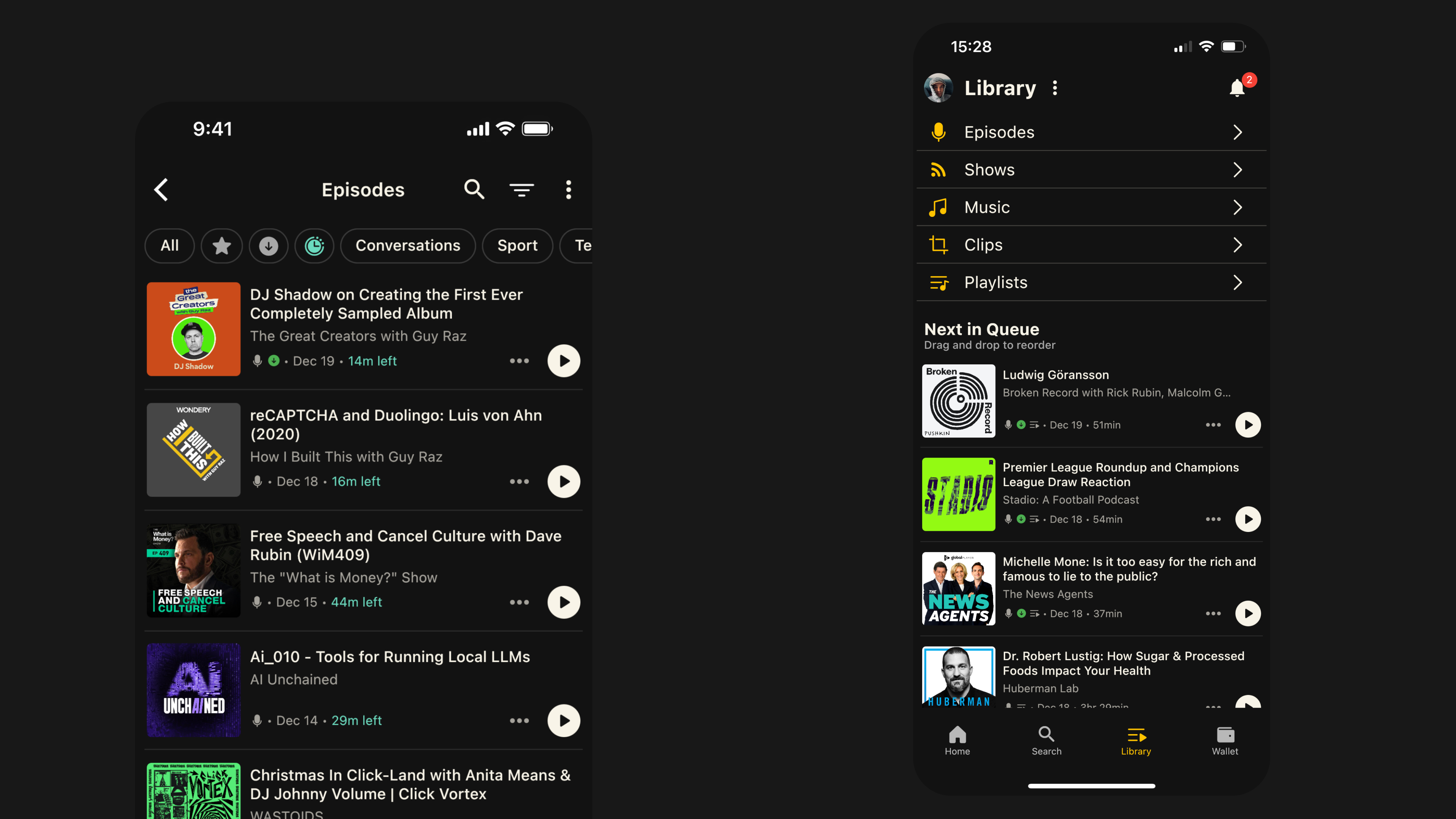
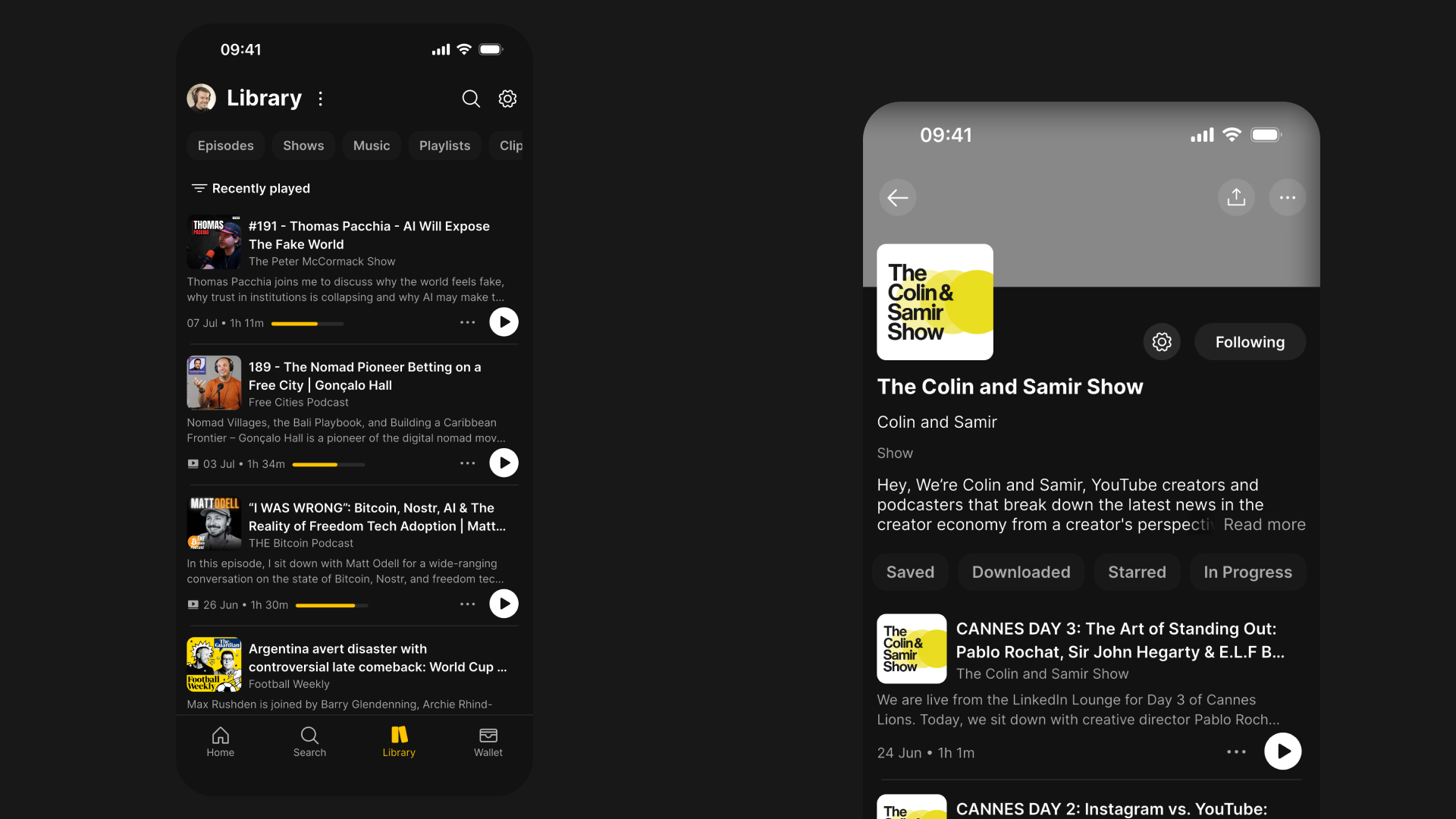
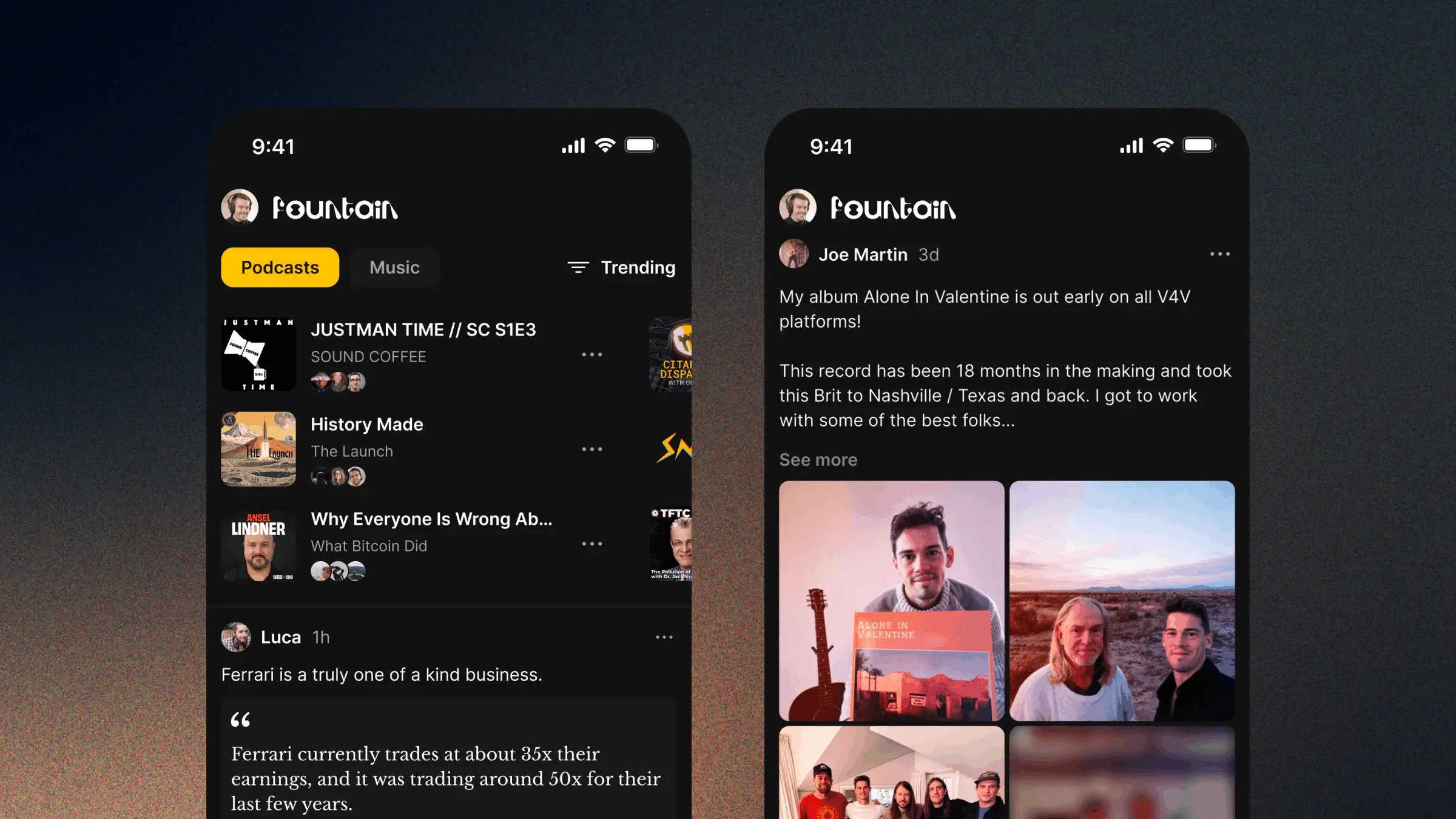
    Episode content cards now show the first two lines of the show notes, so you get a better sense of what the episode is about without having to tap through to read more. Episode progress and played status are also now displayed more clearly on episode cards.

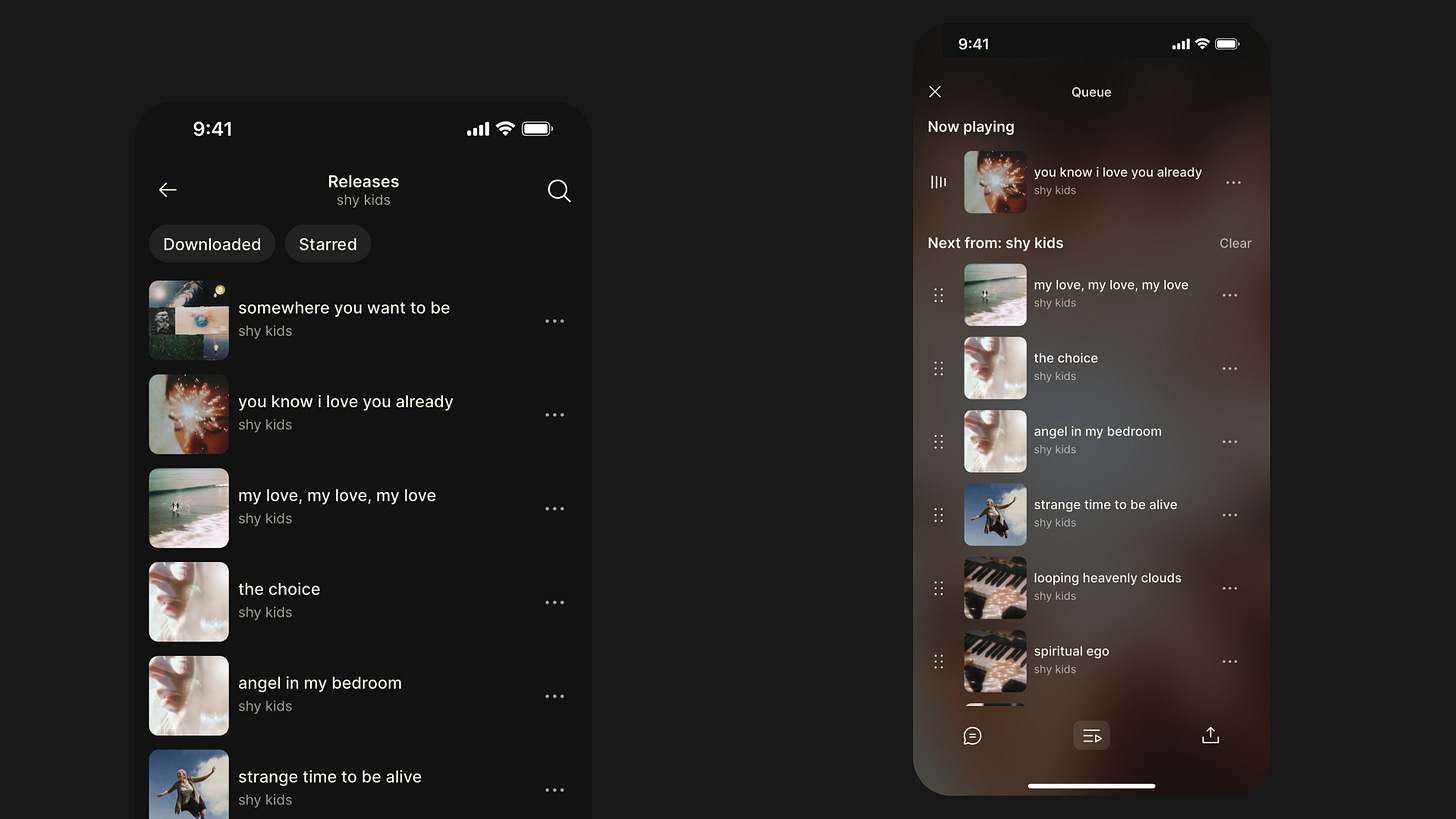
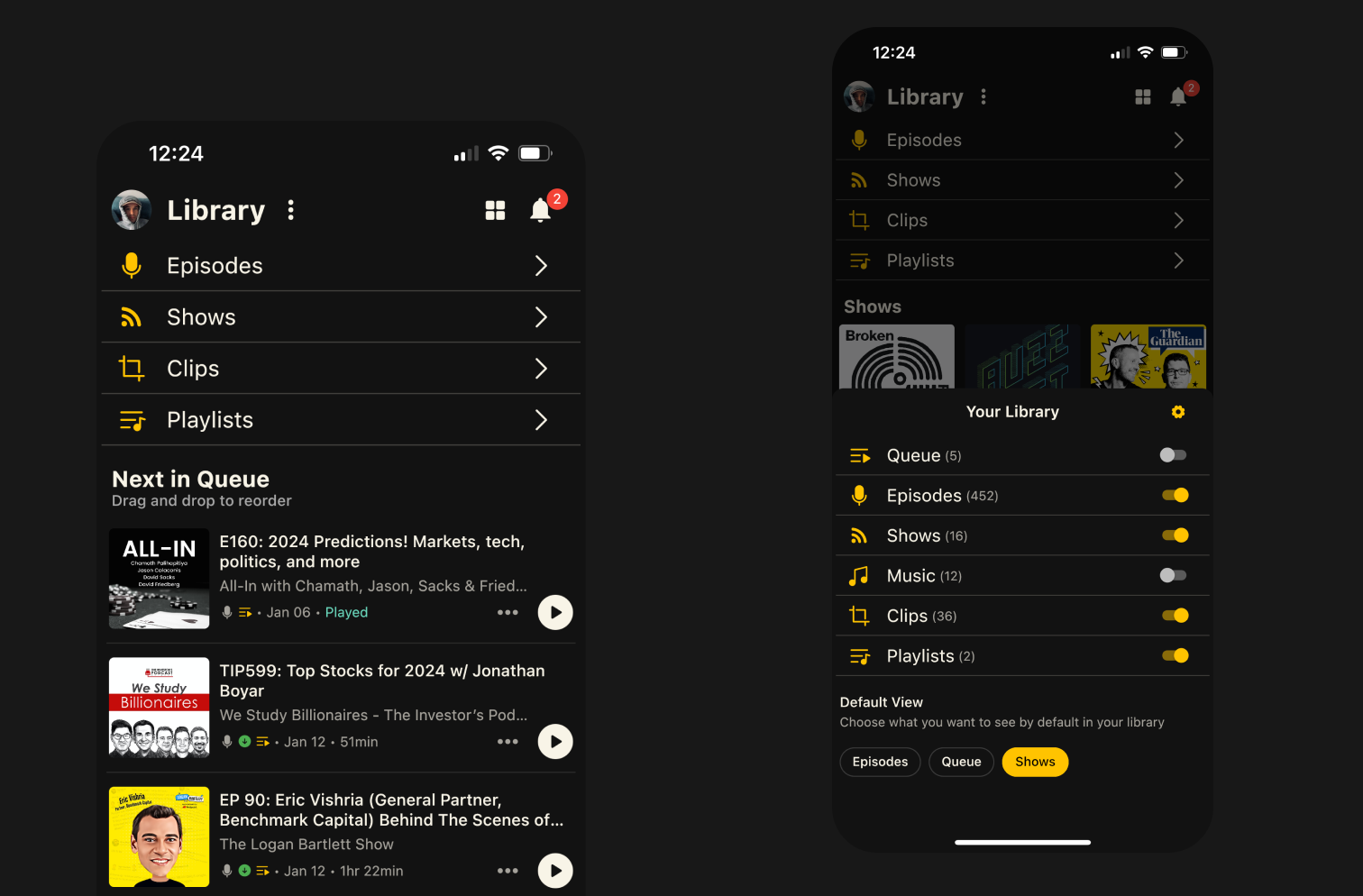
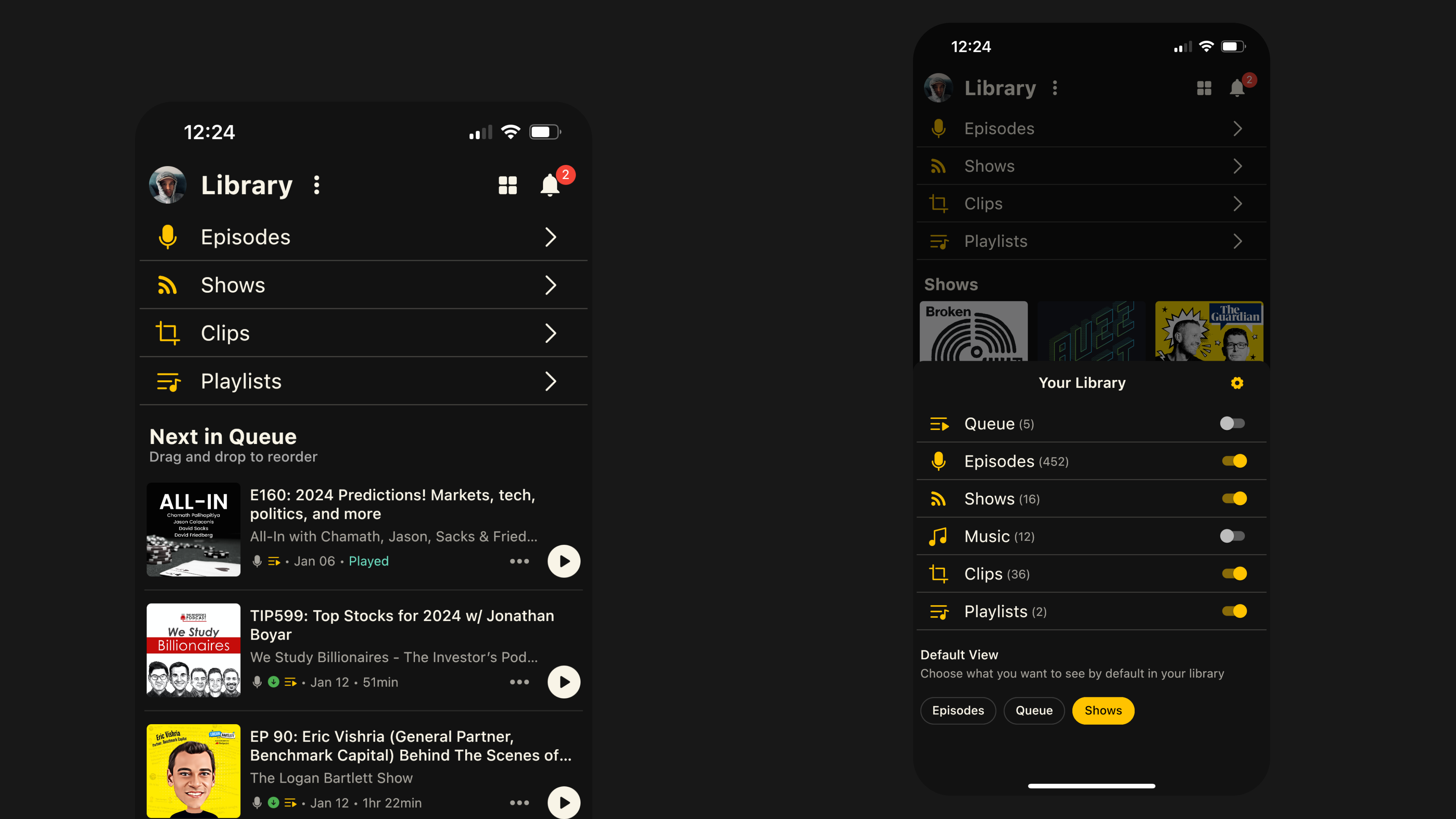
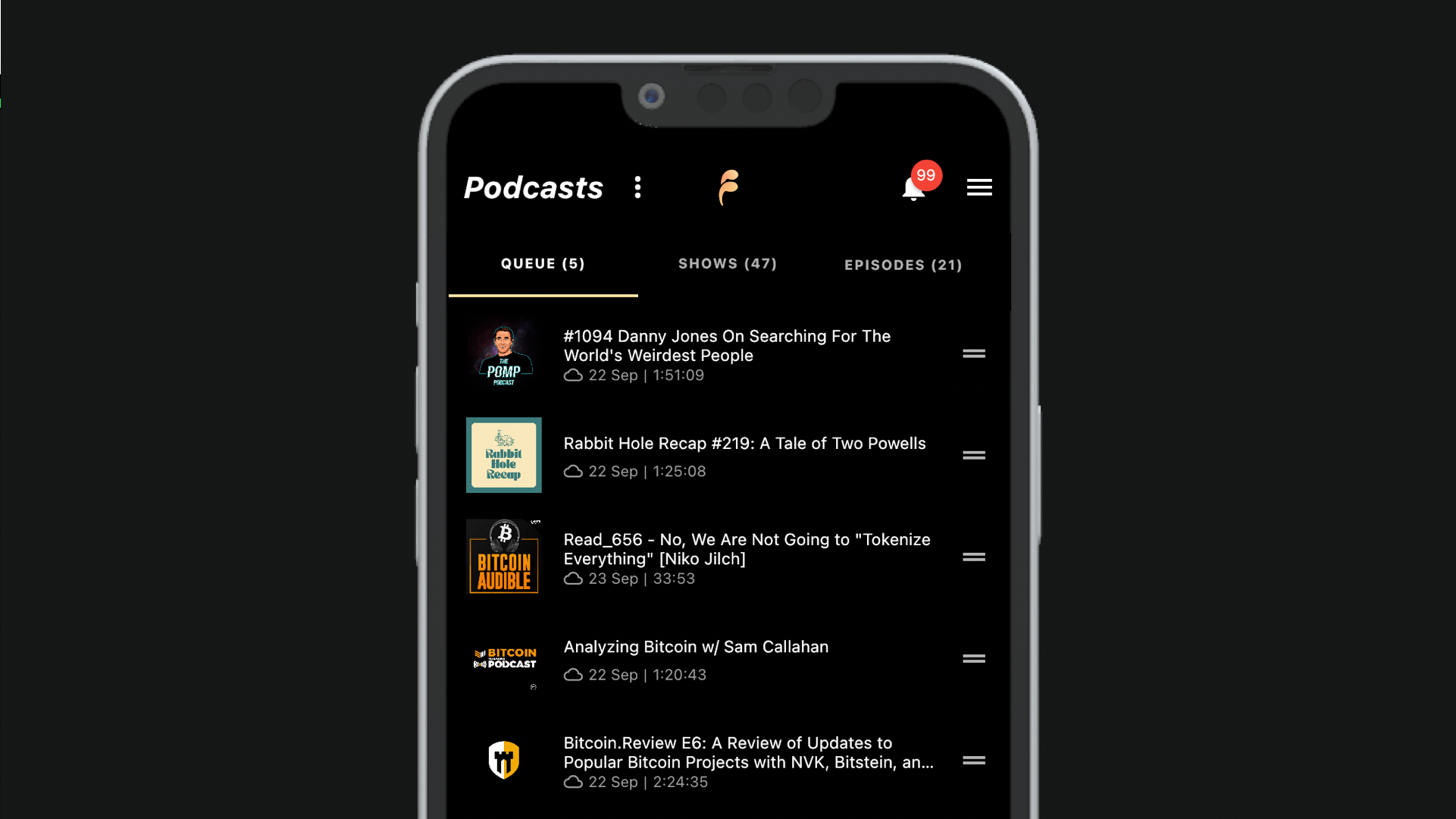
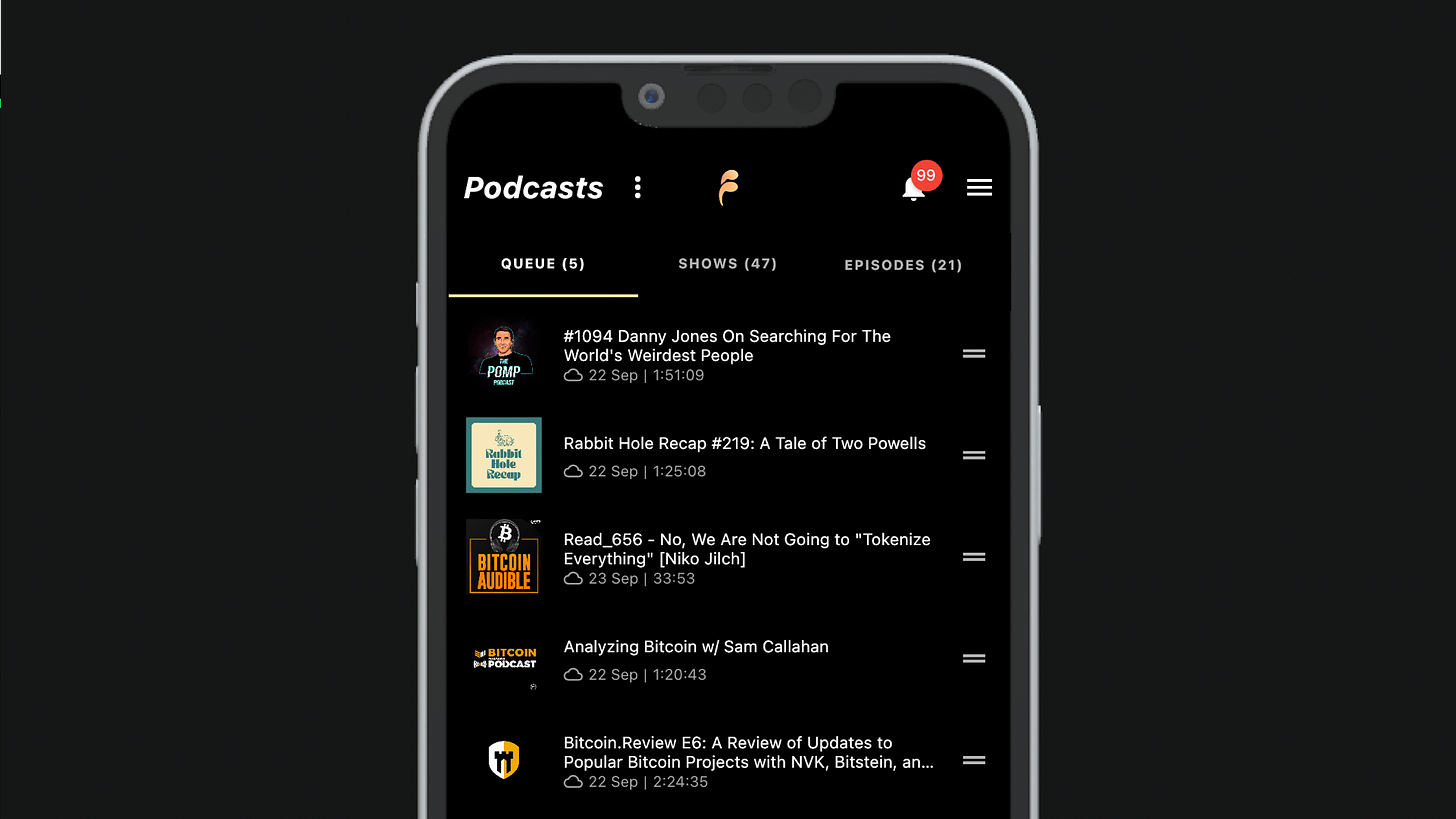
    We’ve removed the subpages for My Episodes and Queue. The tabs at the top of the Library are now the primary navigation.

    You can set your Library view to Recently Played, which is the default, or Next in Queue, and switch between them at any time. If you use the queue, it’s now one less tap to start listening, and you can reorder your queue by dragging items up and down.

    We’ve also fixed an issue that caused a delay when new episodes were added to your Library, so you should now receive them within minutes of publication.

    Content Page Improvements

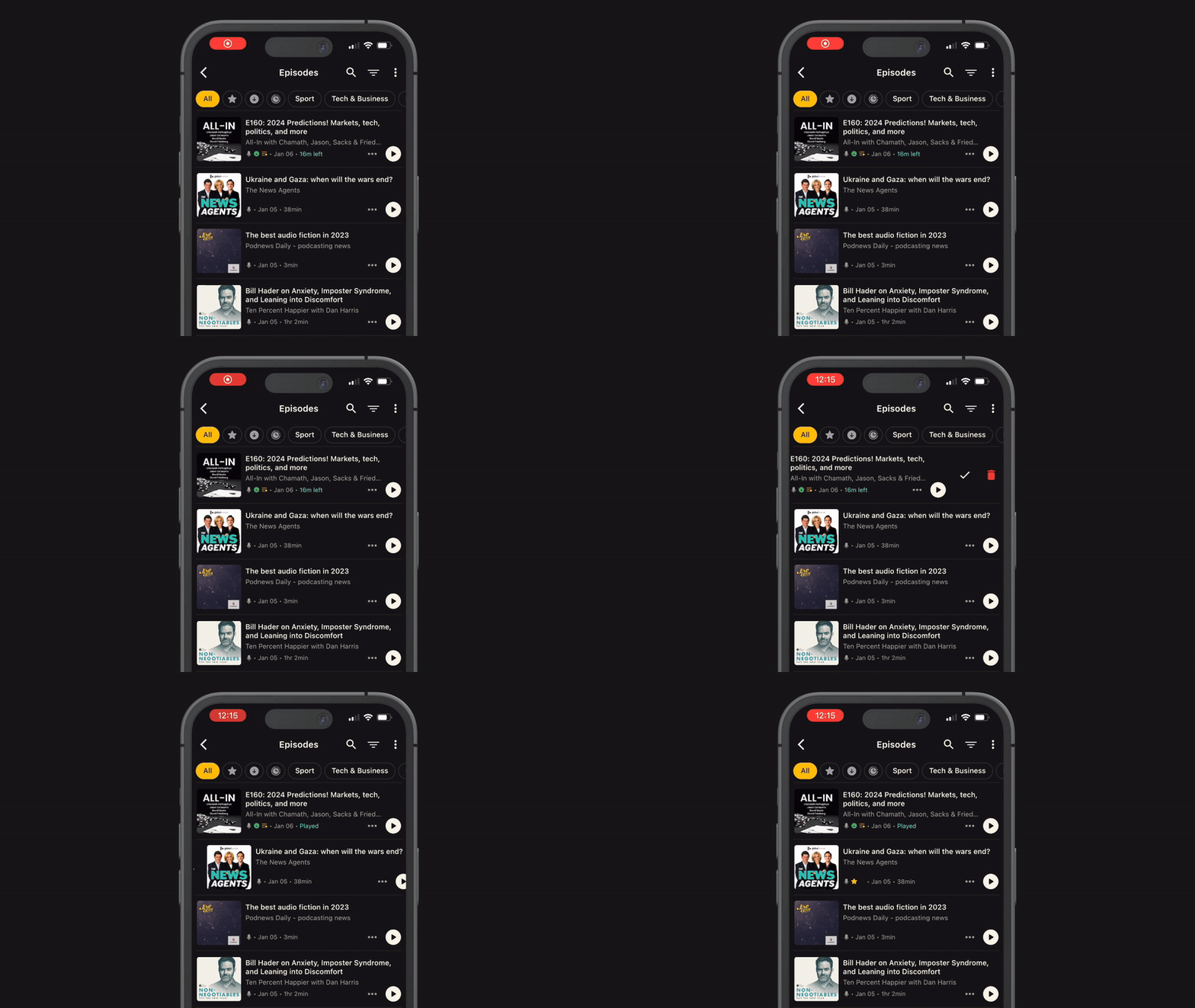
    You can now see every episode on Show pages without having to click through to a subpage. You can also filter the full episode list by saved, downloaded, starred, in progress and unplayed.

    On Episode pages, you can now access chapters more quickly by tapping the button next to Summary and Transcript. Chapters will only be available if they have been provided by the podcaster.
    Clips and Highlights

    A couple of months ago, we made a few improvements to the clipping tool and released a new feature that allows you to share quotes from episodes. Neither was properly announced, so here’s a recap of what changed.

    Fountain’s clipping tool needed an update to make it more user-friendly and reliable, so we completed a full refactor.

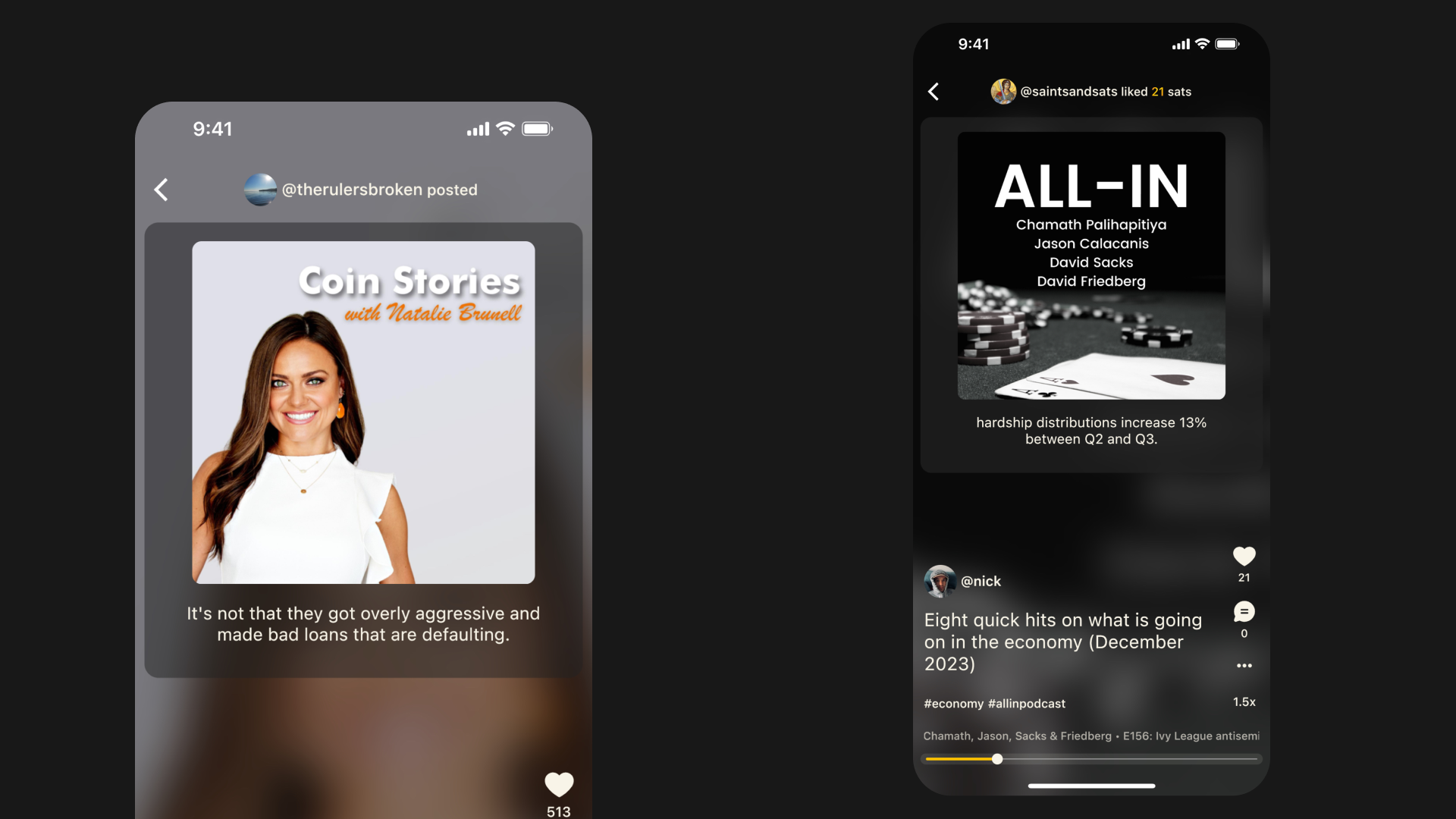
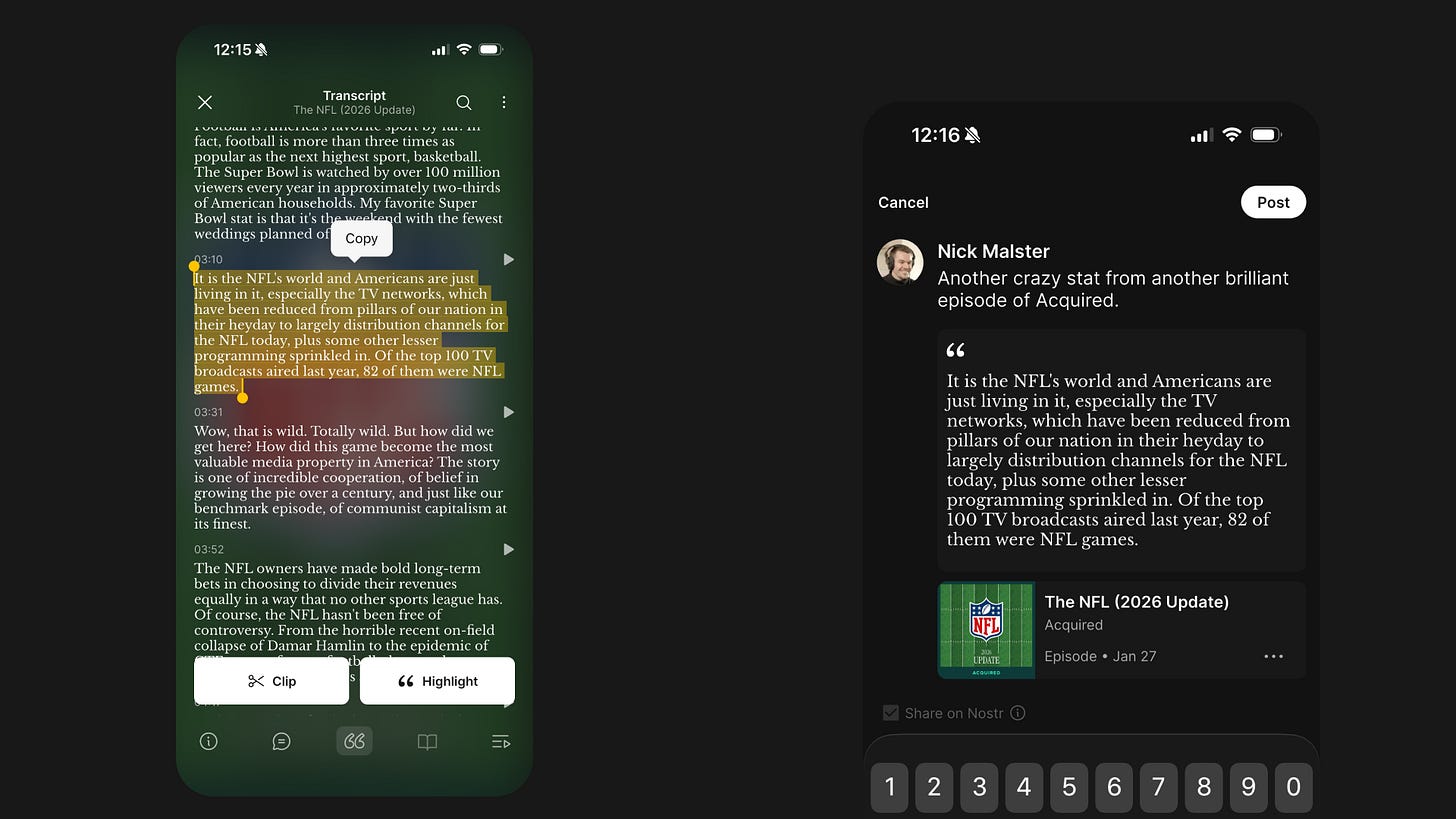
    We also added Highlights to make it easier to share and discover episode segments in Fountain and other Nostr feeds. A Highlight is a text version of a clip that you can repost. If you’re familiar with restacks on Substack, it’s a similar concept.

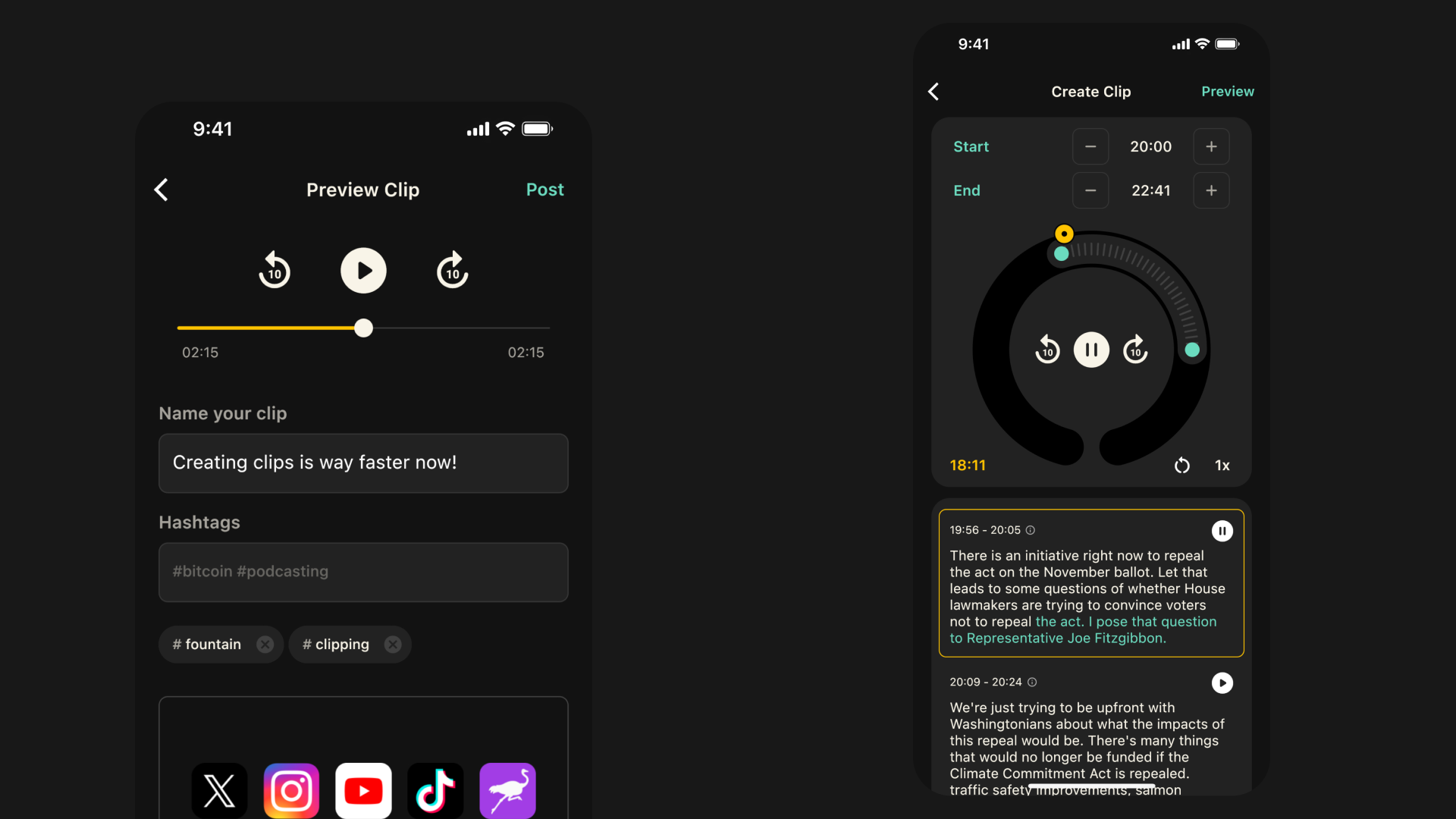
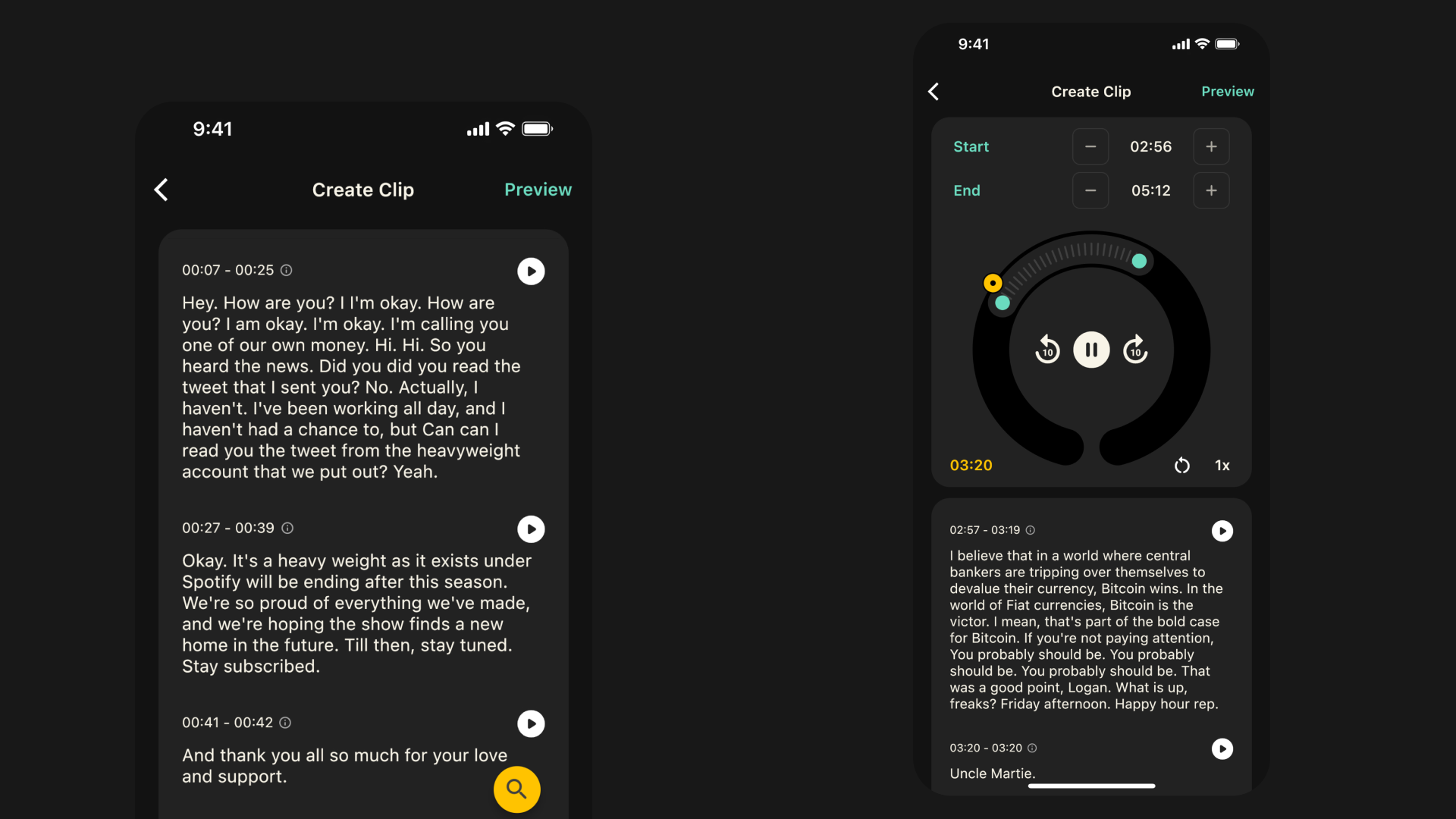
    To try it out, simply select the text you want from the Transcript. Pressing Clip will take you to the clipping tool, where you can adjust the start and end time and post your clip. Pressing Highlight will attach the transcript segment and episode link to a note that you can post along with your comments.

    If you want to create a clip or a Highlight but the podcaster has not provided a transcript, you can upgrade to Fountain Premium for $2.99/month to get transcripts for every episode. You can still create clips using the basic clipping tool by pressing Clip Audio from the player menu.

    You can find your clips in your Library and on your Profile, and share them as a link, as audio, or as a video. Highlights can be found on your Profile.


    We would love to hear how you’re finding Fountain. Please submit your thoughts and feedback via the main menu in the app and we will take it on board as we continue to improve the app.

    If you want to help test new features out before they get released, you can join Fountain Beta on Telegram. All iOS and Android users welcome.
  2. 11 May 2026

    Fountain 1.5 - Revamped Trending Feed

    Trending Feed

    Fountain has always had a feed that surfaces recent activity from people you follow, but it started to feel a bit one-dimensional.

    The new Trending feed changes that.

    You’ll now see popular notes that include references to podcasts and music, either from people you follow, or from anybody on Nostr.

    Ranking is determined by a combination of signals: how many sats were sent, how much engagement a note received, and how recently it was published. The result is a feed that feels more curated, more dynamic, more relevant, and more worth exploring - especially if you’re not following many (interesting) people yet.

    We believe that when people recommend podcasts or music by putting money behind them - and when those recommendations are ranked by zaps rather than likes or upvotes - the quality of those recommendations is significantly higher.

    Fountain’s Trending feed is our clearest expression of this idea so far: a discovery experience designed to reward signal over noise, and one that keeps you scrolling without dark patterns.

    We’ve also made a number of improvements to the overall feed experience:

    • Faster loading: Feeds now load almost instantly.

    • Offline mode: A new cache layer lets you browse without a connection.

    • Improved note rendering: Reposts are now visible, and notes with multiple images display more cleanly.

    • One-tap zaps: Tap the zap button to instantly send your default amount, or press and hold to customize it or add a message.

    We would love your feedback on how you’re finding the new Trending feed so we can keep improving it over time.

    Passkey Login

    Fountain now supports Passkeys to help you keep your Nostr keys secure across all your devices.

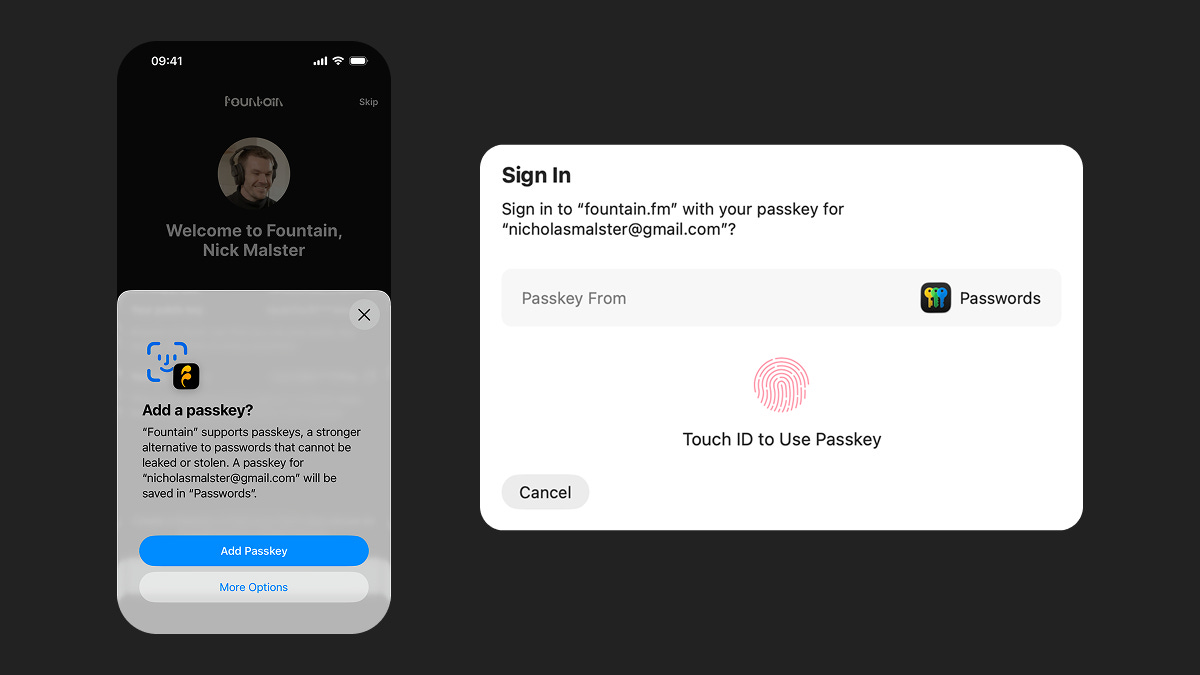
    Passkeys let you connect to Nostr without handling a private key. Just use your device with Touch ID, Face ID, or a PIN, and your key stays securely on your device.

    How it works:

    • Sign up or log in with email on the Fountain mobile app

    • Create a Nostr profile or import an existing one

    • Create a Passkey when prompted

    • Log in with email at fountain.fm and use your Passkey to connect Nostr

    Previously, connecting Nostr on web required a browser extension like Alby. You still have the option to connect Nostr via a browser extension, but Passkeys make it much simpler - especially if you’re new to Nostr.


    We would love to hear how you’re finding Fountain. Please submit your thoughts and feedback via the main menu in the app and we will take it on board as we continue to improve the app.

    If you want to help test new features out before they get released, you can join Fountain Beta on Telegram. All iOS and Android users welcome.
  3. 23 Dec 2025

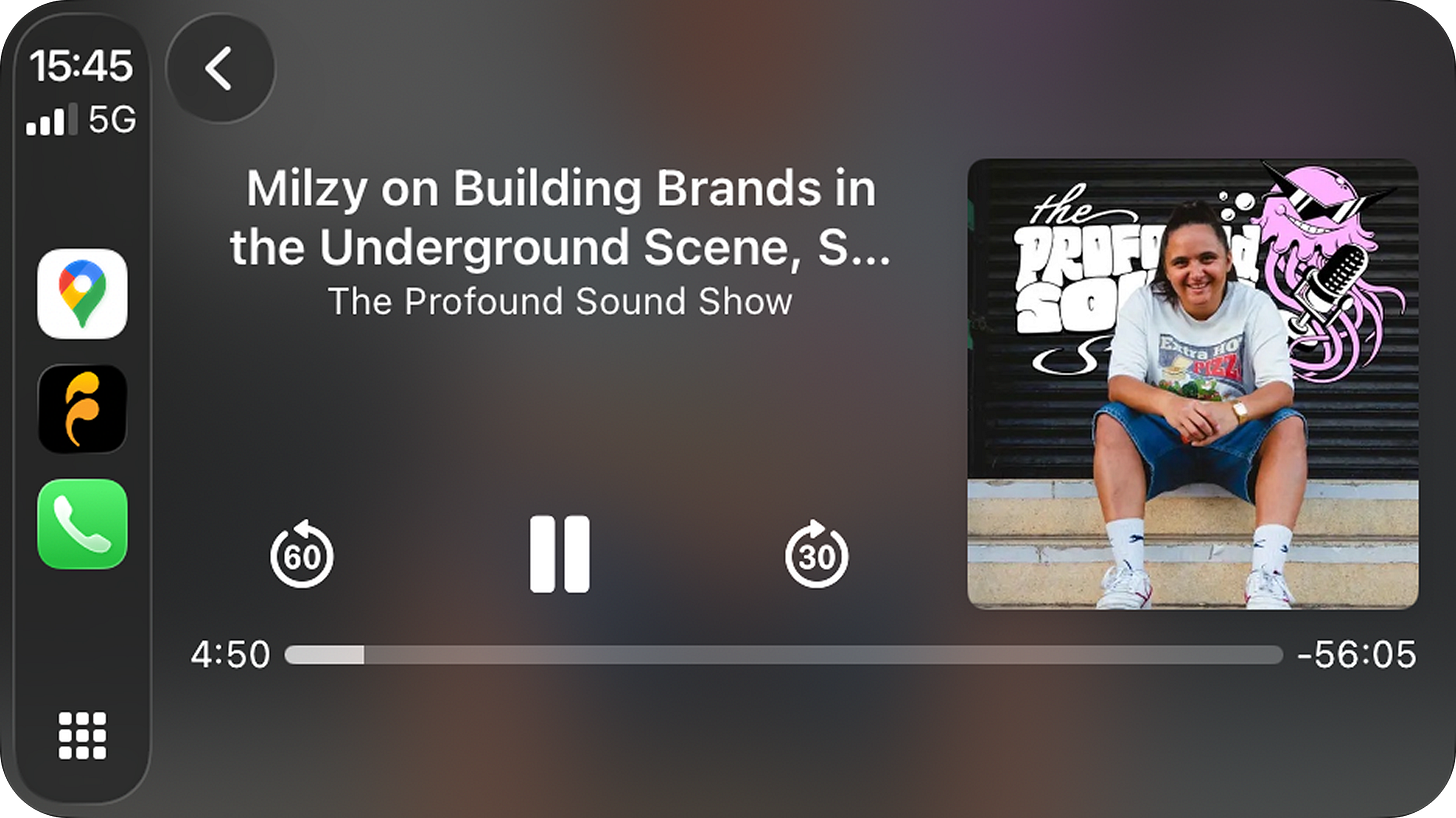
    Fountain 1.4.4 - CarPlay and Android Auto

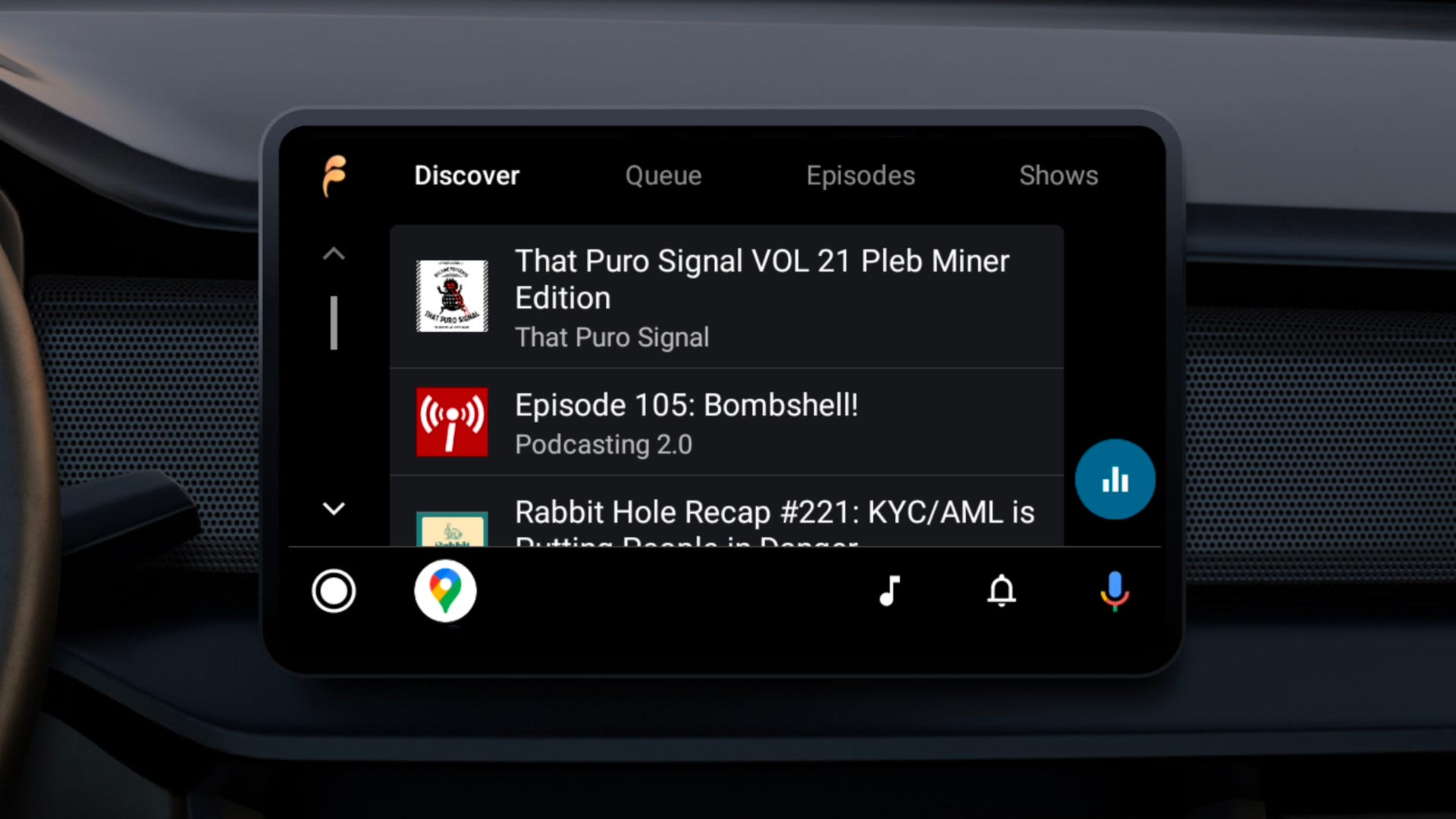
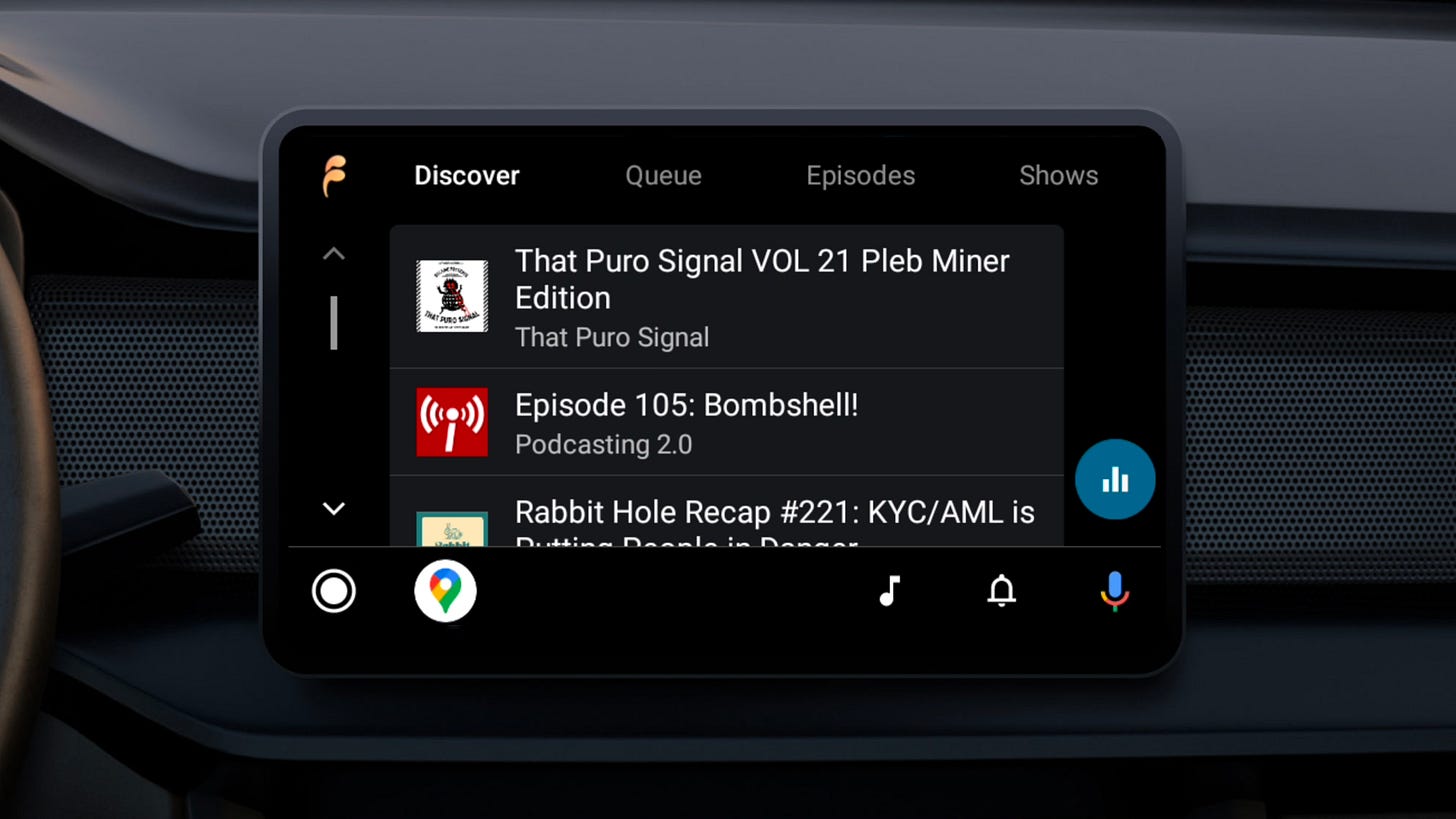
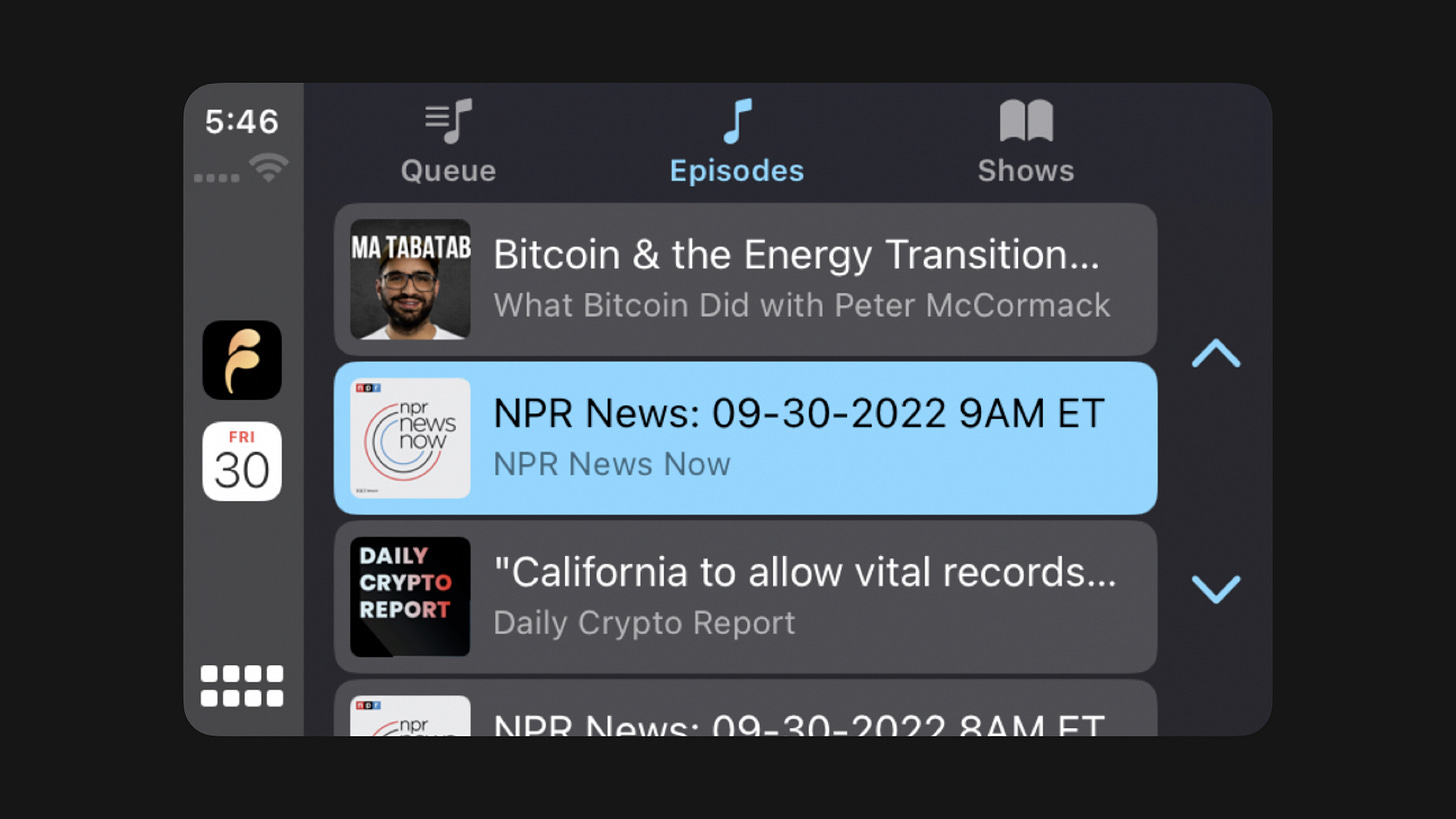
    Fountain has always been compatible with CarPlay and Android Auto, but the app has never really been optimized for use when driving. As the world takes to the roads to travel home to their families, we wanted to make some timely improvements to offer the best in-car experience possible.

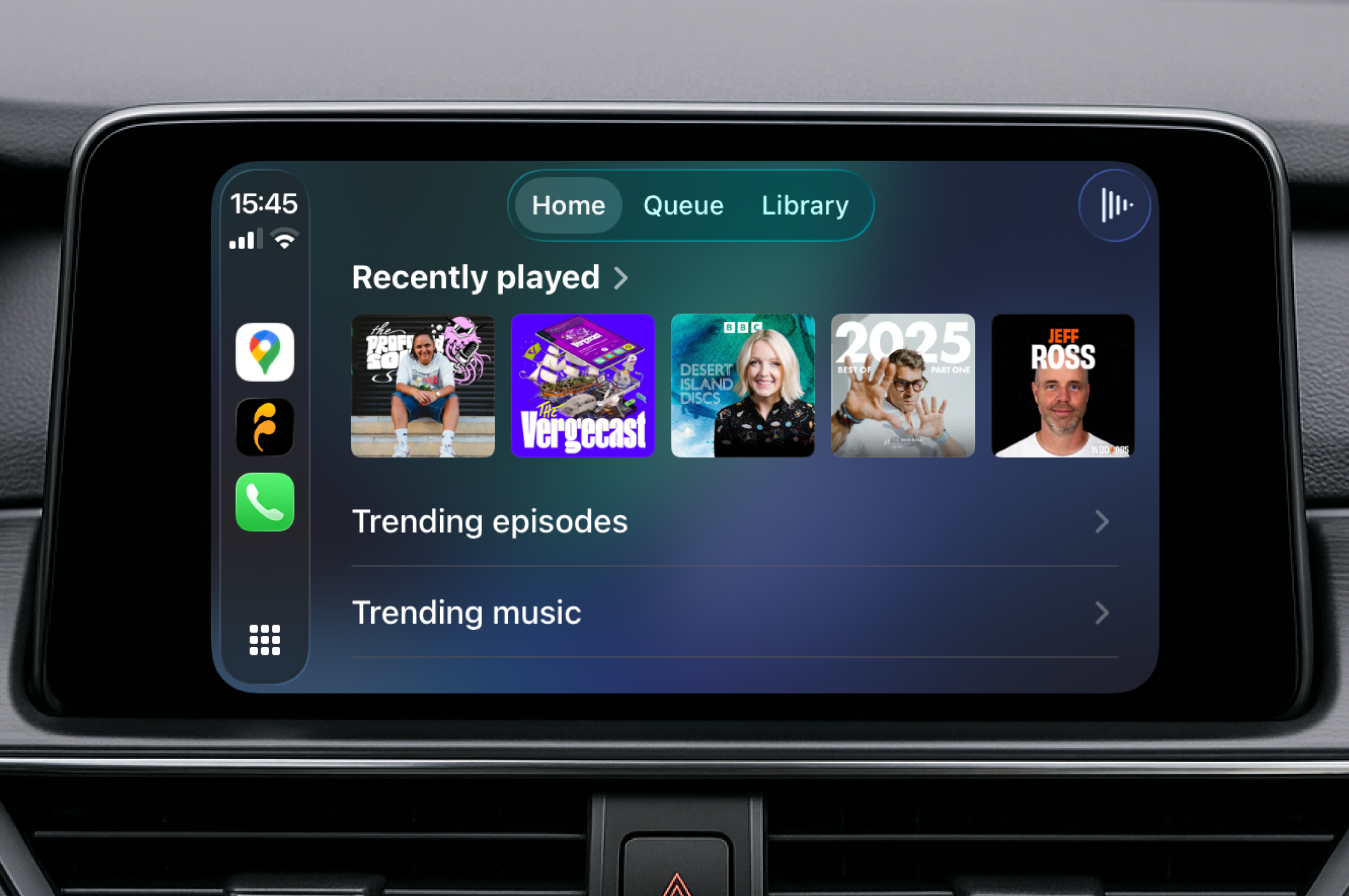
    You can now use your vehicles’s built-in controls to open Fountain and find something to listen to. That might not sound like headline news, but if you who often listen to Fountain in the car, this will be music to your ears.

    The Home tab shows your recently played episodes, making it easy to pick up where you left off. You can also explore trending episodes and trending tracks, which are recommendations from other listeners you are following.

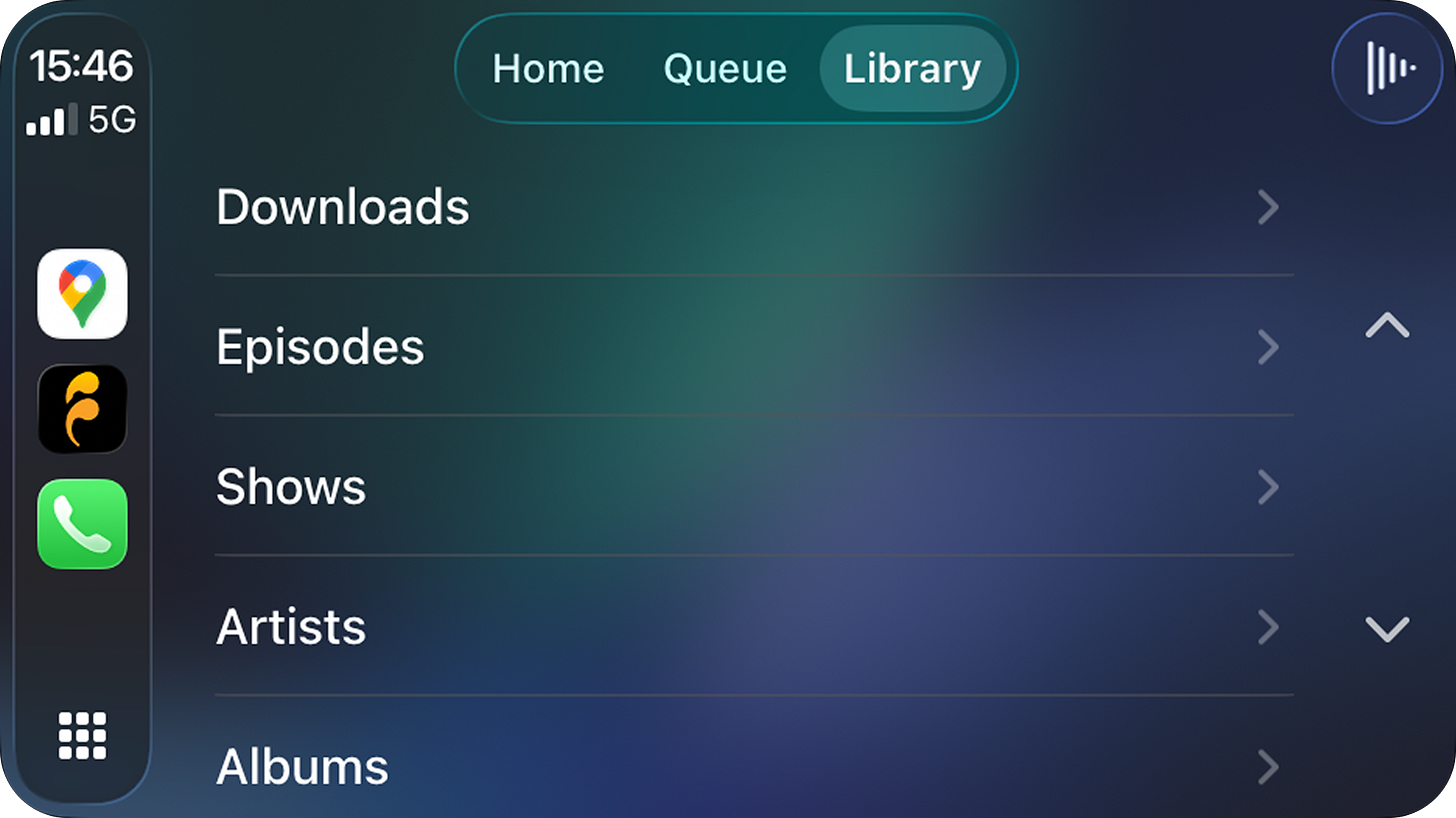
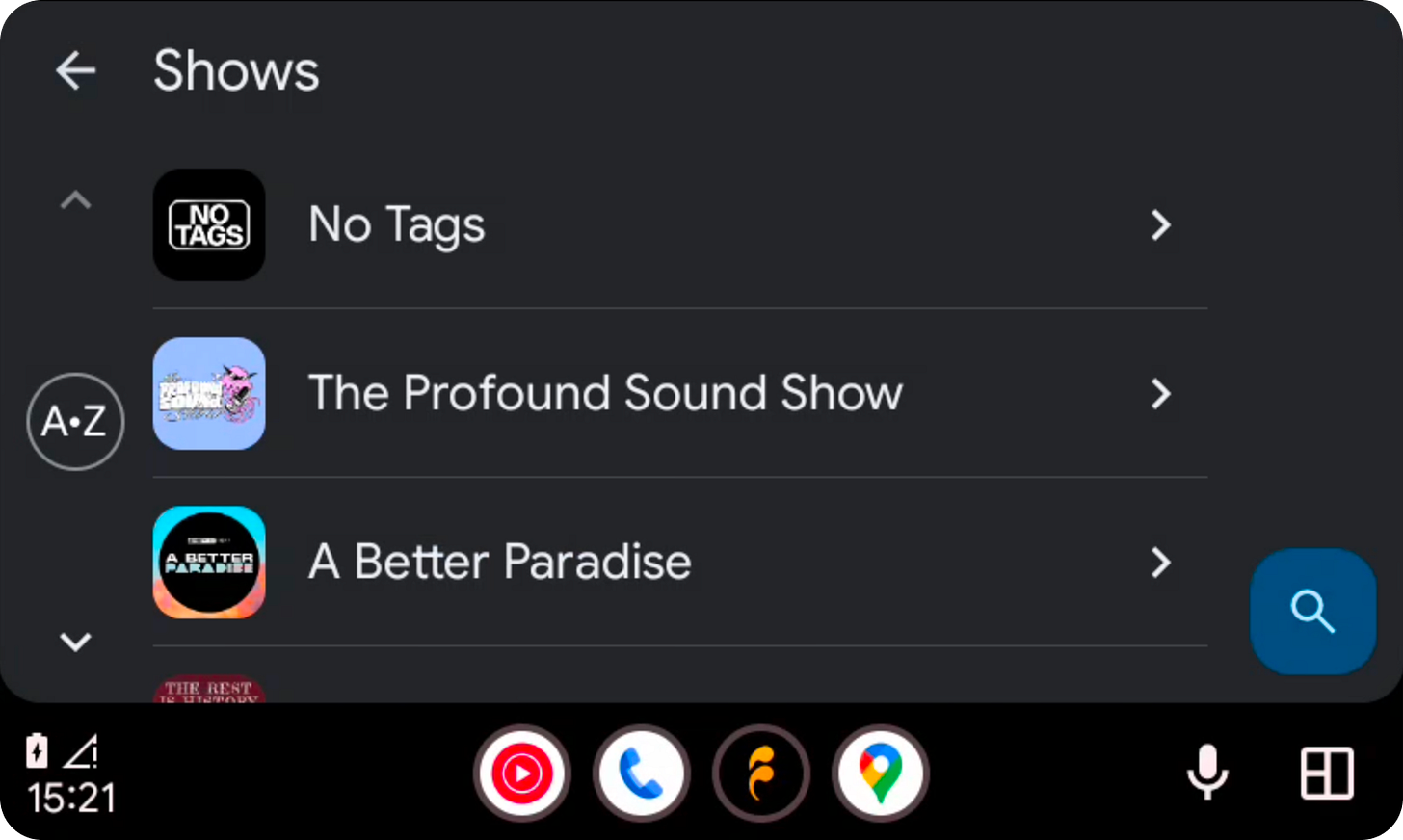
    The new Library tab now includes Albums, Artists, Episodes, Shows and Tracks. There is also a dedicated page for Downloads, in case you’re driving through area with poor coverage. The Queue tab remains unchanged and works just as it always has.

    We’ve also added collection playback to improve listening continuity. When you select an item from an Album, Artist, Trending Tracks, or Tracks page, we’ll now load and play the entire collection starting from your selected item.

    Finally, here’s a quick look at Android Auto, which also features library search. The new in-car improvements are available now in version 1.4.4 on iOS and Android.


    We would love to hear how you’re finding Fountain. Please submit your thoughts and feedback via the main menu in the app and we will take it on board as we continue to improve the app.

    If you want to help test new features out before they get released, you can join Fountain Beta on Telegram. All iOS and Android users welcome.
  4. 12 Dec 2025

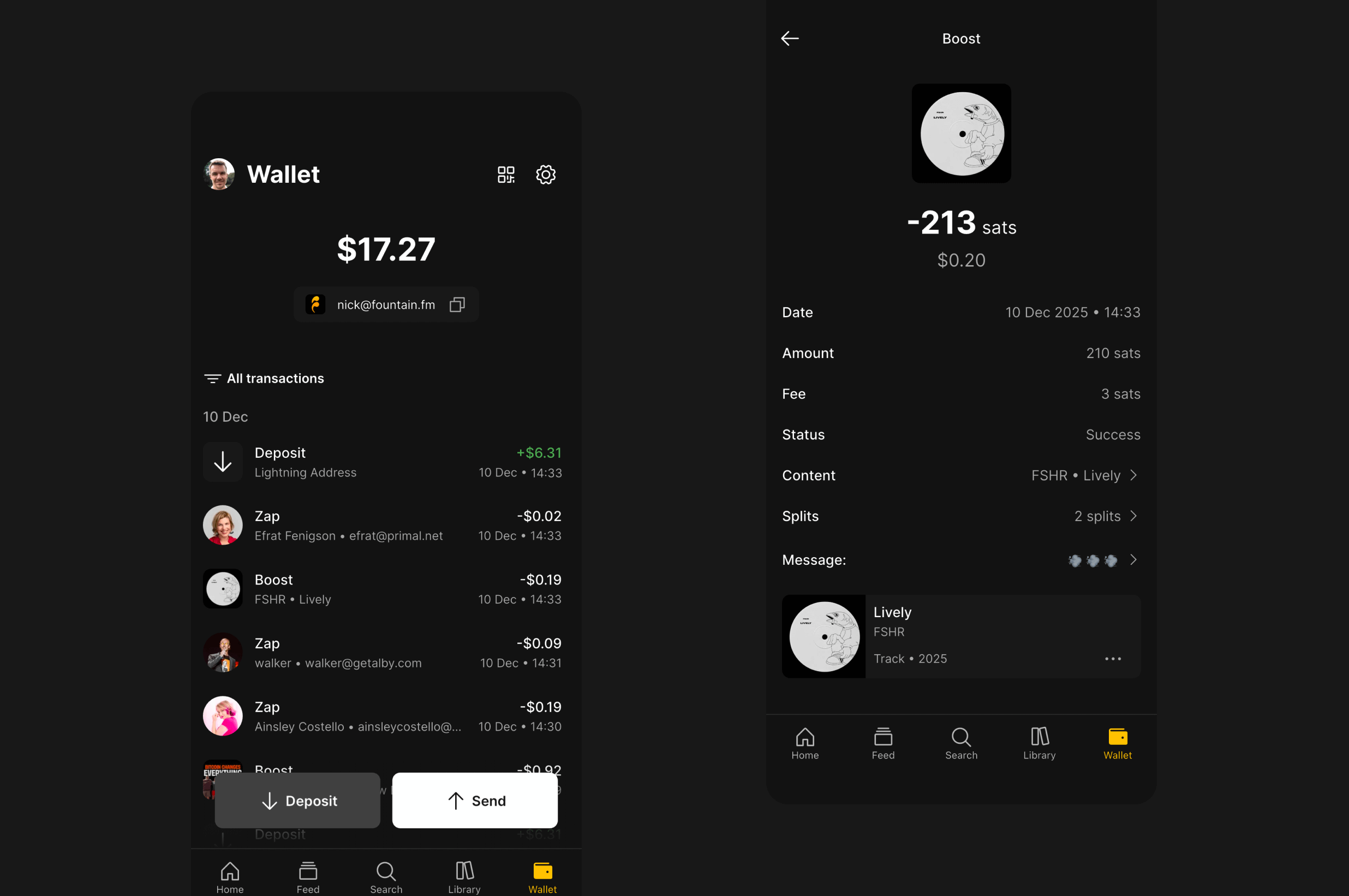
    Fountain 1.4.0 - Wallet Redesign & Payment Upgrades

    Wallet Redesign

    The first thing you’ll notice after updating is a cleaner, simpler look for the new Fountain wallet. But this wasn’t just about refreshing the design - we’ve added several highly requested features and made user-friendly improvements across every payment surface in the app.


    Nostr Wallet Connect

    Here we go… the most requested feature of 2025! You can now use an external wallet like Alby or Primal to send and receive payments on Fountain. To connect an external wallet by pasting your the Nostr Wallet Connect String. You can switch between your Fountain wallet and your external wallet at any time.


    Choose Amount

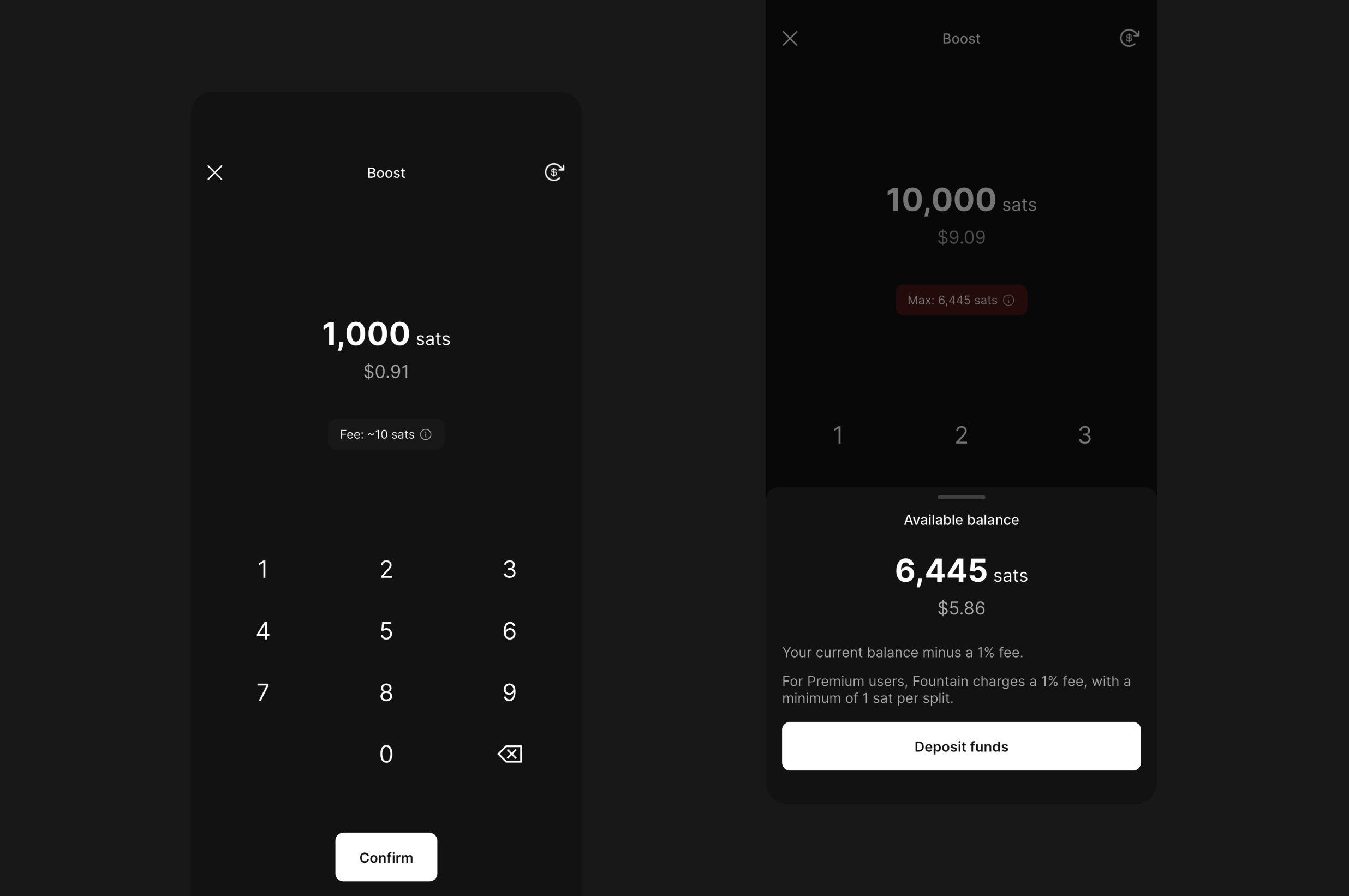
    The redesigned choose amount screens offer a much smoother and more transparent experience. As you enter an amount, you’ll see the minimum and maximum you can send, as well as the estimated fees that apply.


    Pay Lightning Address

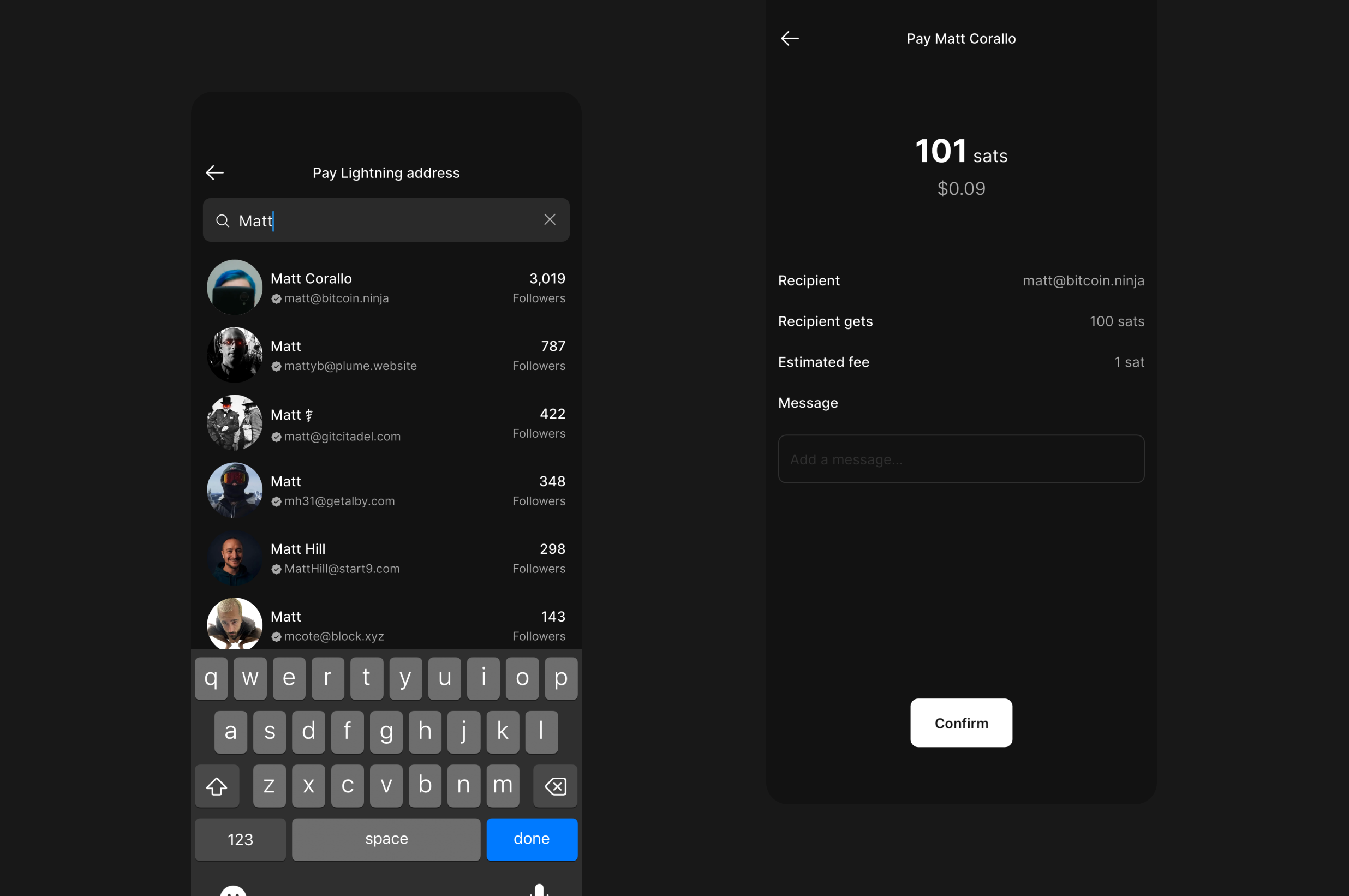
    You can now pay anyone instantly from Fountain. Enter the recipients Lightning Address or search for their Nostr profile, then add an optional message with your payment. This feature is accessible from the Send options in the Fountain wallet.


    Withdraw to Strike

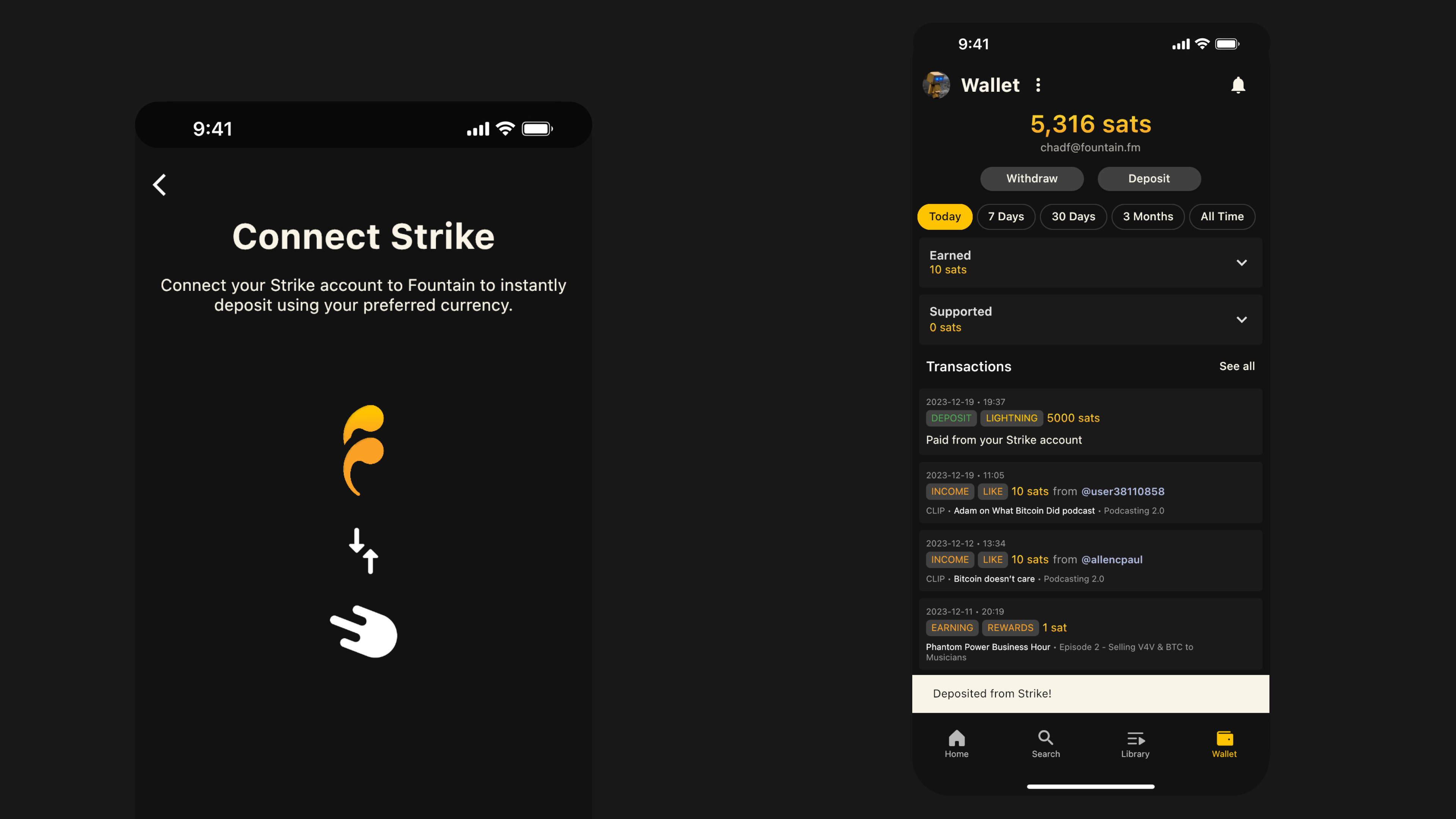
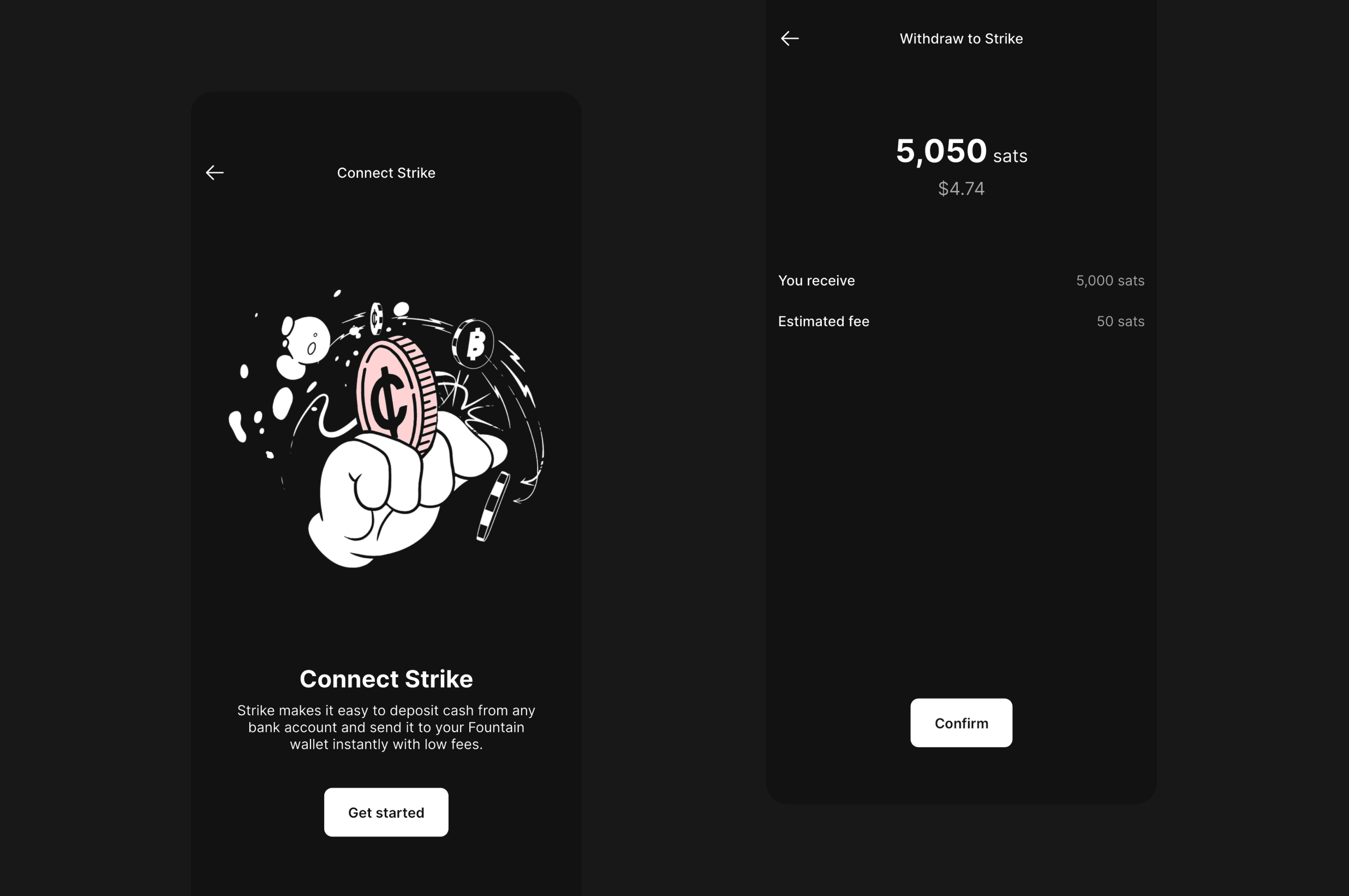
    Strike is doing great things, and we are proud to be partnered with them to make moving money between apps more seamless. By popular demand, we’re excited to announce that you can now withdraw to Strike through our Connect Strike feature.

    For listeners, connecting Strike allows you to deposit funds to Fountain in your preferred currency without leaving the app. For podcasters and artists, connecting Strike makes it possible to convert your earnings into your preferred currency and send them your bank account.


    Choose Payment Method

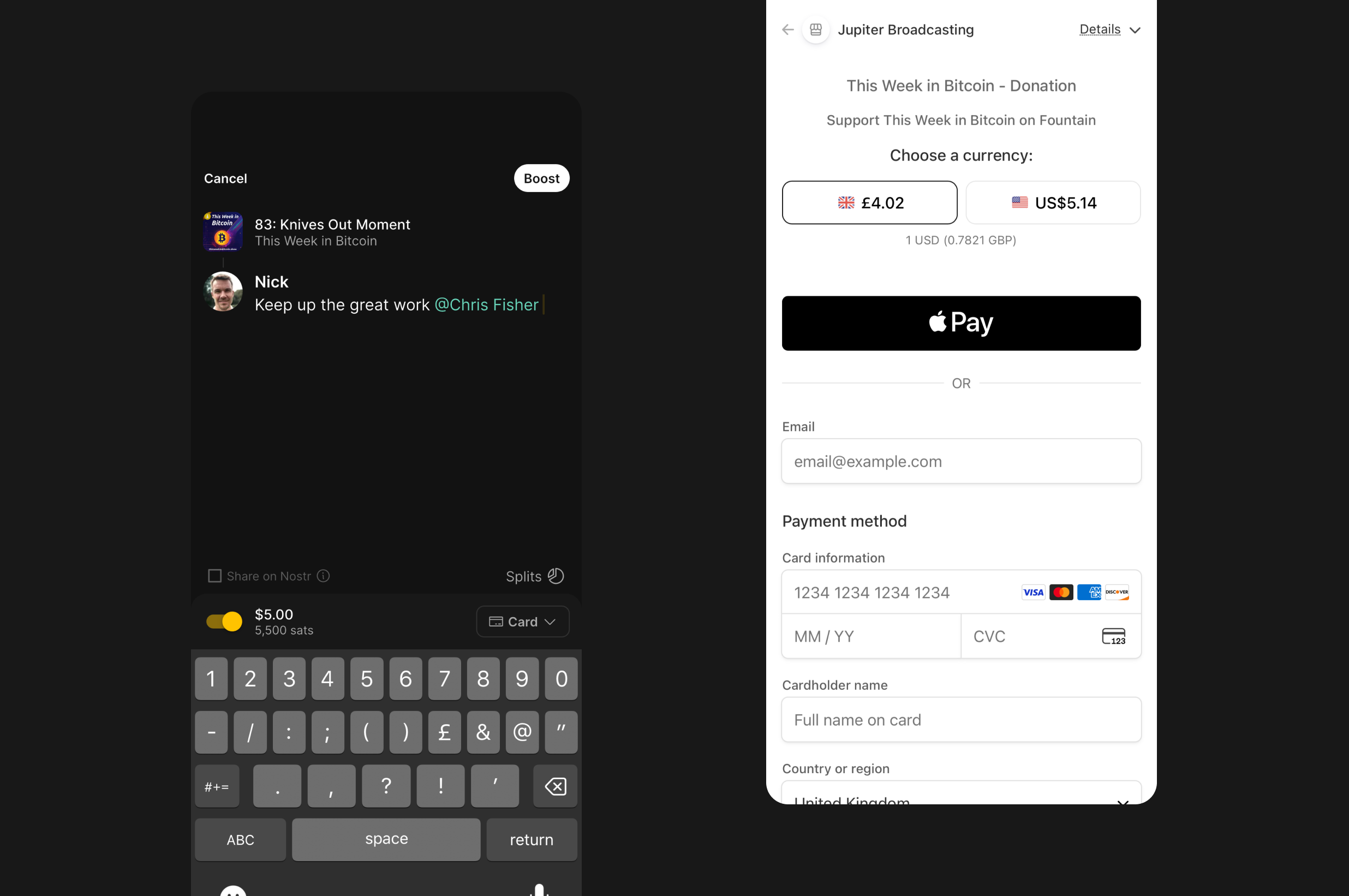
    More podcasts and artists now support card payments, allowing you to pay in your preferred currency through Stripe. You can now choose your payment method when boosting and switch to card whenever it’s supported.

    If you’re a podcaster or an artist and you want to make card payments available for your listeners, sign up for Fountain for Podcasters or Fountain for Artists and connect a Stripe Business account.


    We would love to hear how you’re finding Fountain. Please submit your thoughts and feedback via the main menu in the app and we will take it on board as we continue to improve the app.

    If you want to help test new features out before they get released, you can join Fountain Beta on Telegram. All iOS and Android users welcome.
  5. 15 Aug 2025

    Fountain 1.3 - Likes, New Home Tab, Improved Search and Nostr Infrastructure Upgrades

    Our latest update makes it easier to discover podcasts and music worth supporting, whether you’re looking for something specific or you want to see what your friends have recommended. We’ve also included a longer list of bug fixes and improvements based on your feedback.\ \ Here’s what’s new in Fountain 1.3:

    Likes

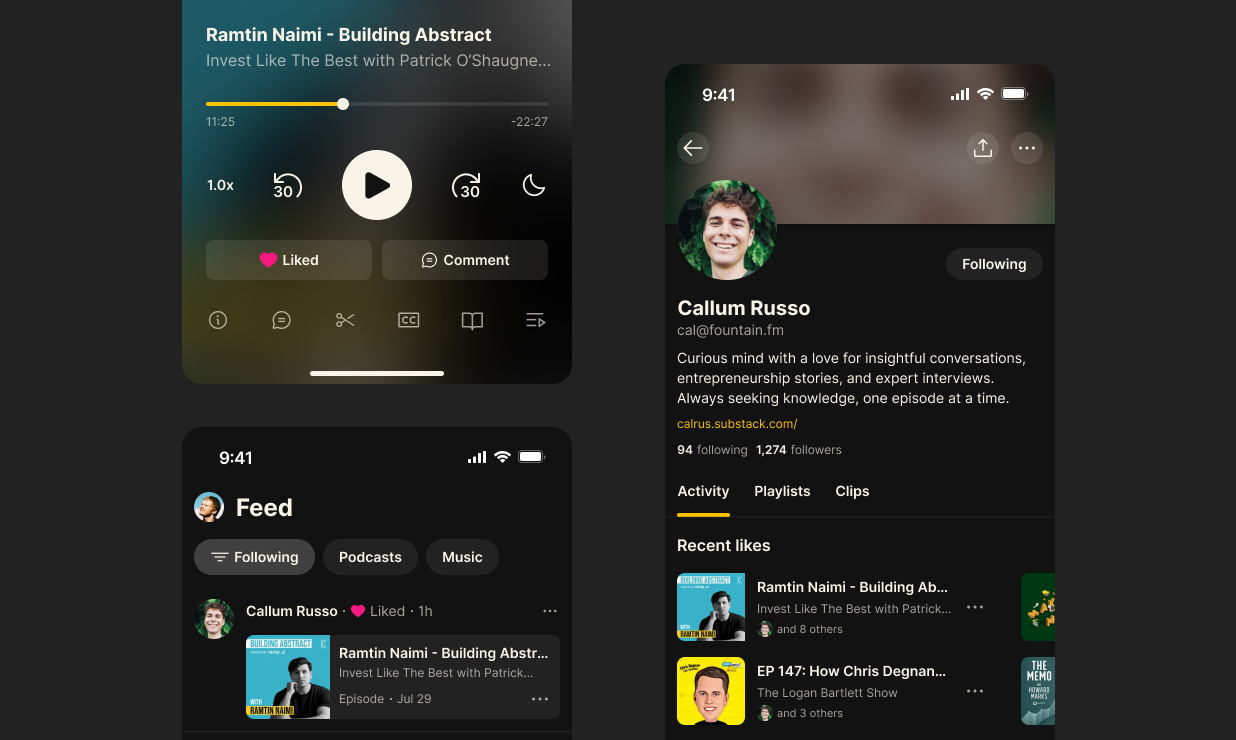
    Boosts and comments are great, but sometimes you just want to say “I enjoyed this” without typing anything. Now you can like any episode or track from the player or the content page. When you like something it shows up:

    • In the feed for people who follow you

    • On your profile under Recent Likes

    Likes also influence what gets featured in the Trending sections on the new Home tab (more on this in a moment). Likes on Fountain are powered by Nostr, so they can work in any supporting podcast apps.

    Liking is the easiest way to recommend content to your network. Try it out and see what your friends are liking too.


    New Home Tab

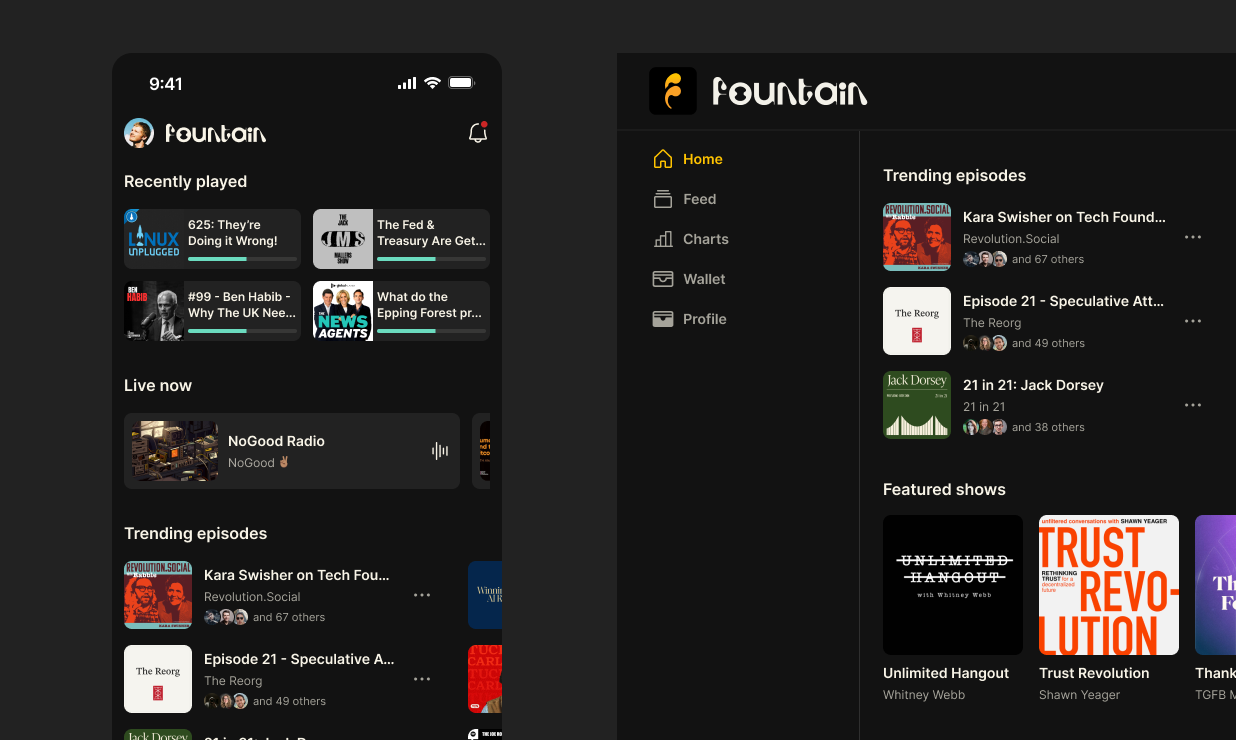
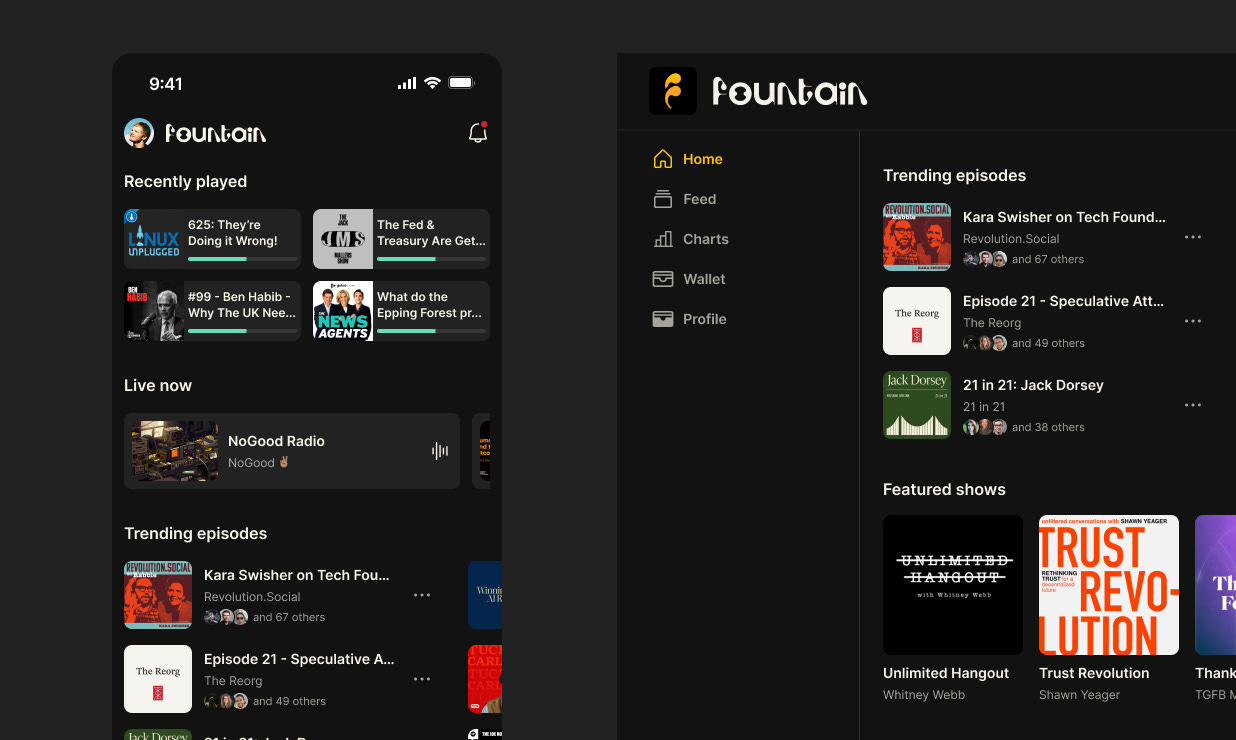
    You will notice some big changes to the Home tab in the app and on our website to give you recommendations based on people you are following.

    • Recently played: Jump back into podcasts you already started listening to

    • Live now: See livestreams from people you are following

    • Trending: See which episodes and tracks were recently boosted, liked or shared by people you are following

    The Feed now has its own dedicated tab and we’ve also added a Trending view which allows you to see the top boosts.


    Improved Search

    Let’s be honest - our old search wasn’t great. In 1.3, we’ve completely rebuilt our content search index from scratch and rolled it out in the app and on our website.

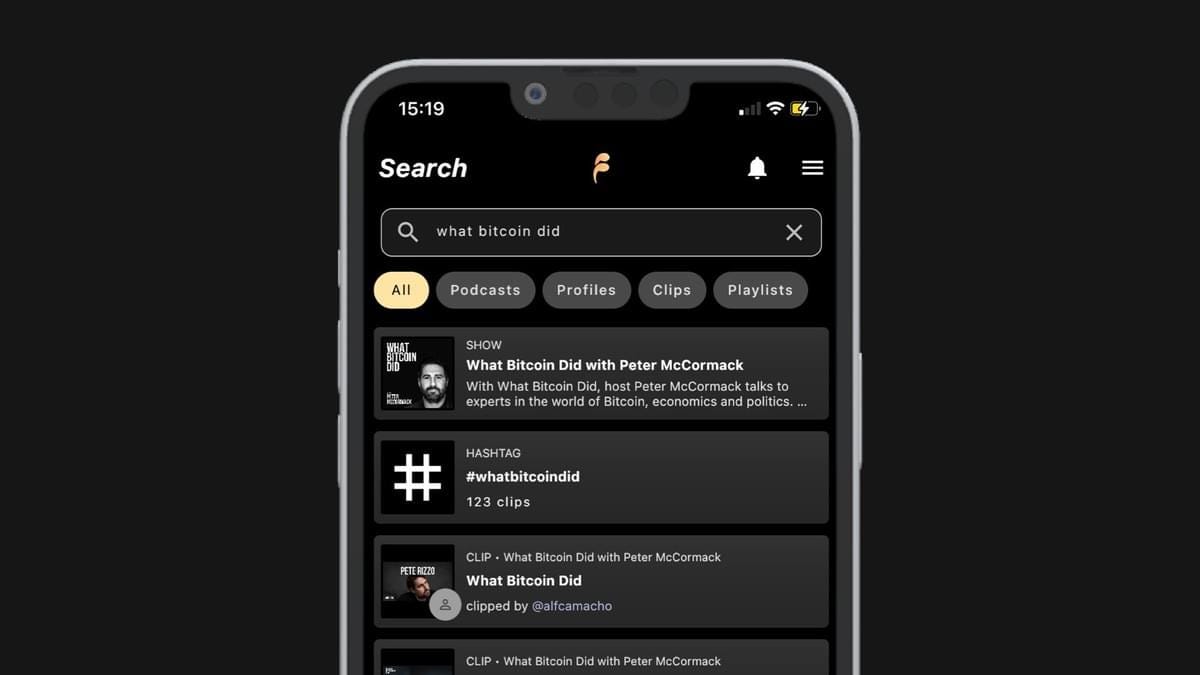
    • Faster and more relevant search results for podcasts, music, profiles and clips

    • Find episodes by keywords in the title, subtitle, or description

    • See your recent searches

    We’ve also made some design and UX improvements to the charts as well as featured shows, artists and music shows.


    Nostr Infrastructure Upgrades

    In Fountain 1.3 we've completely rebuilt our Nostr database for speed and stability. Browsing the feeds, comments, profiles, and reactions should feel noticeably snappier.


    Bug Fixes and Other Improvements

    • Boost with bank card added for select shows hosted on Fountain

    • Nostr Live stream bug fixes and UX improvements

    • Early access improvements (locked items won’t automatically add to you queue)

    • Music collections like My Tracks and Hot Tracks now play in sequence

    • Track playback position is now saved in player when returning to the app

    • Added light haptic feedback on reactions

    • Follow/unfollow a show directly from the menu

    • Improvements to import podcasts flow


    We would love to hear how you’re finding Fountain. Please submit your thoughts and feedback via the main menu in the app and we will take it on board as we continue to improve the app.

    If you want to help test new features out before they get released, you can join Fountain Beta on Telegram. All iOS and Android users welcome.
  6. 7 Jul 2025

    Fountain 1.2.8 - Player Design Refresh, Video Playback, AirPlay and Chromecast Support, Auto-Queue on Play

    We’re excited to share that Fountain 1.2.8 is now available on iOS and Android. This update brings a refreshed player design, video playback, AirPlay and Chromecast support, plus a host of other improvements and bug fixes. Here's what's new:

    Player Design Refresh

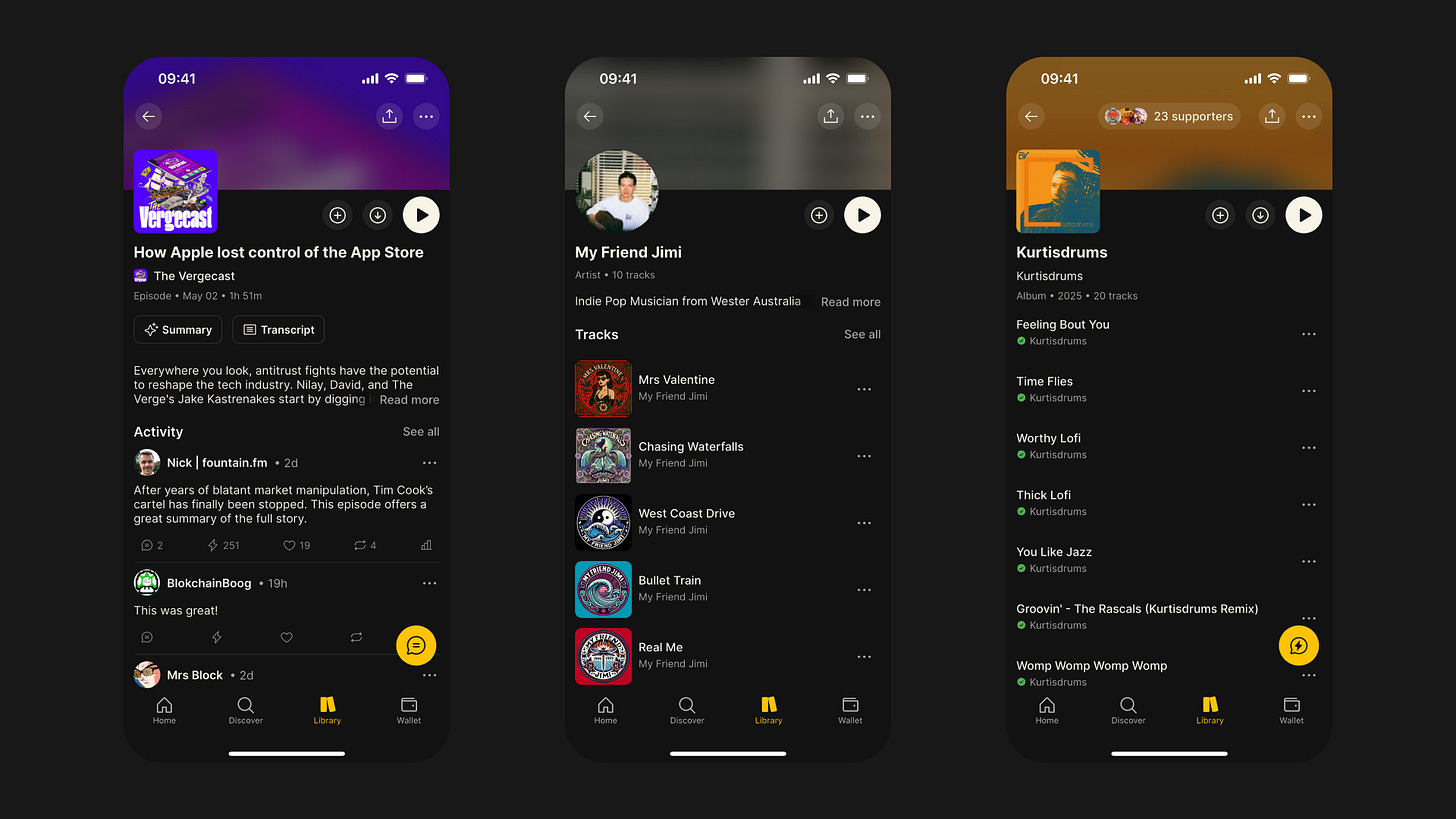
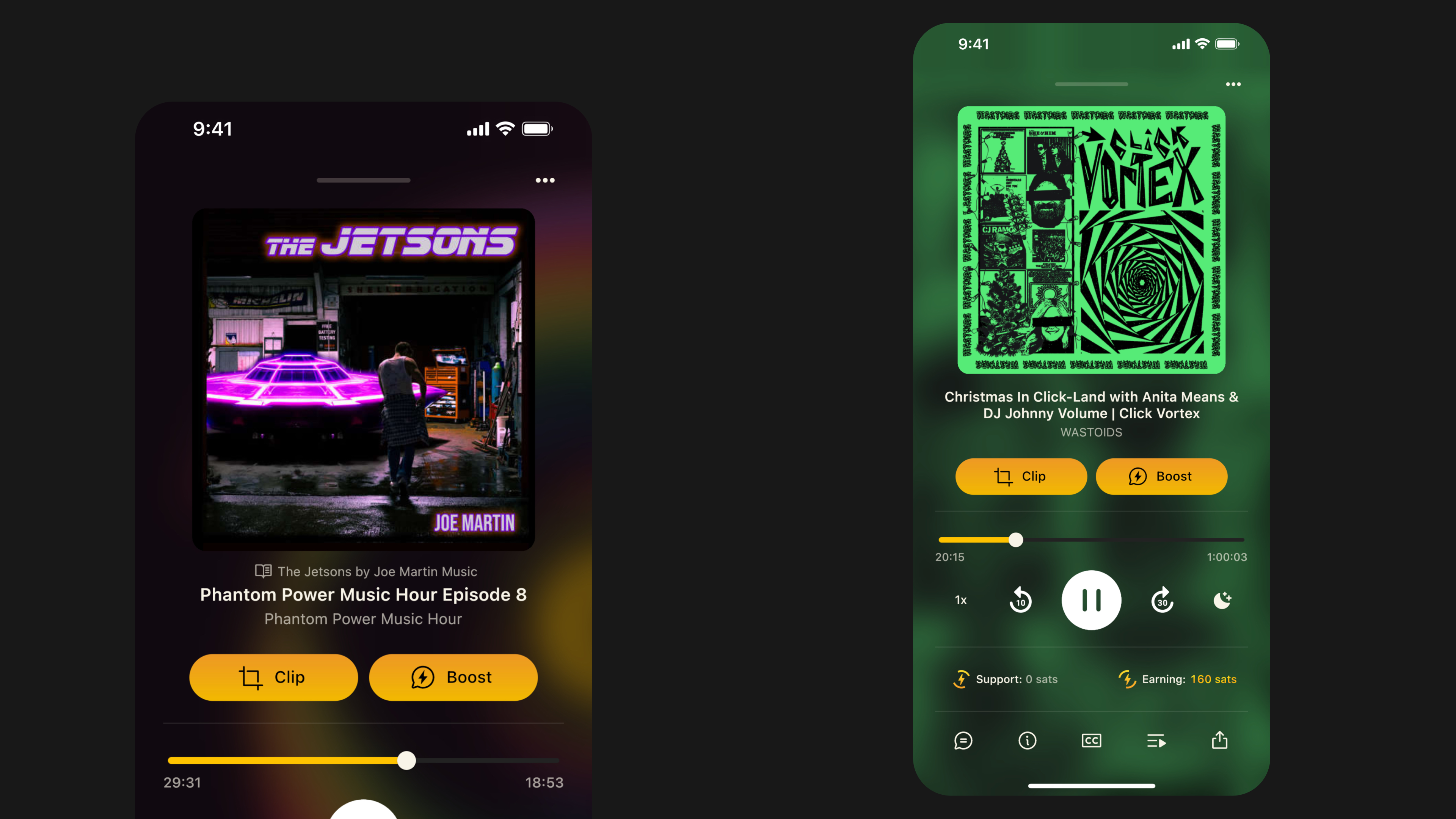
    The new player interface makes listening to podcasts — and music — feel smoother and more refined. Artwork takes center stage, complemented by larger text, a cleaner layout, and smoother transitions. Playback controls are now more intuitive and easier to use. We’ve also made subtle UX improvements to the clipping tool, which you can now access via the tab bar at the bottom of the player.

    You will notice that earning rewards are no longer shown on the player. Instead, you’ll see a toast notification when you first play a podcast each day which lets you know if you’re earning today (and what your rate is).

    Video Playback

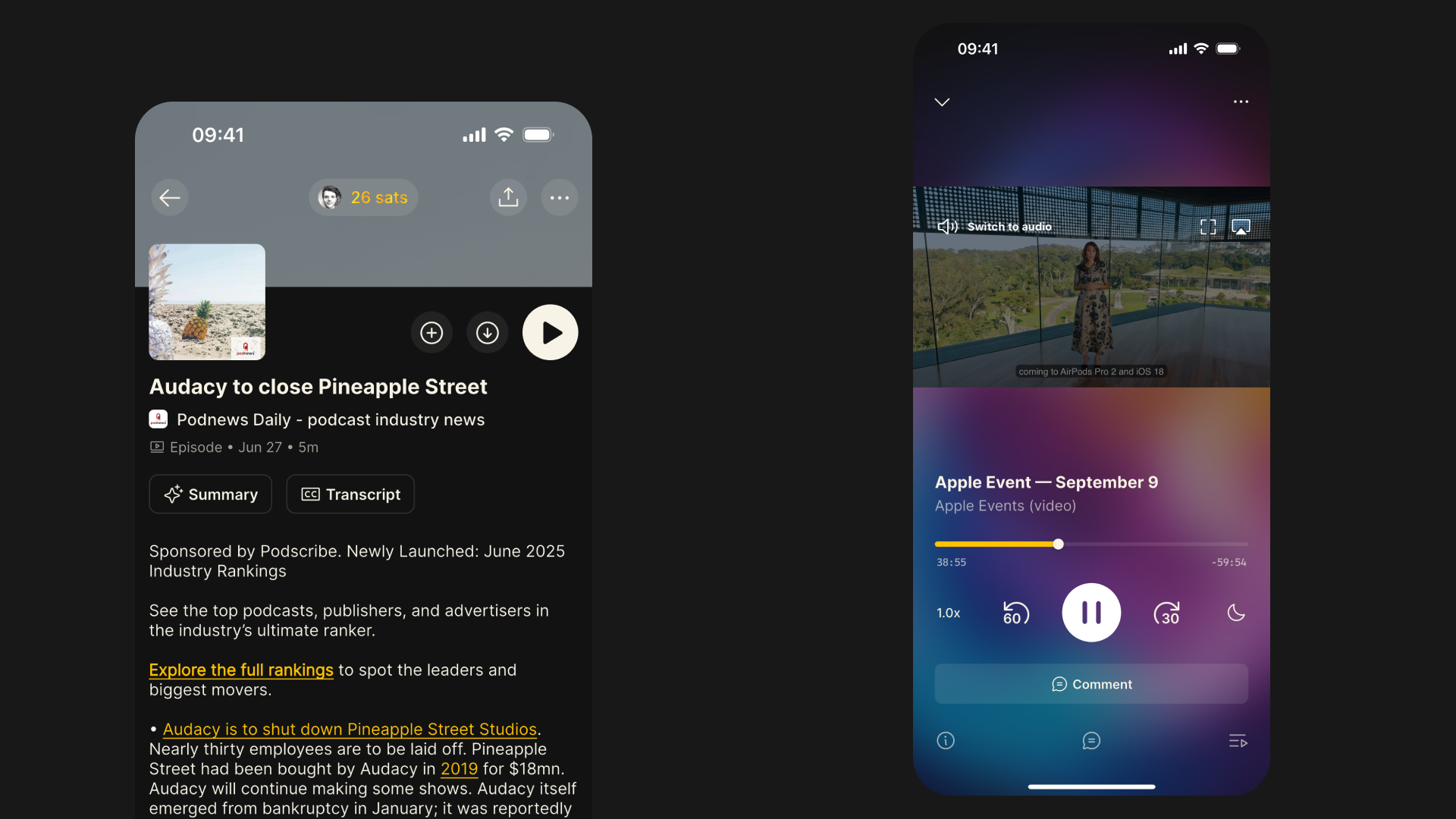
    Fountain now supports video podcasts and you can now toggle seamlessly between audio and video by tapping the artwork on the player.

    If a show provides an MP4 or HLS video in their feed, you’ll see a video icon on the episode card and episode page. By default, video will auto-play when available. You can customize this in Settings > Playback to control video playback based on your data preferences (Never, Wi-Fi only, or Mobile Data).

    You can find a demo created by Justin Jackson below and learn more about the implementation over on the Podcast Standards Project blog.

    We’ll soon be sharing an update on the new podcast hosting product we’ve been building. It will allow podcasters to upload a video version when publishing new episodes, making video playback available in all supported apps. Please contact us if you'd like to learn more and get access to our beta.

    https://www.youtube.com/watch?v=XwxhmUCg-M0

    AirPlay and Chromecast Support

    You can now cast audio and video to your favorite devices with AirPlay and Chromecast support. Tap the artwork on the player to see your casting options and connect with ease.

    Auto-Queue on Play

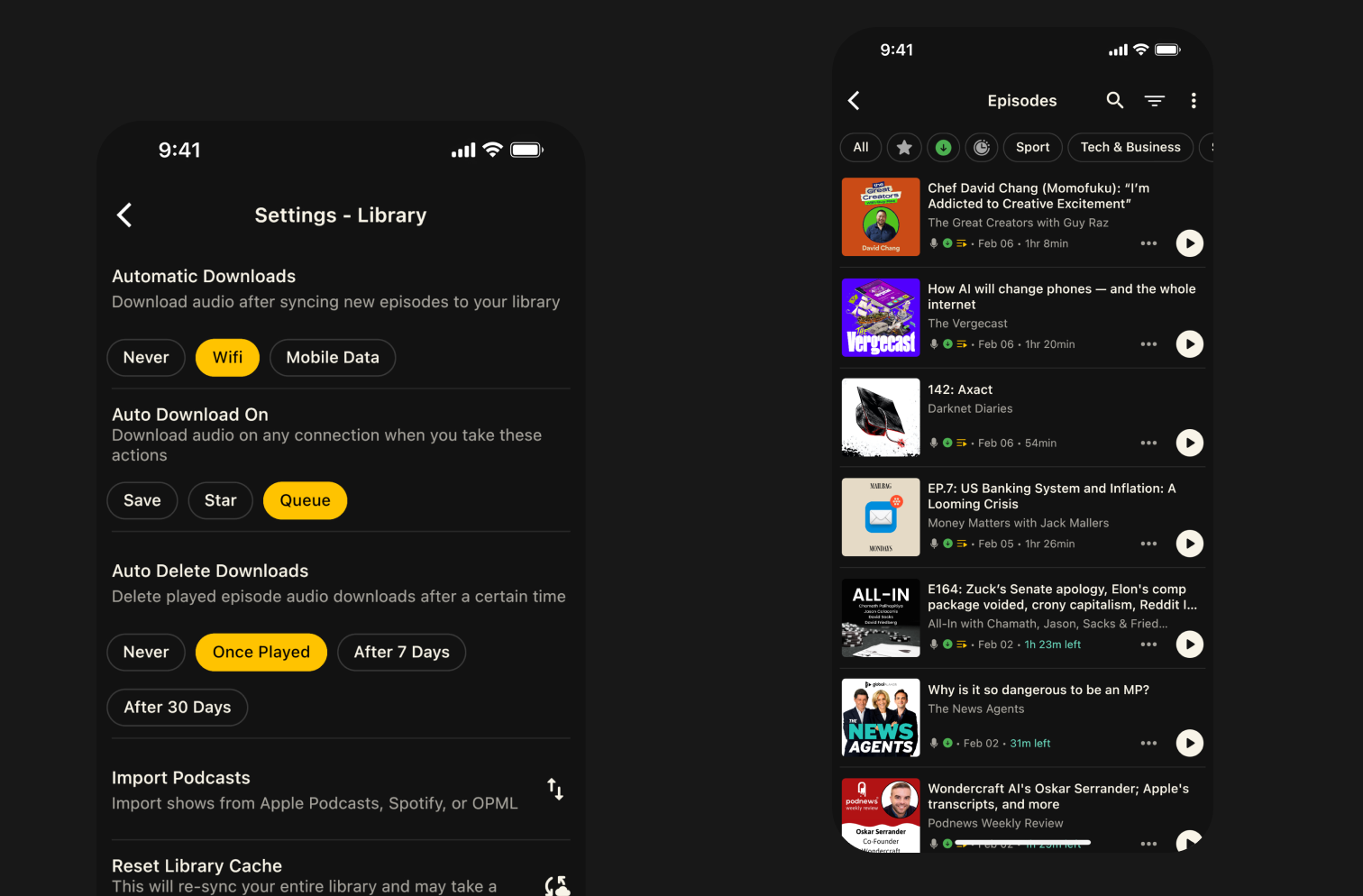
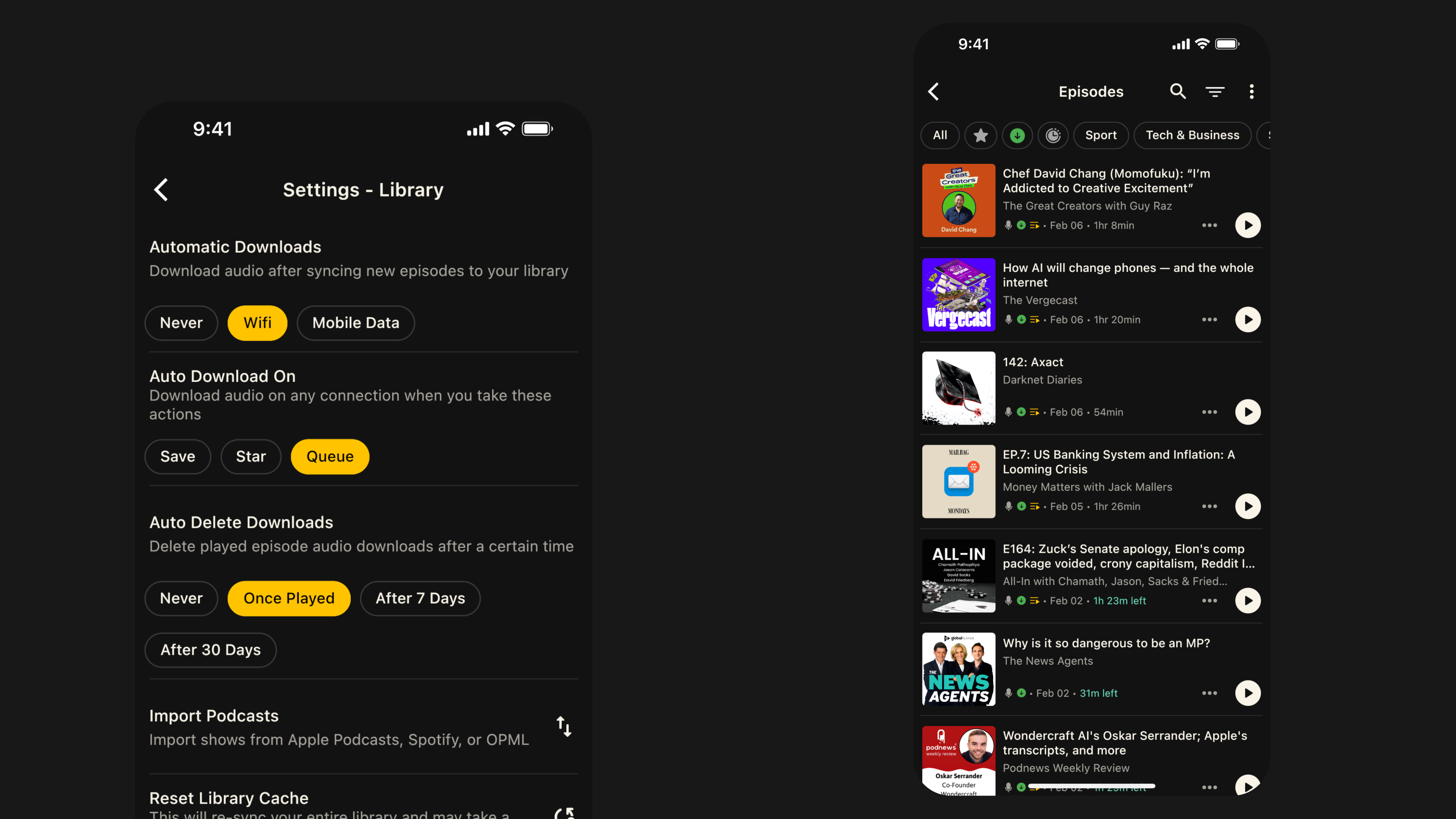
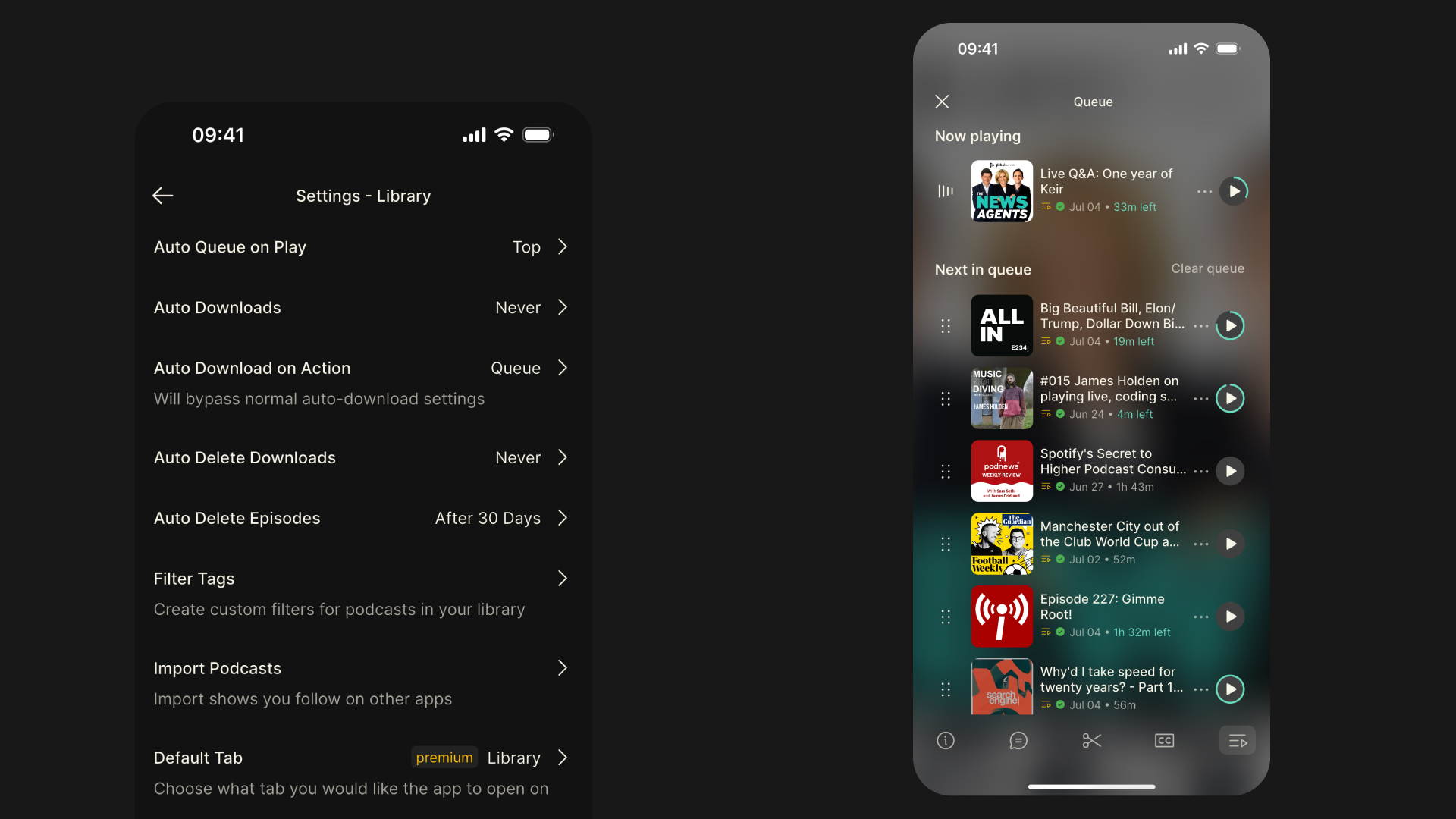
    We’ve added a new library setting which automatically queues episodes when played. Choose whether you want the episodes added to the top or the bottom of your queue. You can enable this by going to Settings > Library.

    Other Bug Fixes & Improvements

    • Improved playback of downloaded content on Android

    • Fixed issue where play position was lost after resuming

    • Fix for playback state tracking, reducing issues with paused or unresponsive play buttons

    • Faster seek forward/back responsiveness

    • Improved support for custom RSS feeds with video enclosures and modern streaming formats (HLS, DASH, SmoothStreaming)

    • Fixed an issue where queued items were not advancing properly when played from the queue or library

    • Resolved crash when setting custom boost/zap amounts

    • Fixed issue where downloaded items could fail to resume

    • Solved occasional "gray screen" in the Library due to incorrect content mapping

    • Seek errors on iOS when loading new assets are now resolved

    • Transcript start/end times are now more reliable

    • Improved error handling and transcript performance

    • Reduces unnecessary UI rebuilds for player controls and queue

    • Filters out live items from auto-delete downloads


    We would love to hear how you’re finding Fountain. Please submit your thoughts and feedback via the main menu in the app and we will take it on board as we continue to improve the app.

    If you want to help test new features out before they get released, you can join Fountain Beta on Telegram. All iOS and Android users welcome.
  7. 5 May 2025

    Fountain 1.2 - Library & Content Pages Design Update, Episode Summaries & Playback Improvements

    It’s been a little while since we released a major design update, so we’re really excited to get this new version of the app into your hands. Here’s a breakdown of all the main updates included in Fountain 1.2:

    #### Library Design Update

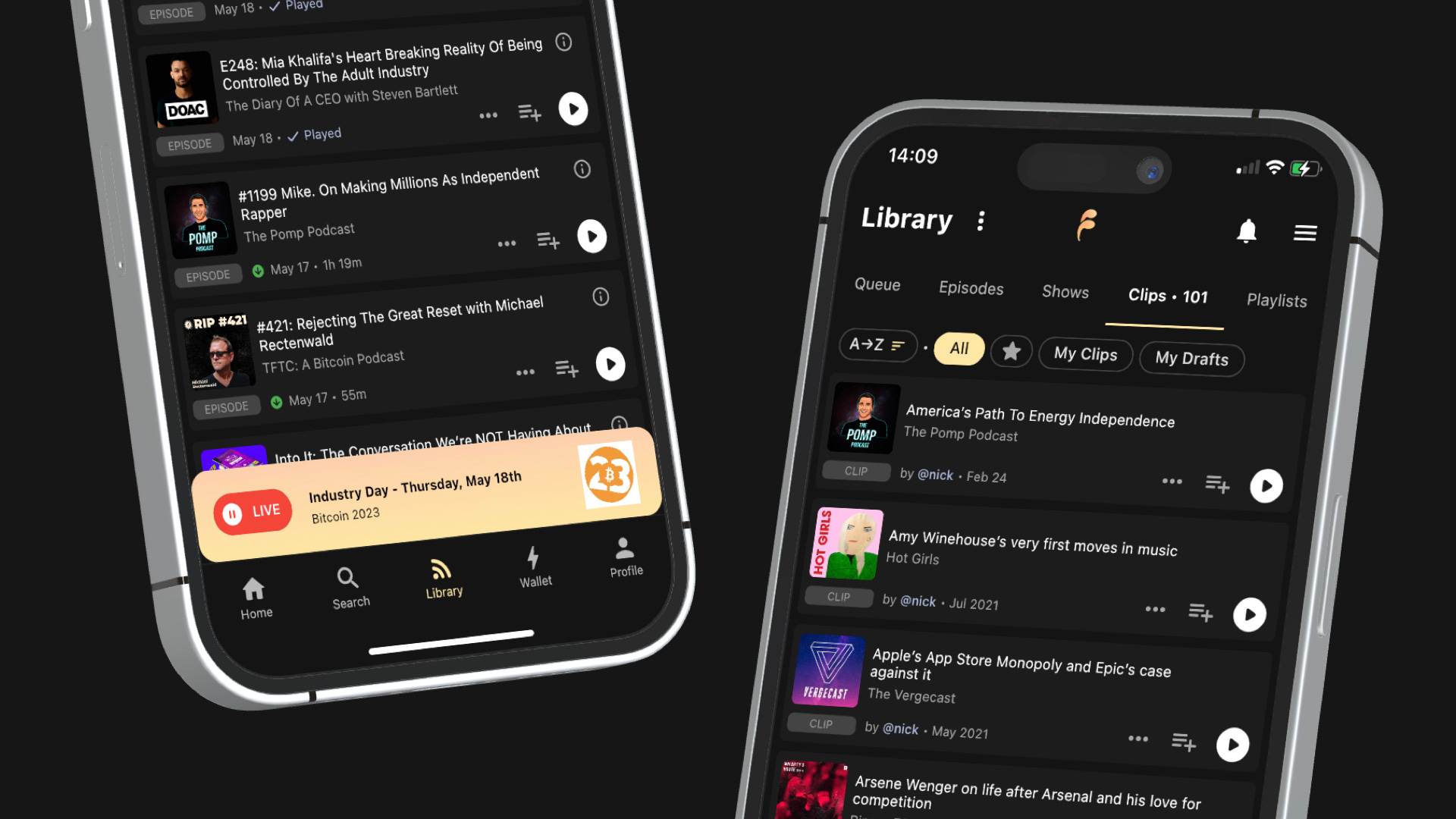
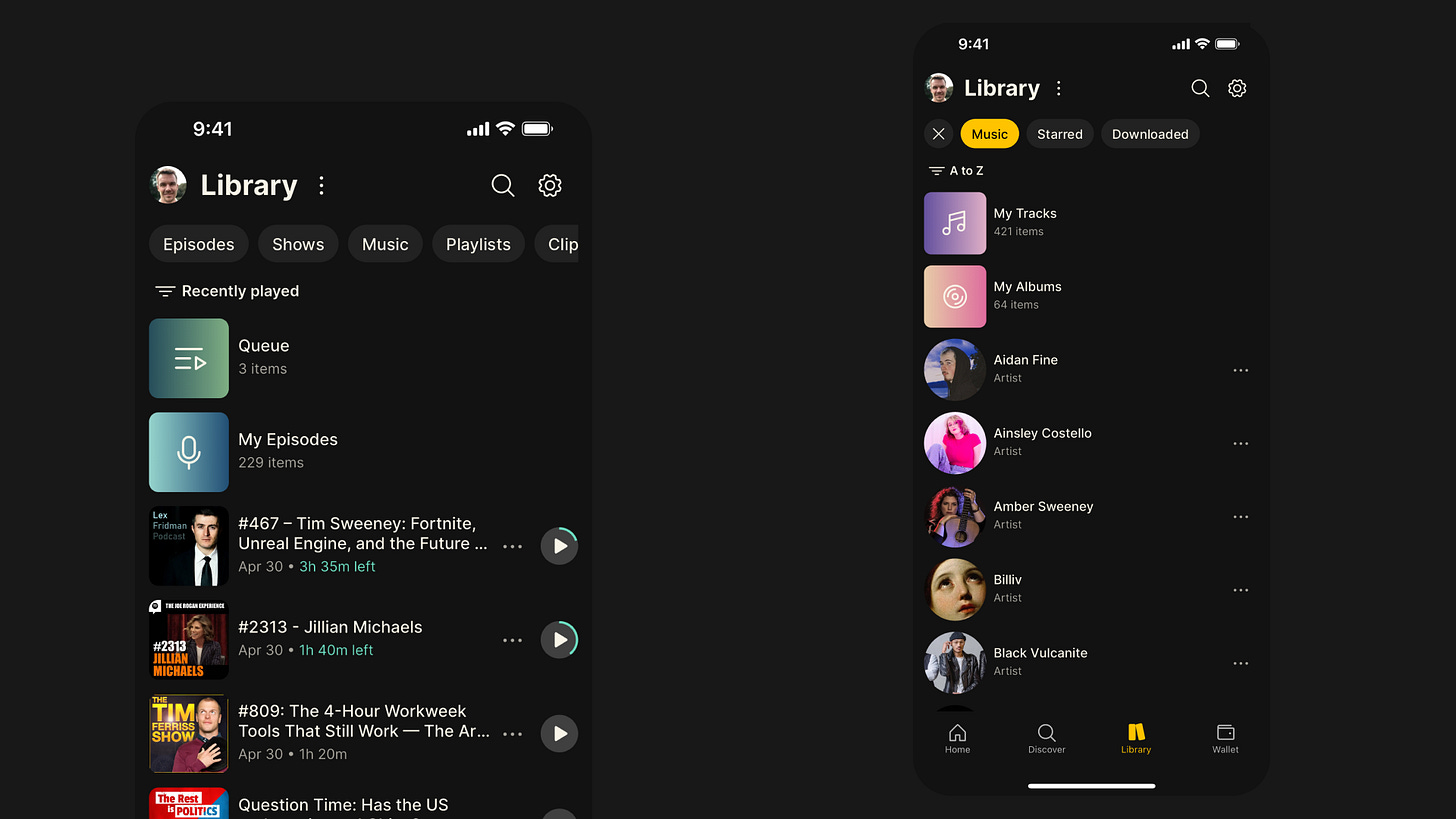
    • New content-type filters at the top of the page make it easier to navigate between podcasts and music in your library.

    • Recently Played is now the default view in your library, so it’s easier to jump back into podcasts you’ve already started.

    • The Music filter now makes it easier to find saved tracks and albums, and it also gives you a list of all the artists whose music you’ve saved.

    • We’ve refreshed the design of the content cards to make it easier to see how much time is remaining on episodes you’ve already started.

    #### Content Pages Design Update

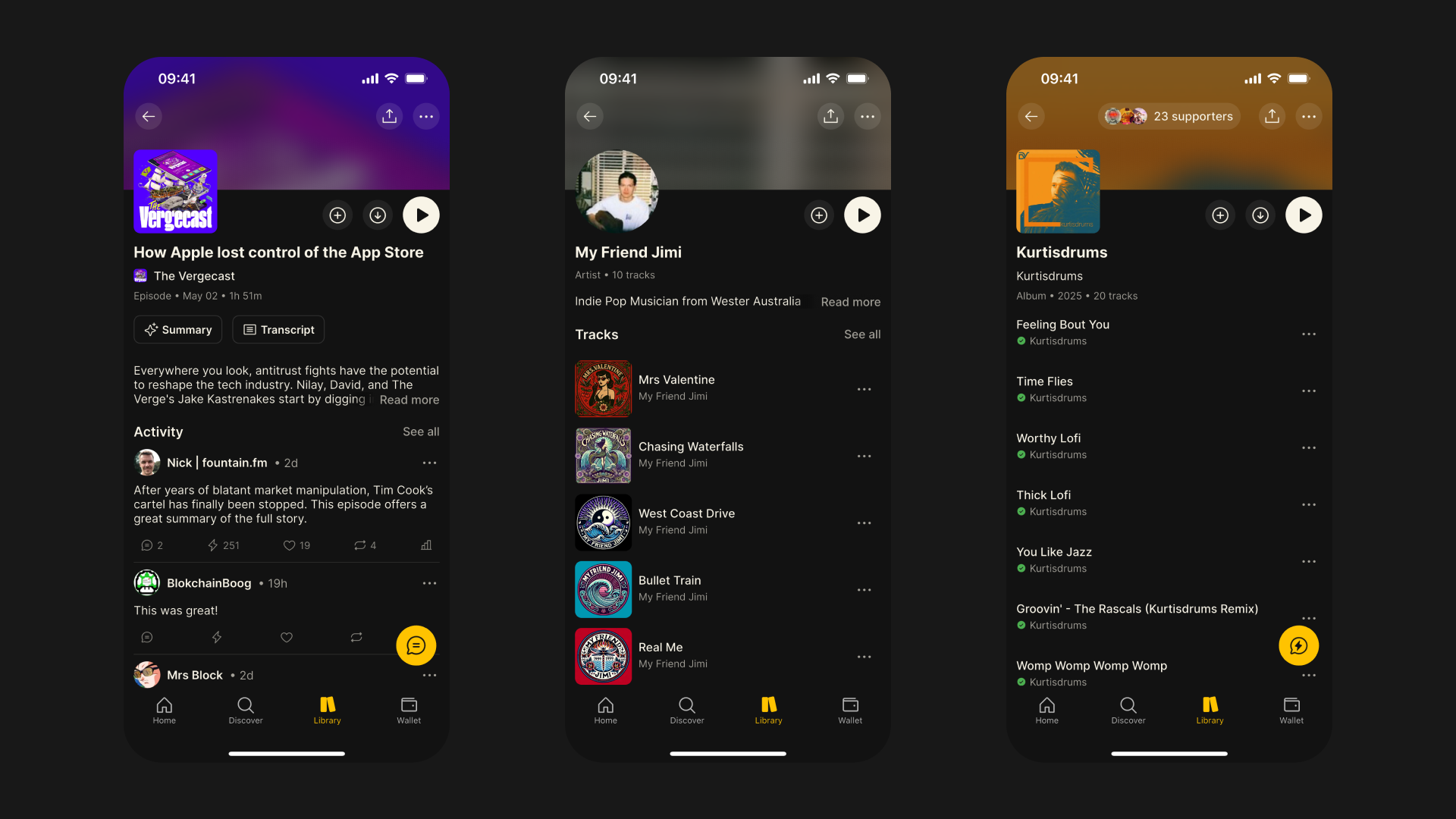
    • All of the different content pages have undergone an extensive redesign, including shows, episodes, artists, albums, tracks, clips and playlists

    • We’ve replaced the tab layout we were using on the content pages with one scrollable page, making it easier to access features like chapters and tracklists

    • We’ve sanitised the formatting of show notes too, and if there is no activity for a given episode, we now display the expanded show notes

    #### Episode Summaries

    Ever looked at a 4-hour Lex Fridman episode and wished you could just read a high-level summary? We certainly have, so we did something about it.

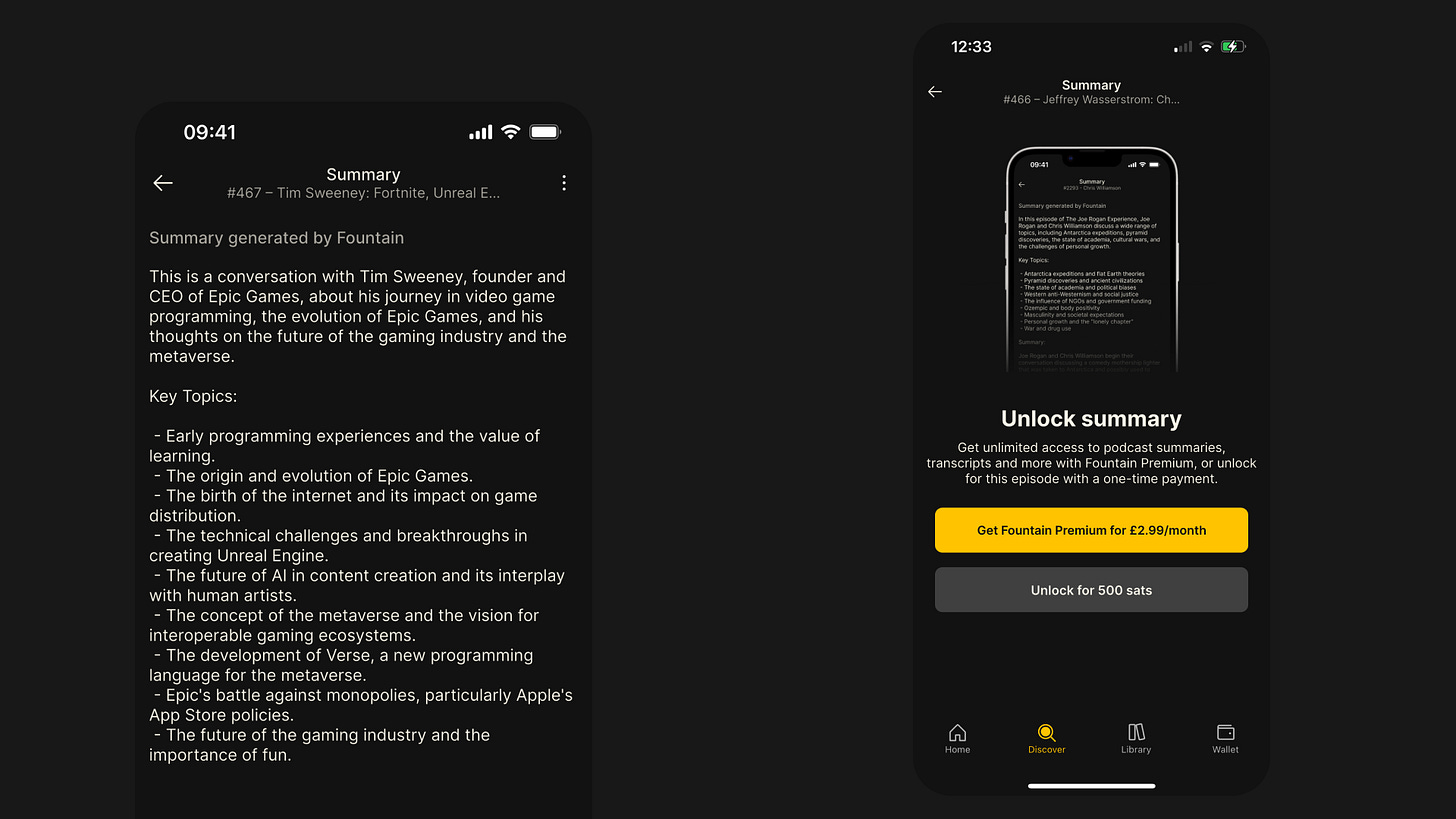
    • Every episode page now has a Summary button above the show notes.

    • Simply pay 500 sats to unlock a summary, or upgrade to Fountain Premium for $2.99/month to enjoy unlimited summaries.

    • Summaries and transcripts now come as a bundle — two for the price of one!

    • Thanks to major improvements, they’re now faster, cheaper, and more accurate than ever before.

    #### Playback Improvements

    We’ve completely rebuilt our audio engine from the ground up. Playback is now more robust and reliable — especially for music. Here are some of the key enhancements in Fountain 1.2:

    • Tracks now load and play instantly when tapped.

    • When playing a collection of tracks (e.g. from an artist, album, or playlist), you can now skip seamlessly between them.

    • We’ve replaced the scrollable player page with full-screen modals to make it easier to access show notes, comments, transcripts, chapters, tracklists, and your queue.

    • The new Smart Resume feature rewinds the episode by 5 seconds when you hit pause, so you don’t miss a beat.

    • You can now skip forward or backward by 60 seconds for faster navigation through episodes.

    Other Bug Fixes & Improvements

    • Rebuilt payment stats for more complete and reliable transaction records.

    • Refreshed the design of the Settings pages for better usability.

    • Added new episode notification preferences in Settings.

    • Fixed several playback issues that were causing crashes or freezes.

    • Updated lock screen display and controls for livestreams.

    • Fixed issue where the next item in the queue paused unexpectedly.

    • Resolved playback stuttering on Android during livestreams.

    • Fixed disappearing playback controls on the lock screen.

    • Fixed playback speed not updating correctly.

    • Resolved issue where played episodes couldn’t be replayed.

    • Fixed playback not resuming correctly when listening in the car.

    • Synced car playback position with the device.

    • Fixed persistent car display refresh issue.

    • Fixed volume control via car controls.

    • Resolved issue with headphone controls after playing a transcript.

    • Fixed disappearing metadata on the lock screen.

    • Fixed bug where downloaded episodes stopped in airplane mode but showed as playing.


    We would love to hear how you’re finding Fountain 1.2. Please submit your thoughts and feedback via the main menu in the app and we will take it on board as we continue to improve the app.

    If you want to help test new features out before they get released, you can join Fountain Beta on Telegram. All iOS and Android users welcome.
  8. 13 Feb 2025

    1.1.16 - Nostr Livestreams (Beta) and Storage Manager

    Nostr Live Streams (Beta)

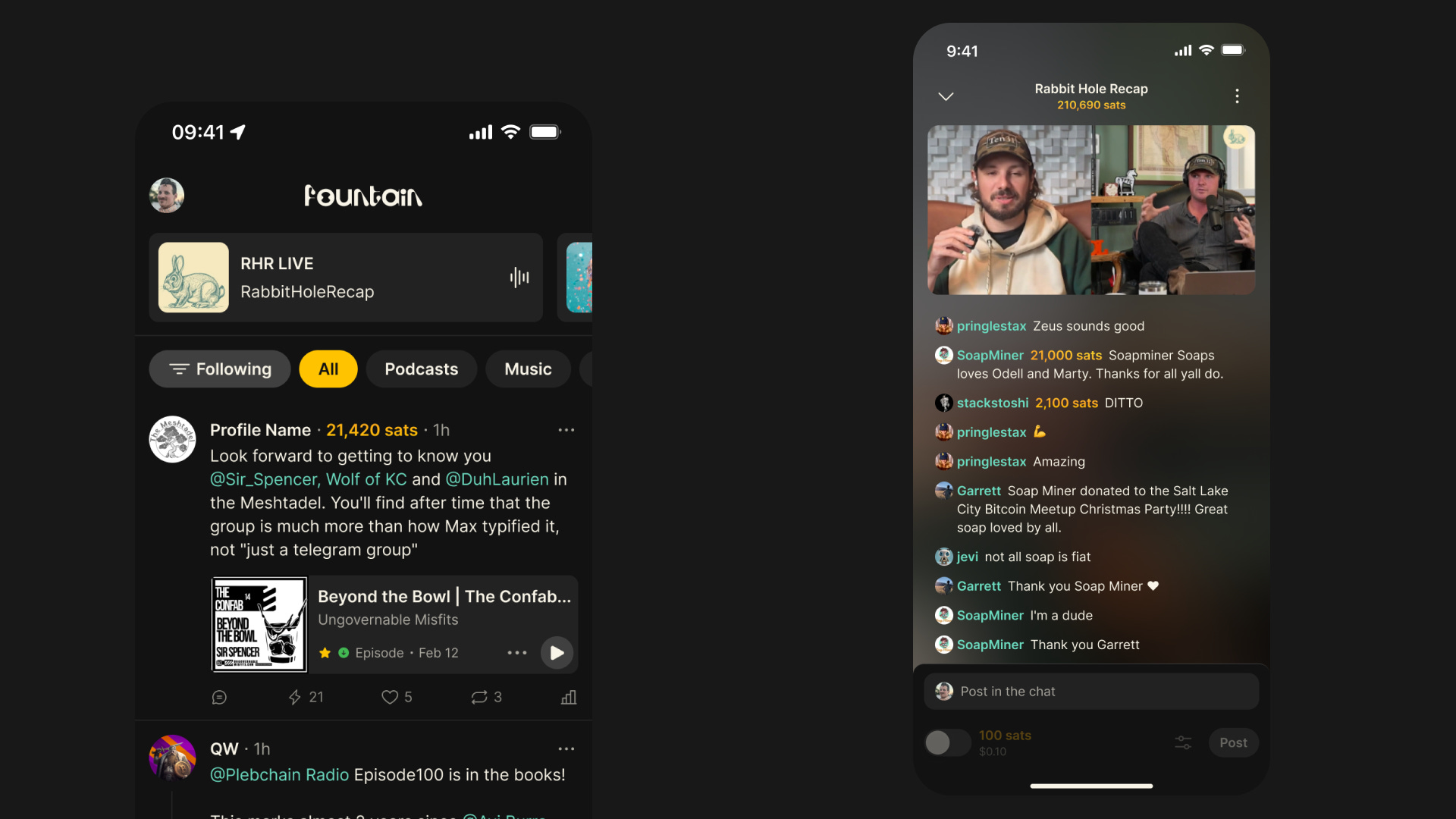
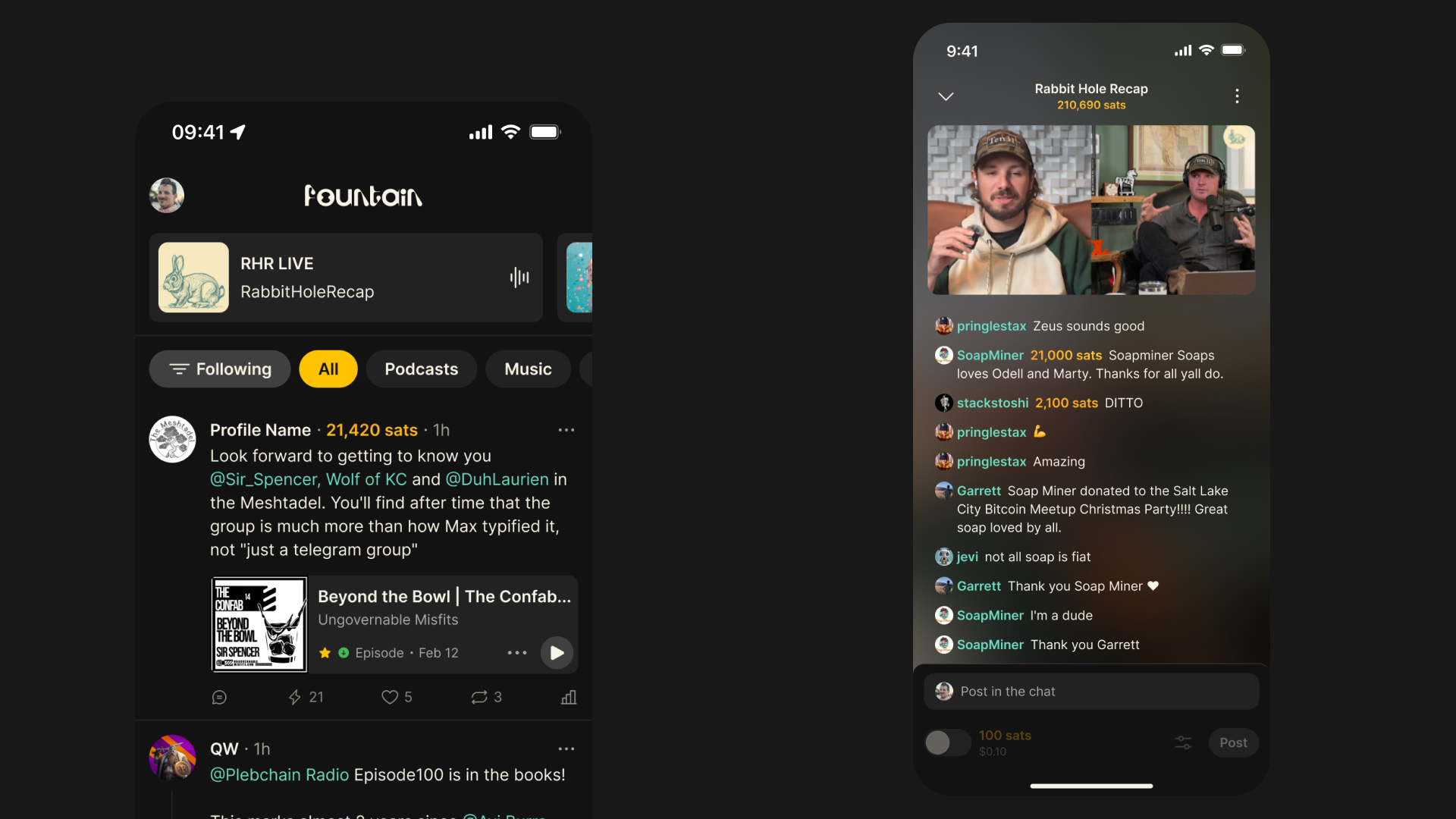
    If you follow shows like Rabbit Hole Recap, THE Bitcoin Podcast or Simply Bitcoin on Nostr, you can now watch the video in Fountain and hang out in the live chat as it’s being recorded. You'll find livestreams from people who follow on Nostr at the top of the home screen.

    As well and live podcasts, you will also find live music events from Phantom Power Music, radio stations like NoGood and Noderunners, as well as channels dedicated to gaming, art, coding and much more.

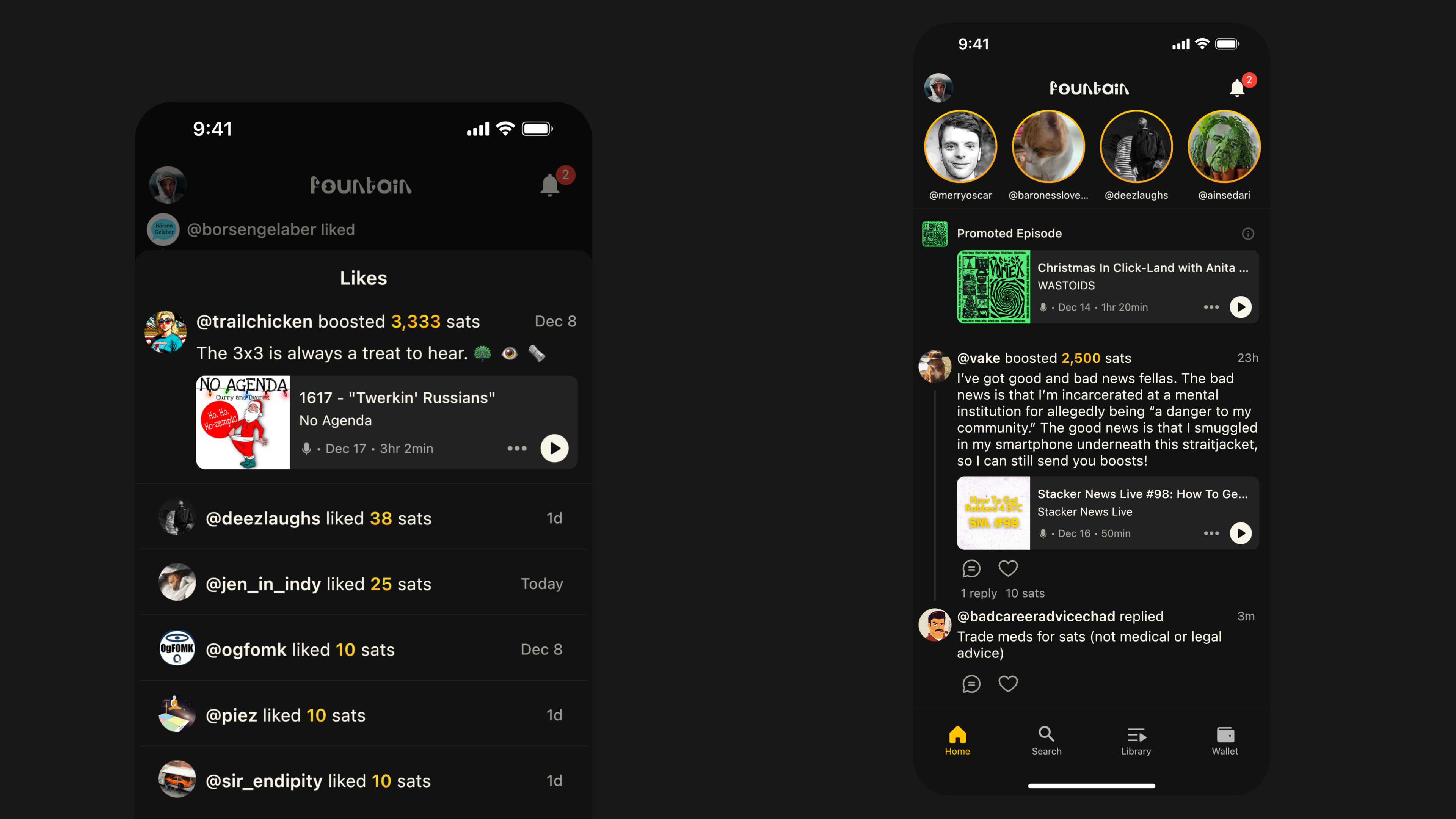
    Bringing creators and fans together through live experiences enables audience participation and creates a special feeling of community, so we’re really excited to get this into your hands.

    Nostr livestreams are a beta feature - i.e. we still have a lot more work to do! We will continue to make improvements to livestreams over the coming months - so we would love to hear your feedback.

    Storage Manager

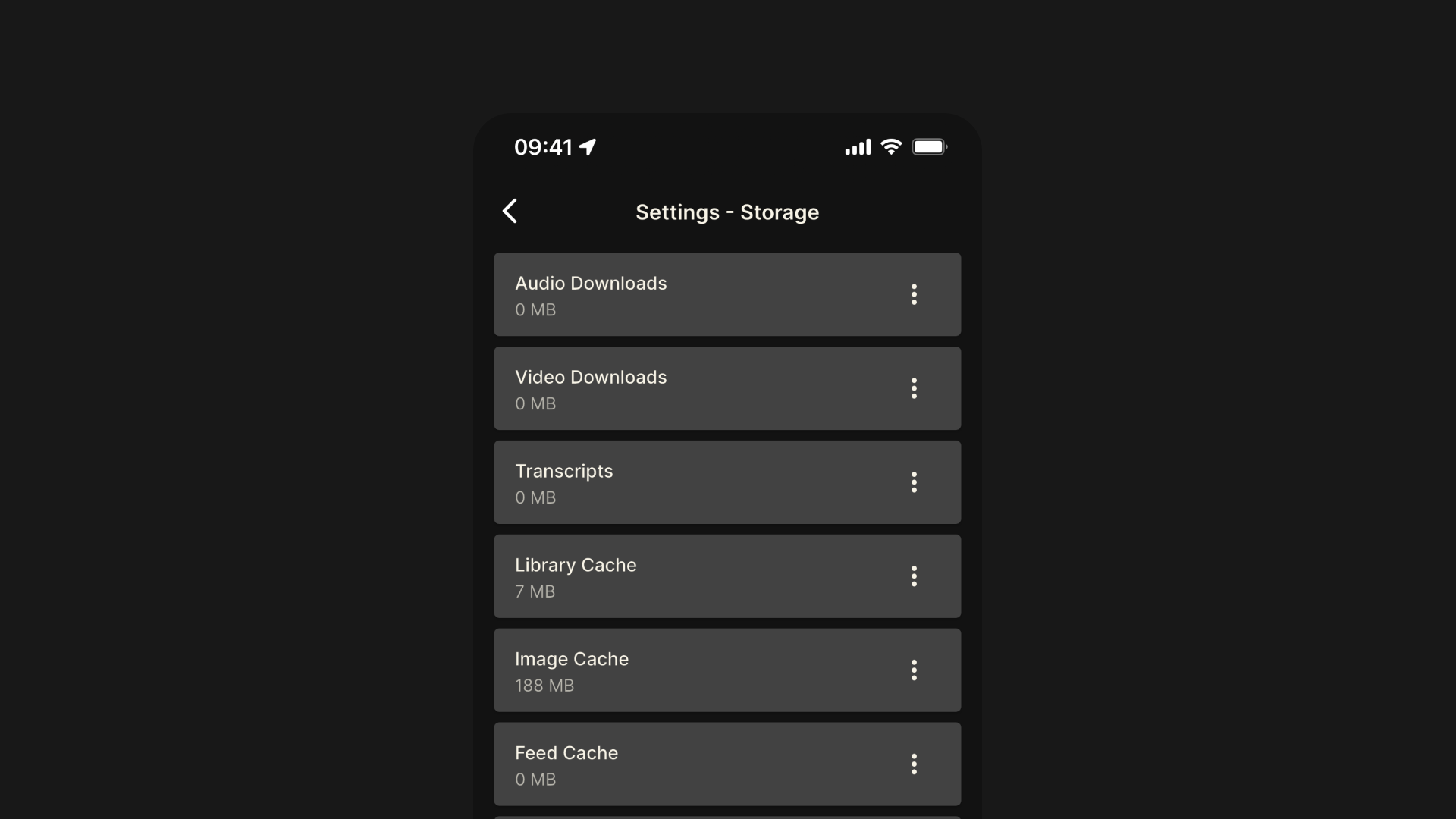
    We’ve added a storage manager in the app’s settings so that you can view file storage size for audio downloads, video downloads, transcripts, image cache, feed cache, and temp files. You can delete all files in any of these folders to free up storage on your device so that Fountain continues to run optimally.

    There are other performance and stability improvements that we are working on too. For example, in the next couple of weeks we will be rolling out an image proxy service, which should reduce mobile data usage and optimize storage. Stay tuned for further updates and, as always, thanks for your support.


    If you want to help test new features out before they get released, or if you want to share feedback or send a feature request, you can join Fountain Beta on Telegram. All iOS and Android users welcome.
  9. 11 Dec 2024

    1.1.10 - Payment UX Improvements and Faster Boosts

    Payment UX Improvements

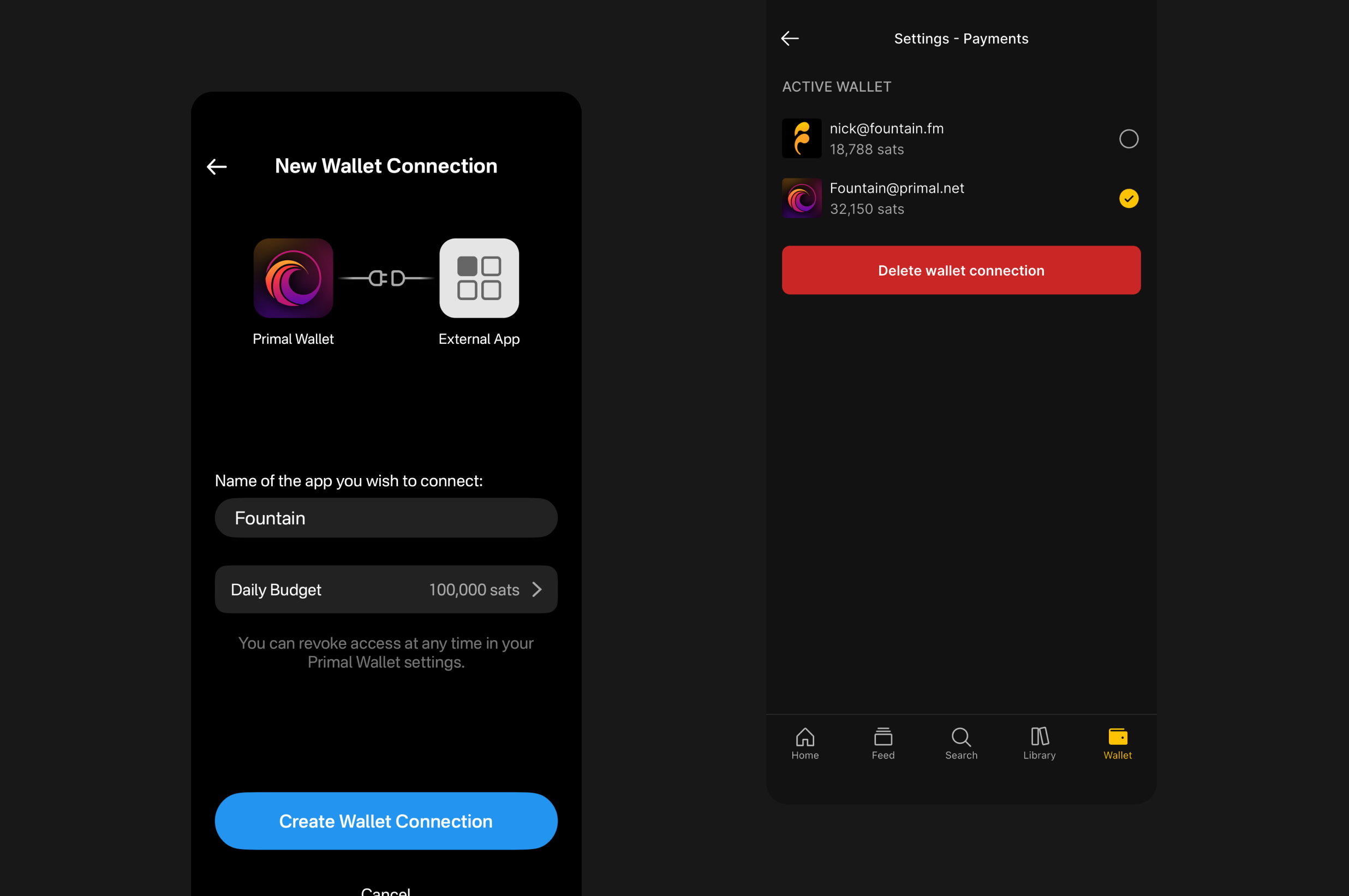
    We have updated the modals for all payment functionality across the app. Next time you boost, stream, zap, deposit or withdraw, you will notice that a few changes.

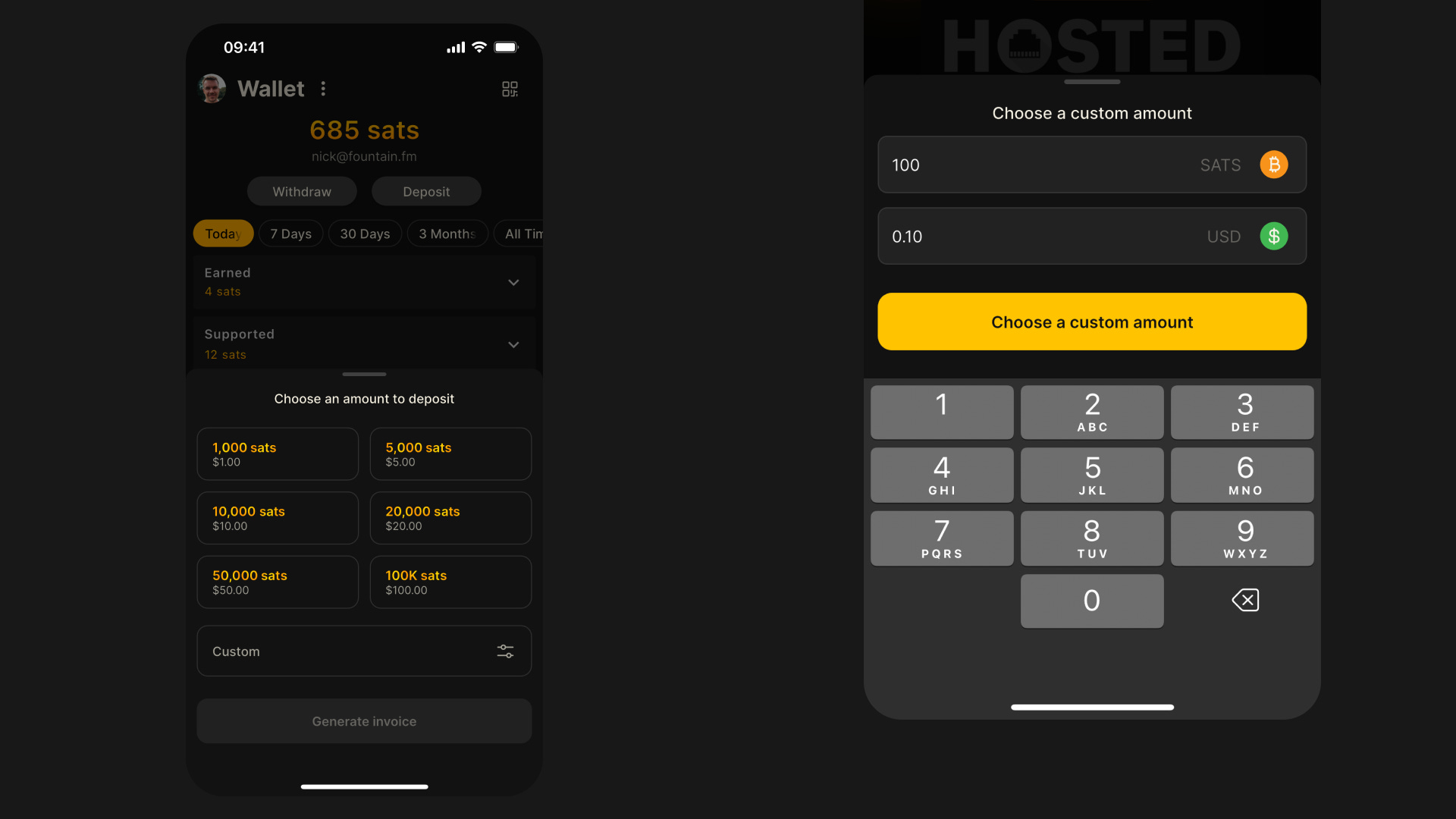
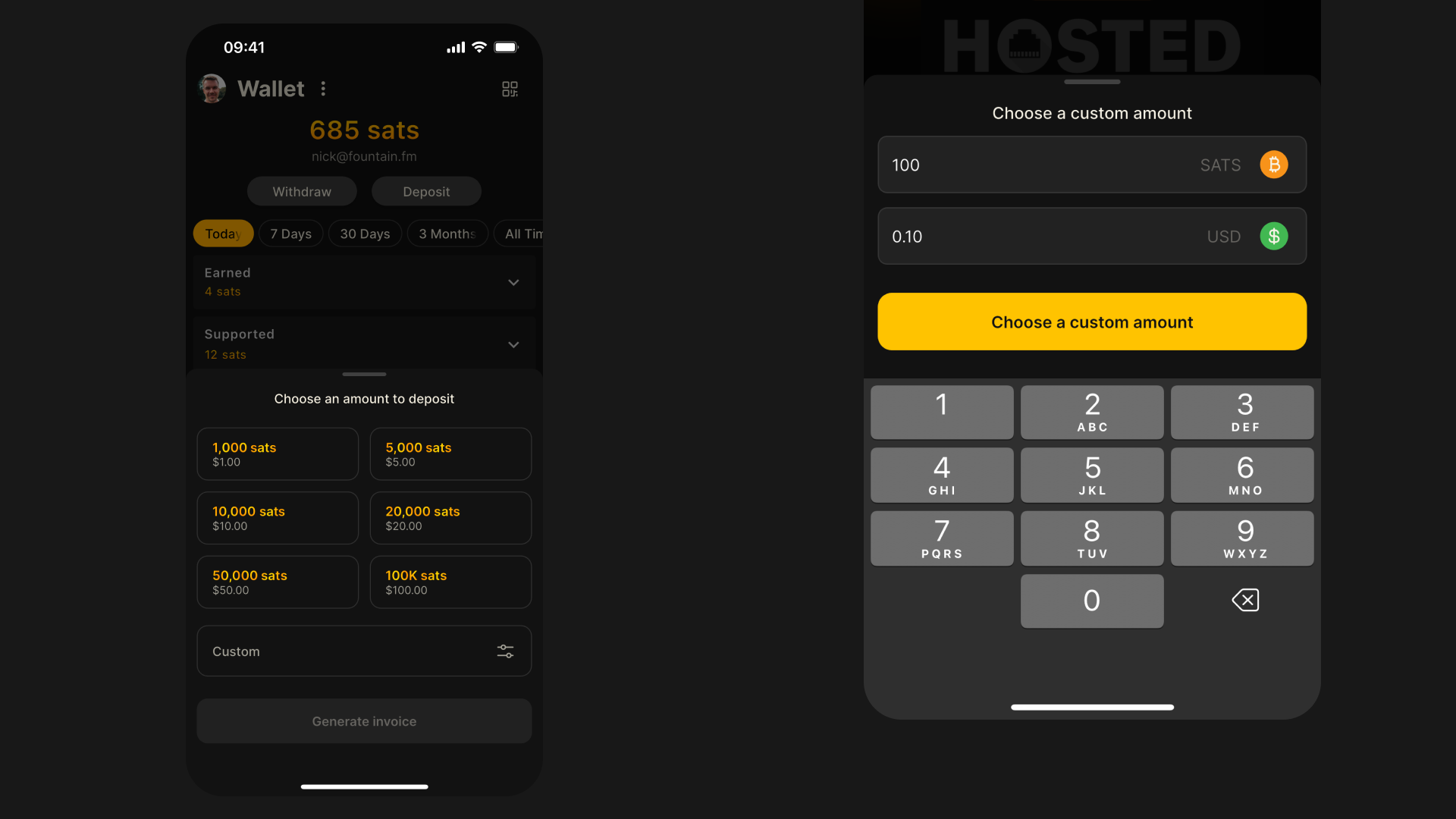
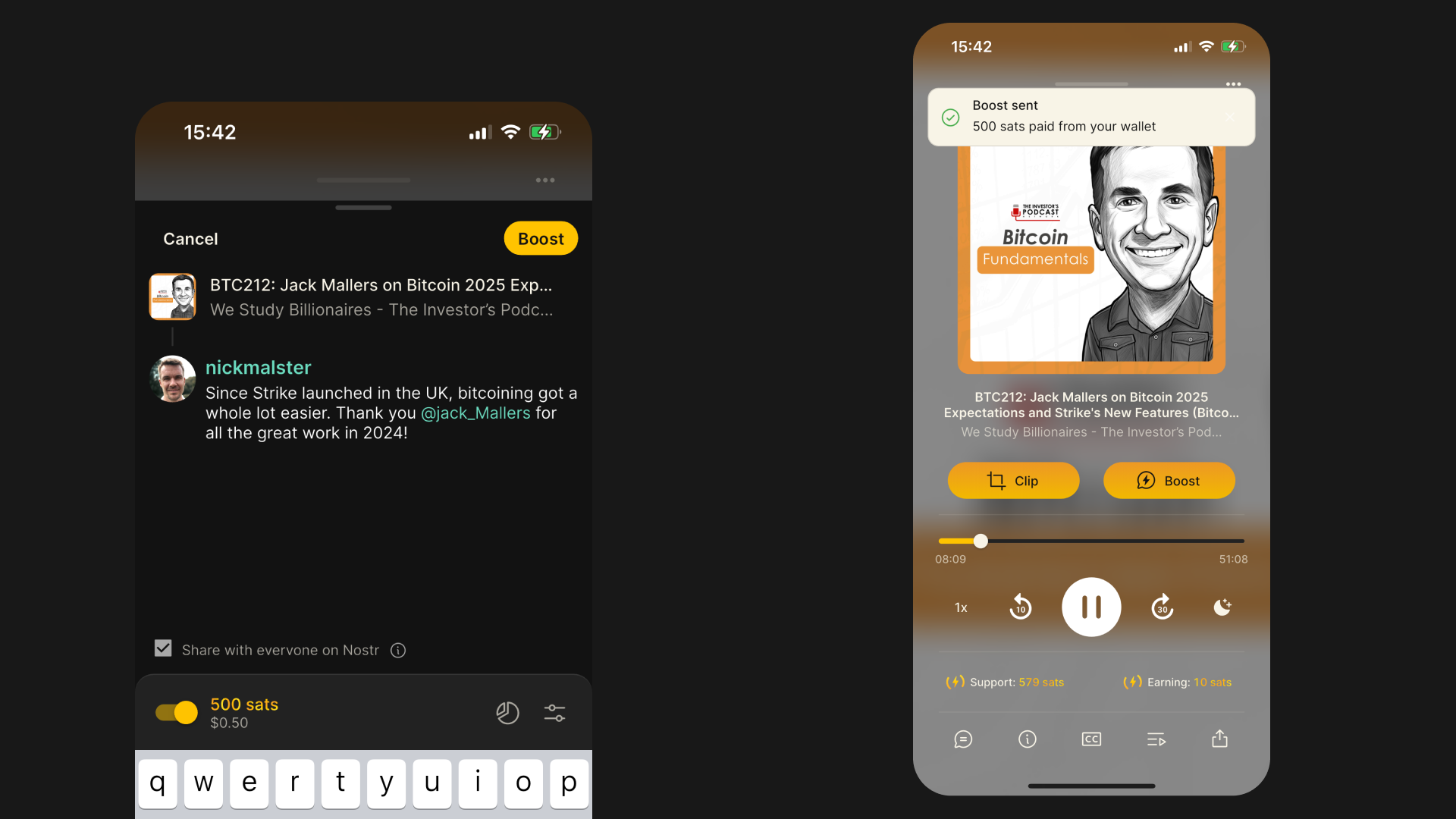
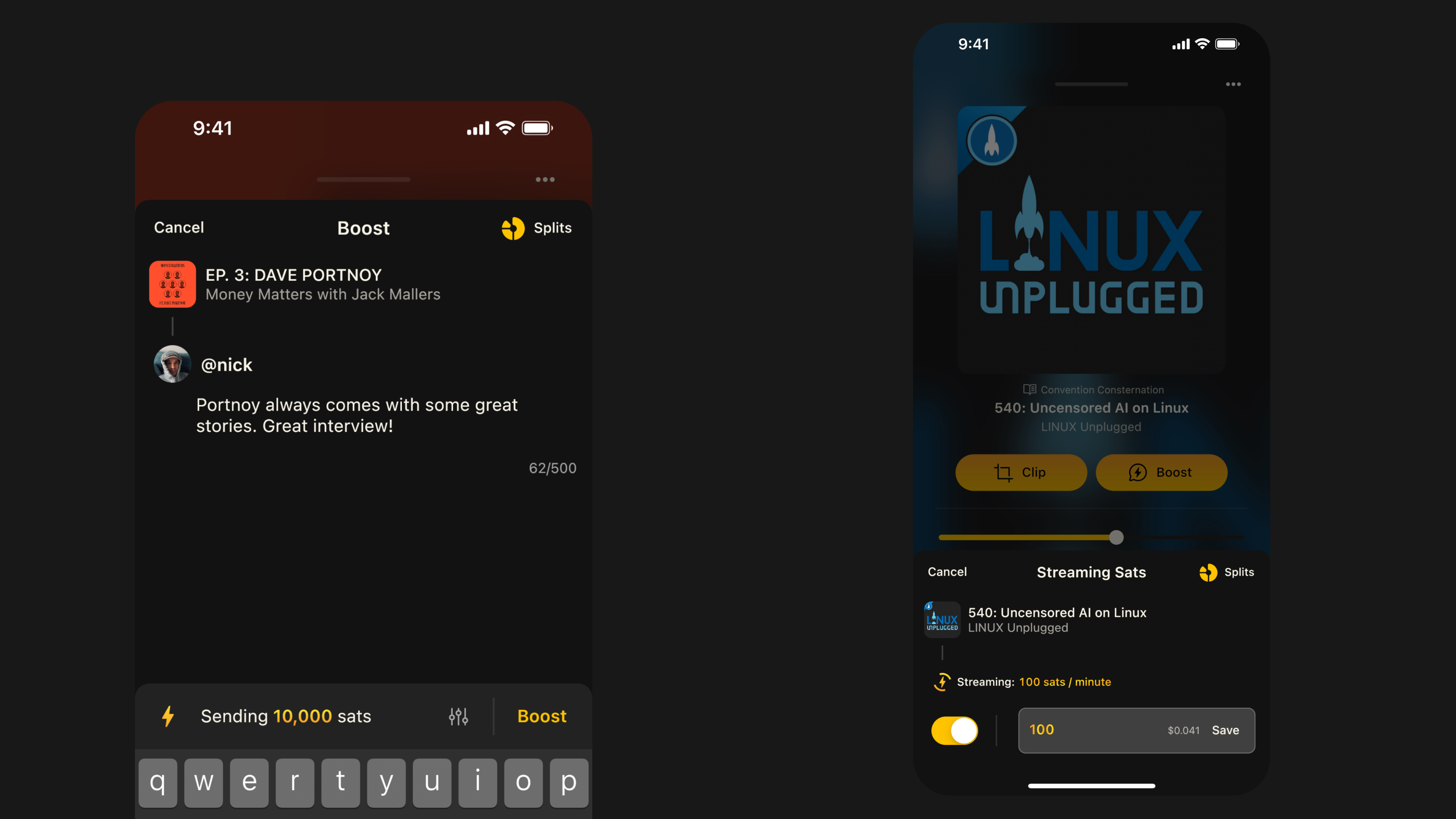
    We now display both sats and USD values when making a payment. When choosing a custom amount, you can enter a value in either sats or USD. When making a payment, we have also added toast notifications to confirm that your payment was successful.

    The best thing about $100k Bitcoin is it’s much easier to working out how much things cost because 1000 sats equals $1. The price won’t stay the same for long, but when it does you will be grateful for this update.

    We will be adding support for more currencies in 2025 and we are currently working on reducing friction for listeners who want to deposit and withdraw using their preferred currency. Stay tuned!

    Faster Boosts

    Previously, you sometimes had to wait five seconds or longer for your boost to be sent. This was not a good experience. We’ve done some work to make boosts approximately 50% faster - so you should notice the difference.

    There are a few other updates to boosts too. As well as being able to see the dollar value of the sats you are sending, you can now toggle between sending a boost or a comment. We have made a couple of design improvements to the boost modals too.

    Finally, you can now boost any podcast or artist on Fountain from your web browser. Just log in and pay using your Fountain wallet.


    If you want to help test new features out before they get released, or if you want to share feedback or send a feature request, you can join Fountain Beta on Telegram. All iOS and Android users welcome.
  10. 22 Nov 2024

    1.1.8 - Fountain Radio and Artist Takeovers

    The excitement of finding new tunes in serendipitous ways is under attack by music streaming apps. Compilation albums, mix tapes, magazines and crate digging have been replaced by algorithmic playlists that lack human touch and authenticity.

    We are being programmed to listen to more of the same. New artists are finding it harder than ever before to break through and get their music in front of new listeners - not to mention achieve the impossible dream of making a living from their music. This has to change.

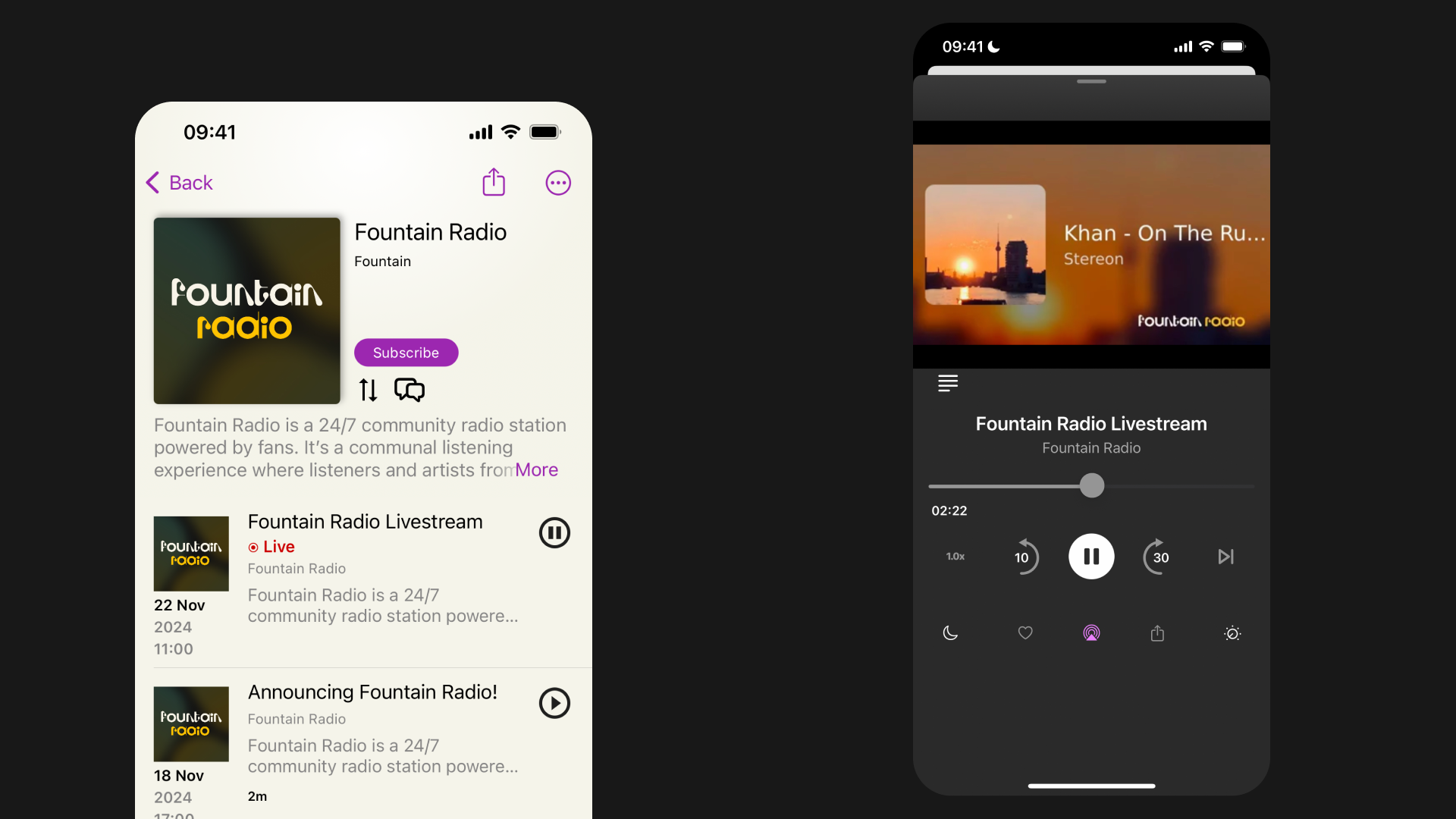
    Earlier this year, we started beta testing a new communal listening experience on our website called Fountain Radio. The basic idea was to have a global queue where you pay to play a track - just like the old jukeboxes you can still find in some pubs and bars. You could pay upvote a track to change its position in the queue - and you could send a payment to support the artist currently playing.

    This early iteration of Fountain Radio was far from perfect, but it got us excited about discovering new music again. Today we are excited to launch a new and improved Fountain Radio experience in the mobile app - and give artists the ability to host a takeover. After updating to version 1.1.8, you will be able to tune in to Fountain Radio from the Discover tab. Here’s how it works…

    Add and upvote tracks in the queue

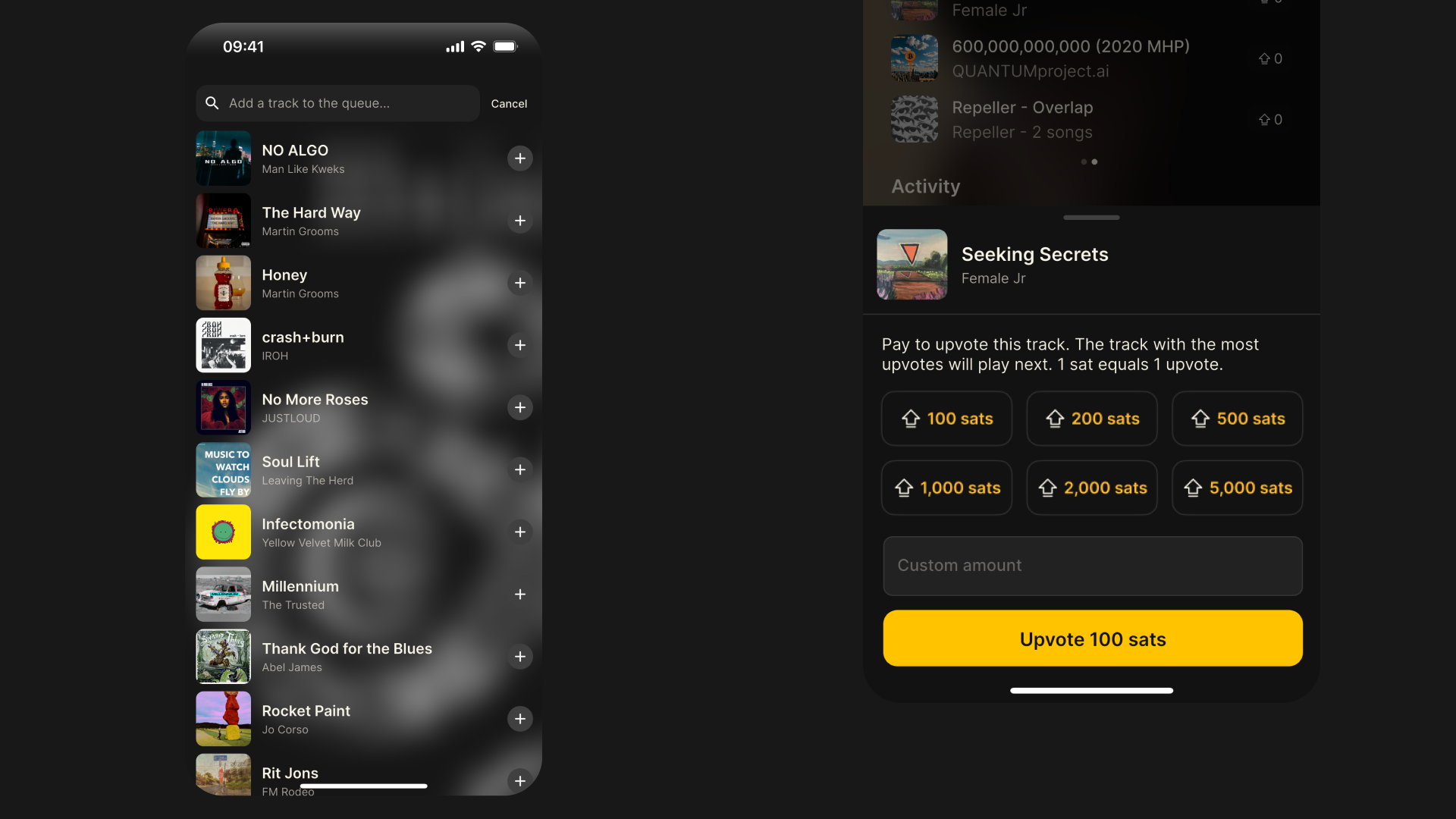
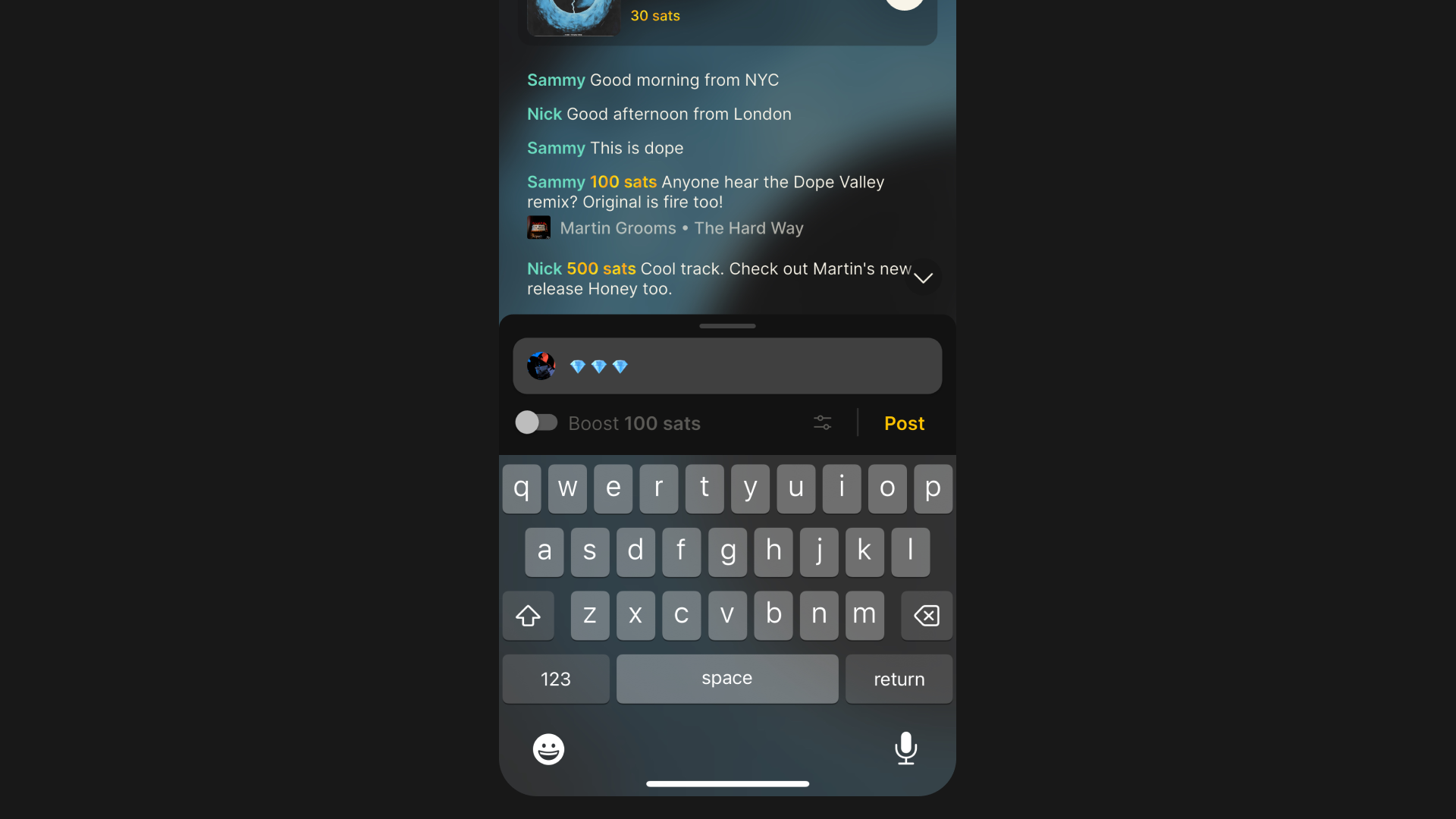
    Search for tracks in your library or search all music on Fountain. Adding a track to the costs 100 sats (less than $0.10) and your selection will be added to the end of the queue. You can pay to upvote any track in the queue to change its position. 1 sat equals 1 upvote and the track with the most upvotes will play next. Just like zaps, you can pay as much as you like but the minimum is 100 sats.

    Support the artist currently playing

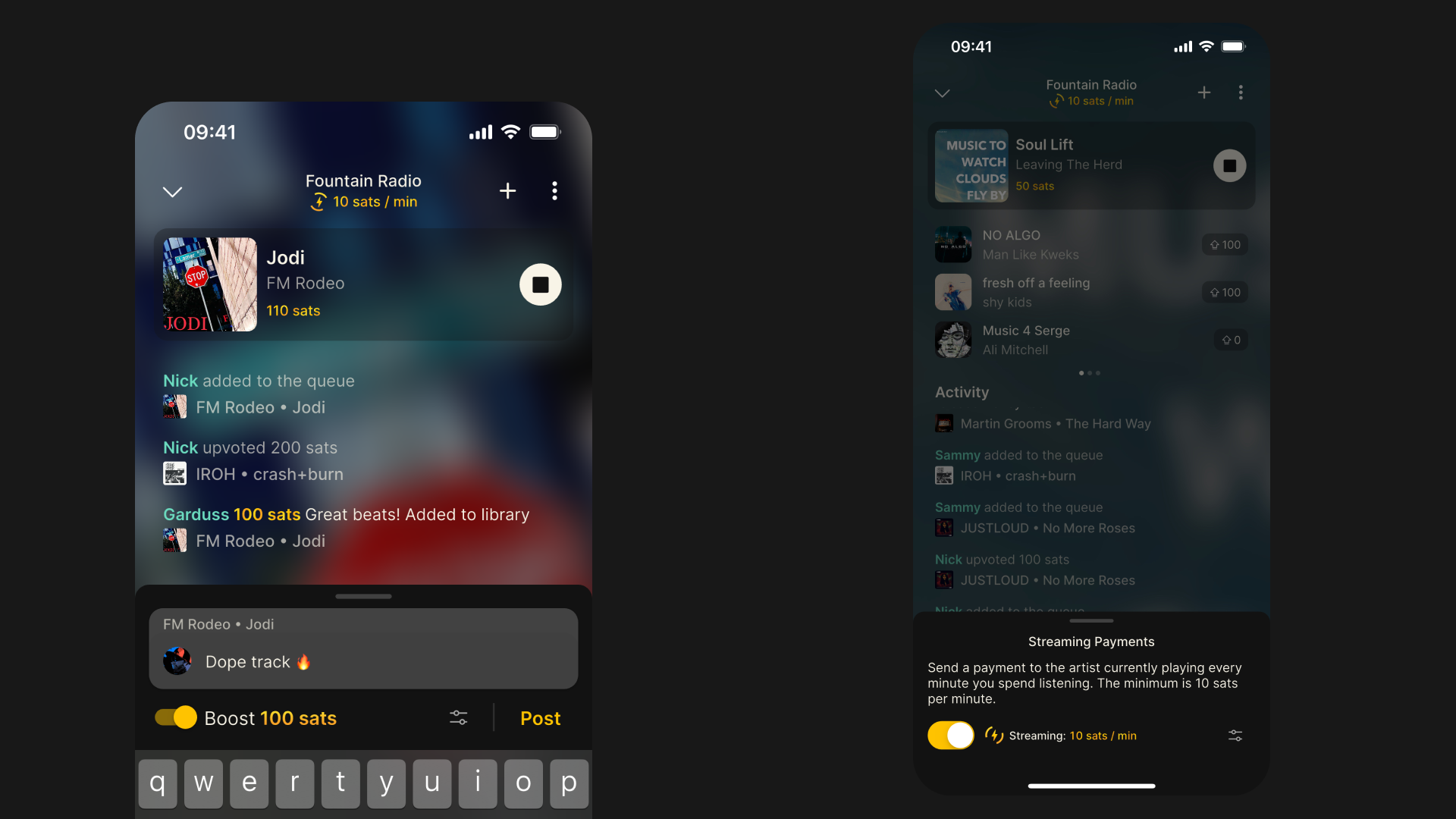
    Boost to send a payment with a message on enable streaming to send a small amount for every minute you spend listening. 95% of every boost and streaming payment goes directly to the artist currently playing and the remaining 5% is set aside for fees paid to PodcastIndex and Fountain.

    Post in the live chat

    Hang out with other listeners in the live chat by connecting Nostr. You can post chat messages for free. Every time a track is added or upvoted this appears in the activity feed too.

    Save tracks to your library

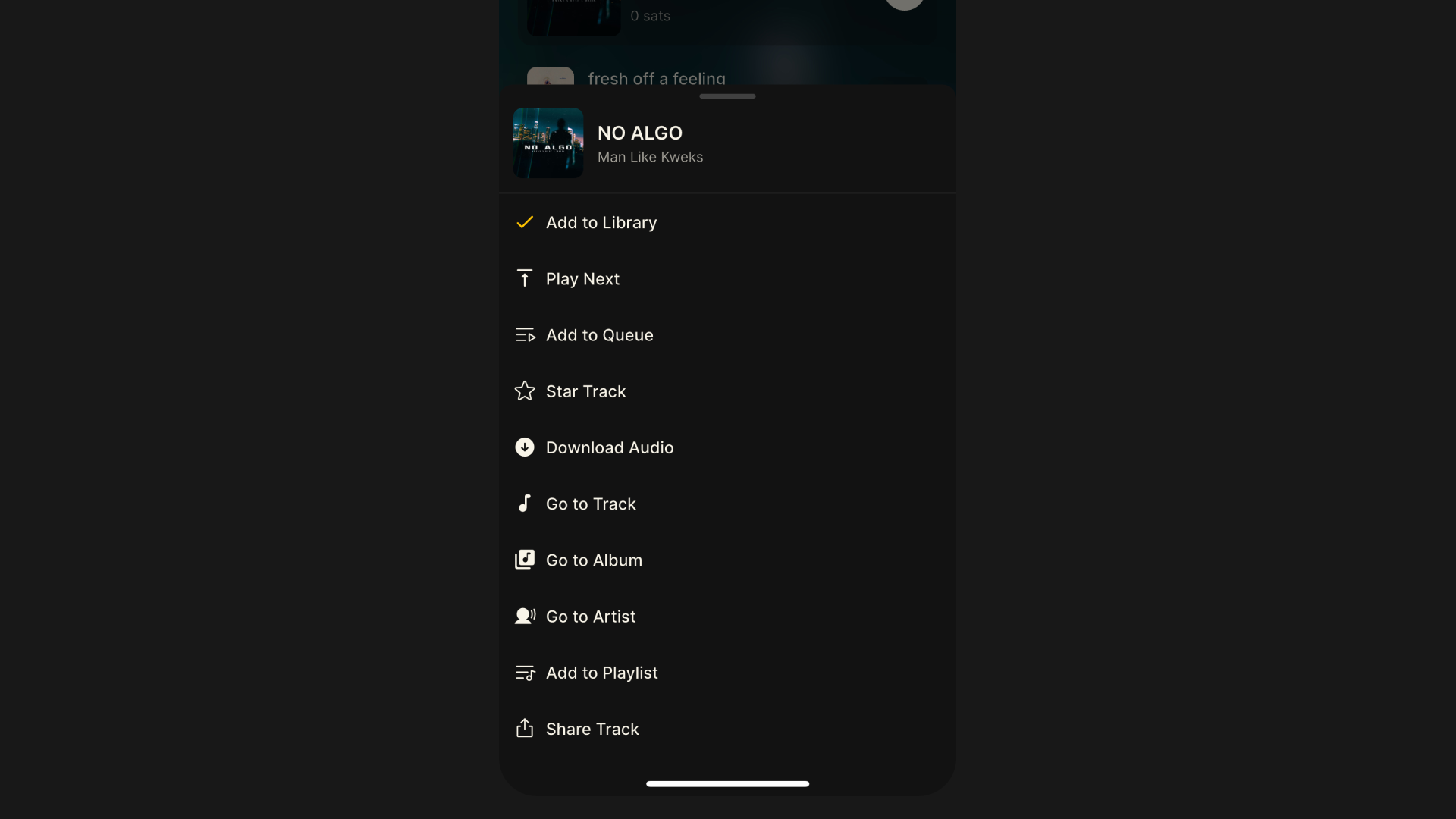
    Listen to your latest discoveries again later in the app. Tap on any content card to add a song to your library or a playlist, or see more music from that artist.

    Listen to Fountain Radio on other apps

    Fountain Radio now has its own RSS feed so you can tune in on any podcast app that supports live streams. Just bear in mind that you will only be able to listen. If you use Nostr livestream platforms such as zap.stream or tunestr.io, you can listen there and zaps will be paid to the artist currently playing.

    Artist Takeovers

    Artists can now take control of the music and host a listening party or an AMA. During a takeover, only the host can add tracks to the queue and upvotes are disabled.

    Fountain Radio takeovers help artists reach new listeners and find new fans, followers and supporters. If you have just posted new music to Fountain after uploading to Wavlake or RSS Blue, takeovers are a great way to drive engagement - particularly if it’s the first time you’ve shared music in this way. We will also promote upcoming takeovers to help introduce your music to new audiences.

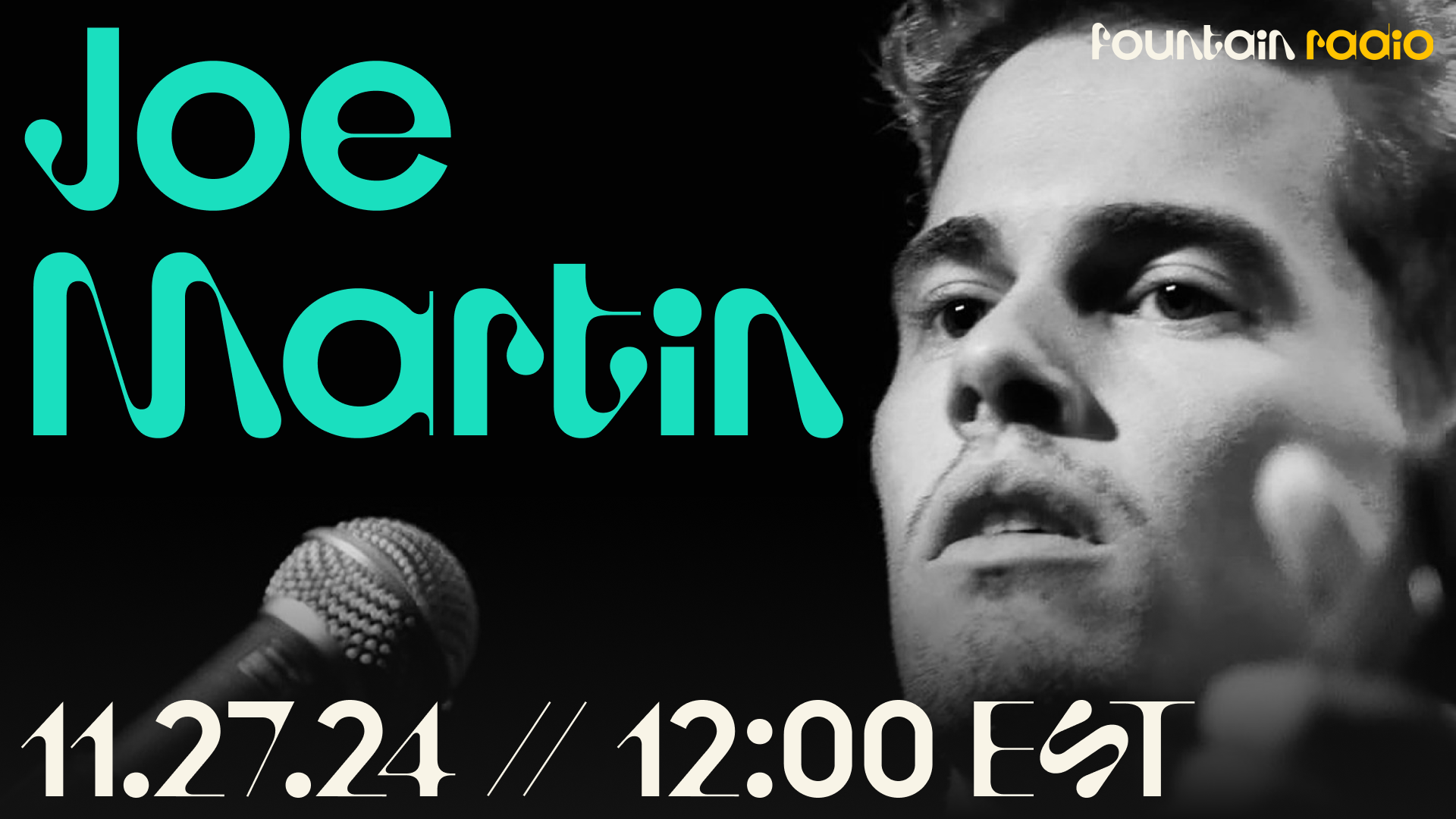
    The first artist takeover will be the UK’s very own Joe Martin on Wednesday 27th November at 12:00pm EST. Make sure you’re following @fountain_app and @joe_martin and you won’t miss it.

    If you are interested to take over Fountain Radio and get your music heard by new listeners, email hello@fountain.fm or open the menu on the player then choose Request Takeover.

    Other bug fixes and improvements

    • Fixed gray screen when viewing queue

    • Fixed clips not being posted to Nostr

    • Fixed custom deposit amount

    • Fixed crash after sharing or creating a clip

    • Fixed error on The Joe Rogan Experience

    • Fixed issue when @ symbol appears in a link sent in a comment

    • Fixed issue where latest episodes in library were not updating for some users

    • Fixed issue where episode could not be replayed if already listened to

    • Added error handling when Nostr keypair is already connected to another account

    • Added warning when using Fountain as a guest

    • Added prompt to share to Nostr after creating a clip

    • Added OPML file explorer

  11. 8 Nov 2024

    Fountain 1.1.6 - New Audio APIs, Performance Upgrades & Nested Navigation

    With this update we wanted to strengthen the foundations and ensure that playback functionality is solid before rolling out some exciting new features and user experience improvements in the coming weeks.

    New Audio APIs and Performance Upgrades

    If you’ve been experiencing issues with playback on Fountain recently, there’s a good chance that they will be resolved in version 1.1.6. You can find an exhaustive list of issues that have been addressed below.

    Queue

    • Episodes in queue being skipped and marked as played

    • Played episodes being added to queue

    Playback

    • Audio won't play when offline on Android

    • App crashes during playback when device is locked

    • Playback position not being saved

    • Android Auto source error

    Player

    • Lag when scrubbing through podcasts or music on player

    • Unable to go previous track when playing album or playlist

    • Mini player not showing chapter artwork and chapter title

    Social

    • Unable to share clips as videos

    • Issues saving playlists

    • Gray screen when copying and pasting a link into a comment

    • Improved offline support for episode pages

    • Clip duration incorrect on show and episode pages

    Payments

    • Timeout error when boosting

    • Unable to boost pending live streams

    • Value time splits not working

    Podcasters

    • Unable to manage splits for a claimed podcast

    • Claim podcast option missing from show page menu

    Navigation

    • Botton nav bar missing on certain pages

    Settings

    • Show settings missing from show page when accessed via search

    Just as a reminder, you can share feedback with us or submit a feature request via the main menu in the app, or by emailing hello@fountain.fm. We really appreciate your input and aim to get back to you within 48 hours.

    Nested Navigation

    Previously the bottom nav bar was only visible on primary screens. This caused some navigational headaches once you tapped through to a nested screen - particularly if you were multiple levels deep - and required a lot of back button bashing.

    In version 1.1.6 we pushed an update so that the bottom nav now visible across most screens in the app. If you’ve tapped on a comment in the home feed, then a profile, then some activity on their profile page, you can now easily go back to where you started by tapping the home icon in the bottom nav.


    If you want to help test new features out before they get released, or if you want to share feedback or send a feature request, you can join Fountain Beta on Telegram. All iOS and Android users welcome. Thank you to all the beta testers who have helped us get this update ready for release.
  12. 14 Oct 2024

    Fountain 1.1.5 - Simpler Library Architecture, Pay BOLT-11 Invoices and Artist Pages

    With Fountain 1.1.5 we have massively simplified the way your content library works within the app, removing over 40,000 lines of code in the process. This simpler library architecture brings many benefits including:

    • A new offline caching database to make offline playback more reliable and reduce system resource requirements

    • A simpler data model that reduces mobile data and memory usage

    • Fixes to long-standing playback issues such as the queue re-arranging

    Pay BOLT-11 Invoices

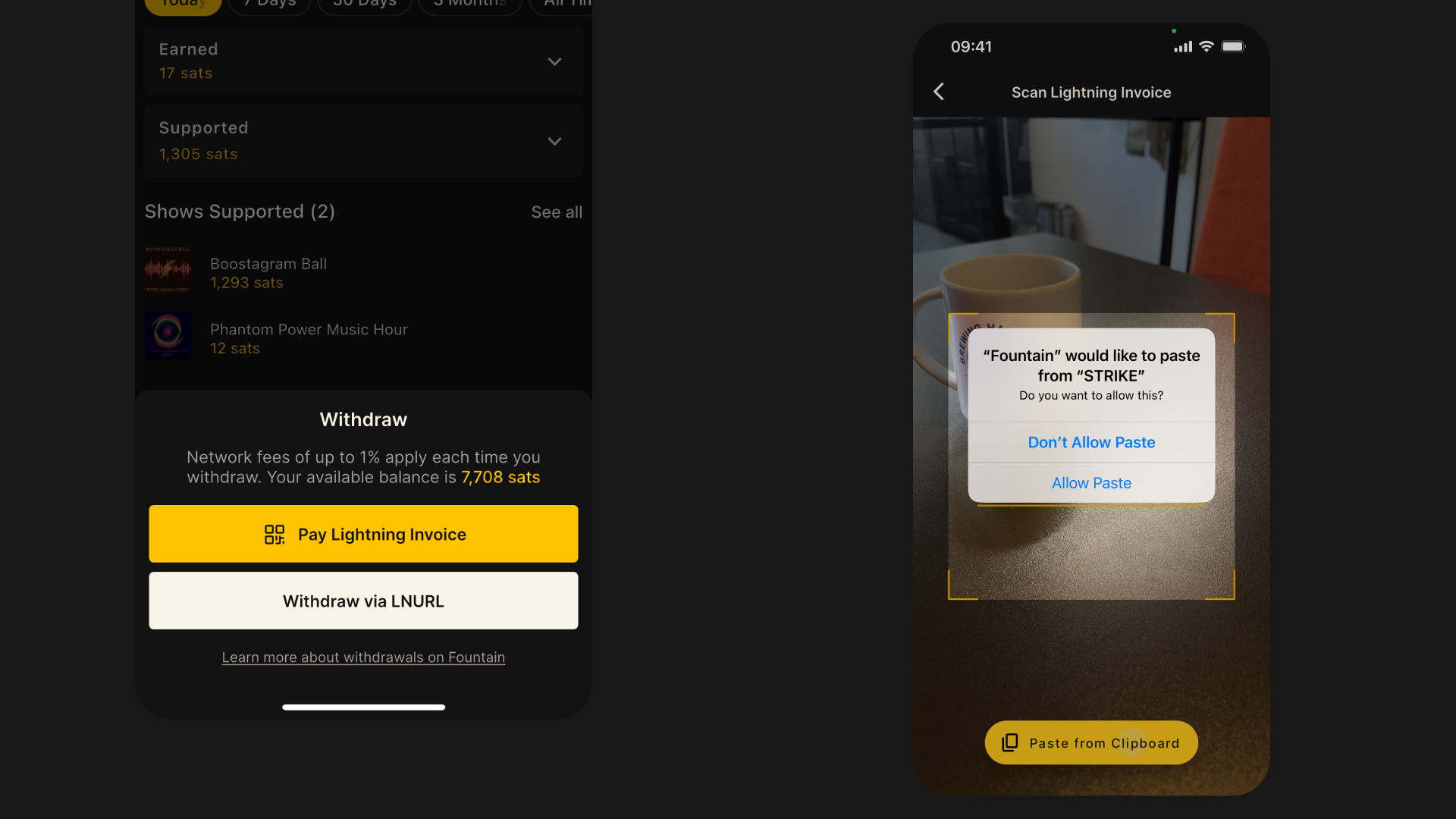
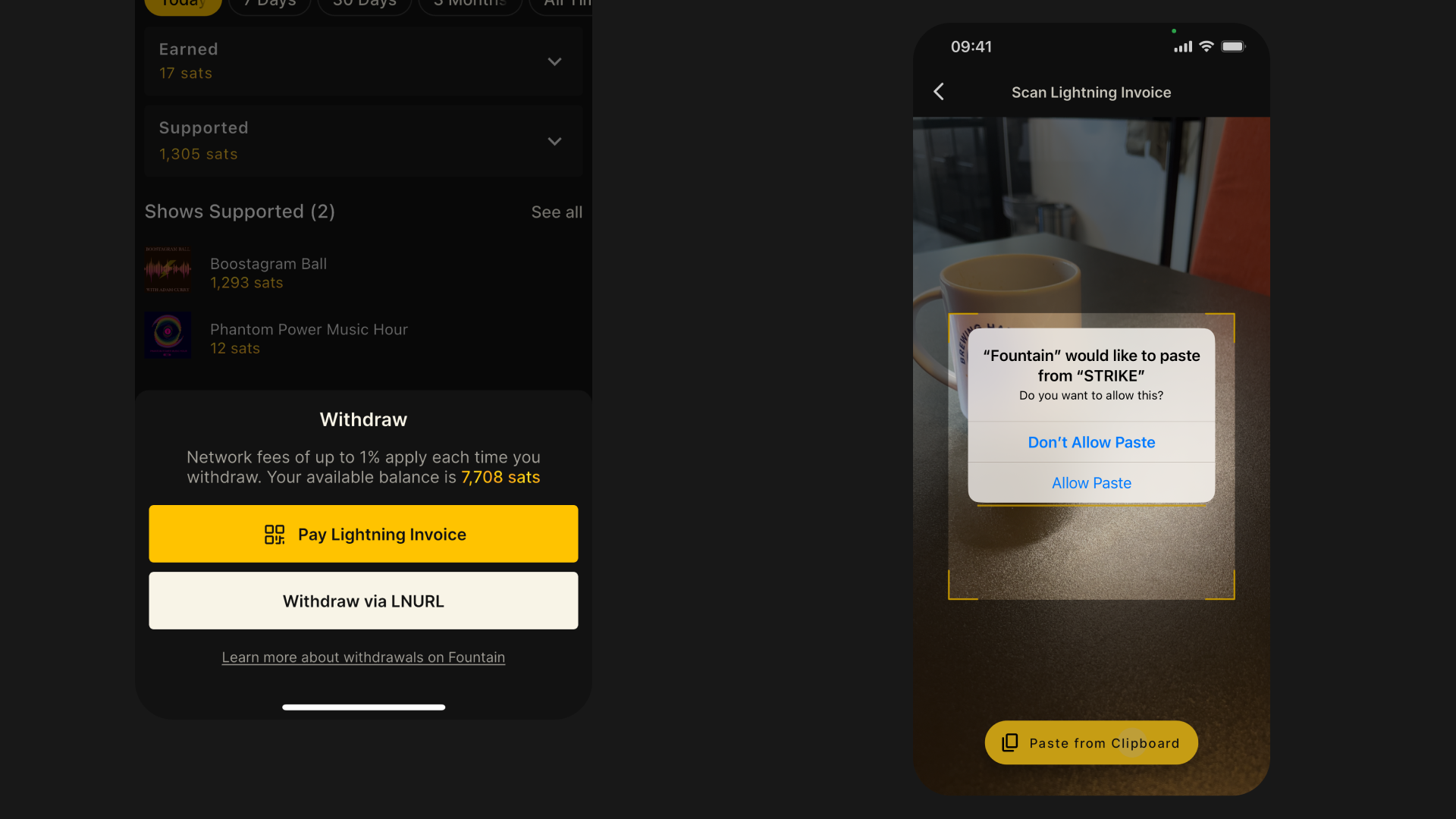
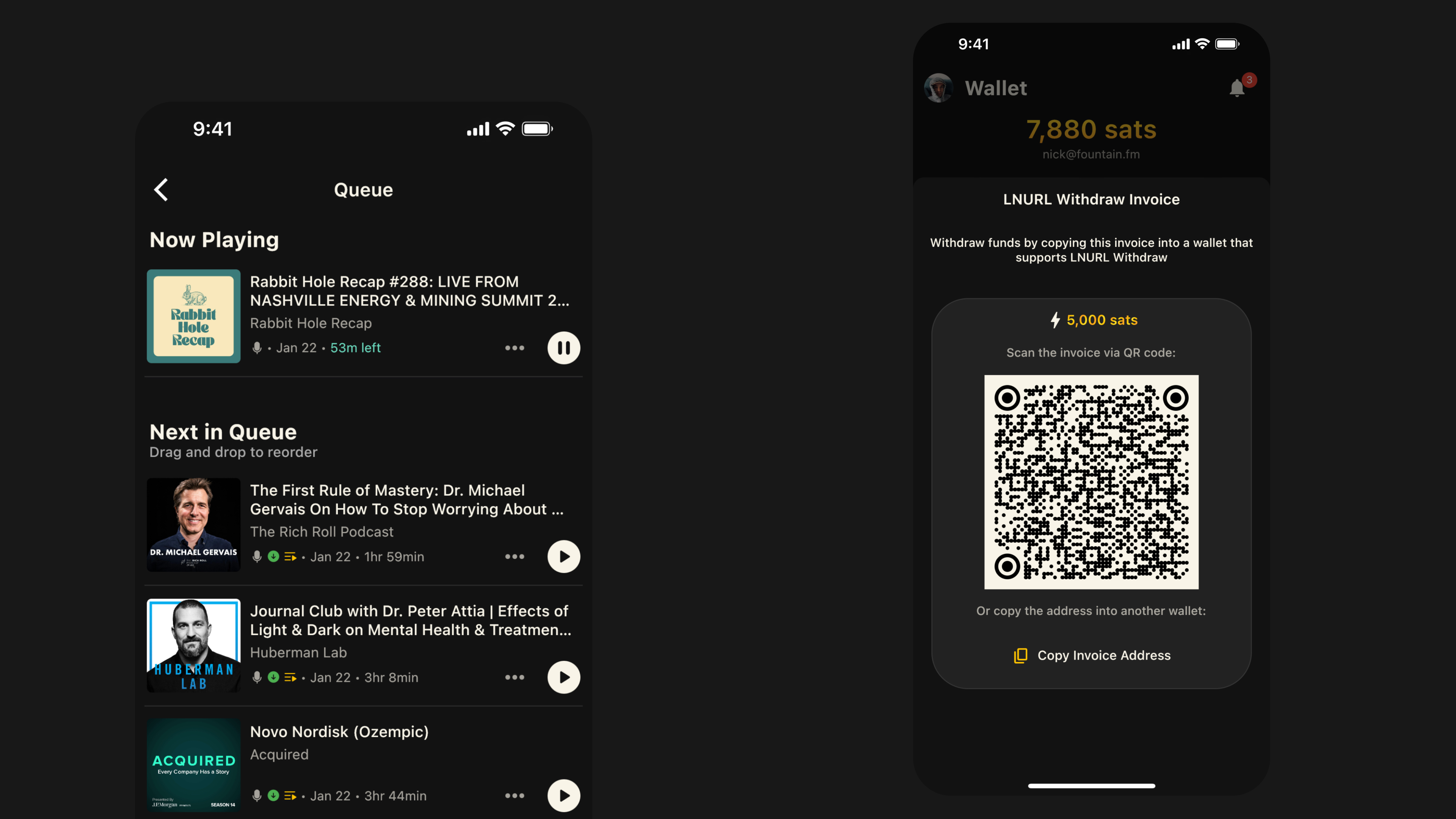
    You can now withdraw funds by generating a lightning invoice using any app that supports lightning payments, then paying it from your Fountain wallet.

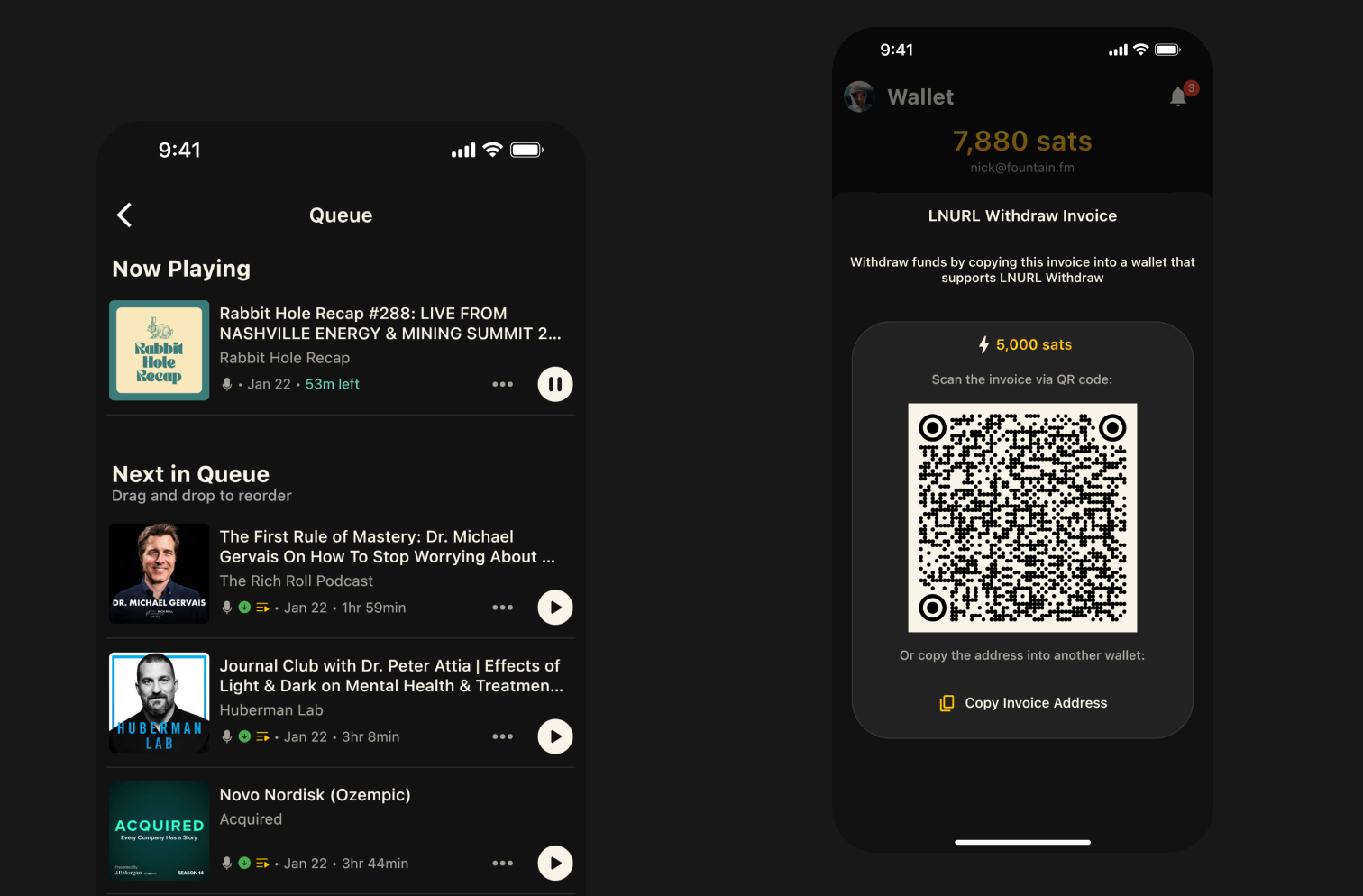
    When you tap the Withdraw button on the Wallet page, you will now see two options:

    • Pay Lightning Invoice: Scan any lightning invoice or paste from your clipboard to send the amount requested. We’ve also added a scan icon to the top right of the Wallet page for easy access.

    • LNURL-Withdraw: As before, you can also generate an invoice that you can paste into other lightning wallets.

    Previously we just supported LNURL-Withdraw, which only a few other lightning wallets support. Now you can withdraw to popular apps like CashApp and Strike that allow you to exchange your bitcoin for your preferred currency and transfer it to your bank account.

    It’s also now possible to pay for anything in bitcoin with your podcast app. Next time you’re buying a coffee and you can pay in bitcoin, open Fountain, scan the invoice and watch the cashier lose their mind.

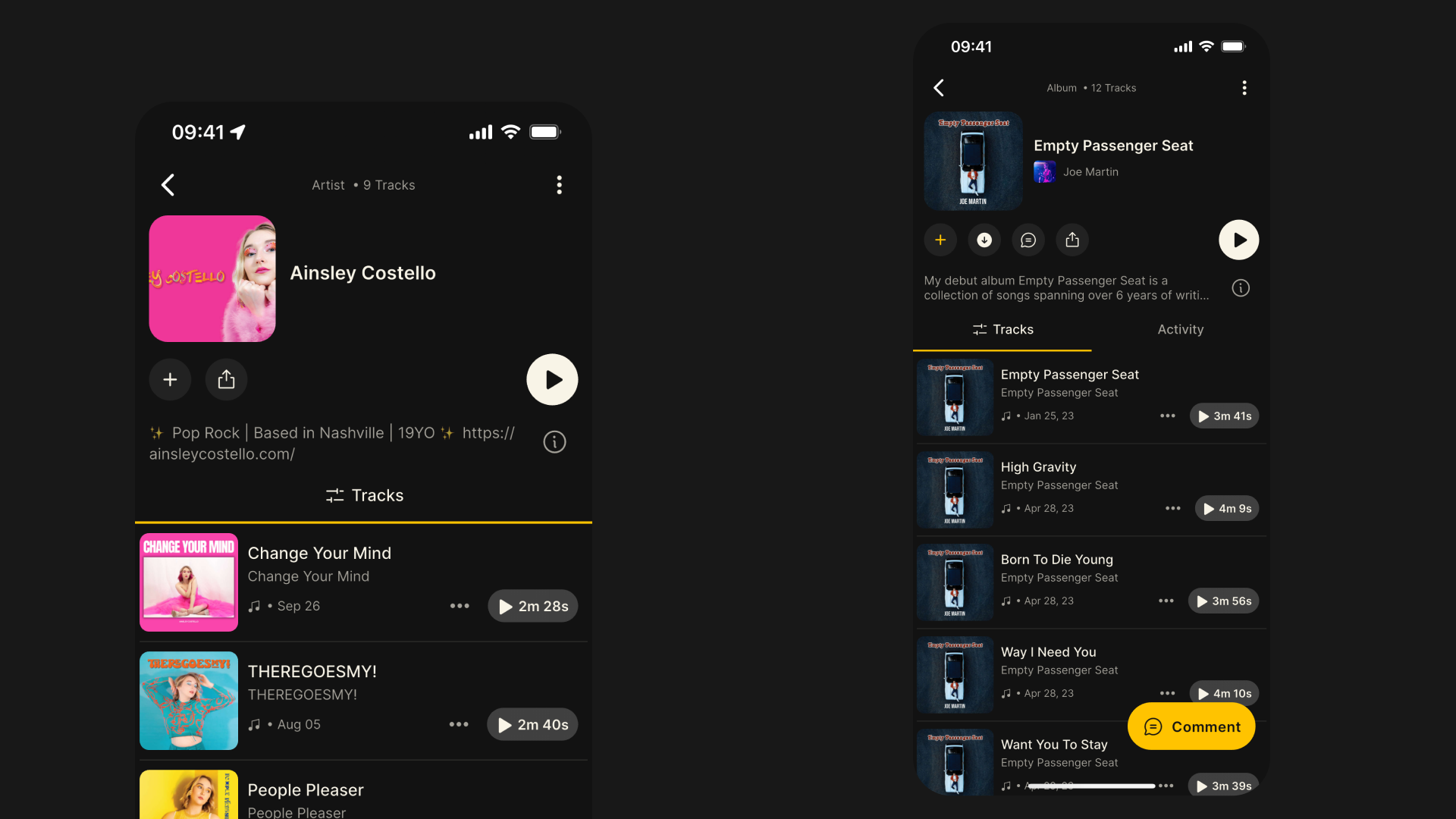
    Artist Pages

    From any Track or Album page you can now tap through to the Artist page to see all tracks. Play all tracks from an artist and skip through them on the player, or add individual tracks to your library, your queue or a playlist. We will be adding Artists to search very soon.


    If you want to help test new features out before they get released, or if you want to share feedback or send a feature request, you can join Fountain Beta on Telegram. All iOS and Android users welcome.
  13. 21 Aug 2024

    Fountain 1.1 - Open Social Podcasting Powered by Nostr

    https://www.youtube.com/watch?v=ACSqDVljxoE

    We regularly hear from both listeners and podcasters that the social features in Fountain are a great way to discover content that’s worth listening to.

    When you support a podcast, or comment on an episode, your message is surfaced to your followers in the Fountain home feed and anyone that sees it can add the content to their library.

    But this came with a few problems. When you first start using Fountain you wouldn’t have any followers so your posts wouldn’t get seen. If you wanted to share something you were listening to, you had to choose between leaving a comment on Fountain, or sharing on another social platform.

    Today we are excited to announce a massive update to Fountain that solves these problems with Nostr - a simple, decentralised messaging protocol that allows social activity to be shared across different apps.

    With Fountain’s new Nostr integration:

    • You can bring your existing profile and followers to Fountain

    • Your boosts and comments will be surfaced in other Nostr clients

    • Posts shared from other Nostr clients relating to audio will appear in your feed

    • Conversation and interactions now flow freely across multiple apps

    Keep reading to learn more about how Nostr is changing the way we share and interact with audio content on Fountain.

    What’s changing in Fountain?

    Fountain is now a Nostr client. Your Fountain profile is the same as you Nostr profile and your activity will now be surfaced across the Nostr ecosystem. As a result, any content you interact with will reach more people and see higher engagement.

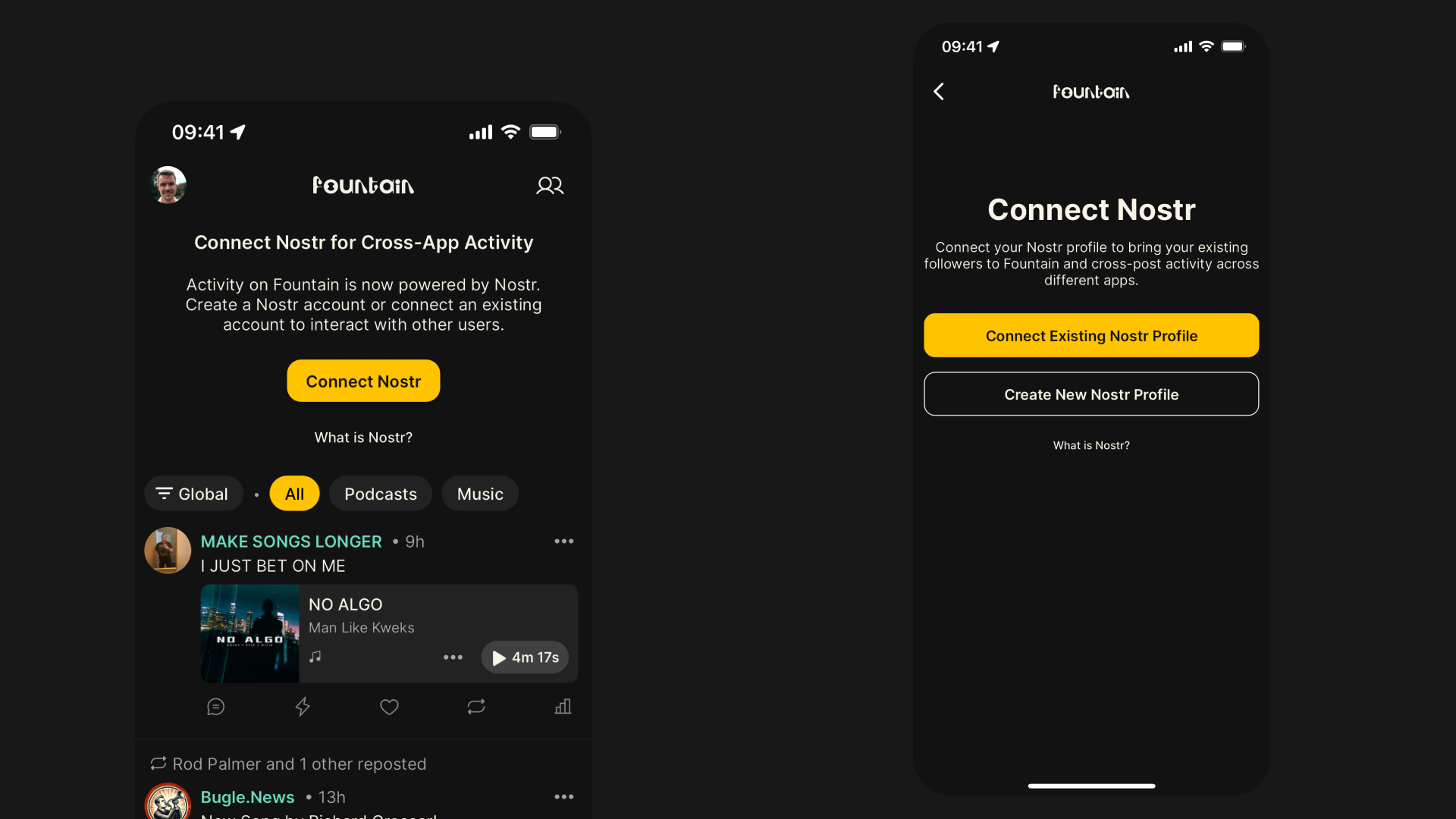
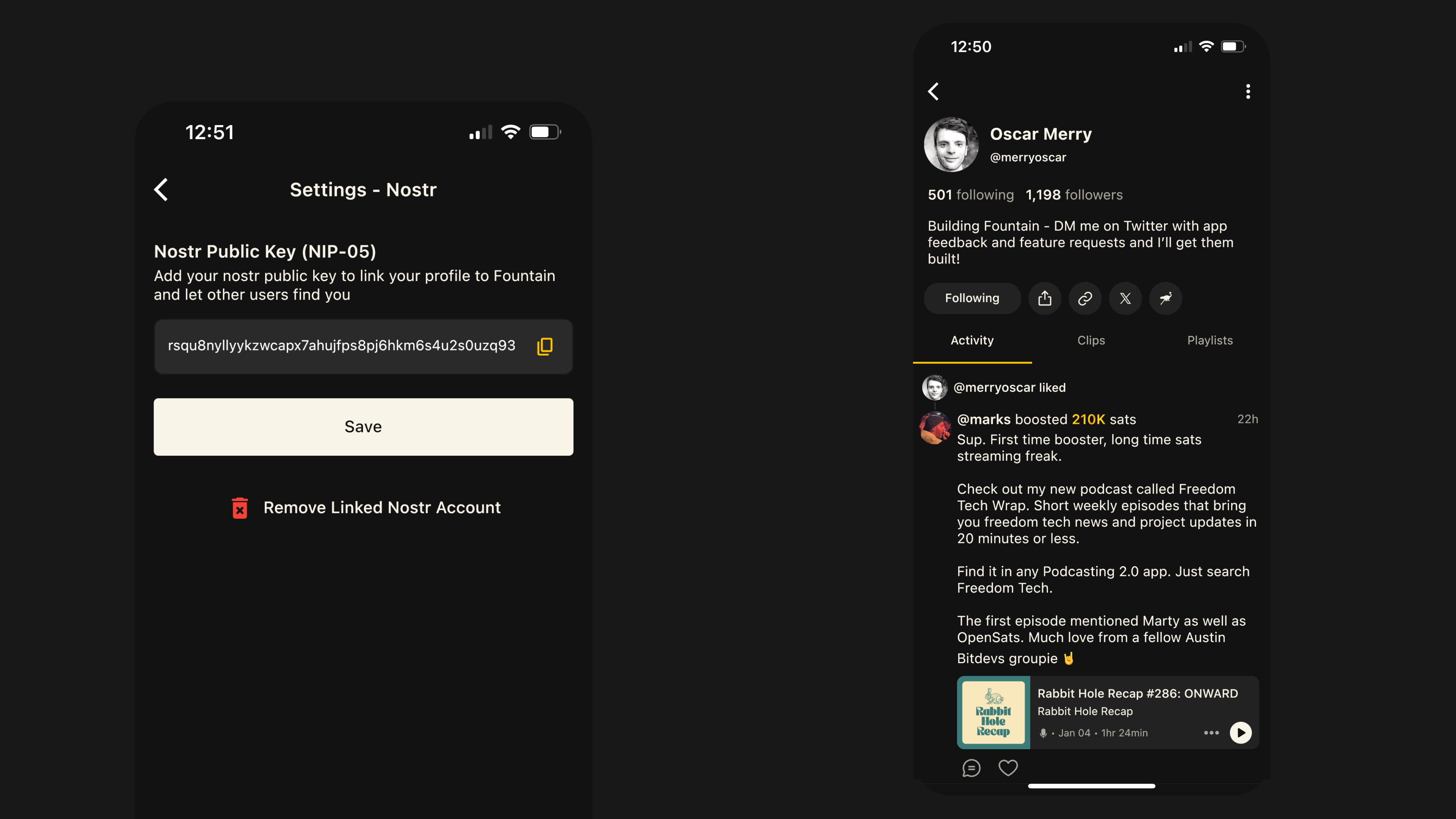
    Connect or create a Nostr profile

    You can create a Nostr account in the Fountain app, or connect an existing account by importing your keys. To find people you were following before on Fountain, tap the icon in the top right on the home screen.

    Share your boosts and comments on Nostr

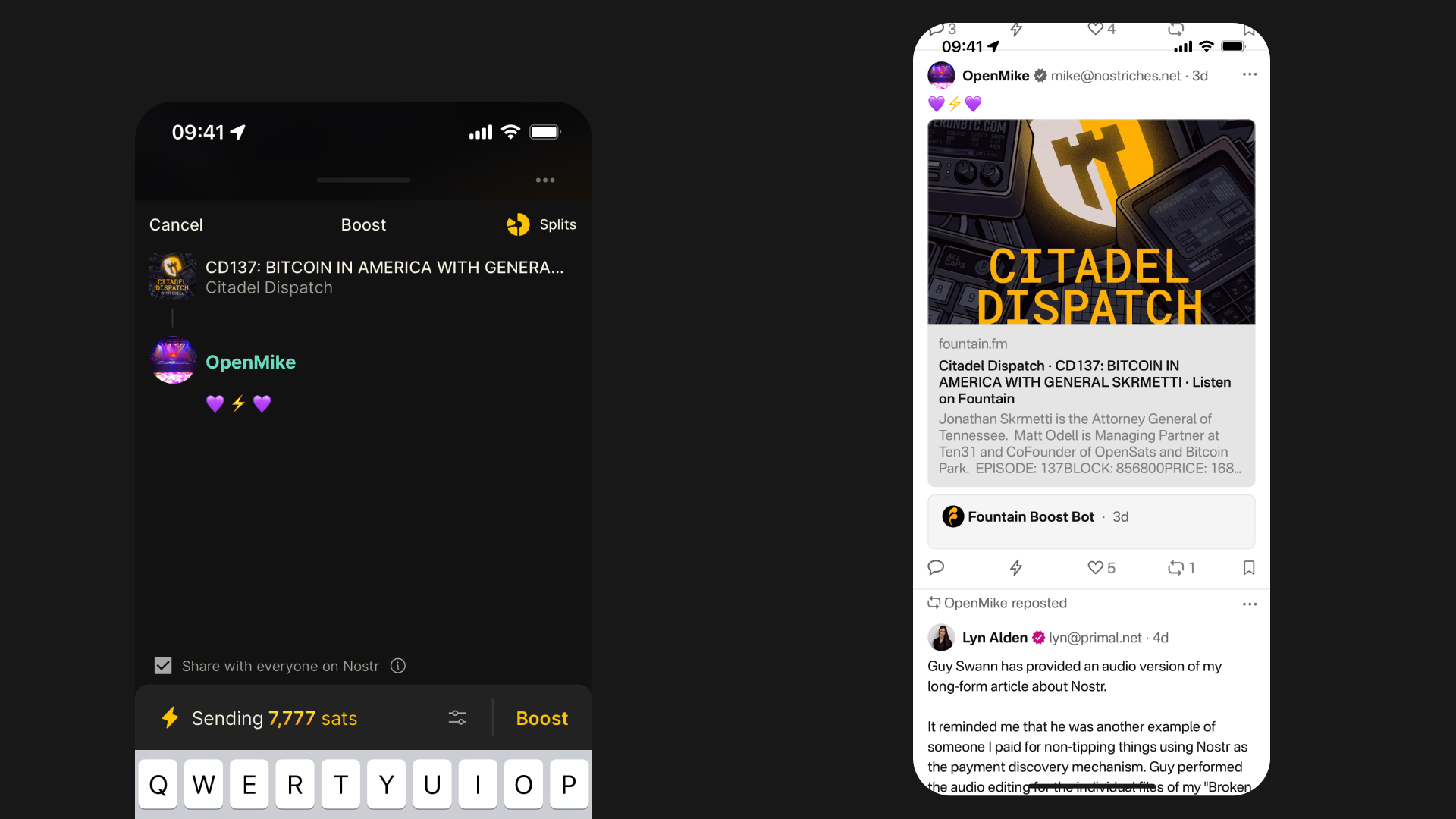
    When you boost or comment on Fountain, your message will be shared on Nostr along with a Fountain link. Listeners on other Nostr clients will be able to see this activity, interact with it and start following you. Choose whether you want your activity to be shared on Nostr each time you boost or comment. If you choose not to share your activity on Nostr, it will still be visible in Fountain but other listeners will not be able to interact with it.

    A new and improved home feed

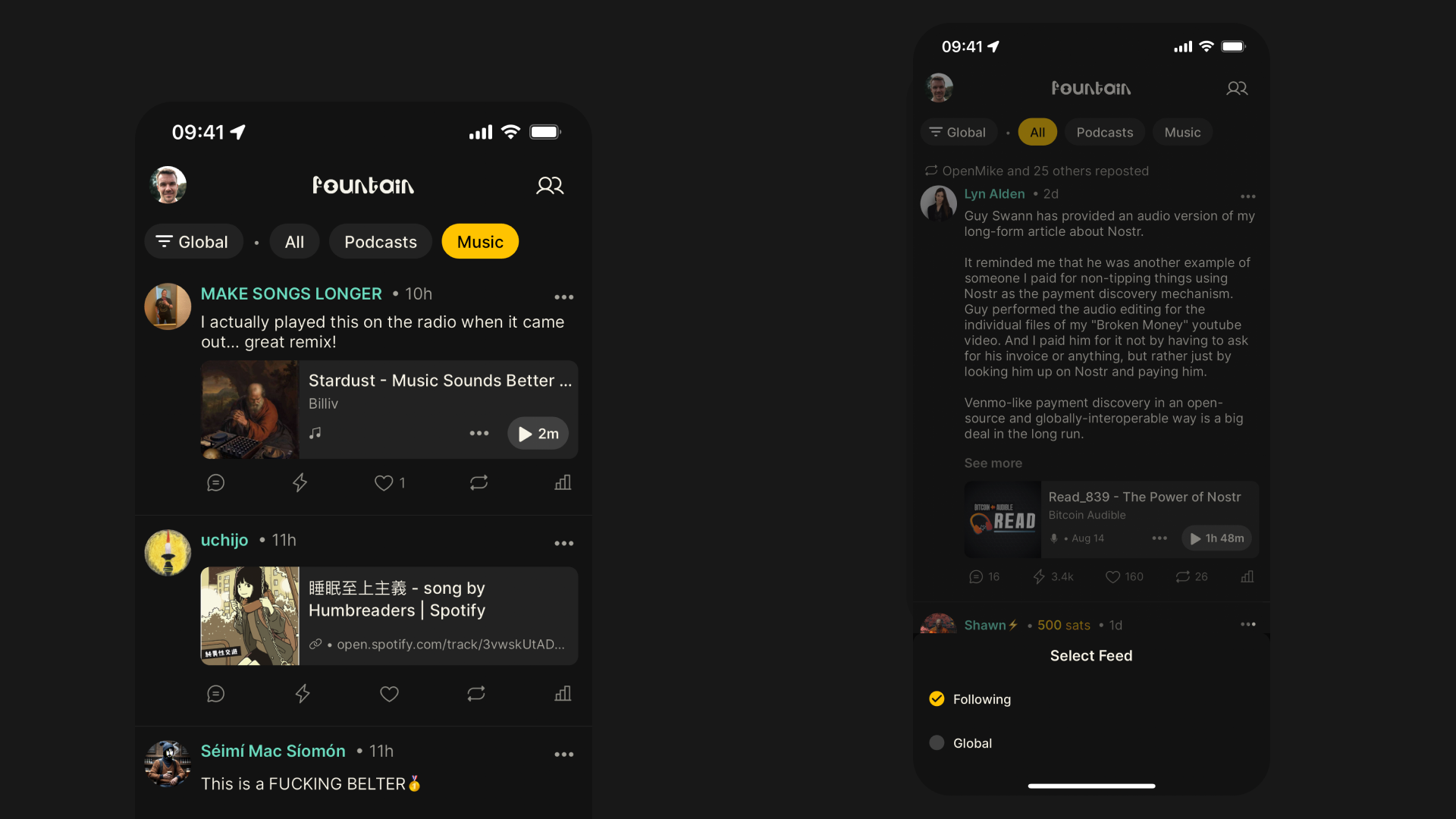
    The Fountain home feed is now the audio layer of Nostr. You can switch between the Following feed (which just shows you audio content shared on Nostr by people you follow) and the Global feed (which shows you all audio content shared on Nostr). You can also now filter the home feed and profile pages by content type to just see podcast or music content.

    Audio posts from Nostr clients now appear in Fountain

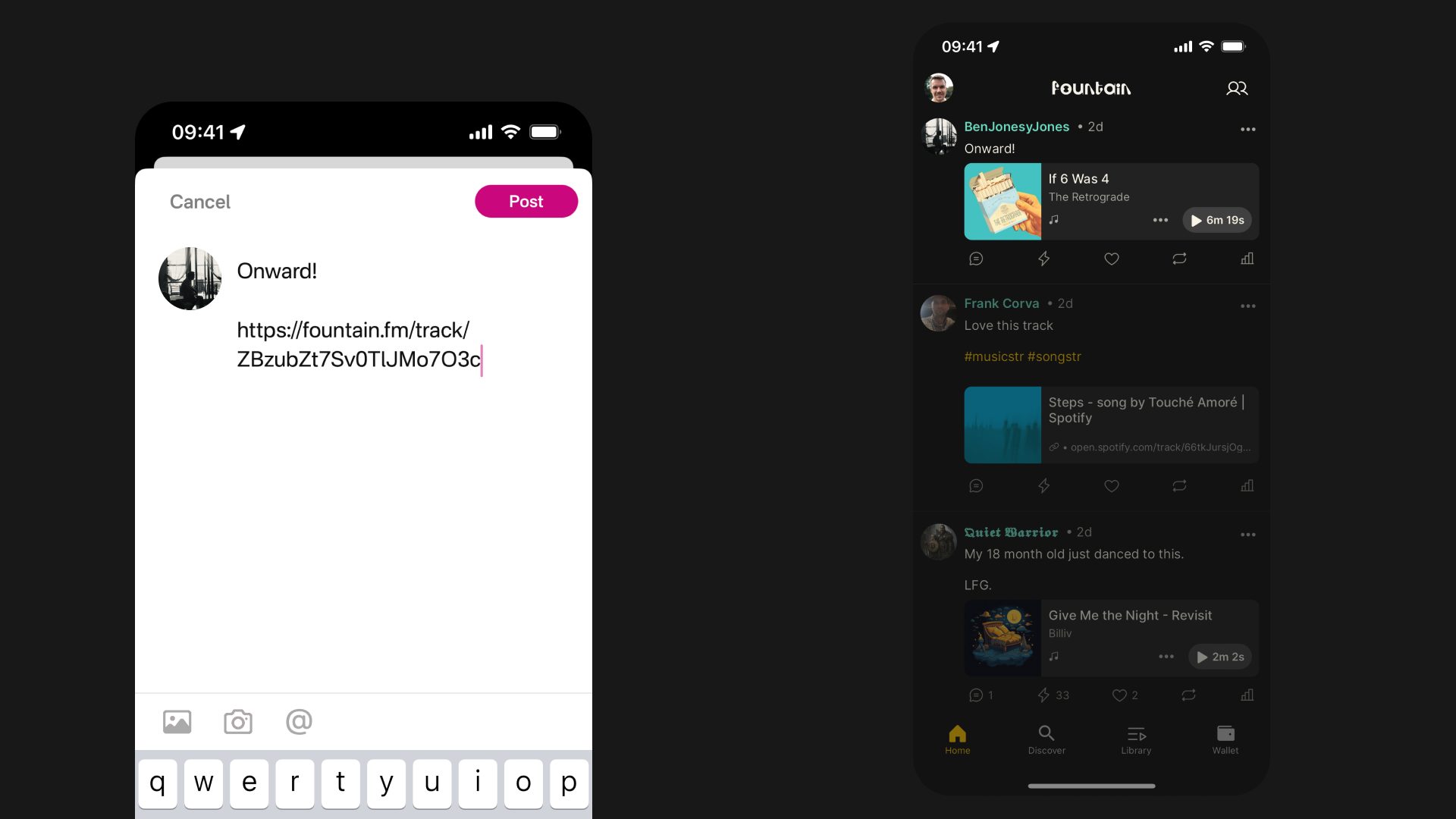
    Whenever a link to any audio content is posted on other Nostr clients like Primal, this activity will be surfaced in the Fountain home feed. If you’re linking to a podcast or music which is indexed in Fountain, we render it as a playable content card and it will appear on the content page as a comment.

    Zaps

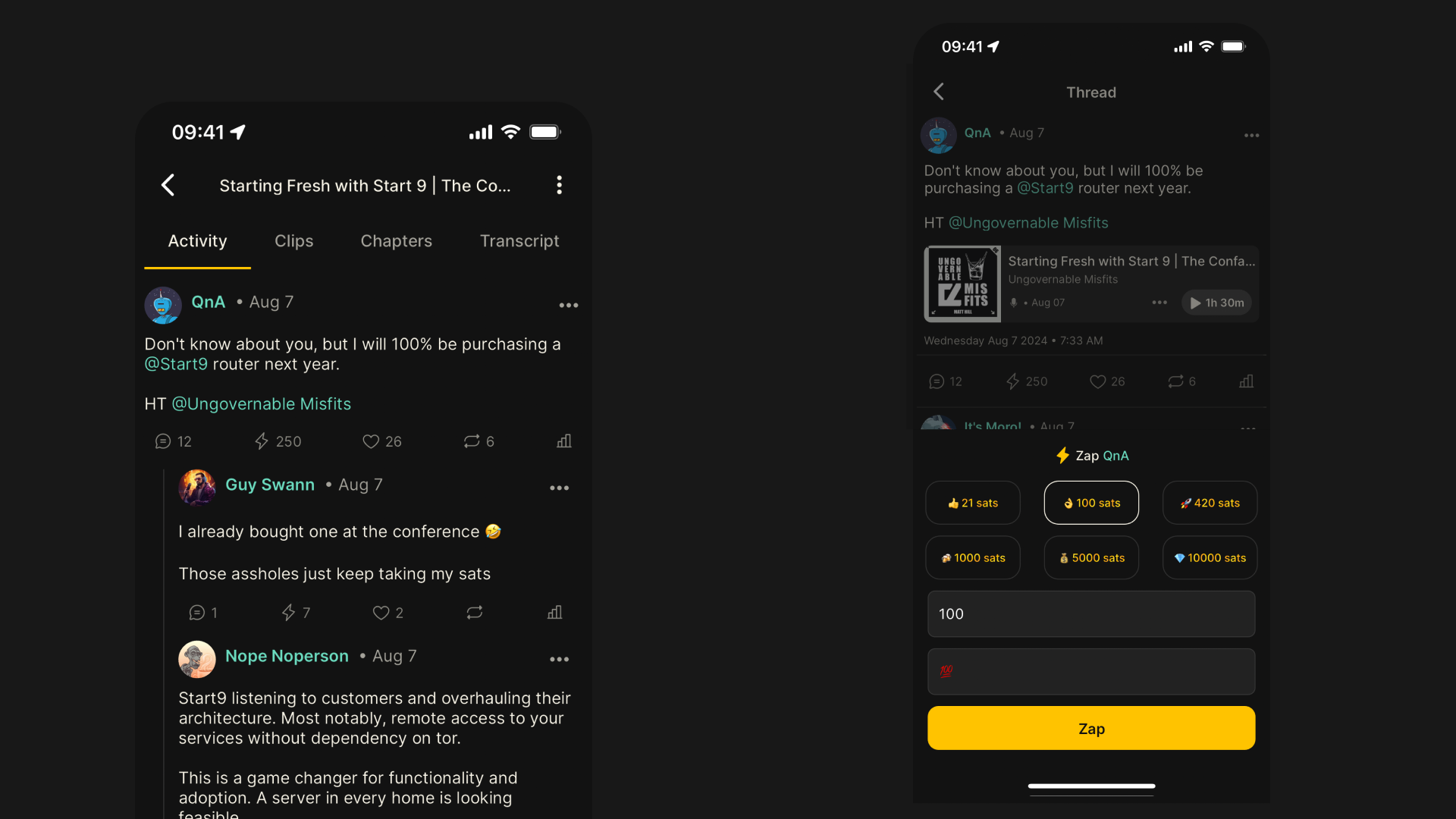
    Listeners on Fountain and other Nostr clients can zap your post and send you a payment to show their appreciation. Zaps replace what were previously called likes on Fountain. You can still like something, but likes are now free.

    Mentions

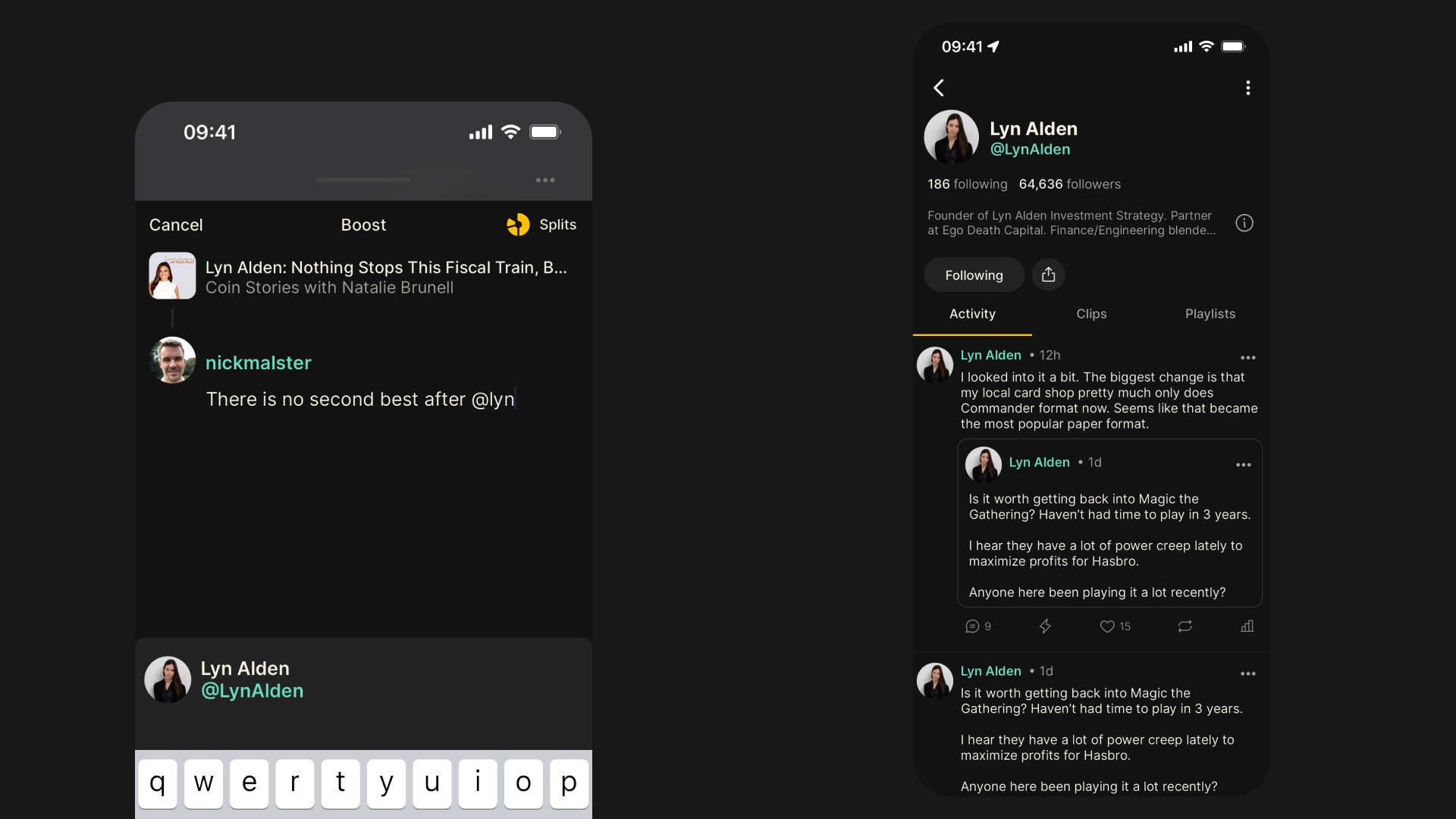
    You can now mention another person in a comment, making it easy to send your listening recommendations to a friend or tag someone in to a conversation. Just type @ followed by their username to find their profile.

    What is Nostr?

    Nostr is a simple, decentralised messaging protocol that stands for Notes and Other Stuff Transmitted by Relays. On Nostr, you have one identity and one follower graph that can be ported over to any Nostr client. When you create a Nostr account you are given:

    • Public Key: A public username that allows anyone to find your profile

    • Private Key: A secret password that you can use to log in to any Nostr client

    Other key concepts within Nostr are:

    • Notes: Posts that can contain plain text, an image, a video, a link, or other stuff

    • Relays: Servers that broadcast notes to any clients connected to that relay

    • Clients:Apps like Fountain where you connect your keys and query relays for notes you care about

    The real magic is that Nostr gives apps a common language to talk to each other. The most popular clients are social media apps offering a similar experience to X such as Primal, Damus and Amethyst. We hope that more modern podcast and music apps will be excited by the potential of Nostr and the ability to deliver a more connected experience by building social features on top of it.

    The Nostr specification is defined by Nostr Improvement Possibilities (NIPs). Fountain uses NIP-73 to associate posts with podcast episodes using the globally unique <podcast:guid>.

    What’s next?

    The Nostr protocol is evolving rapidly and Fountain 1.1 is only scratching the surface of what’s possible. In the coming months, we will be fine-tuning Fountain’s social features and adding new ones too.

    If you want to help test these features out before they get released, or if you want to share some feedback or send a feature request, you can join Fountain Beta on Telegram. All iOS and Android users welcome.
    If you’re interested to learn more about how Nostr is revolutionizing the way social media works, we are building up a playlist of some must-listen episodes here.

  14. 28 May 2024

    Fountain 1.0.17 - Comments & Replies, Discover Page and Clips

    Comments & Replies

    We’ve improved the user experience when exploring conversations happening on Fountain by introducing a thread view and expandable replies.

    • Home Feed: Tap on a comment in your feed to open up the thread view where you can see all activity for that content.

    • Content Pages: Tap on a comment under the Activity tab on episode or track pages to expand or hide replies.

    Discover Page

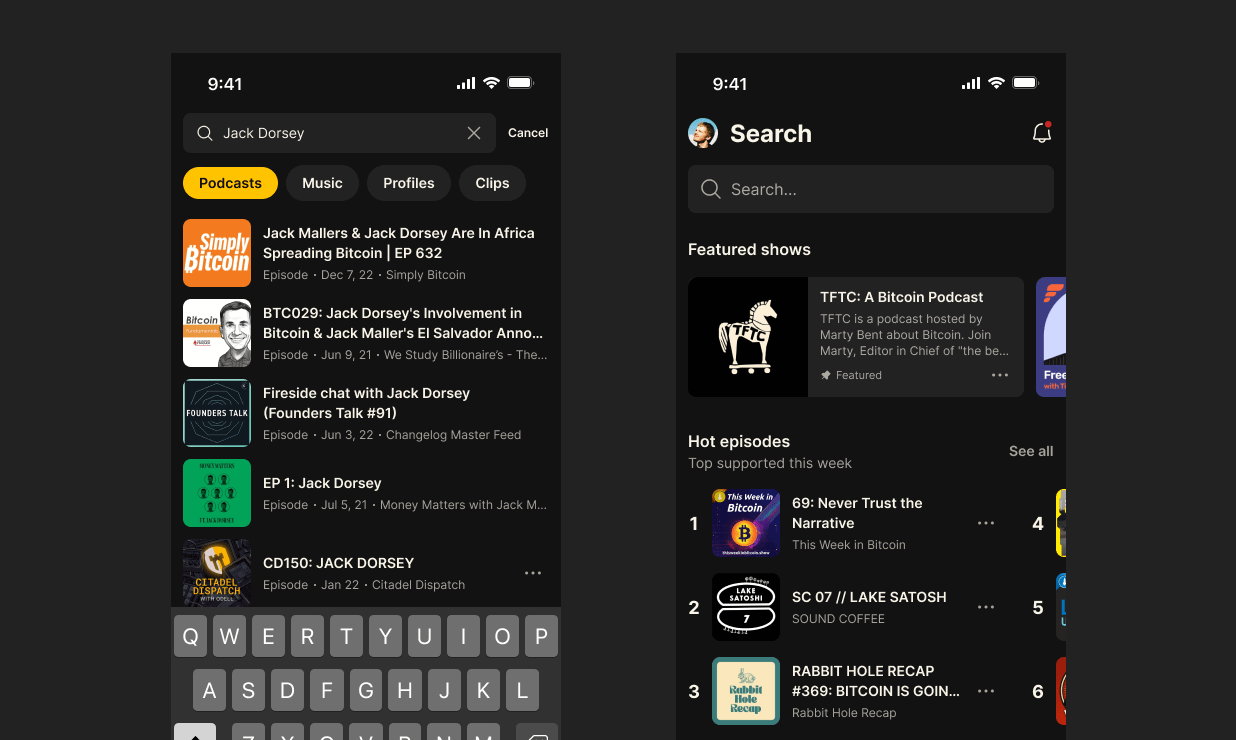
    Previously called the Search page, the new design now highlights trending or recommended podcasts and music to help you find something to listen to next.

    • Charts: View the most supported episodes and tracks on Fountain this week

    • Featured Playlists:Explore playlists curated by podcasters, artists and fans

    Clips

    We’ve reverted back to the previous design of the clips browser to give a cleaner look to the home page. Start following other listeners and any clips they have posted or interacted with recently will appear at the top of your feed.

    If you’re playing a clip, you can now dismiss the player and playback will resume in the mini player. Listen to clips in the background as you explore the app.

    Other Improvements

    • Fixed an issue with saving tracks to your library or adding to a playlist

    • Library sort now ignores prefixes like “a”, “an” and “the”

    • Multiple bug fixes and stability improvements

    Your feedback helps us make Fountain better. If you’re experiencing an issue or you would like to request a feature, please email us at hello@fountain.fm or submit feedback via the main menu in the app.

    Join Fountain Beta on Telegram to get help us test new features before they get released - all iOS and Android users welcome.
  15. 1 May 2024

    Fountain 1.0.15 - Auto Delete Episodes

    Auto Delete Episodes

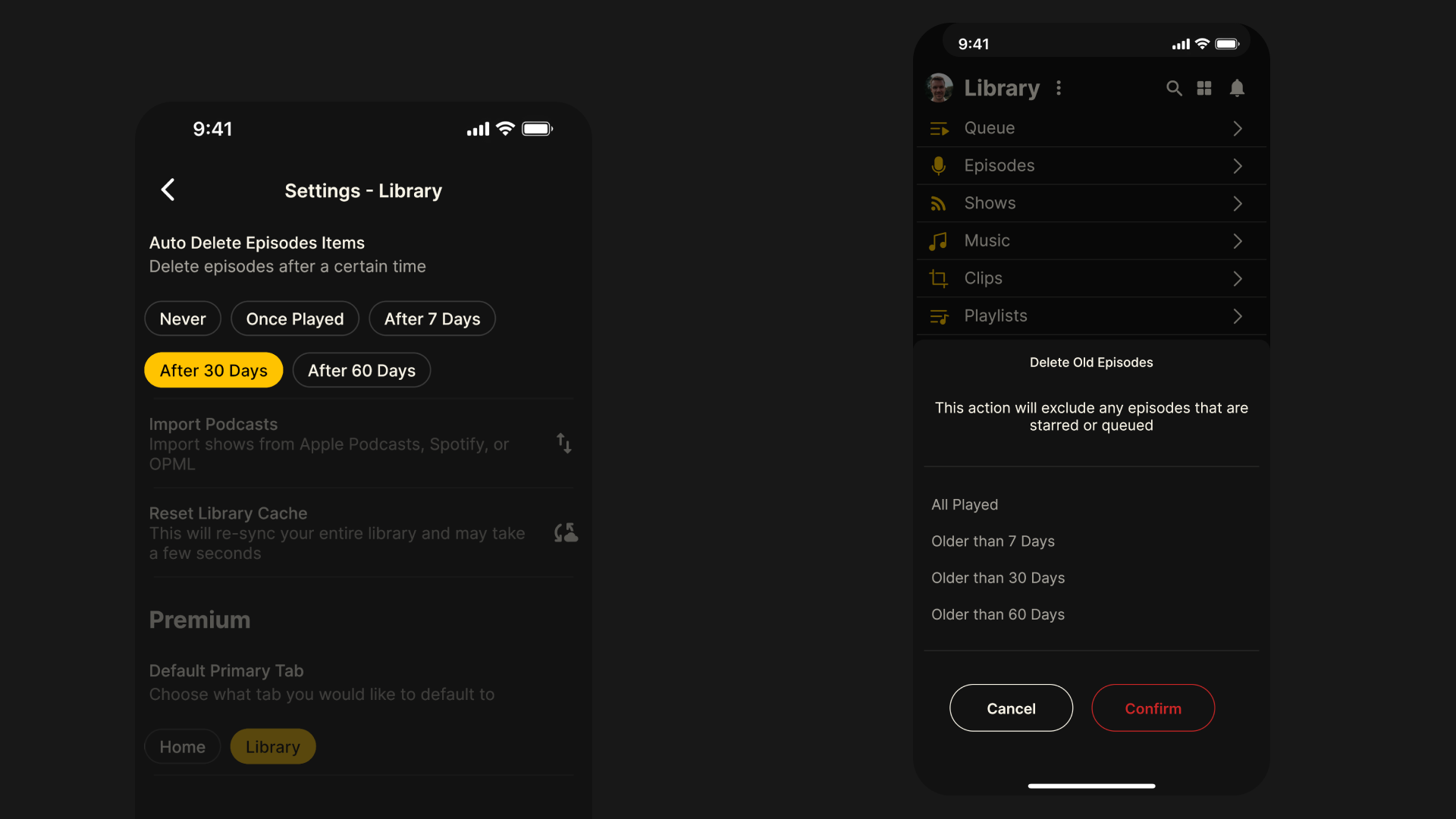
    Many of you have been asking for a quicker, easier way to delete older episodes from your library without having to remove them one by one. We’re pleased to say that we have added two new ways to manage older episodes in your library:

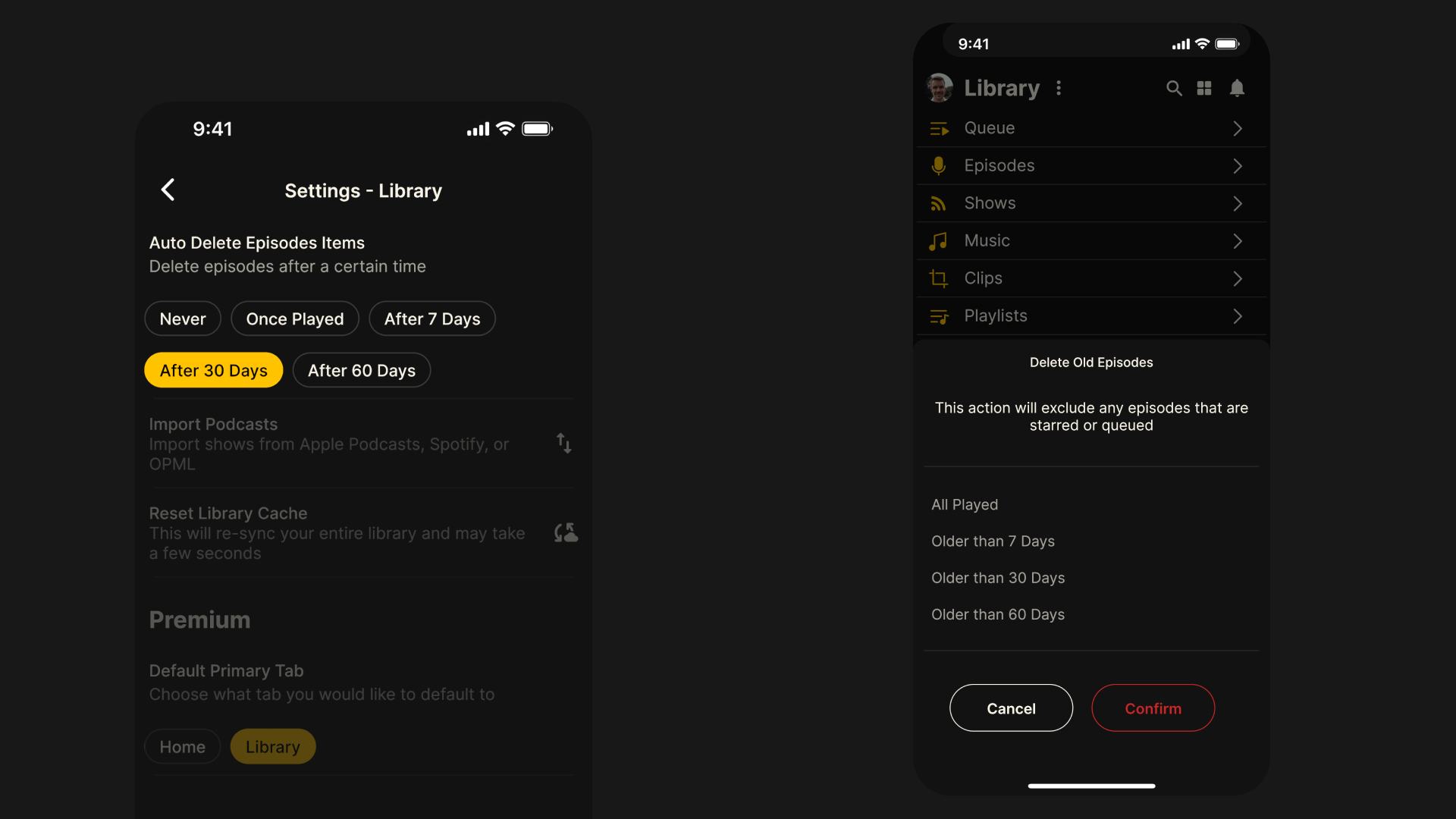
    • Auto delete episodes: Choose for episodes to be automatically be deleted from your library after a certain time. Go to Main Menu > Settings > Library > Auto Delete Episode Items and select from Never, Once Played, After 7 Days or After 30 Days.

    • Manually delete old episodes: Clear out all older episodes after a certain period of time with just one tap. Go to Library > Options > Library > Delete Old Episodes and select from All Played, Older than 7 Days, Older than 30 Days or Older than 60 Days. Episodes that are starred or queued will not be deleted.

    Other bug fixes and improvements

    • Improved support for Android audio background playback and enhanced seeking

    • Android Auto playback speed now respects last known setting on the app

    • Option to remove failing private RSS feeds to avoid persistent error messages

    • Better handling of bad URLs and invalid file formats when importing OPML files

    • Fonts pre-bundled to support offline use

    • Various styling fixes to main player screen

  16. 18 Apr 2024

    Fountain 1.0.12 - New Content Page Designs, Library Improvements and More

    New content page designs

    The most significant improvement to the overall user experience in version 1.0.12 comes as a result of the new content page designs you will notice across the app. The new layout makes better use of the available space on your screen, allowing us to increase font sizes and make room for new features.

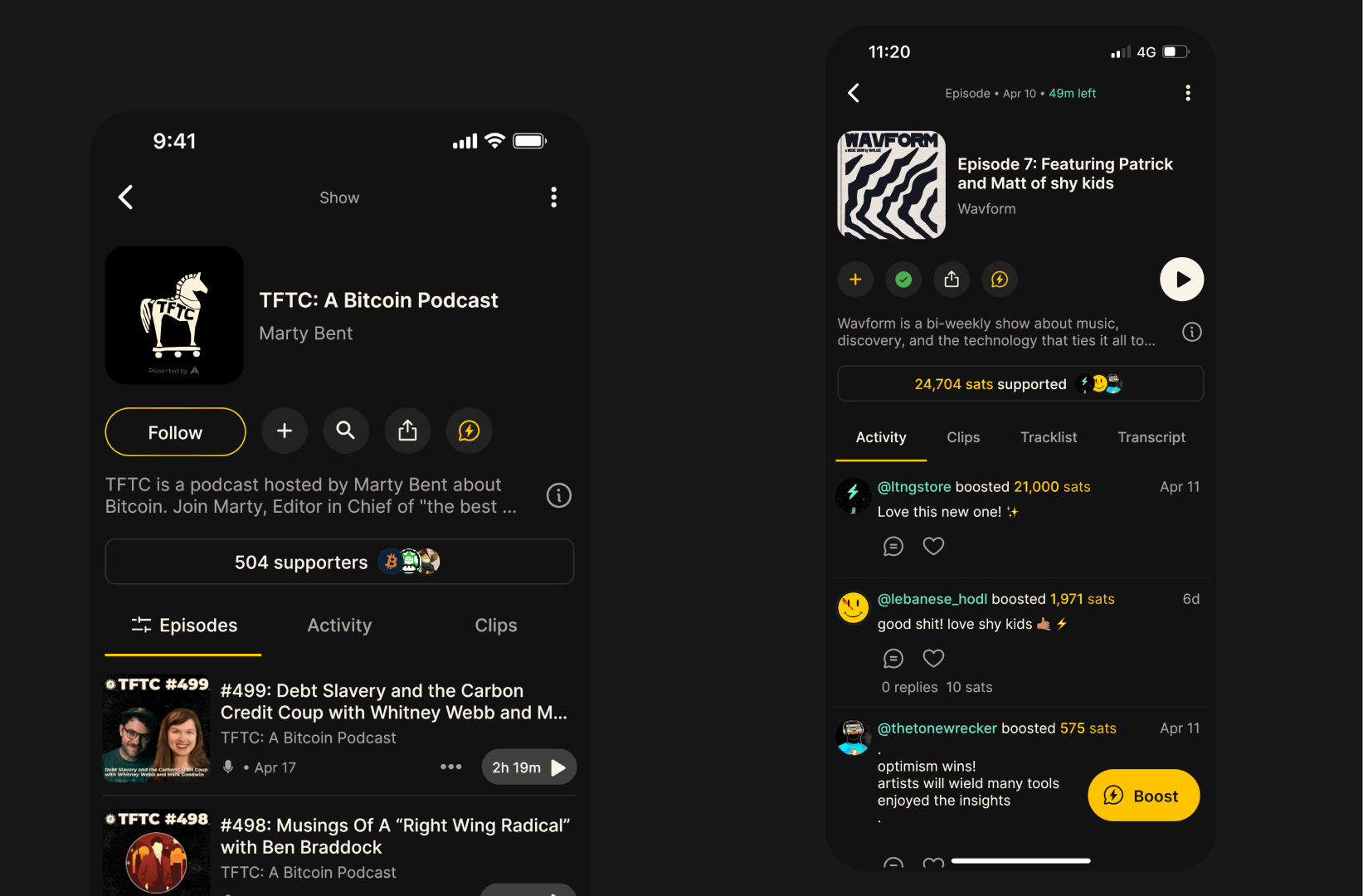
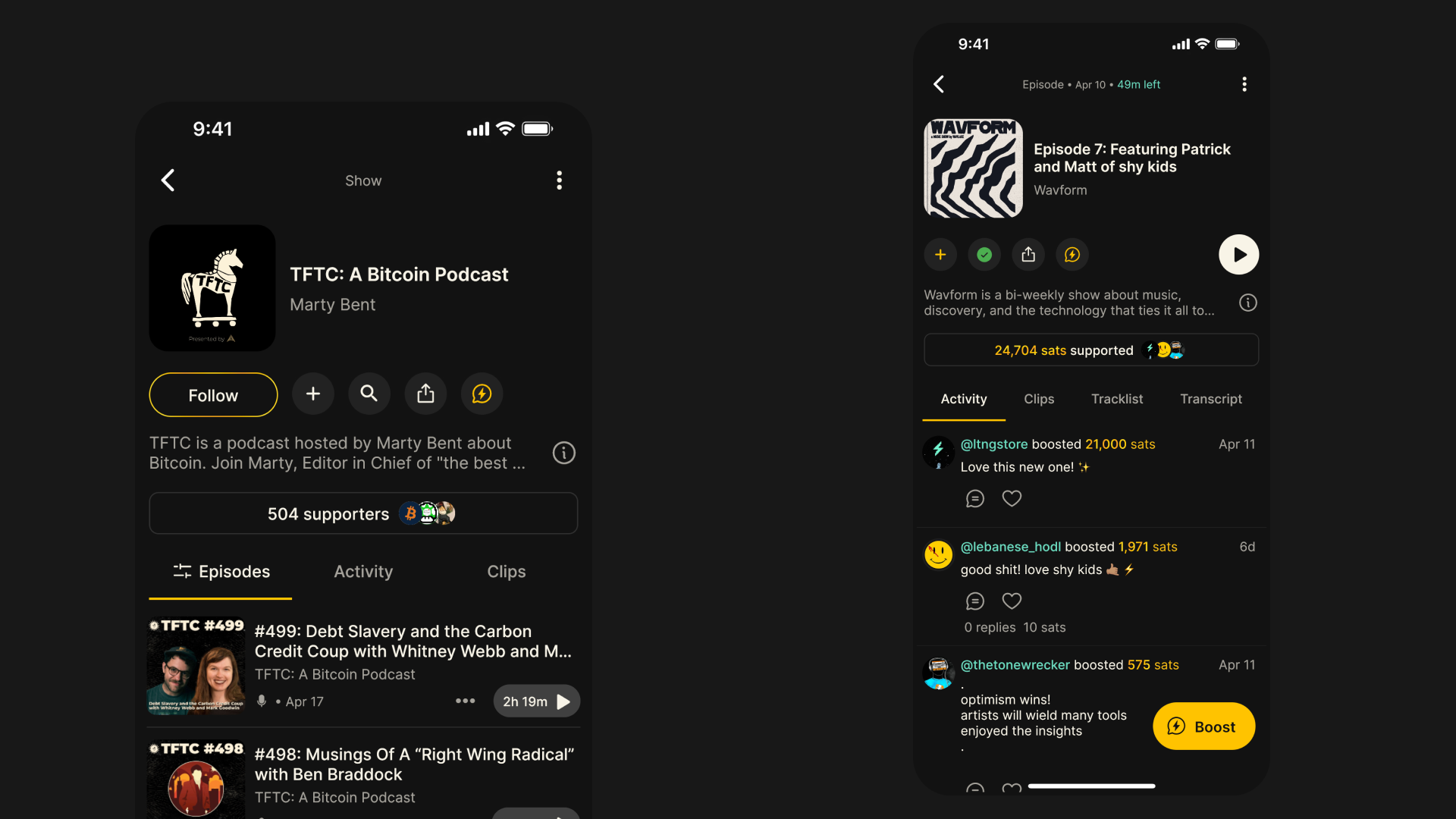
    One of those new features is the support stats, which give you a better sense of how valuable listeners found each piece of content. On the show pages, we display the total number of unique supporters. On the episode, track and album pages we display the total support value. Tap the button to see all supporters and filter by time range.

    We’ve also added a clips tab to the show and episode pages, introduced new sort and filter options to the show pages and included show notes or description on all pages.

    Library improvements

    Previously you were able to search your library from each specific library tab, but this required several taps. Now you can just hit the search icon on the main library tab and search across your entire library or filter by content type.

    If you’re subscribed to Fountain Premium, you can now choose to see your library every time you open the app. To set this as your preference, go to Settings > Library > Default Primary Tab.

    Other bug fixes and improvements

    • Chapter artwork now updates on the lock screen and CarPlay or Android Auto

    • When importing OPML you can now import a longer list of podcasts

    • When deleting all audio downloads we now ask for confirmation

    • When splits fail you can now manually retry from the transaction in your wallet

    • We now prevent listeners from creating clips from private RSS feeds

    • Fix for unfollow show confirmation modal not dismissing

    • Fix for missing push notifications from shows you follow

    • Fix for auto-downloads not respecting user and show settings

    • Fix for liking a comment not changing the sats value to yellow text


    Your feedback helps us make Fountain better. If you’re experiencing an issue or you would like to request a feature, please email us at hello@fountain.fm or submit feedback via the main menu in the app.

    Join Fountain Beta on Telegram to get help us test new features before they get released - all iOS and Android users welcome.
  17. 26 Feb 2024

    Fountain 1.0.9 - Clip Videos, Latest Clips, Other Clipping Improvements and More

    Shareable clip videos

    You can now share any clip on Fountain as an eye-catching video with with captions in portrait or square format - perfect for Instagram Reels, YouTube Shorts and TikTok. Just press the share button on any clip to open up the share options and wait a couple of seconds for the video to be generated (make sure you keep the app open while it processes). Tag @fountain_app when posting clips and we will share the best ones!

    Latest clips on home page

    When we released Fountain 1.0 at the end of last year, we added a new “stories” browser at the top of the home feed that shows you the latest clips from people you follow as well as any clips that they have interacted with recently. The feedback on this has been really positive, but it was frustrating that you couldn’t see what the clips were about before tapping on them. We’ve updated the UI in Fountain 1.0.9 so that you see the clip title, the show tile and artwork, as well as the user who posted or liked the clip.

    Other clipping improvements

    • Faster clip publishing: It took quite a long time for clips to be published once you pressed post. We’ve reduced the wait time to just a few seconds.

    • Improved accuracy on iOS: We had reports from iPhone users that the start and end position of clips didn’t always match exactly. This has now been fixed.

    • Clip transcripts: The transcript view underneath the clip editor will now follow the current playback position as you’re editing your clip.

    Time remaining on content cards

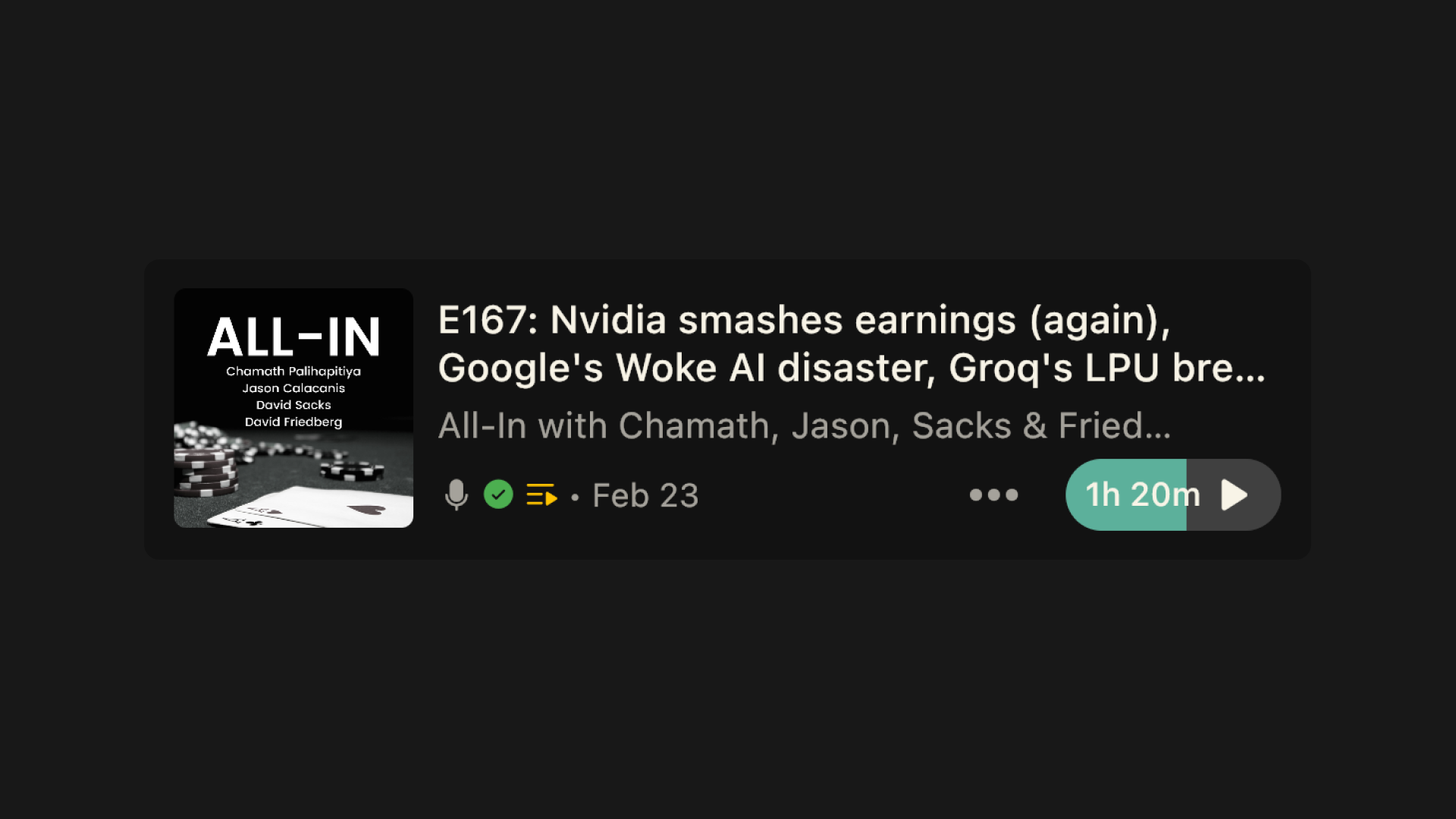
    We’ve made a small improvement to the episode content cards so that the duration and time remaining is displayed inside the play button. It’s now easier to see which episodes you’e already started listening to when browsing your library or feed.

    Other bug fixes and improvements

    • We now hyperlink all URLs contained in show notes

    • Improved OPML import loading states


    Your feedback helps us make Fountain better. If you’re experiencing an issue or you would like to request a feature, please email us at hello@fountain.fm or submit feedback via the main menu in the app.

    Join Fountain Beta on Telegram to get help us test new features before they get released - all iOS and Android users welcome.
  18. 6 Feb 2024

    Fountain 1.0.6 - Background Audio Downloads

    A good podcast app is one that works reliably wherever you are (and whether you have an internet connection or not). Up until now, audio downloads on Fountain have only worked when the app is in the foreground.

    In Fountain 1.0.6 we made some major improvements to our downloads manager. Episodes will now download in the background on your device - even if your connection drops out. Here’s a primer on how offline listening works on Fountain:

    • Fountain will automatically download new episodes from shows you follow if you have a Wi-Fi connection. You can change your auto download settings to enable auto downloads when you have a mobile data connection - or turn auto downloads off completely. You can also manually download episodes, tracks, clips, albums and playlists at any time. Use the filters in your Library to only see items that have been downloaded.

    • Items will continue downloading when the app is in the background but the download may take a little longer to process. If your device loses WiFi connection but you have an active mobile data connection, episodes that have already started downloading will continue downloading. If your device loses connection completely when an item is downloading, the download will resume when the connection is restored.

    • When listening to podcasts offline, you are not able earn from rewards or promotions. Your device must also have an active internet in order to stream, boost, like or comment.

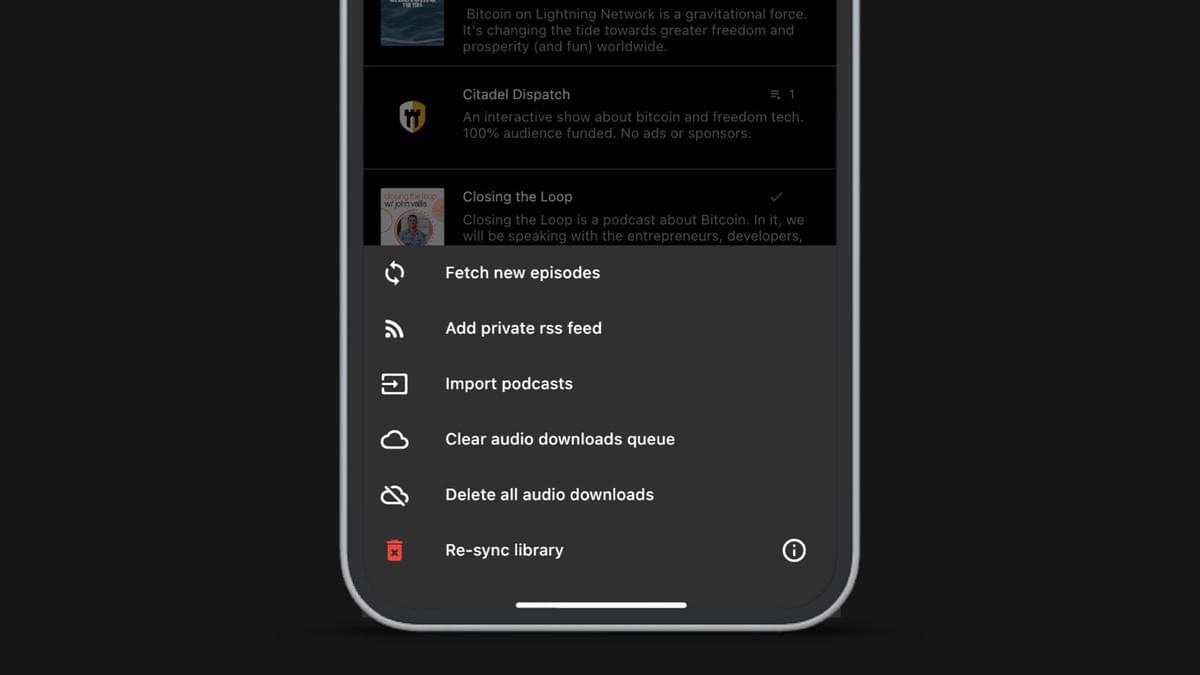
    • Fountain will not automatically delete downloaded episodes from your device. You can change your auto-delete settings so that downloaded episodes get deleted once played, after 7 days or after 30 days. You can delete audio downloads individually, or delete all audio downloads from the page menu in your Library.

    Bug Fixes

    • Fixed music track search

    • Fixed boost music track from player

    • Fixed occasional Android playback issue on airplane mode

    • Fixed occasional Android play button being unresponsive

    • Fixed occasional Android Auto app state syncing


    Your feedback helps us make Fountain better. If you’re experiencing any issues or have ideas about how it could be improved, please email us at hello@fountain.fm or submit feedback via the main menu in the app.

    You are also welcome to join Fountain Beta on Telegram to get help us test new features before they get released - all iOS and Android users welcome.
  19. 22 Jan 2024

    Fountain 1.0.3 - Bug Fixes and Improvements

    Here are the bug fixes and improvements that are included in the 1.0.3 update:

    • Fixed auto download on play next

    • Fixed Android play next in queue

    • Fixed auto play next when screen locked

    • Fixed occasional error on playback speed change

    • Fixed occasional pause on seek

    • Fixed occasional deposit / withdraw error

    • Improved player performance

    Your feedback helps us make Fountain better. If you’re experiencing any issues or have ideas about how it could be improved, please email us at hello@fountain.fm or submit feedback via the main menu in the app.

    You are also welcome to join Fountain Beta on Telegram to get help us test new features before they get released - all iOS and Android users welcome.

    Other News

    We are launching on Product Hunt on Thursday 25th January 2024! If we can achieve the coveted “product of the day” accolade, we can generate mass-awareness of Podcasting 2.0 and Value for Value and bring more people into the ecosystem - but we need your support.

    • Sign up today on Product Hunt (if you don’t already have an account)

    • Support us on Jan 25 (we will share the link on launch day)

  20. 12 Jan 2024

    Fountain 1.0.2 - Android Improvements, Library Customization & Swipe Gestures

    We want to begin by thanking you all for your valuable feedback and support since the recent Fountain 1.0 update. We have been listening to your suggestions and fixing any issues you’ve been experiencing - and we will continue to do so in the coming weeks. Here’s what’s in store for 1.0.2.

    Android Improvements

    Following recent performance upgrades we have completed on Android, the app is now considerably faster. You should notice more responsive playback controls with no buffering or lag as long as your device has a good internet connection.

    Many Android users reported an audio playback issue which was causing the gaps in between dialogue to be removed - this has now been fixed. For those of you who interpreted this bug as a feature, the good news is that the skip silences is in our roadmap and will be released very soon.

    Library Customization

    In Fountain 1.0 we made it possible to customize your library view for quick access to episodes, shows or your queue. In the latest update, you can now choose which quick links to display or hide at the top of your library page as well.

    Swipe Gestures

    We have also added swipe gestures to any items you’ve added to your library, making it quicker and easier to manage your episodes, clips and playlists.

    • Swipe right to star an item or add it to your queue

    • Swipe left to mark as played or remove from library

    Other Improvements

    • Add a nostr link to your profile: If you have connected your nostr account from the settings in the Fountain app, a link to your nostr page will appear on your profile so that other listeners can start following you easily. We have a big nostr update coming soon in 2024, so keep a look out for that.

    • Podcast splits manager:We’ve fixed a couple of bugs that podcasters were experiencing when managing show or episode splits and made some small improvements to the UI too. You can learn more about what splits are and how they work here.

    • Toggle autoplay next in queue: If you like to add items to your queue to listen to later but don’t want them to autoplay, you can turn it off. This allows you to use your queue as a bookmarking feature - if that’s what you want to do.

    Other News

    We are launching on Product Hunt on Thursday 25th January 2024! If we can achieve the coveted “product of the day” accolade, we can generate mass-awareness of Podcasting 2.0 and Value for Value and bring more people into the ecosystem - but we need your support.

    We will share more details about this next week. In the meantime, please sign up on Product Hunt (if you don’t already have an account) so you can leave us a nice review on launch day.


    Your feedback helps us make Fountain better. We would love to know how you’re getting on with the new update. If you’re experiencing any issues or have ideas about how it could be improved, please email us at hello@fountain.fm.

    Want to help test new features before they get released? Join Fountain Beta on Telegram to get access. All iOS and Android users welcome.
  21. 21 Dec 2023

    Fountain 1.0 Has Arrived

    Today we’re excited to launch a brand new look for the Fountain mobile app. We’ve spent the last few months listening to your feedback to get a deep understanding of the improvements you would like to see that would unleash Fountain’s full potential.

    We hope you will agree that the resulting design and user experience upgrades we have made across the app make Fountain look and feel great to use. Along with the stylish new user interface, we’ve also added some powerful new social features to help you discover more great podcasts and join in the conversation with other fans.

    In Fountain 1.0 you will find:

    • A new player design that gives you quick access to powerful features

    • A new library design that makes it easier to find and organize your content

    • A new clip editor that makes it quicker and easier to share clips

    • A new way to explore clips that other listeners have shared

    • A new home feed design that surfaces conversations happening right now

    • A new and improved playlist feature that supports episodes, clips and tracks

    • A number of other smaller improvements across the board

    Keep reading for a closer look at some of these new updates…

    Library

    Our goal with the new library design was to make it simpler and easier to use so that you can find and organize all of your saved content in fewer taps.

    • Customize your library view for quick access to episodes, shows and your queue

    • New content cards that bring improved readability with larger artwork and fonts

    • New filter for ‘continue listening’ to see episodes you haven’t finished

    • New search feature to quickly find anything in your library

    • Swipe to remove an episode from your library

    Player

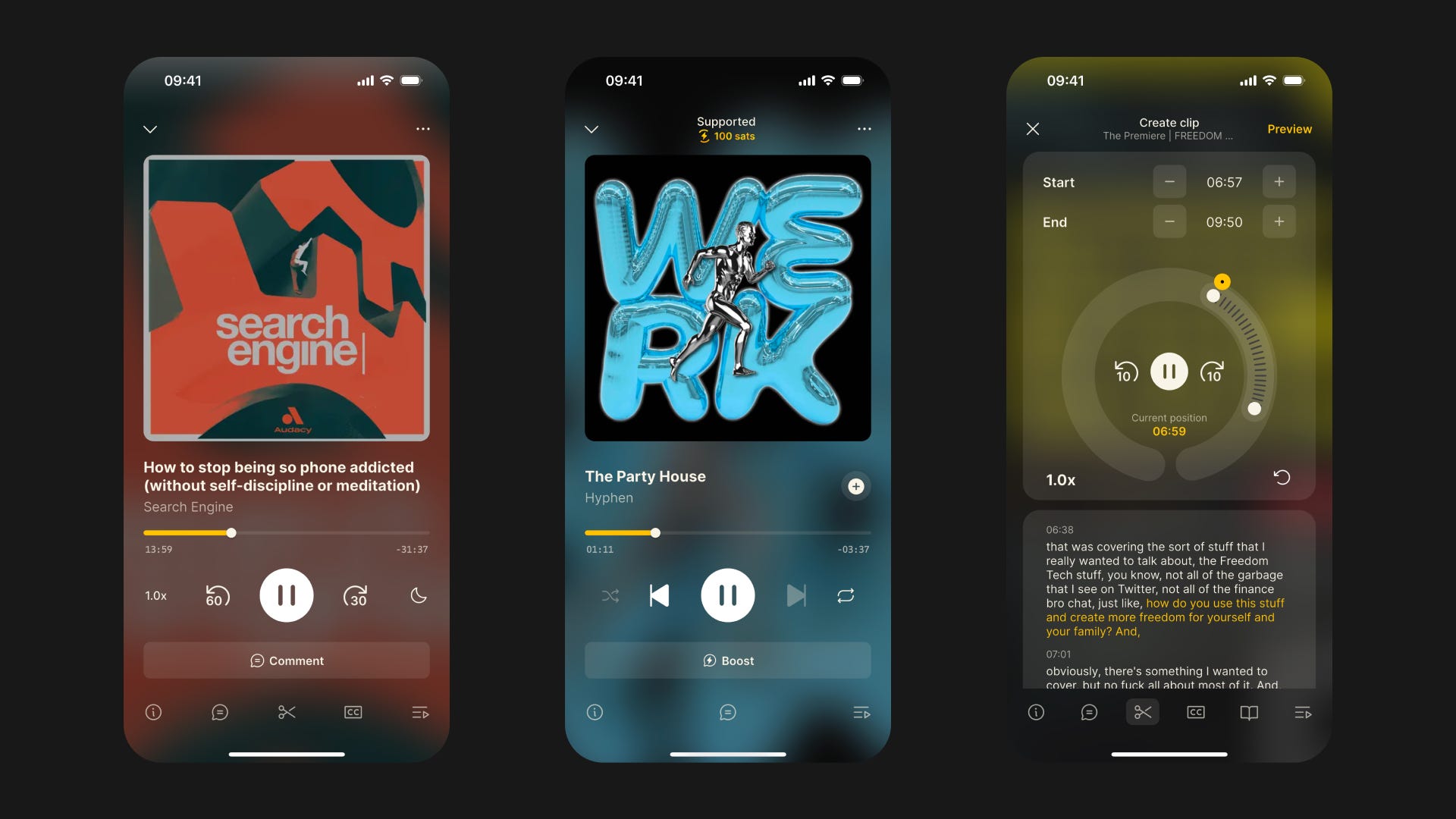
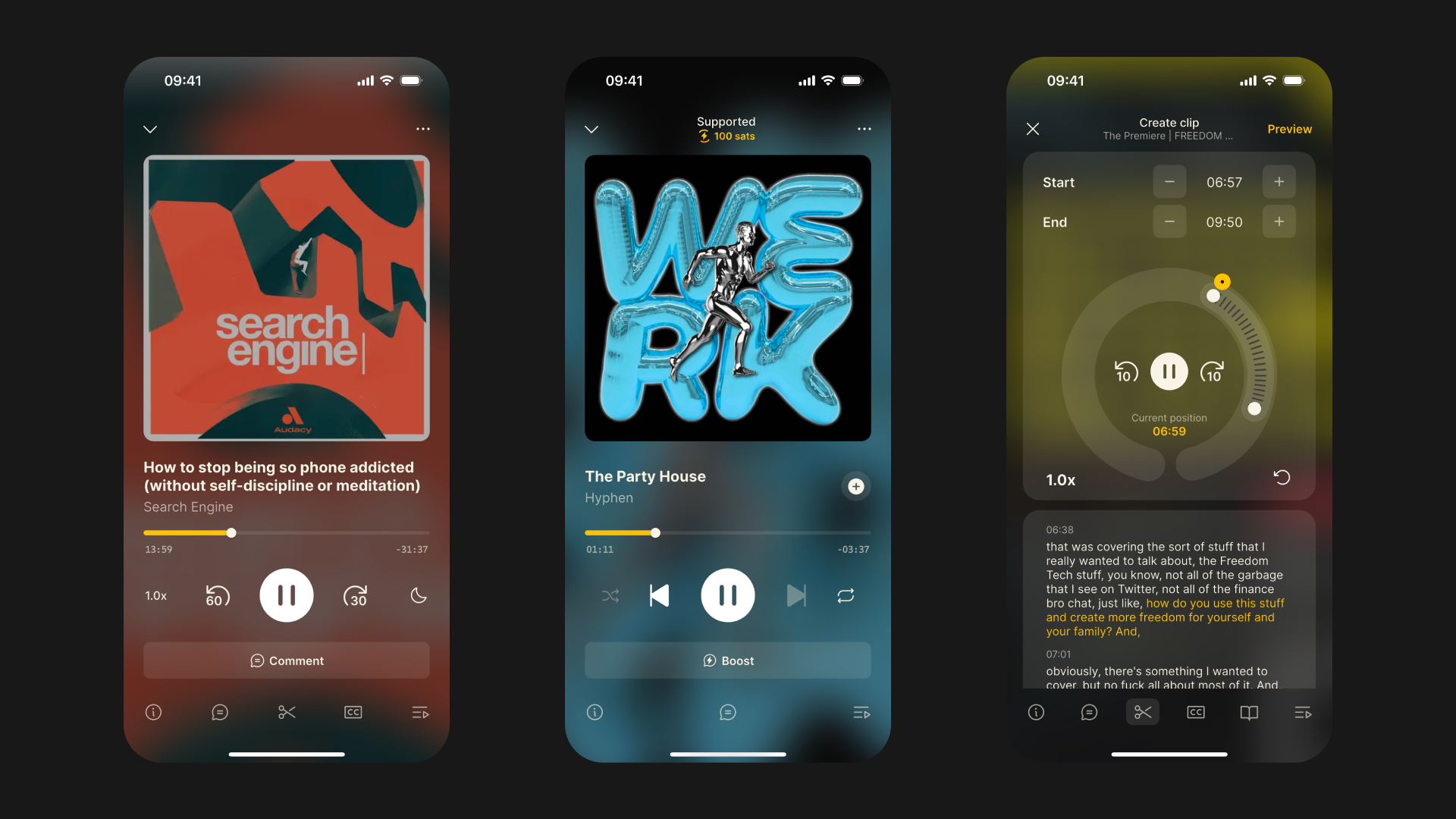
    The player is one of the most important screens in the app, so we really took our time to get it right. The result is a stylish and unique screen with a background image blur that transforms based on the episode you’re listening to. The new player also gives you quick access to powerful features.

    • Scroll or tap the icons at the bottom of the screen to view the show notes, read the comments, access chapters and follow along with the transcript

    • The support counter that displays the total value that you have sent while listening to the podcast episode

    • Improved sleep timer that gives you an “end of episode” option

    Boosting & Streaming

    You will also notice that we have updated the design of the boost and stream menus to make them easier to use. We now display the dollar value of the sats you’re sending, with more currency options to be added in the future.

    Clip Editor

    Clips have always been a big part of Fountain as we believe it’s a great way of hearing the best moments from podcasts without having to listen to the whole episode. But let’s face it - making clips could have been easier. The new clip editor makes it quicker and easier to make perfect clips.

    • The circular design of the new clip editor gives you greater accuracy and control over the start and end position

    • The audio transcript serves as a reference to let you know exactly where you are

    Clip Player

    Exploring clips also wasn’t a great experience, so we’ve built a completely new clip player that allows you to scroll through a stream of clips.

    • The new “stories” browser at the top of the home feed shows you the latest clips from people you follow as well as any clips that they have interacted with recently

    • Tap through to the episode, user profile and any hashtags related to that clip

    Home Feed

    One thing we listening to your feedback was that while Fountain’s sense of community is unique, we could do a better job of surfacing conversations that are happening on the app and making it easier to join them. As well as introducing the new “stories” browser to the top of the home feed, we’ve completely redesigned the home feed to make it less cluttered and easier to browse.

    • See podcasts, music, clips and playlist activity from accounts you follow

    • View replies and tap through to read the full conversation

    • Check the stats for every post and see who liked it and who replied to it

    Playlists

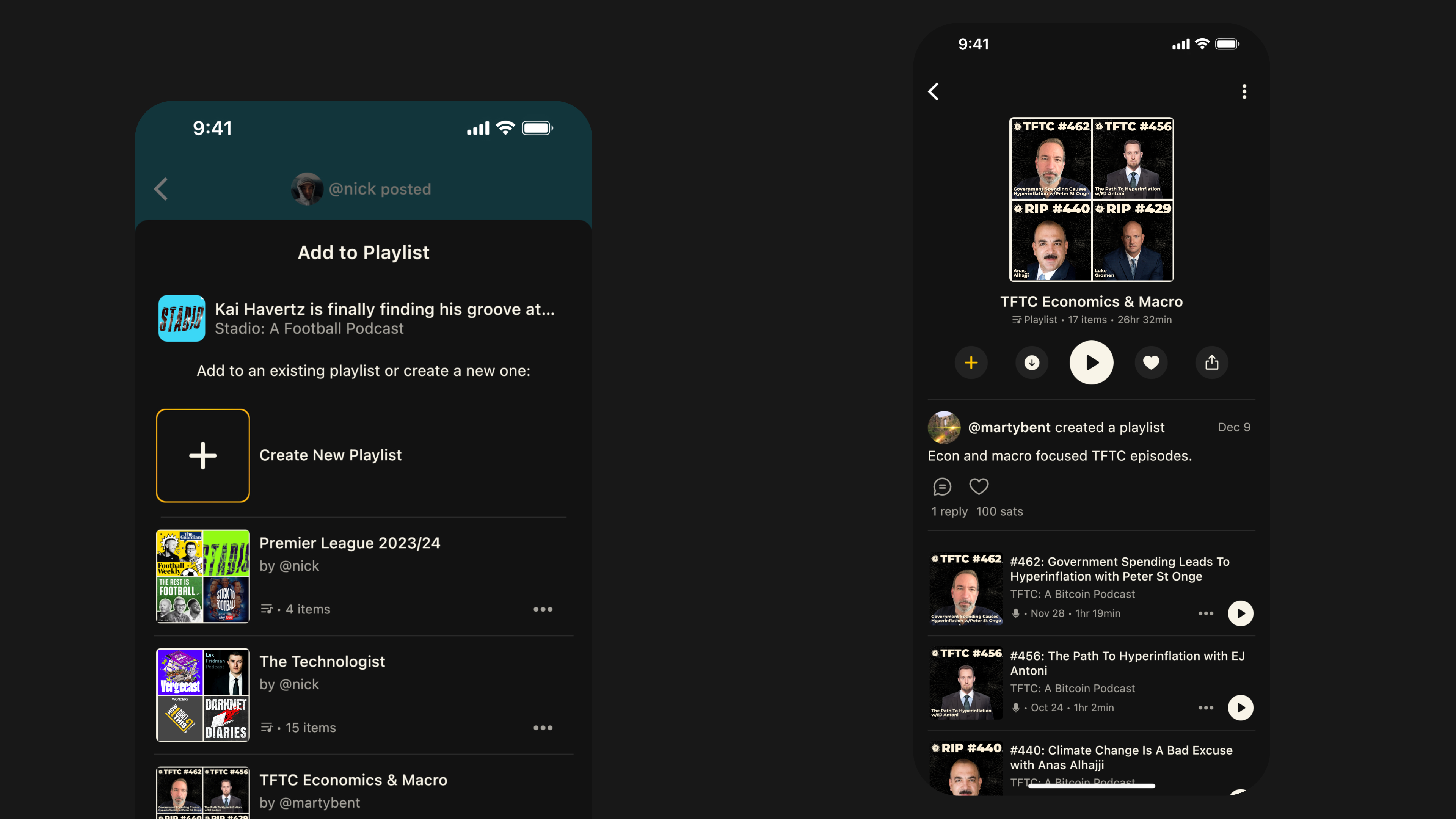
    We’ve made some big changes to our playlists feature so that you can add different types of content to your collections. Every Fountain user can create up to three playlists for free but you will be required to upgrade to Fountain Premium in order to create more.

    • Add your favorite episodes, tracks and clips to playlists

    • Get rewarded for the playlists you create when other listeners like them

    • Added comment functionality for playlists

    Connect your Strike account

    We have partnered with Strike so that you can top up your Fountain wallet instantly using your preferred currency. Once you have connected your Strike account from your Fountain wallet, you can deposit funds from your Strike account without ever leaving the Fountain app.

    Other Improvements

    • Performance: Fountain 1.0 also contains a large number of performance improvements that should make app feel snappier, make library syncing faster, improve battery usage, and make audio playback more reliable in low connectivity areas.

    • Daily Rewards: Every day listeners on Fountain get the chance to earn when listening to podcasts. The rate is assigned at random and it could be anywhere between 0 sats and 1000 sats per minute, so don’t feel disheartened if on some days you don’t earn. To give you a greater chance of earning, you will now also be assigned an earning time window of either 10 minutes, 20 minutes, 30 minutes or 60 minutes.


    Your feedback helps us make Fountain better. We would love to know how you’re getting on with the new update. If you’re experiencing any issues or have ideas about how it could be improved, please email us at hello@fountain.fm.

    Want to help test new features before they get released? Join Fountain Beta on Telegram to get access. All iOS and Android users welcome.
  22. 4 Sept 2023

    Fountain 0.8 - Music Podcasts (Beta), Player Updates & Performance Upgrades

    Music Podcasts (Beta)

    While there are many podcasts that talk about music, there are very few which actually feature full-length tracks because securing the rights is so complex and expensive. That’s all about to change thanks to the latest developments in Podcasting 2.0, paving the way for a brand new category of music podcasts where DJs can play tracks and artists get paid directly by the audience as they listen on their podcast app.

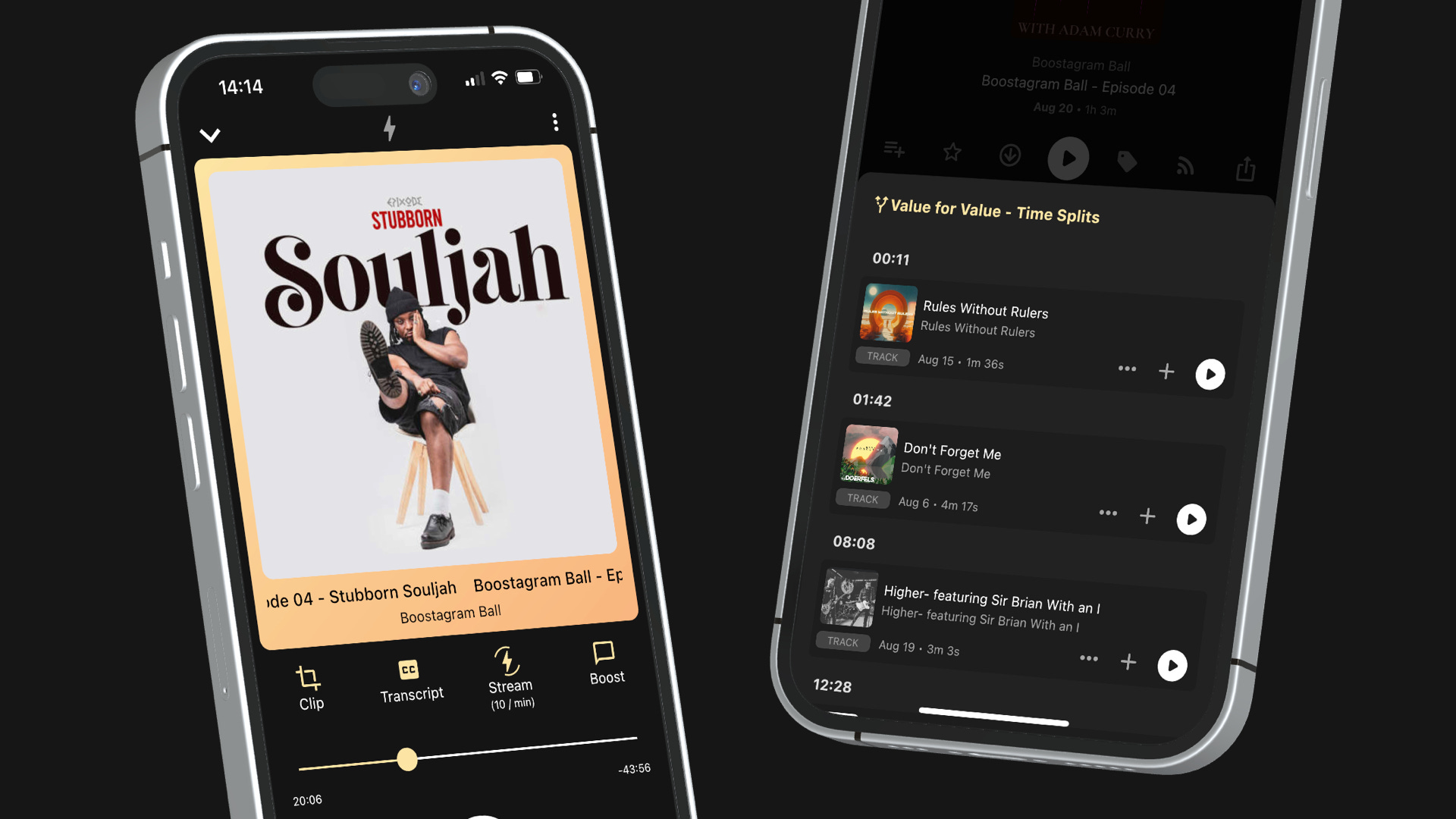
    The first music podcast of this kind is Boostagram Ball by Adam Curry. Every Friday, Adam plays a selection of tracks which artists have published to an RSS feed and made available in open libraries like PodcastIndex and Wavlake. The money sent via boosts and streams flows directly to the artist and listeners can add the tracks they liked to their Fountain library to listen to again later.

    If you’re wondering how this works, Fountain 0.8 supports two new tags from the Podcast Namespace that makes it possible:

    The <podcast:medium>tag allows the podcast host to specify the type of content contained within the RSS feed. If the medium is specified as music, we label it accordingly in Fountain search and deliver a more bespoke user experience for listening to music.

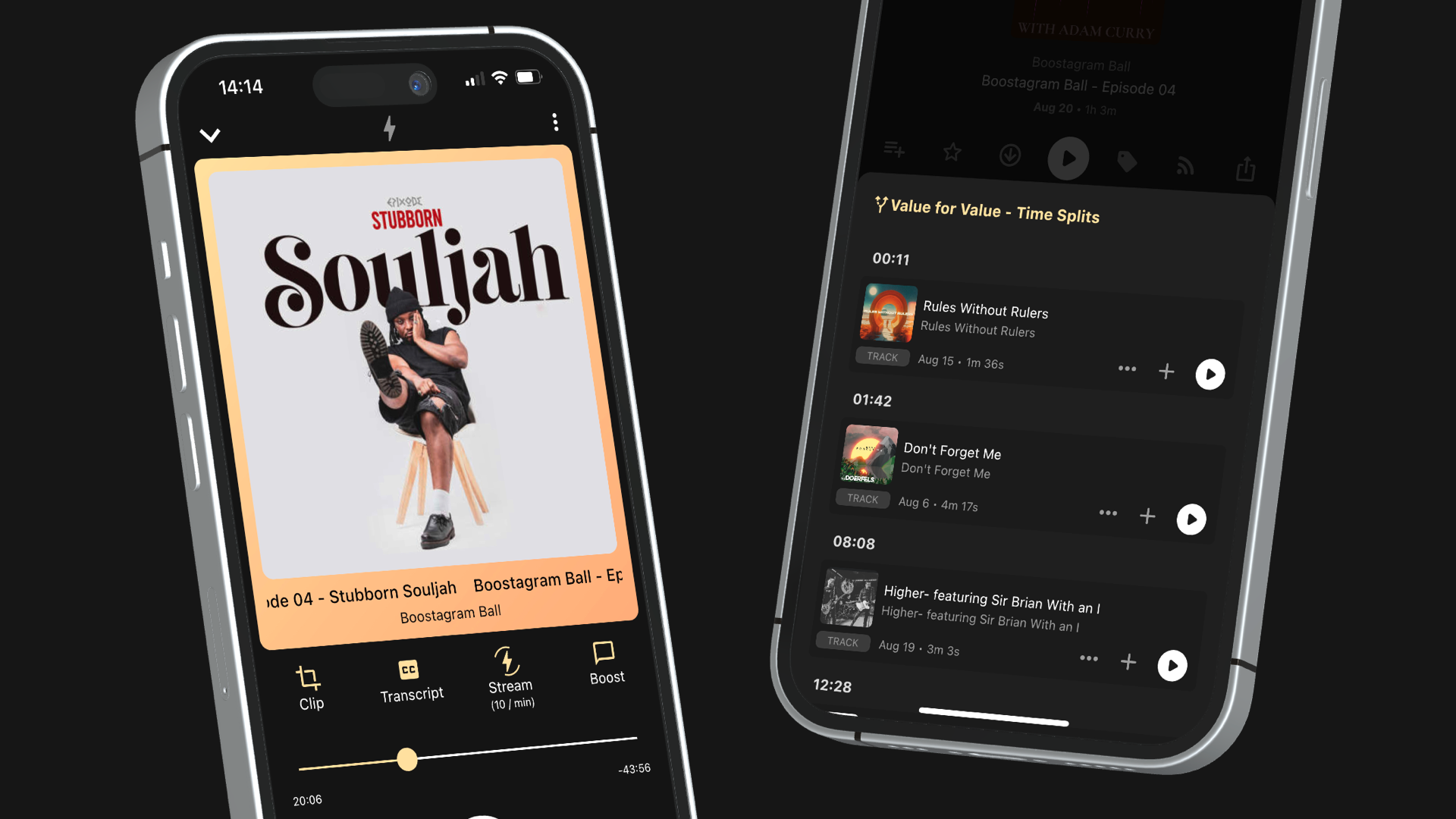
    The <podcast:valueTimeSplit>tag allows the podcast host to specify the value recipient for a certain period of time during an episode. In other words, the splits change dynamically depending on which track is currently playing and the money listeners send gets paid directly to the artist.

    You can learn more about this emerging category of music podcasts by listening to Adam Curry's interview with Podnews Weekly Review. There are also more music podcasts like Adam’s available on Fountain, which you can find out about here. Give them a listen and try it out for yourself!

    If you would like to make your music available so it can be featured in podcasts or you’re looking to include music in your podcast, we would highly recommend watching this tutorial from Kyrin Down.

    Player Updates

    We have made two small but significant updates to the player screen, making two important features accessible in fewer taps.

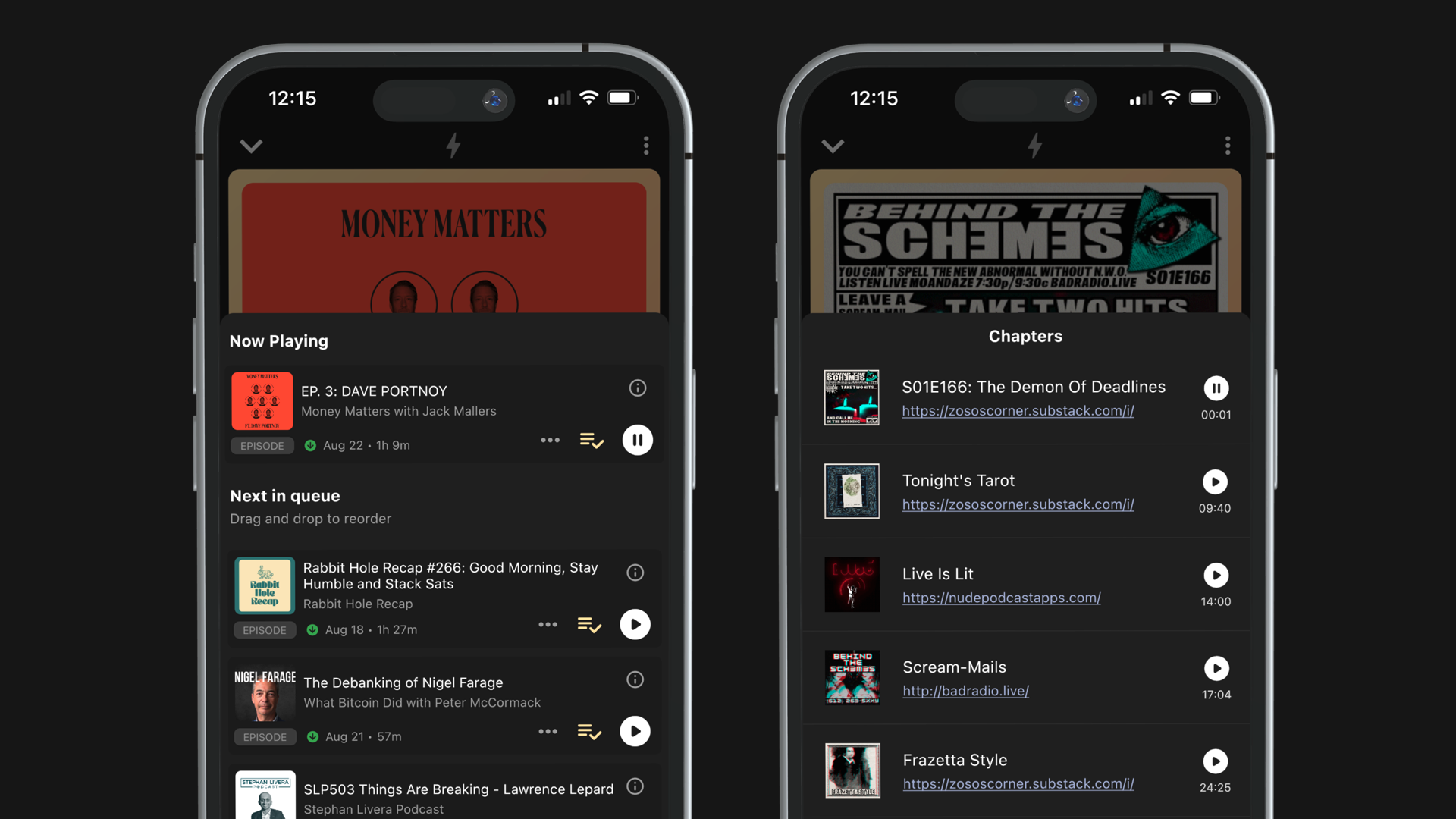
    You can now view and manage your queue directly from the player screen. We also had feedback from users that queued items were not playing in the correct order, so we fixed that and added some labels for “now playing” and “next in queue”.

    For podcasts that have provided chapters, you can now see which chapter you are currently listening to and open up the panel to skip to another chapter without leaving the player screen.

    Performance Upgrades

    The new update brings about some improvements in performance, so you should notice that running the app on your mobile device consumes less data and less power.

    While we're continuing to work on further improvements, these updates represent a substantial leap forward in quality of life.


    Your feedback helps us make Fountain better. If you’re experiencing any issues, please share them with us via the main menu in the app.

    Want to help test new features before they get released? Join Fountain Beta on Telegram to get access. All iOS and Android users welcome.
  23. 29 May 2023

    Fountain 0.7 - New Podcast Library, Transcripts, Performance Upgrades & Live (beta)

    New Podcast Library

    We want Fountain to be the most powerful podcast app out there. That’s why we have introduced a number of updates and new features that give you complete control over your podcast library.

    The first thing you will notice when you get the latest update is that the Podcasts page has been renamed Library. At the top of the page you will see a few tabs that you will be familiar with and some that are new:

    • Queue: Add episodes and clips to your queue to enjoy uninterrupted listening.

    • Episodes: Find the latest episodes from the shows you follow or episodes you have added. Filter by starred and downloaded episodes or set up your own custom filter tags.

    • Shows:Find all the shows you follow and filter the list to only see shows that have recently published new episodes or view your custom filter tags.

    • Clips: Any clips you add to your Library will appear under All. You can also filter the list to only see clips you have published or drafted.

    • Playlists: Any public or private clip playlists you’ve created will appear here. Playlists available with Fountain Premium.

    We have also introduced some highly-requested features to the Library:

    Sorting

    You can now sort items in your library. Combined with the filter tags, it’s now easier than ever before to organize your collection and find what you’re looking for.

    • Sort episodes by newest to oldest

    • Sort shows alphabetically

    • Sort clips by newest to oldest or alphabetically

    • Sort playlists alphabetically

    Auto Delete

    Avoid downloaded episodes from taking up unnecessary storage on your device after you’ve listened to them. Auto delete after 30 days will be turned on by default for all users but you can update your auto delete preferences in the settings menu.

    Mark As Played

    You can now mark an episode as played from the menu on the episode page or content card. You can update your auto delete preferences so that episodes are deleted once played to get the most out of this feature.

    Show Settings

    Save custom settings for specific shows you are following and enjoy more personalized control over how you like to listen to them. To change your preferences for individual shows, press the settings icon on the show page to see the following options:

    • Auto queue new episodes

    • Auto download new episodes

    • Set your preferred playback speed

    • Set your sats per minute when streaming

    Transcripts

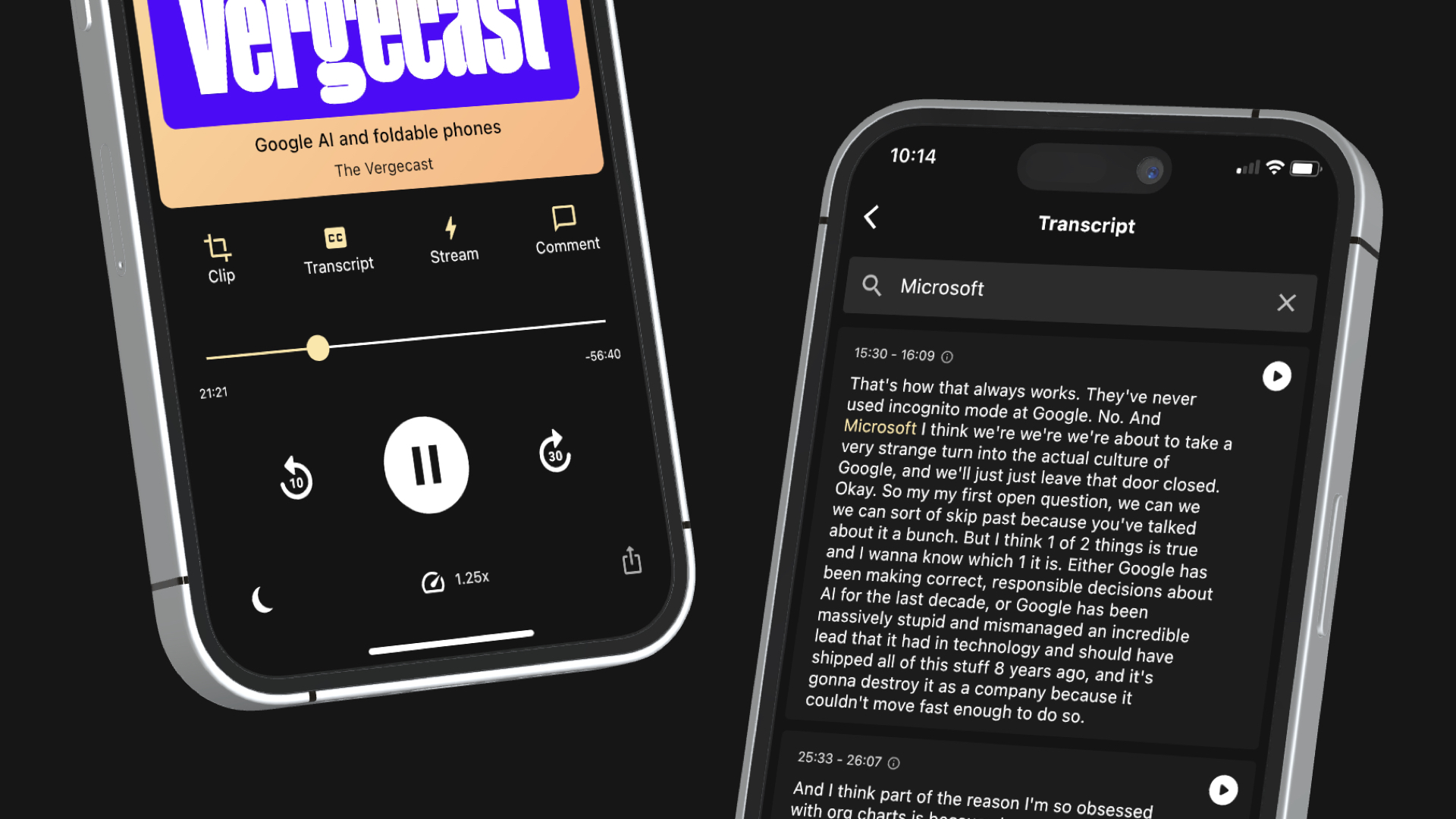
    Fountain now supports the <podcast:transcript> tag so you can read along as you listen. Not only will transcripts show up in Fountain if they have been provided by the podcaster, but transcripts for every episode are also available on-demand. You can also search transcripts and find a specific point to start playing from - and you can access them offline. Just tap the transcript button on the player or go to the transcript tab on any episode page.

    Here’s how transcripts work in Fountain:

    • Fountain Premium Users: Get unlimited transcripts on demand for any podcast with Fountain Premium for just £2.99 a month.

    • All Other Users: Pay a fee of $0.50 (around 2000 sats) for every hour of audio transcription. If a transcript has already been made available by the podcaster or by another user, you will get it for free.

    • Podcasters: Get audio transcripts of all new episodes and make them available to your listeners for free if you have claimed your show on Fountain. If your podcast includes SRT, X-SUBRIP or JSON transcripts in your RSS feed, they will already be available in Fountain.

    Thanks to our partnership with Deepgram, transcripts on Fountain are:

    • Fast: Transcripts for an hour long episode are generated in under 30 seconds.

    • Accurate: Detect languages, differentiate between speakers and accurately translate speech to text regardless of audio quality.

    • Cheap: Transcribe an hour-long episode for just $0.50 or get unlimited transcripts on demand with Fountain Premium.

    Performance & UX Upgrades

    • Page loading speeds:We now cache pages you’ve already visited, making the app feel much faster.

    • New episode syncing:When new episodes are released, they will now appear on Fountain without delay.

    • Push notifications:Customize your settings to receive push notifications when someone follows you, likes one of your clips or comments, replies to one of your clips or comments, or when new episodes are released for specific shows.

    • Show notes: Tap the info button on any show or episode card to read more

    Live (beta)

    Fountain now supports the <podcast:liveItem> tag so you can participate in real time as the podcast is being recorded. Boosting and streaming sats works exactly the same for livestreams as it does for regular episodes, so the experience becomes fully interactive.

    Once a livestream has been scheduled, you will see a content card on the Show page that tells you when it will begin. If you follow the show, it will also be pinned to the top of your Library.

    When the livestream begins, we will send you a push notification that will take you to the livestream page in the app. Make sure you have your push notifications for new episodes switched on.

    During the livestream, you can pause/play the audio but will not be able to skip forward or back. You can also support the podcast by streaming and boosting, as well as reply to other users.

    When the livestream ends, the page and all of the comments will still be there, although you won’t be able to replay it from the start.

    This is a beta feature, so we really appreciate any feedback you can share back with us after playing around with it.


    Your feedback helps us make Fountain better. If you’re experiencing any issues, please share them with us via the main menu in the app.

    Want to help test new features before they get released? Join Fountain Beta on Telegram to get access. All iOS and Android users welcome.
  24. 2 Mar 2023

    Fountain 0.6.5 - Nostr Zaps & Share Clips as Videos

    Nostr Zaps

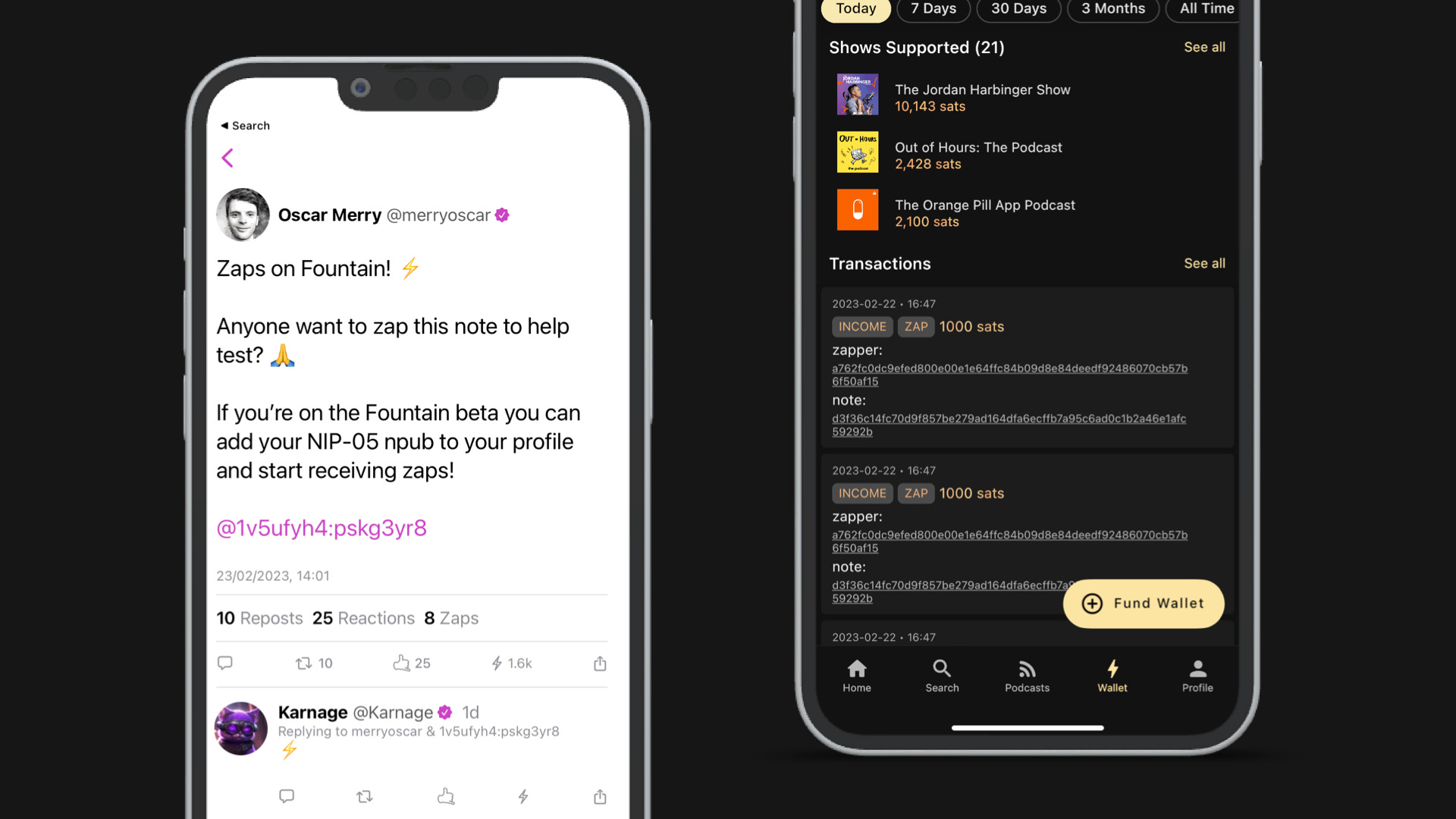
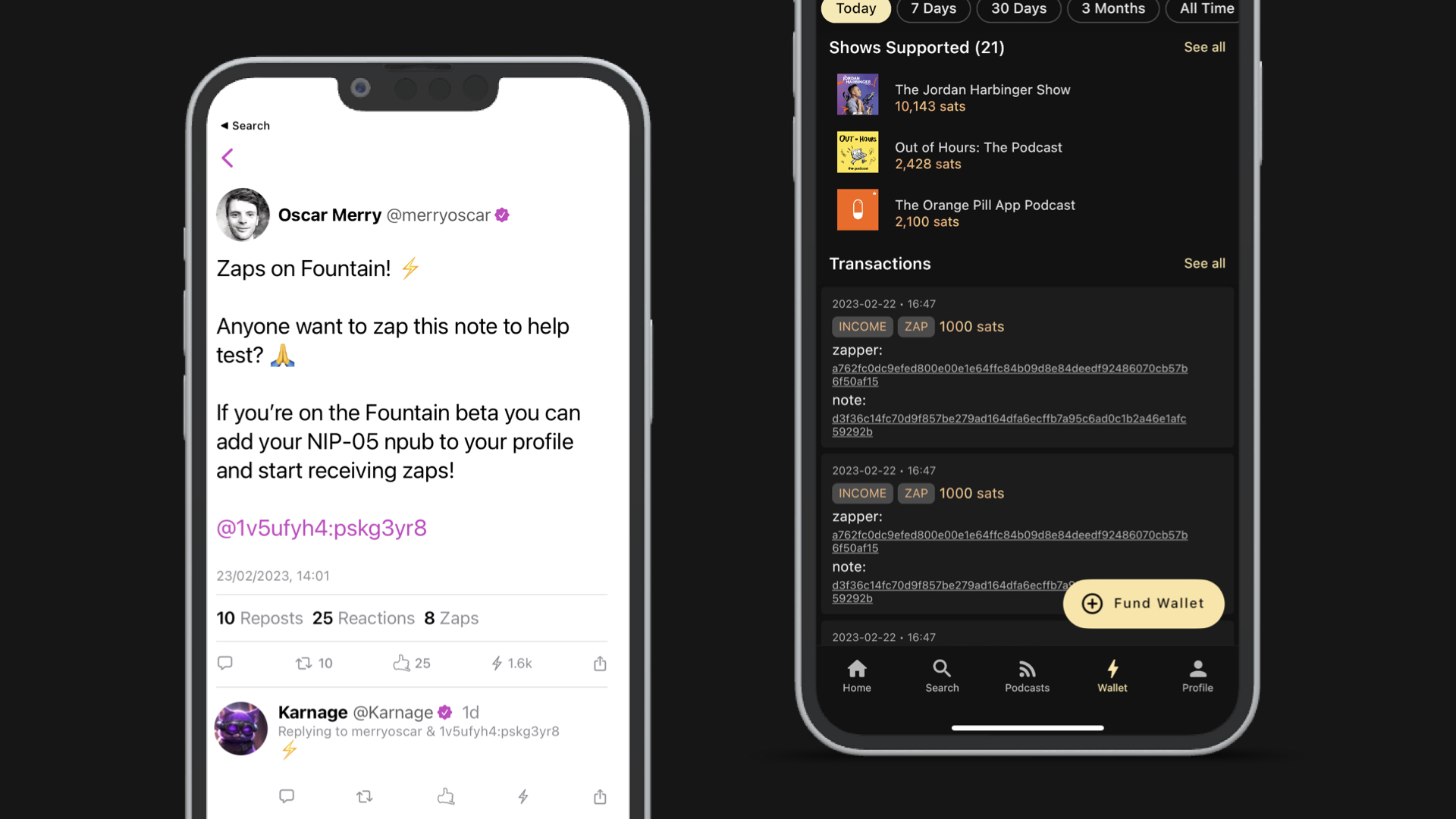
    Fountain 0.6.5 adds support for Nostr NIP-05 and NIP-57 so that you can receive zaps to your Fountain wallet! Here’s how to get it set up:

    • Go to your Fountain profile and open the menu

    • Press Connect Nostr and paste in your Nostr public key

    • Open Damus or any other Nostr client

    • Add your Fountain Lightning Address to Bitcoin Lightning Tips and NIP-05 Verification

    When a user on Nostr zaps you, the sats will now go straight to your Fountain wallet. Your public key will be displayed on your Fountain profile so that other users can start following you on Nostr.

    In case you’re hearing about this for this first time, Nostr is an open protocol that enables decentralised and censorship-resistant alternatives to social media platforms like Twitter. It’s popularity has soared in recent months as apps such as Damus which support the protocol have become more widely available, attracting prominent users like Jack Dorsey and Edward Snowden. Zaps are like Boosts in Fountain - when you post something, other users can “tip” you by sending sats over the Lightning Network.

    This is just the first of many exciting Nostr integrations that Fountain is working on. If you would like to help test some of the new Nostr-enabled features in the pipeline, make sure you join the Fountain Beta group on Telegram.

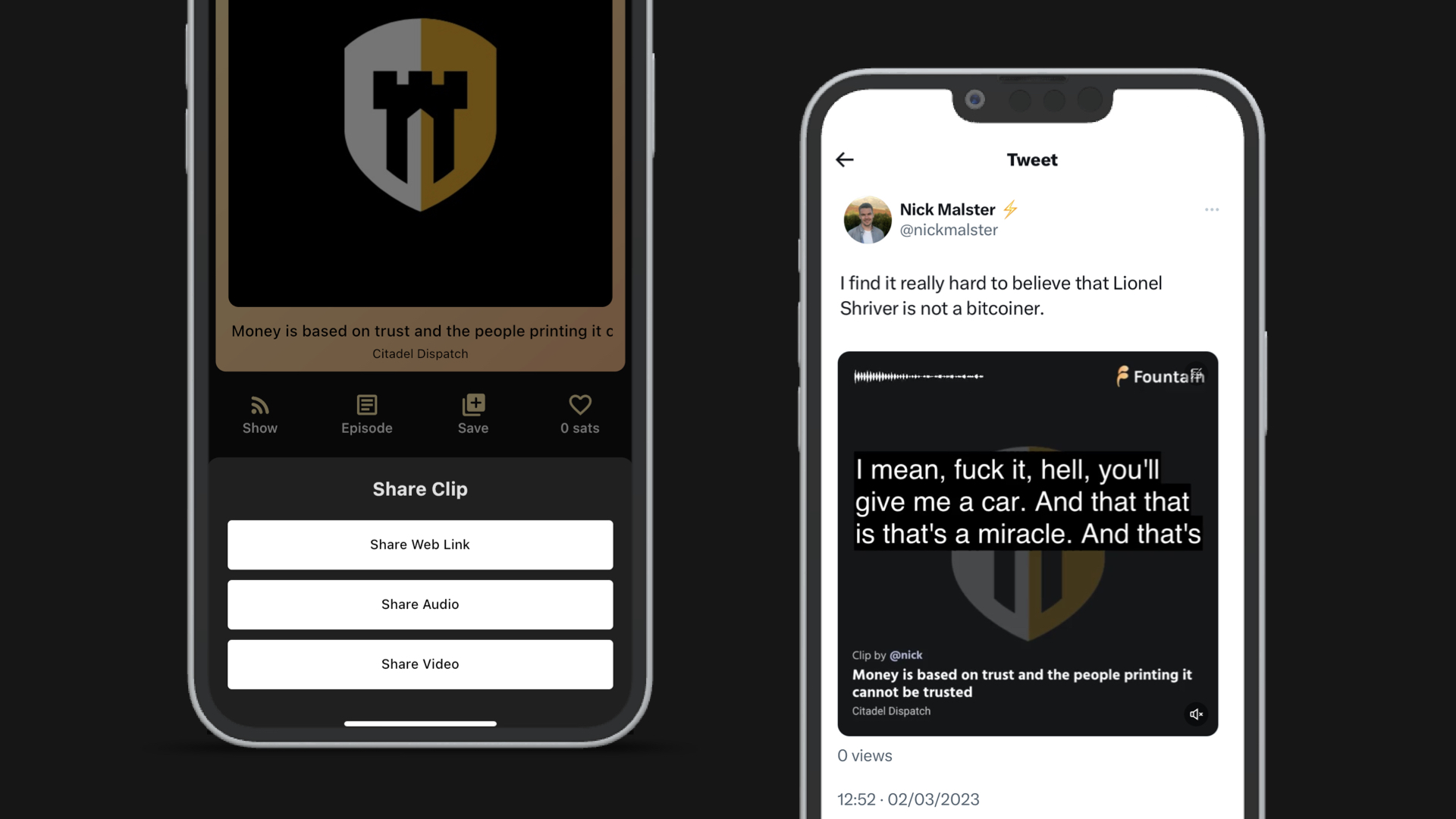
    Share Clips as Videos

    It’s always been possible to share Fountain clips as videos but we have now revamped the style of the videos so they will look even better in your follower’s feeds!

    Simply create a clip in Fountain, press Share and choose Share as Video. If you’re posting your clips on social media, make sure you tag @fountain_app as well as any speakers that feature in your clip.

    Any clips created before the 0.6.5 release will still use the previous video design but we will be updating the full archive in the coming weeks.


    Your feedback helps us make Fountain better. If yo’re experiencing any issues, please share them with us via the main menu in the app.

    Want to help test new features before they get released? Join Fountain Beta on Telegram to get access. All iOS and Android users welcome.
  25. 15 Feb 2023

    Fountain 0.6.4 - Search Editorial & Clip Update

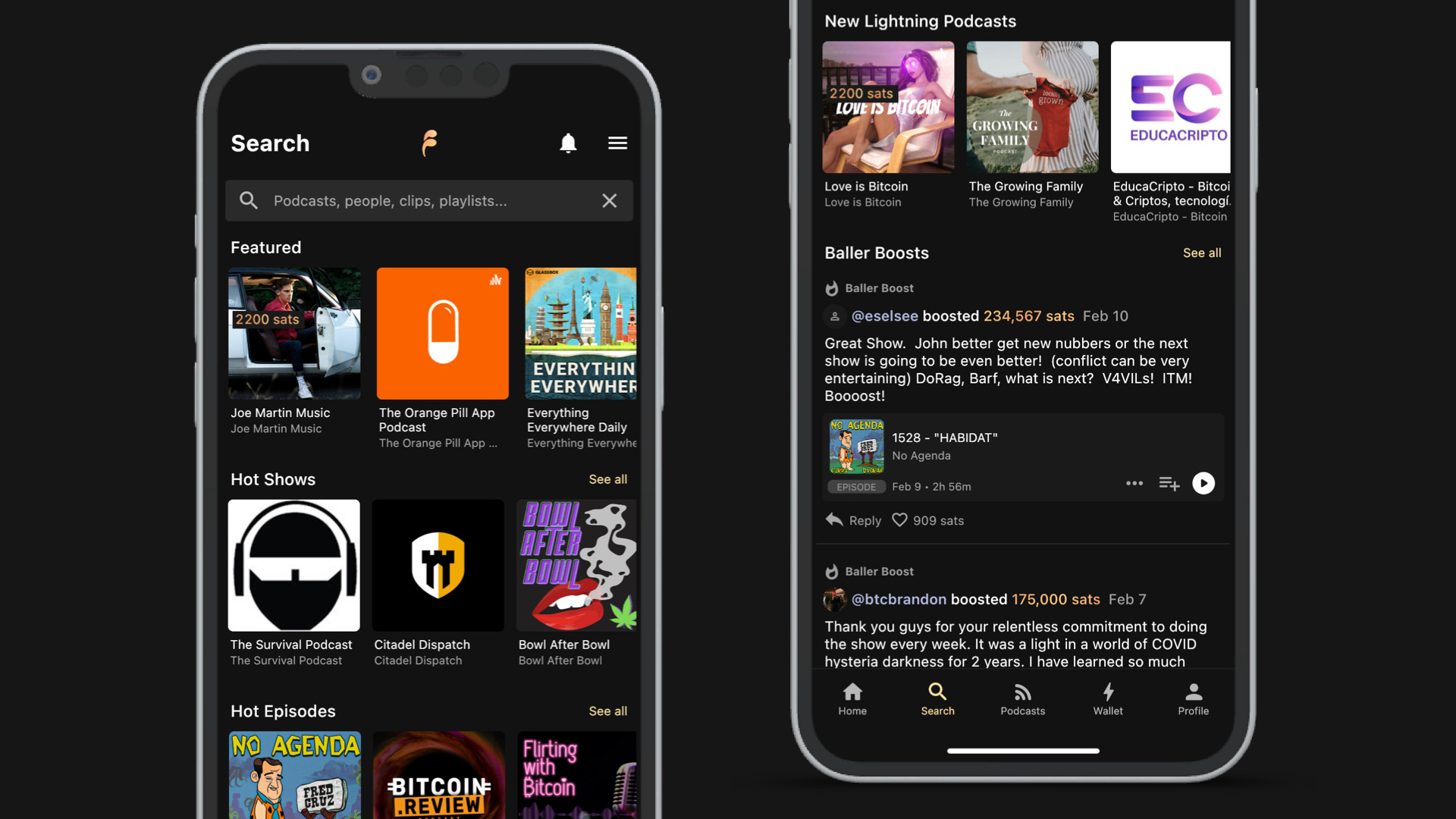
    Search Editorial

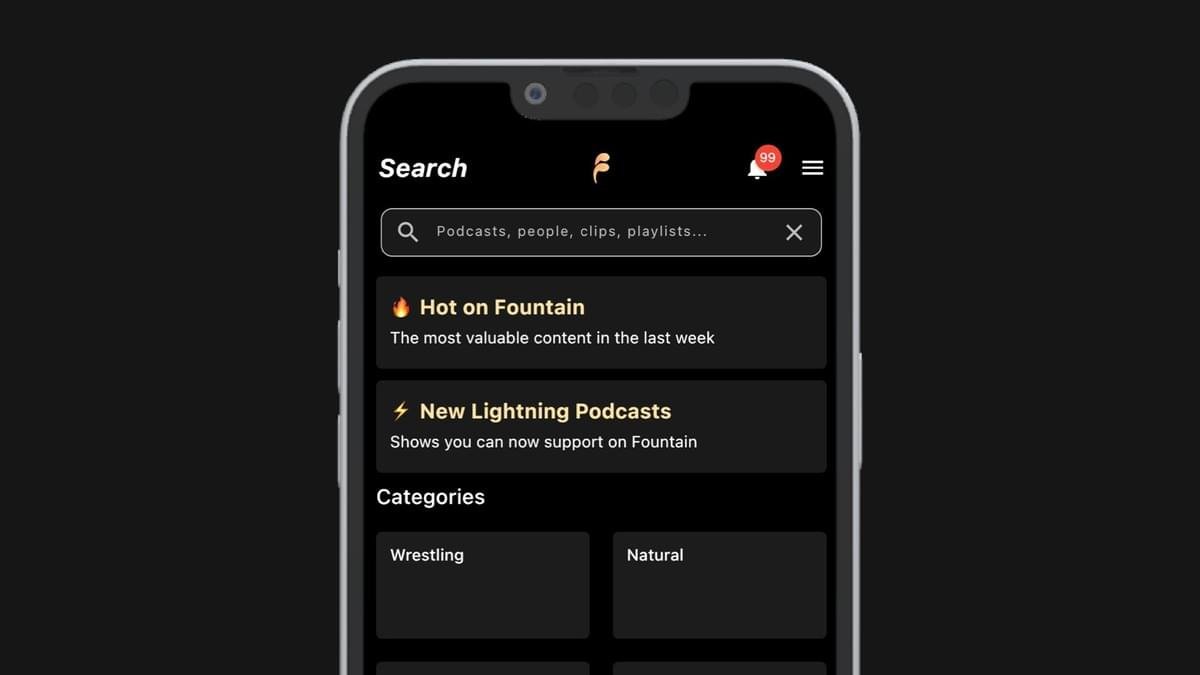
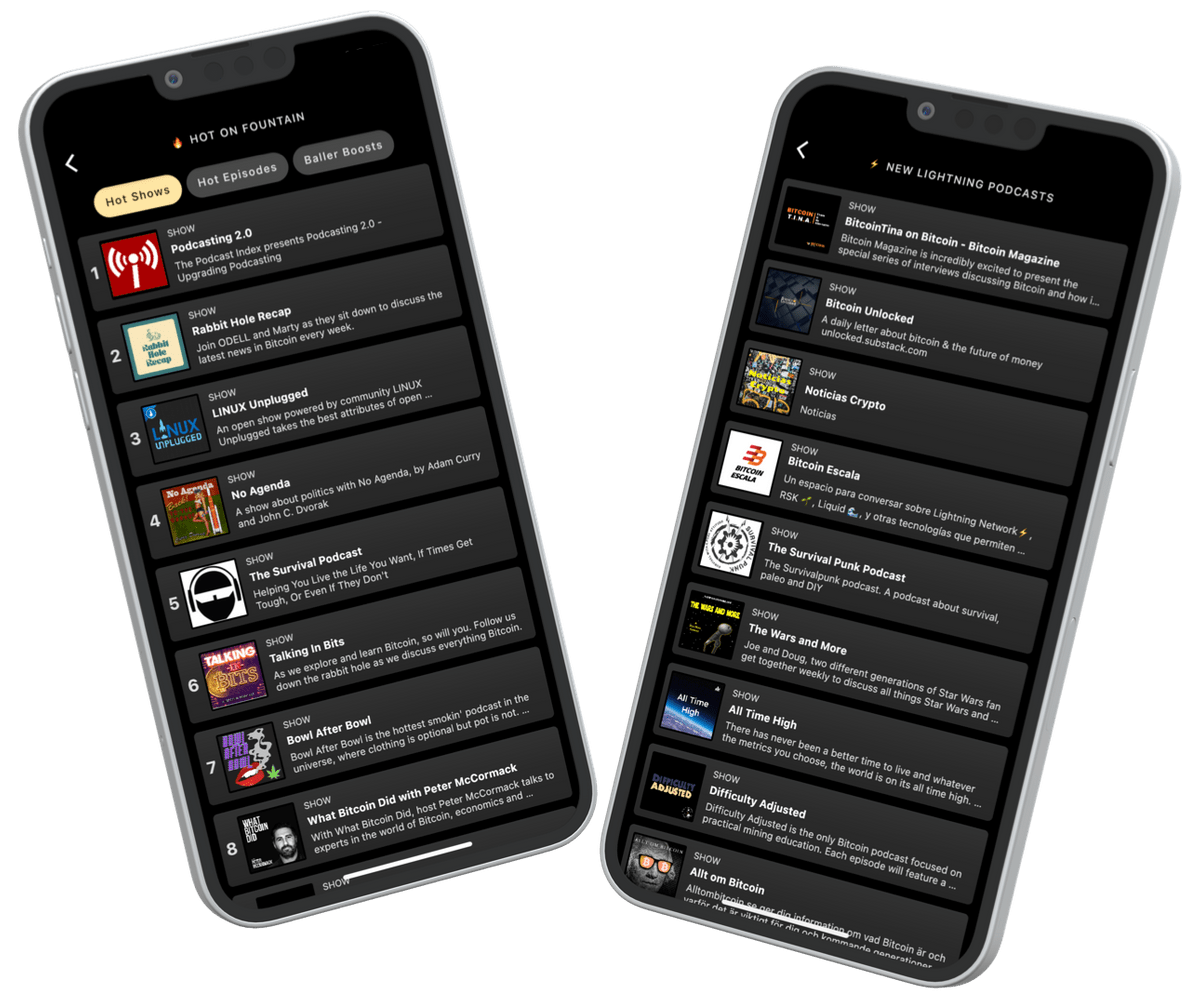
    We have introduced a brand new Search page design which allows listeners to browse a selection of new and noteworthy podcasts with large imagery. On the Search page you will find:

    • Featured: A selection of podcasts we think you will like

    • Hot Shows: The most supported shows on Fountain in the last week

    • Hot Episodes: The most supported episodes on Fountain in the last week

    • New Lightning Podcasts: Recently claimed shows on Fountain

    • Baller Boosts: The largest boosts by value in the last week

    Want to get featured on our search page? Get in touch with us and we will give you some tips on how to get your show seen there.

    Clip Activity

    We have introduced some changes to how clips are surfaced in Fountain 0.6.4 so that they are more likely to be seen and heard by others users. If you’re new to the clip feature, here’s a short beginners guide to get you started.

    Clips are a great way to share valuable highlights with friends and other listeners on Fountain. Not only are you earning sats when other users like your clips, you’re also helping the podcasts you love get discovered by other listeners.

    Fountain offers two ways to create a clip from a podcast. Simply press the Clip button on the player to see the following options:

    • Timestamp editor: Start clipping from section of the audio as soon as you hear something valuable you want to share. Drag the handles to select the part you would like to clip and use the skip buttons for finer control over the start/end time.

    • Transcript editor: Our transcript editor gives you more control when clipping and is available with Fountain Premium. Simply select the speech blocks then edit the transcript as needed.

    Once you’re happy with your clip, give it an interesting title that grabs people's attention and add hashtags so that it appears in related playlists. Press Publish and your clip will appear in the following places:

    • Discover: Users who follow you will see your clip in their recent activity. If your clip is getting lots of engagement, it might get served to all users.

    • Show Page: Users will see your clip under Activity on the Show page

    • Search: Users can find your clip in Fountain search and in related playlists

    • Profile: Users will see your clip on your Profile page

    When other users like your clip the sats they send will go directly to your Fountain wallet. Other users can also reply to your clip too. You will get a notification in the app whenever someone likes or replies to your clip. You can check how much you have earned from your clips by tapping on the Earned summary in your Wallet.


    Your feedback helps make Fountain better. If you are experiencing any issues with Fountain 0.6.4, please share it with us via the main menu in the app.

    Want to help test new features before they get released? Join Fountain Beta on Telegram to get access. All iOS and Android users welcome.

    Thanks for your support.

  26. 8 Jan 2023

    Fountain 0.6 - Activity Feed, Deposit with Bank Card and UI/UX Upgrades

    Activity Feed

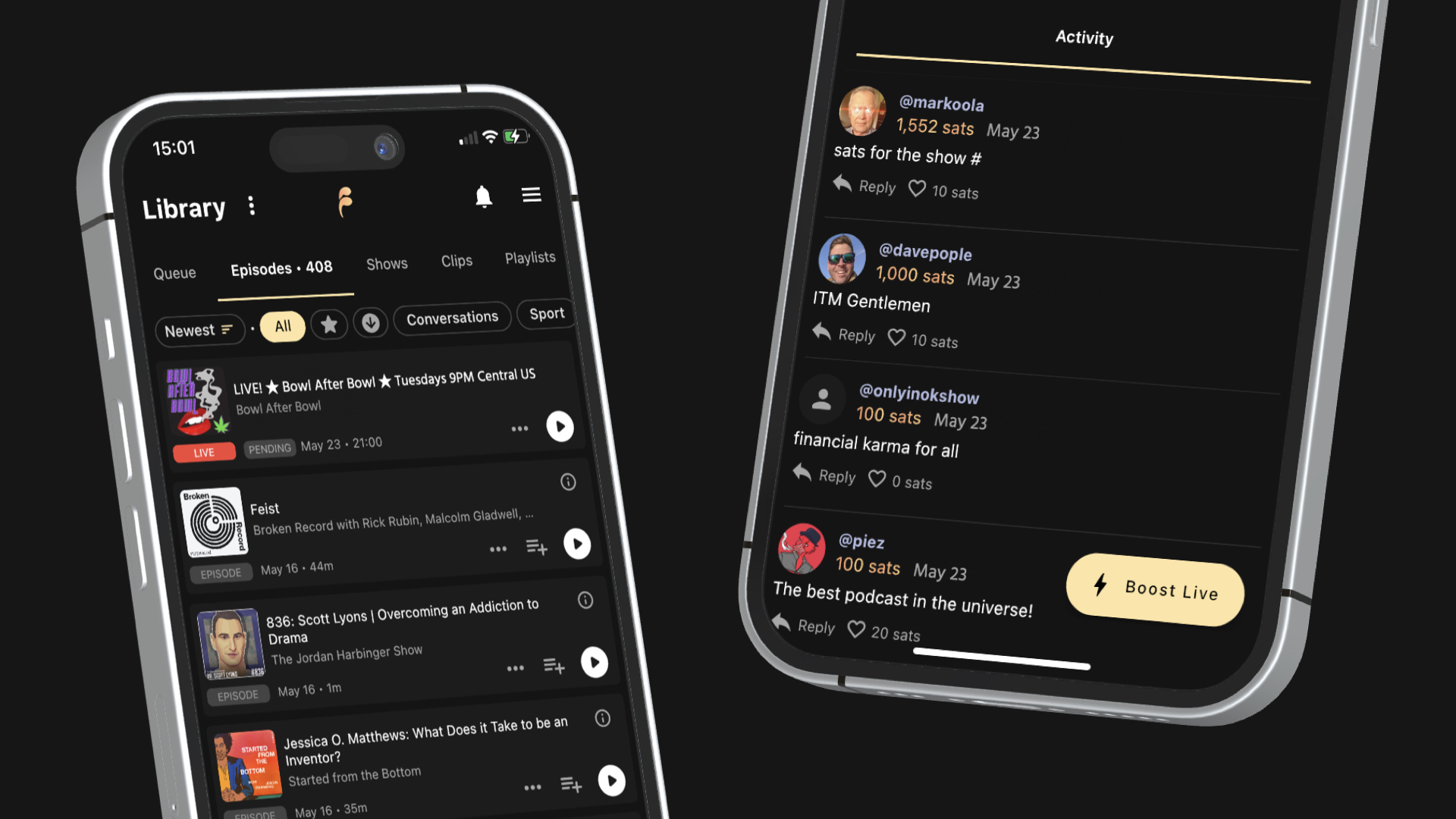
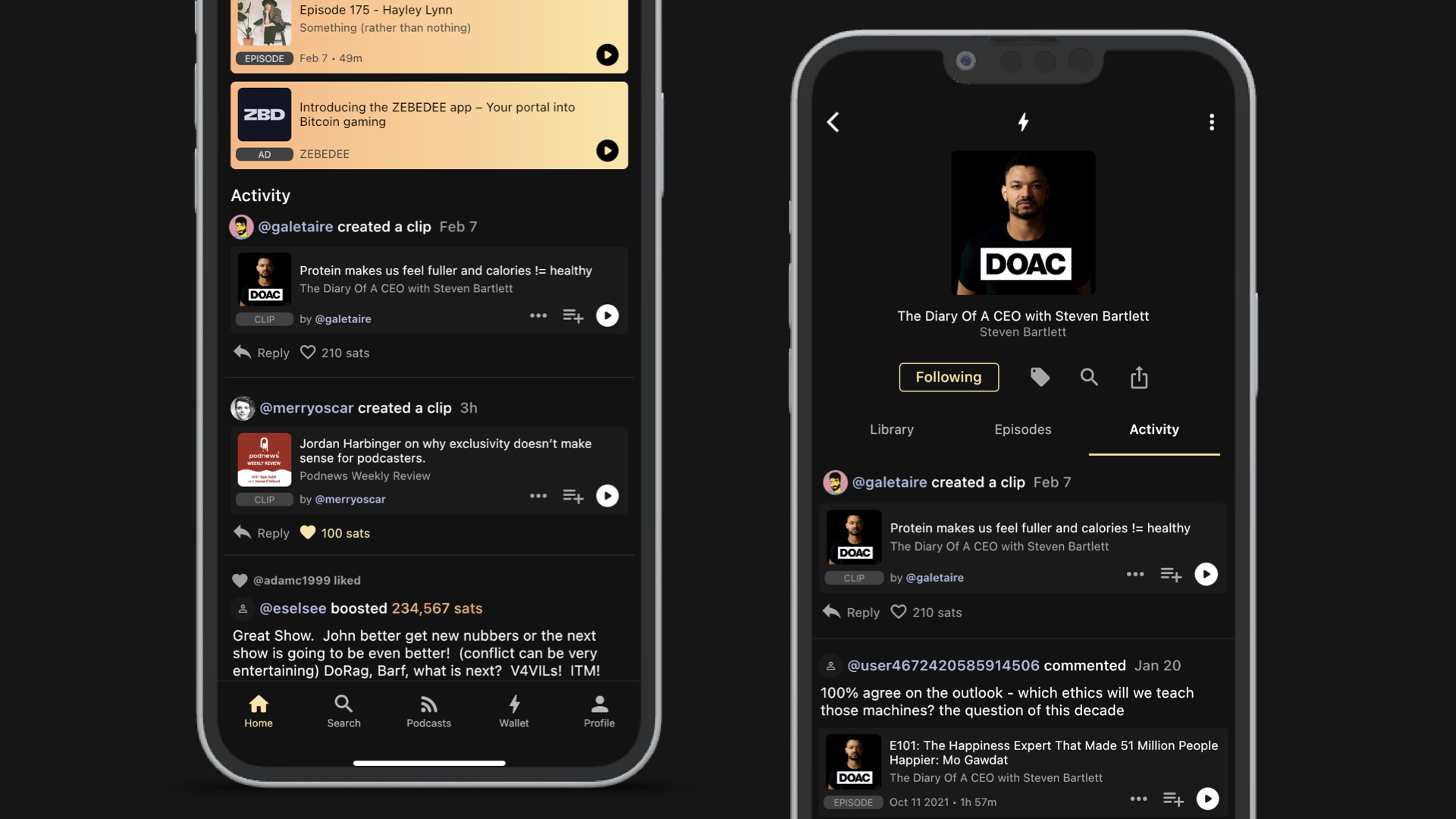
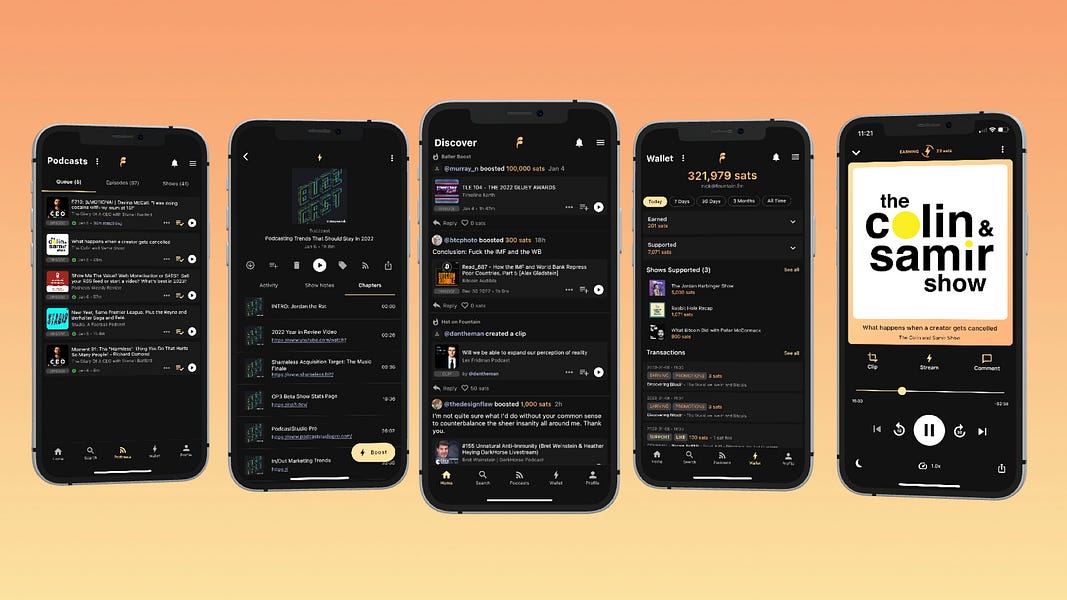
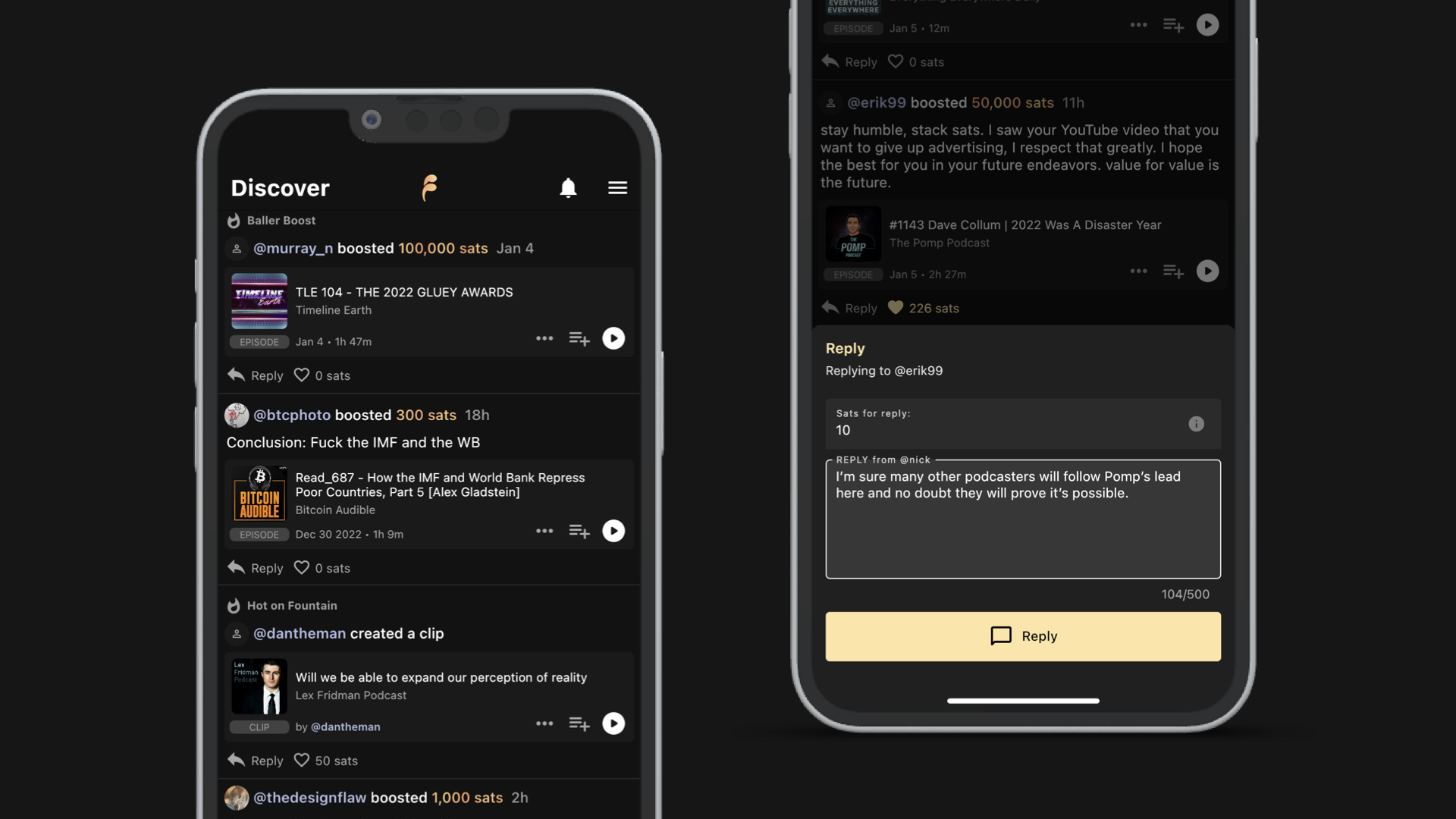
    The new activity feed on the Discover page makes it easier than ever before to discover shows, episodes and clips that your friends found valuable. When you follow other Fountain users you will start seeing a summary of their recent activity in your feed. This will include boosts, comments, clips and likes - along with trending content on Fountain. You can also like and reply to items in your feed.

    If you’ve ever opened the Fountain app in the morning and been stuck for something to listen to, the new activity feed will come in handy. This is just the first of many new social discovery features we will be adding to Fountain that use money as a signal for value. We hope you enjoy it!

    Deposit with Bank Card

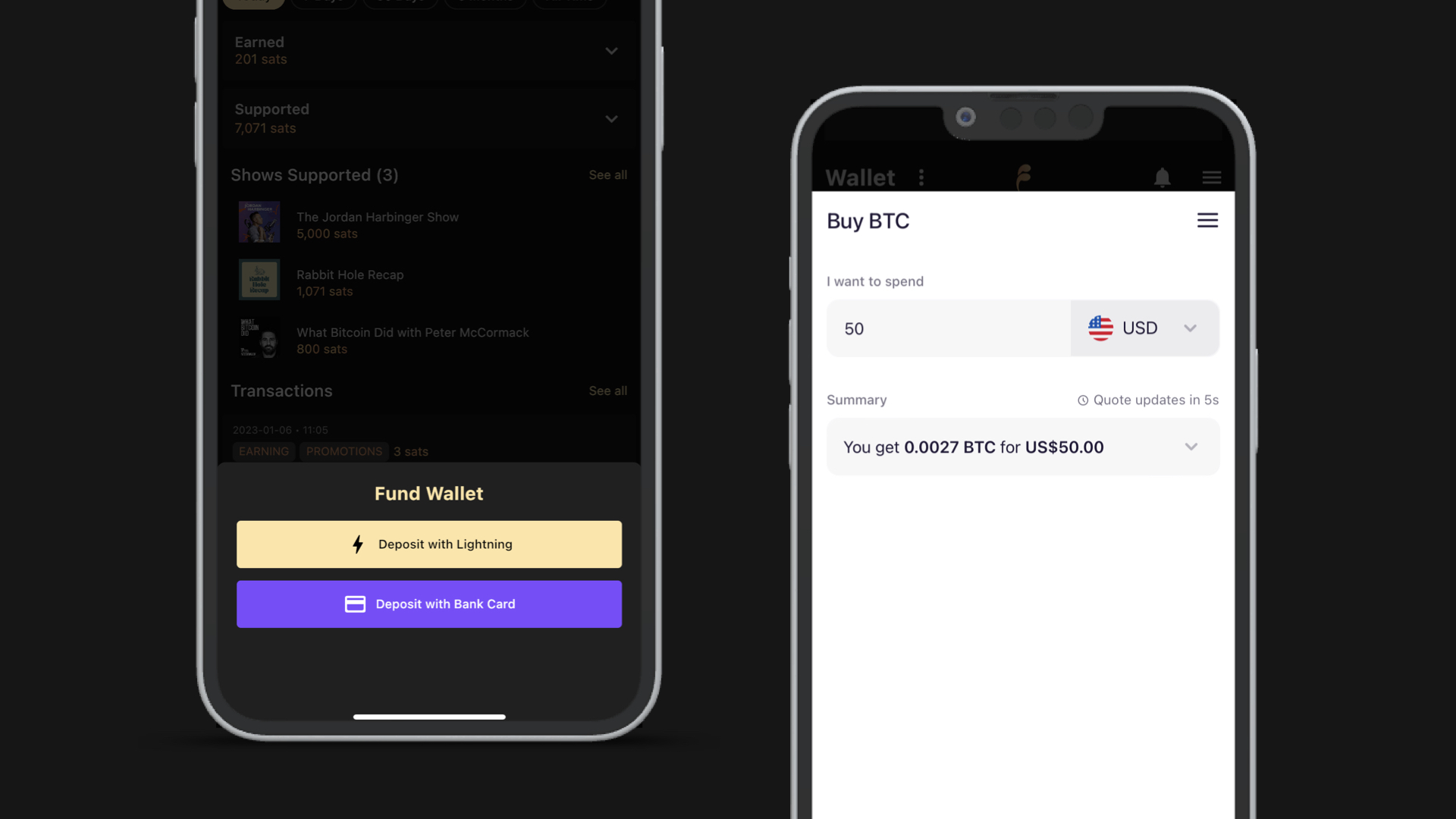
    Every listener should be able to start supporting their favorite shows on Fountain whether they already own bitcoin and have a lightning-enabled wallet or not. For the 99% of the global population that do not, onboarding to Value for Value just got a whole lot easier.

    Our new integration with MoonPay allows you to fund your Fountain wallet using your debit or credit card. Once your order has been processed, after a short wait your sats will arrive in your Fountain wallet.

    To top up with your bank card, go to your wallet press Add Funds then select Deposit with Bank Card. You will be taken to MoonPay to complete your purchase and will receive an email confirmation from them shortly after.

    UI Upgrades

    • Content cards: You will notice that all the content cards in Fountain now have one clean and consistent design. Pressing on a card takes you to the respective show, episode or clip page. Episodes and clips can now be added to your queue with just one tap. You will find other options such as Download or Star in the menu.

    • Clips: As well as being able to add clips to your queue, you can now reply to clips too! When you reply to a clip, your reply will show on the Clip page and will be seen by your followers in their activity feed.

    • Show & Episode pages: Clips and comments are now displayed on the episode pages grouped under Activity. On the episode pages they are ordered by value and on the show pages you will see the most recent items first.

    • Profile: Users will now be able to see a recent summary of your activity on your profile, including your boosts, clips and likes. You can also toggle between recent and top.

    • Wallet: In your wallet you will see a detailed summary of sats earned and sats supported in a given time period. For example, you can see exactly how much you earned from likes today or from referrals in the last 30 days. You will also see a summary of shows supported and transactions.

    • Player: You can now cycle through your play queue using the skip next and skip previous buttons on the player.

    Other important updates

    • Please be aware that new wallet limits have been introduced, which apply to high-value transactions and large wallet balances. You can increase your limits by connecting to a ZEBEDEE account from the Wallet or Profile menu.

    • When you update to Fountain 0.6.0, your wallet and transaction history will be migrated to our new provider. You will not be able to earn, support, deposit or withdraw from your wallet on version 0.5.9 or prior.

    • The notifications next to the main menu will now only notify you when other users on Fountain are interacting with you. You’ll be able to see which of your clips or comments have been liked, new replies, new followers and users who have redeemed your referral code.

    • When adding items to your queue, clips will automatically be added to the top so that they come before any episodes in your queue.

    • Some of you have reported issues with Fountain’s search in the last couple of weeks. This should now be fixed in 0.6.0.


    Your feedback helps make Fountain better. If you are experiencing any issues with Fountain 0.6.0, please share it with us via the main menu in the app.

    Thanks for your support.

  27. 11 Oct 2022

    Fountain 0.5.2 - Android Auto & Bug Fixes

    Android Auto

    It’s been great to see the positive reception to CarPlay after launching Fountain 0.5.1 so we are pleased to announce Fountain now supports Android Auto. Browse podcasts from your Fountain library and Autoplay Queue or discover the most supported episodes. Just connect your device to your car via USB or Bluetooth and browse with in-built controls. Tag us in an image of you listening in your car on Twitter and we will share them!

    Bug Fixes

    After launching Fountain 0.5.1 some of you have reported a couple of playback issues and crashes. The new version has fixes for the following bugs:

    • OPML Import Crashes

    • Android 7 Support

    • Playback Position Resetting

    • Wrong Episode Duration

    Please keep your feedback coming if anything isn’t working as it should. The best way to send us feedback is through the main menu in the app.

  28. 30 Sept 2022

    Fountain 0.5.1 - Autoplay Queue, Apple CarPlay, OPML Import & Performance Upgrades

    Autoplay Queue

    This is a must-have feature for many podcast fanatics, so we’re pleased to announce that you can now add episodes to your queue and enjoy continuous playback.

    Here’s how the autoplay queue works in Fountain:

    • You will see the option to add or remove an item from your queue when you press the three-dot menu on any episode.

    • When you have an item in your queue, you will see the Queue tab on the Podcasts screen.

    • Play any episode and the next item in your queue will autoplay once it’s finished

    • To change the order of your play queue, simply drag the episode to the desired position.

    Apple CarPlay

    Fountain now supports Apple CarPlay so all you iOS users can enjoy your podcasts while you’re on the road. Simply connect your device to your car via USB or Bluetooth and start navigating your Fountain podcast library and your queue using your car’s in-built controls.

    Android Auto is in the final stages of testing and will be released very soon.

    OPML Import

    Android users can now import their podcast library from other apps via OPML. You can find the podcast import options in the main menu and by pressing the three-dot menu on the Podcasts tab.

    Performance Upgrades

    We have introduced some noticeable performance upgrades that bring improved stability to the app on both iOS and Android.

    Many of you have reported that the app sometimes crashes midway through listening, while others have reported their devices overheating when running the app. Trust us, we’ve shared your frustration with these!

    While these issues have not been eliminated completely in Fountain 0.5.1, they are significantly improved. If you continue to experience any issues with crashing or overheating, please send us feedback via the main menu in the app along with details of your experience and we will look into it.

  29. 20 Sept 2022

    Fountain 0.4.9 - Earnings, Referrals & Comments

    Earnings

    Since we introduced the Flow concept to earnings in Fountain 0.4.6, we’ve been looking closely at the data and gathering lots of useful feedback from users on the new system.

    Here are some of the key learnings:

    • The average user is earning less than before when listening to podcasts

    • It is unclear exactly how supporting podcasts, creating clips and referring friends affects your Flow

    • It is counter-intuitive that users must give away earnings in order to earn more

    • It is unfair that your Flow (and your earning rate) deteriorate with ongoing use

    Clearly the Flow system has not been working. This is why we are launching a new earning system that is more simple, intuitive and transparent. Most importantly, it will allow users to earn more over time!

    Here’s how the new earning system works:

    • You now get paid by Fountain for your first hour of daily podcast listening

    • The earning rate changes every day for each user and it’s completely random. Some days you might earn a little, but if it’s your lucky day you could earn a lot!

    • You no longer need to support podcasts or create clips in order to continue earning or to earn more

    • There are no changes to the way that promotions and clips work

    To learn more about how earning on Fountain work, read our FAQs.

    Referrals We are also introducing a new and improved referral system that means you will be stacking sats in your sleep! Introduce your friends to Fountain and you will earn a small commission every time they support a podcast.

    Here’s how the new referral system works:

    • Share your referral code with friends who love podcasts

    • Get them to download Fountain and redeem your code

    • You’ll earn 50% of their transaction fees for a year

    If you have already referred friends to Fountain, you will start earning a percentage of their transaction fees as soon as you upgrade to Fountain 0.4.9.

    You can refer and earn referral fees from as many people as you want. However, if you have redeemed multiple codes, your fees will only go to the owner of the last code you redeemed. You will only earn referral fees if you have been active on Fountain in the last 30 days

    To learn more about how referrals on Fountain work, read our FAQs.

    Comments

    We know how much Fountain users love reading and responding to boost messages on the episode pages. That’s why we decided to enable comments on podcasts that aren’t already on the Lightning Network.

    If a podcast is already Lightning-enabled, you will see the option to boost on the player and the episode page. If it’s not, you will see the option to comment. Comments work just like boosts except Fountain charges a flat fee of 10 sats.


    Fountain 0.4.9 is now available on iOS and Android!

    If you would like to share your feedback or report any issues on the new update, you can do this through the menu in the app or by emailing hello@fountain.fm.

    Thanks for your support,

    Fountain Team

  30. 9 Sept 2022

    Fountain 0.4.8 - Referrals, Search Editorial and Other Improvements
    Fountain 0.4.8 is now live on iOS and Android!

    Referral Update

    We have tweaked the way that referrals work on Fountain so that when your friends redeem your code, they can also earn more. Each time you refer a friend or redeem a code your Flow will increase slightly, which improves your earning rate when listening to your podcasts. There is no limit to the number of friends you can refer. You can check your referral stats, share your link and redeem a code from the main menu in the app.

    Referring friends is just one way of increasing your Flow. Supporting podcasts makes the biggest difference to your Flow - the more sats you have sent compared to how many sats you have earned in total, the higher your Flow will be.

    Learn more about how earning works on Fountain.

    Value for Value Search Editorial

    Recently we launched Hot on Fountain over at fountain.fm/charts, which shows the most supported content in the last 7 days. You can now find these charts in the mobile app at the top of the Search page.

    • Hot on Fountain: Discover the most supported shows and episodes, as well as the biggest boosts. This is a great way to discover content that is genuinely valuable and worthwhile.

    • New Lightning Podcasts: Discover shows that have recently been added to the Lightning Network. Send them a boost to say hello and give them a warm welcome to Value for Value.

    To get regular updates on which podcasts are in the charts each week, follow us on Twitter.

    Faster Boosts

    When you send a boost on Fountain, you will no longer have to wait for the transaction to complete. Even if the podcaster has added a large number of splits, your boost will send in a couple of seconds.

    If the payment to any of the splits fails, you will see this in the transactions list in your Wallet. If just one of the splits has failed, it’s usually an issue with the podcaster's node. If all of the splits fail, something might be broken on our side. Please let us know by sending feedback through the app or contacting us on Twitter so that we can investigate it.

    Faster Timestamp Clipping

    Since we launched the timestamp clip editor in Fountain 0.4.6, the main feedback we heard from you was that it takes too long to save a clip as a draft. In the new version, the loading time has been siginicantly reduced. We want to thank everyone who has shared suggestions on the new clipping tool - we will be working on further improvements in the coming months.
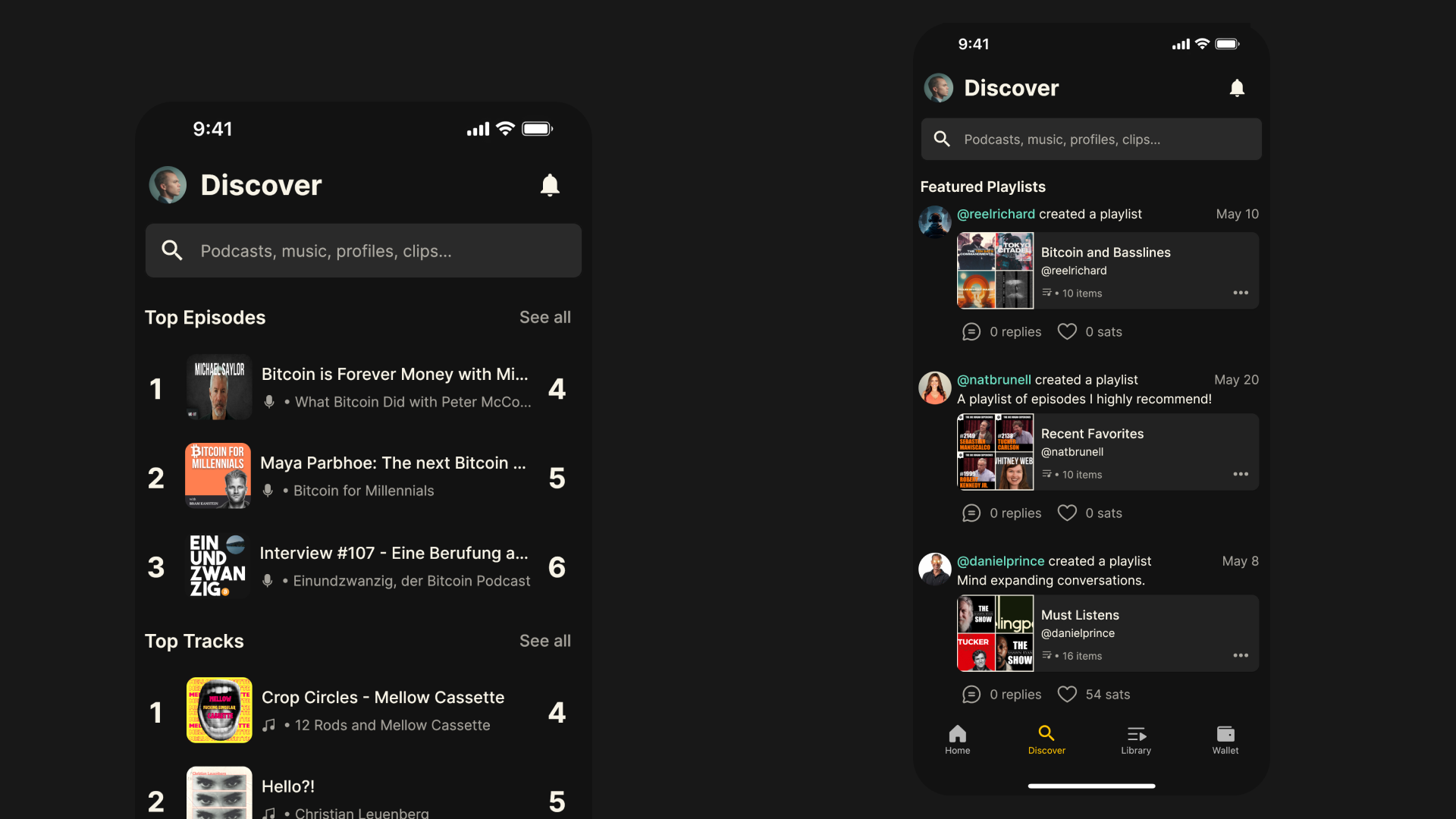
    Learn more about how to create clips on Fountain.

    New options in Podcasts menu

    We have added two new options to the menu on the Podcasts page:

    • Import podcasts: You can now import podcasts at any time through the Podcasts menu. We have also added this to the settings in the main menu. As a reminder, on iOS you can currently import from Apple Podcasts, Spotify or via OPML whereas on Android, you can only import from Spotify. We hope to offer an OPML import support for our Android users soon.

    • Delete all audio downloads: If Fountain is taking up a significant amount of storage on your mobile device, you can delete all of your downloaded episodes via the Podcasts menu. More device storage management features also coming soon.

    Bug Fix

    Adding some private RSS feeds was causing an error due to unusual date formats. This has now been fixed. Thanks to Ian Ceicys for reporting!

  31. 27 Aug 2022

    Hot on Fountain: Better Podcast Charts

    Today we’re unveiling Hot on Fountain - a new area of our website where you can find the most valuable, high-signal content this week as voted by other listeners. You can now browse the most supported shows and episodes, as well as the biggest boosts. The charts are updated hourly and show you the top results from the last 7 days.

    Unlike other podcast charts which are based on popularity (for example, the number of downloads), Fountain’s charts are based on money - the truest signal of value. After all, if you saw that somebody you follow boosted a million sats to a podcast, wouldn’t you be interested to know what they were listening to?

    We believe this helps listeners discover content that is genuinely valuable and worthwhile. The charts also provide transparency to creators, who can understand what value listeners attribute to their content versus others, and how they can position themselves for success - regardless of their reach.

    Here are three top 50 charts that you can now find at fountain.fm/charts:

    • Hot Shows: the most supported podcasts in the last 7 days

    • Hot Episodes: the most supported episodes in the last 7 days

    • Baller Boosts: the largest boosts so far this week

    The best way to support a podcast is by streaming sats for every minute you listen or by sending a boost. By supporting your favorite show, you only are you sending them value, you are helping their content be discovered by other listeners on Fountain.

    If you want to see regular updates about what's trending, make sure you follow Fountain on Twitter.

  32. 21 Aug 2022

    Fountain 0.4.6 - Unified Search, Timestamp Clipping & Earning Updates

    Fountain 0.4.6 is now live on iOS and Android!

    Unified Search

    We have added a new Search tab to the main navivation which allows you to look for everything on Fountain in one place. When you search we will show you all the top results by default. Use the filters to categorize your results by podcasts, profiles, clips and playlists. We hope you agree that finding content to listen to on Fountain is now much easier!

    Clips are ranked by the number of sats they've received through likes, so when you search you'll see the most valuable content, as judged by Fountain users. Keep helping other listeners discover great podcasts by creating and liking clips.

    Timestamp Clipping

    We now offer two ways to create a clip from a podcast:

    Timestamp editor

    With our new timestamp editor, you can start clipping from a section of the audio as soon as you hear something valuable you want to share.

    • Drag the blue handles to select the part you would like to clip

    • Use the blue skip buttons for finer control over the start and end time

    • Use the yellow position marker to move to a section in the clip

    • Press Restart Clip to to play from the beginning

    • Save as a draft and proceed to the publish screen

    Transcript editor

    Our transcription costs over the past few months have been rising significantly, so the transcript editor is now only available if you are subscribed to Fountain Premium. We're working on additional updates to the transcript editor to make it even more powerful. Learn more about how to create clips in our FAQs.

    Earning Updates

    Since we launched earnings and Promotions in Fountain 0.4.0, it's been pretty clear that you love earning sats as you listen! It's also been clear that earning has been temperamental for some of you, which we have been working hard on smoothing out. In Fountain 0.4.6, it's now clear when you are earning (and when you are not). We have also introduced a system which indicates your earning potential, based on how much you are contributing to Fountain.

    Maximize your earnings by increasing your Flow

    Your earning rate when listening to podcasts on Fountain is determined by your Flow. If you're sending a lot of sats to podcasters, creating valuable clips and referring friends, you will be able to earn more. If you're not doing any of those things, you would earn less. Your Flow will gradually fade over time, so you can keep it topped up by doing these things regularly.

    You can check your Flow by pressing the earnings indicator on the player, or by going to the main menu. If you are not earning, you will see a gray lightning bolt at the top of the player and your Flow meter will be gray. Press it for more information about why you are not earning - for example, if you have reached your daily limit, or if we notice something irregular about your account.

    How do I increase my Flow?

    Support podcasts

    Send sats to podcasts by streaming and boosting as you listen. The more sats you send the more you will be able to earn, so try increasing your default amounts in the main menu under settings. If your favorite podcasts aren't on Lightning yet, make sure you let them know on Twitter and send them The Fountain Guide to Value for Value to get them started!

    Get likes from other users

    When you create a clip or send a boost, you earn when other users like your content and send you sats. The more sats you're earning from your clips, the higher your Flow will be and the more you can earn when listening.

    Refer your friends

    Share your referral code with your friends and you will increase your Flow when they redeem it. You can share or redeem a code from the main menu in the app.

    Learn more about how earning works on Fountain in our FAQs.


    We hope you get on well with the new update. If you would like to share your feedback or report any issues you're experiencing, you can do this through the menu in the app, or by emailing hello@fountain.fm.

    Thanks for your support,

    Fountain Team

  33. 21 Jun 2022

    Fountain 0.4.0 - Listen to Earn, Promotions & Paid Likes

    Why should we get paid to listen?

    The time and attention we give to tech platforms is incredibly valuable. Every minute that you spend consuming content, creating content, or viewing ads, increases the value of the platform you’re using. Most free apps we use every day don’t recognize or reward this - but Fountain is different. It’s the only podcast app that rewards both listeners and podcasters for the value that they bring to the platform.

    How can you earn on Fountain?

    • Listening to any of your favorite podcasts

    • Listening to promoted content on the Discover page

    • When other users like your clips or comments
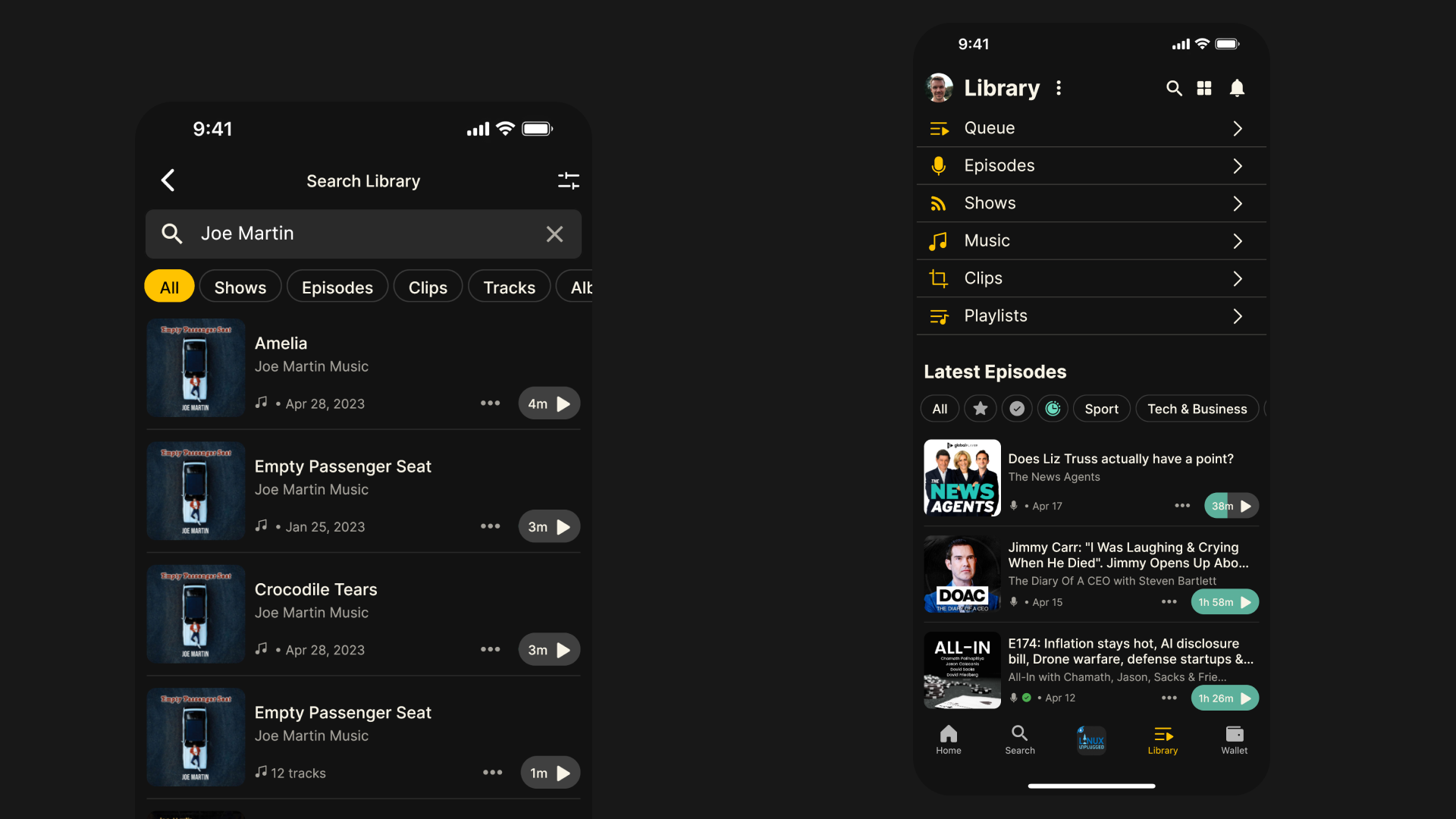
    Earn by listening to your favorite podcasts

    Watch the earnings counter tick up on the player for every minute you listen and see your sats show up in your Wallet. You can keep your earnings or use them to support your favorite podcasts. New users start earning at the basic rate. The more you contribute to Fountain by creating clips, liking clips and comments or supporting podcasts, the more you will earn.
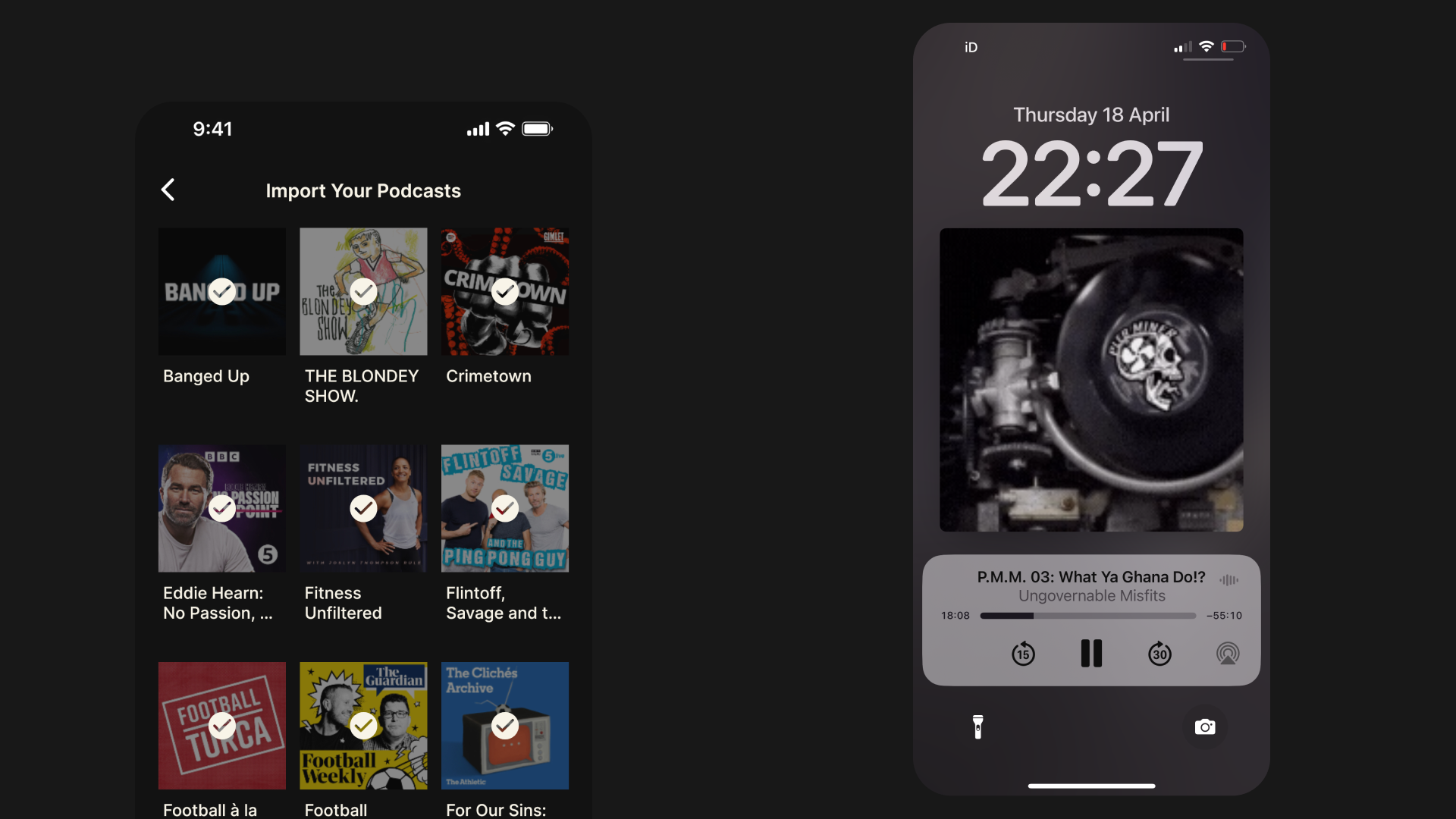
    You can also earn up to five times more by referring friends. To share or redeem a code, go to your Wallet and press Multiply Your Earnings.

    Earn by listening to promotions

    Fountain Promotions are native ads on the Discover page that allow listeners to earn extra money every day. Getting paid to listen to ads is a more rewarding experience for users but it also solves two common yet unreported headaches for podcast advertisers.

    • If the episode your ad is placed in is downloaded, it might not be played.

    • If the episode is played, listeners can easily skip your ad

    Both of these cases are still counted as downloads in your reach metrics. In other words, your ad is not reaching users but you’re still paying. Fountain Promotions are un-skippable and a portion of the advertising budget gets paid back to the user for every second they spend listening. Fountain Promotions are voluntary and do not interrupt the podcast listening experience. They can be turned off in the Settings menu if you are a Fountain Premium user. Podcasters who want to get their content in front new audiences can also promote an episode or clip within the app once they have claimed their Fountain Podcaster Wallet.

    Earn from your clips and comments through paid likes
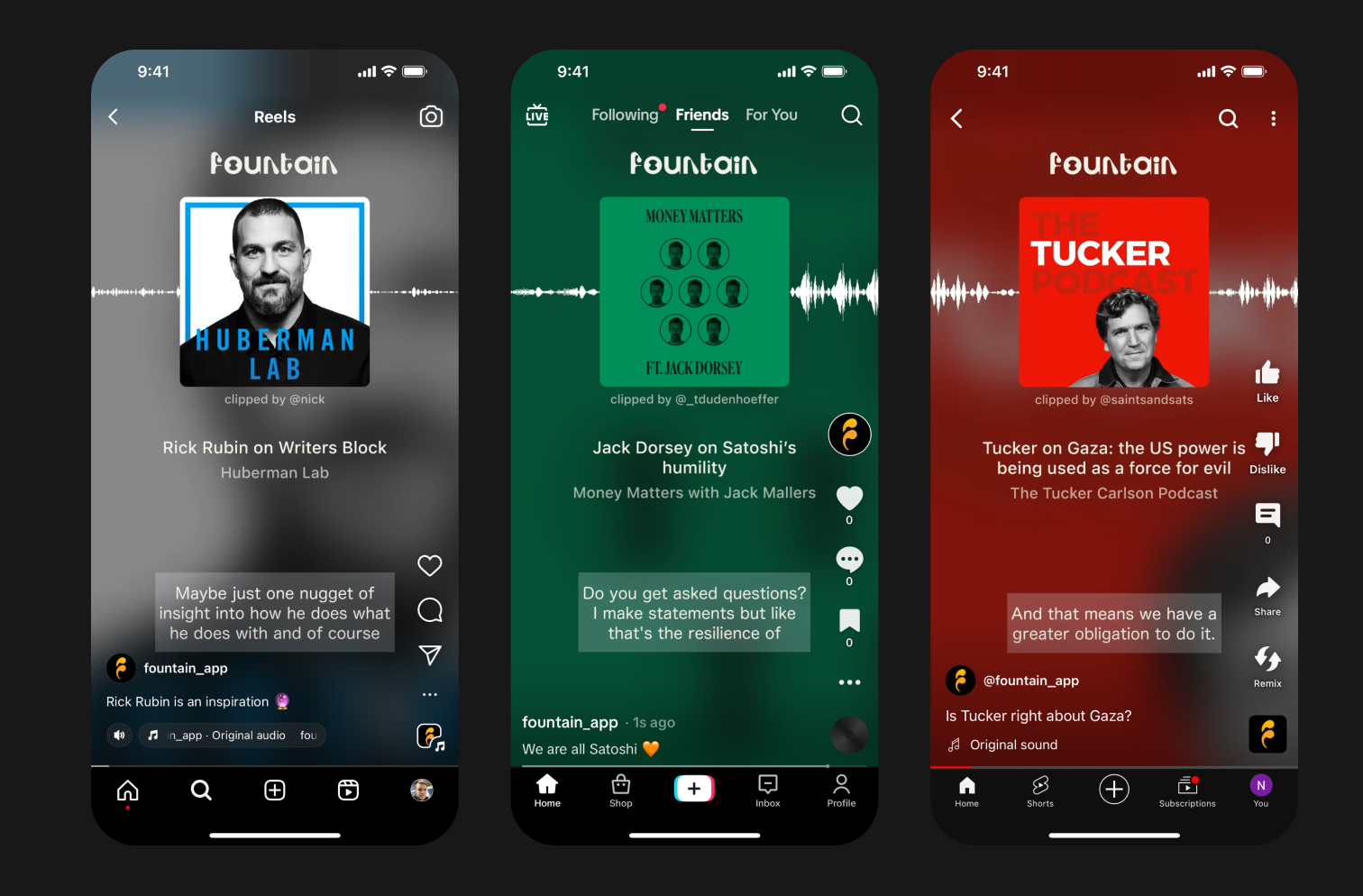
    In Fountain you can now pay other users by liking their clips or comments. Listeners now have a financial incentive to share content they find valuable and express their thoughts on what they're listening to. Liking clips and comments creates signal for other listeners looking to find podcasts that they're going to enjoy. Every time you press like, you're sending 10 sats to the user who created the clip or sent the comment. You can press the like button as many times as you want!
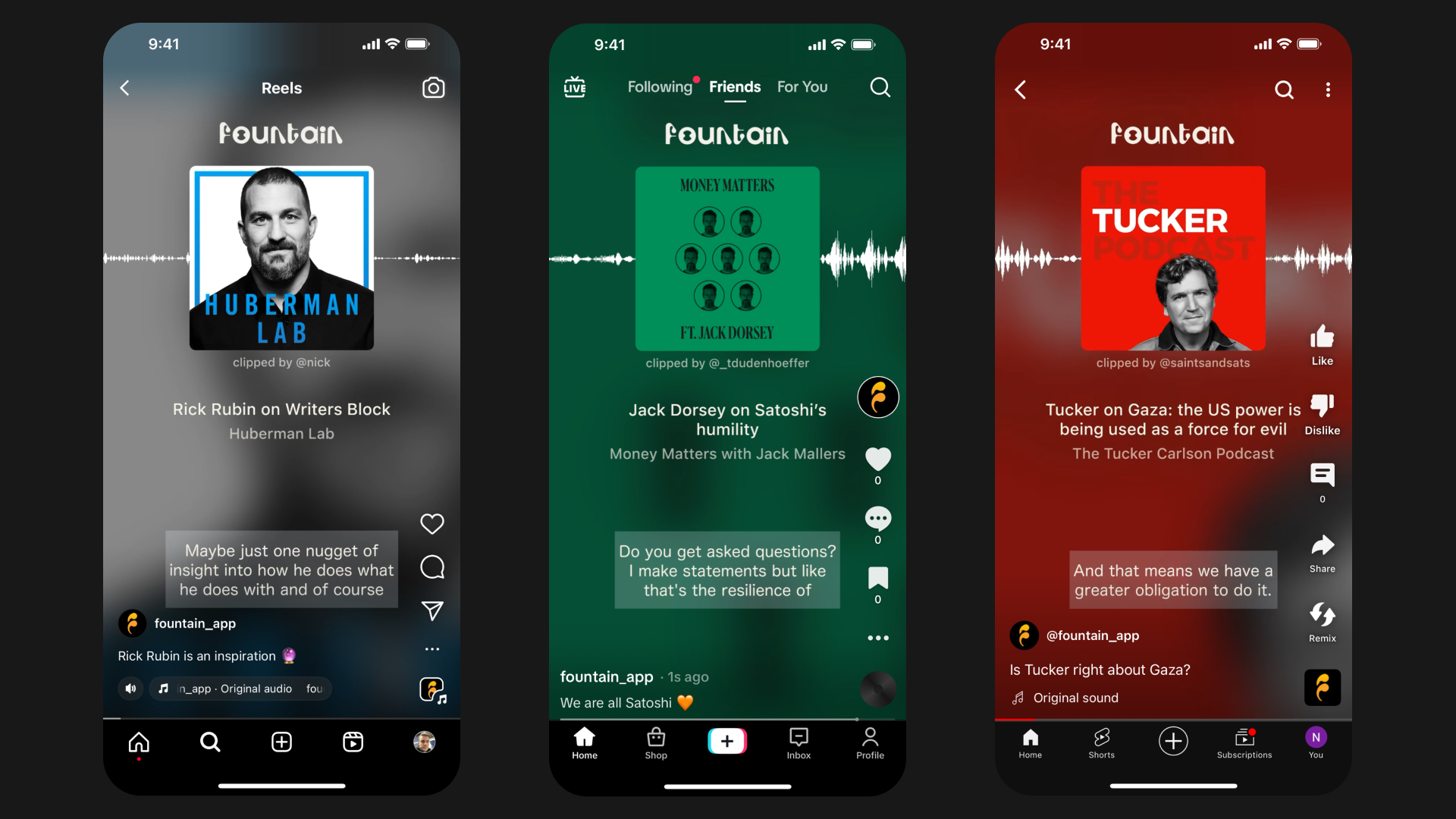
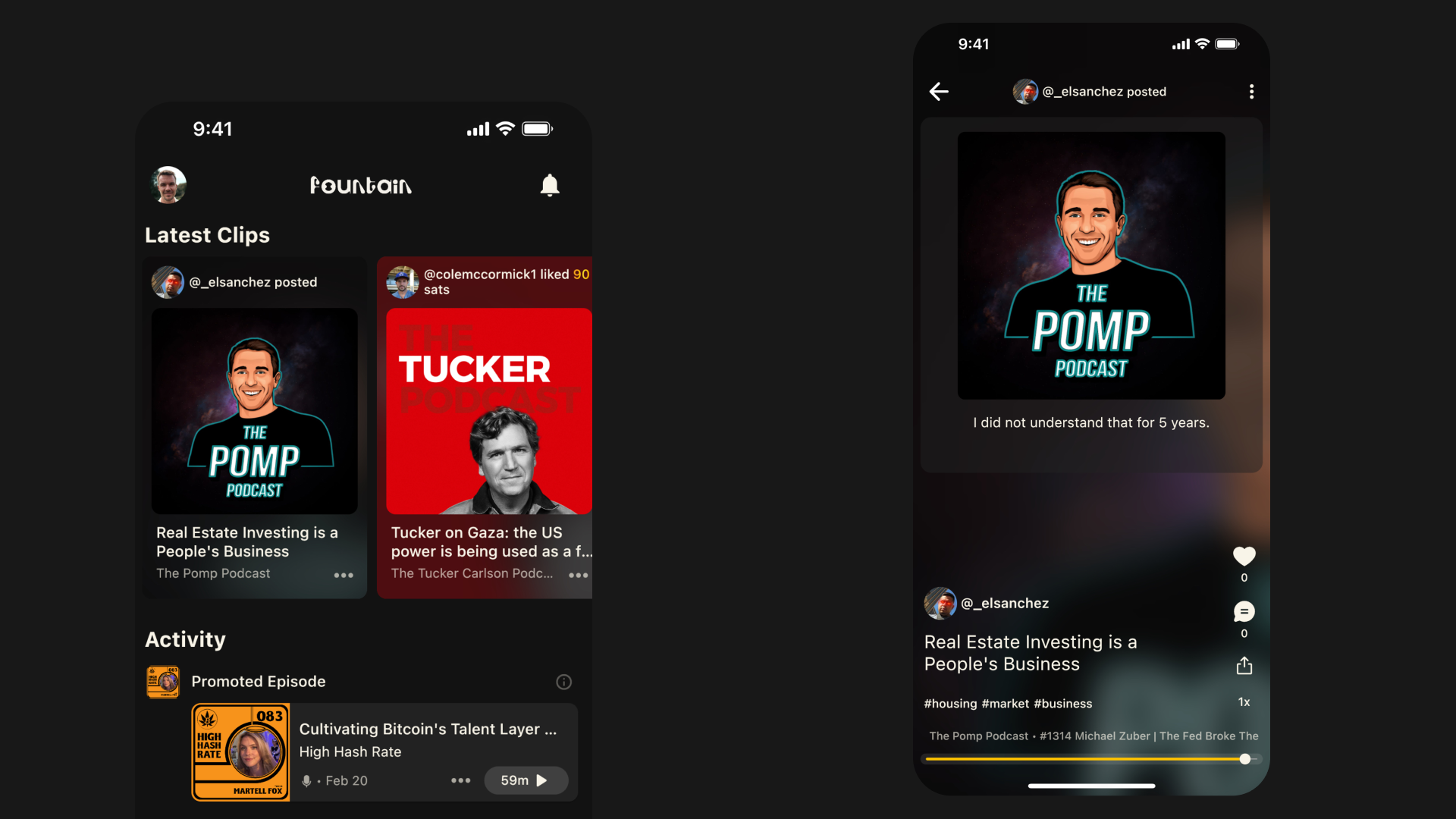
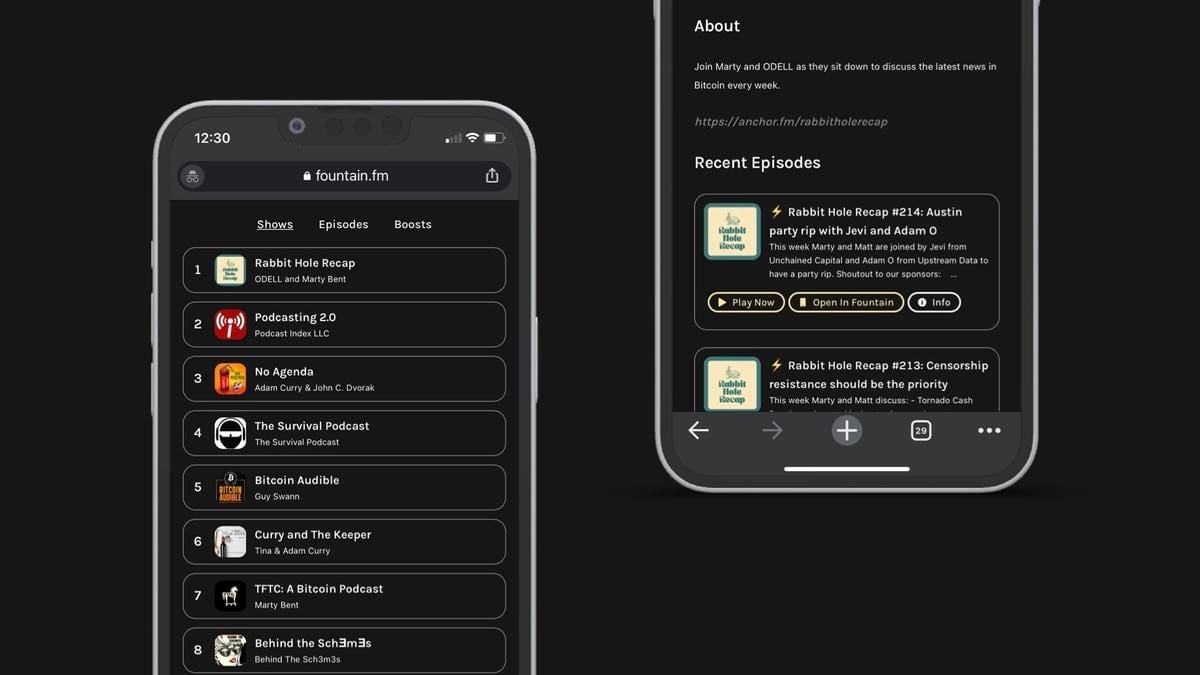
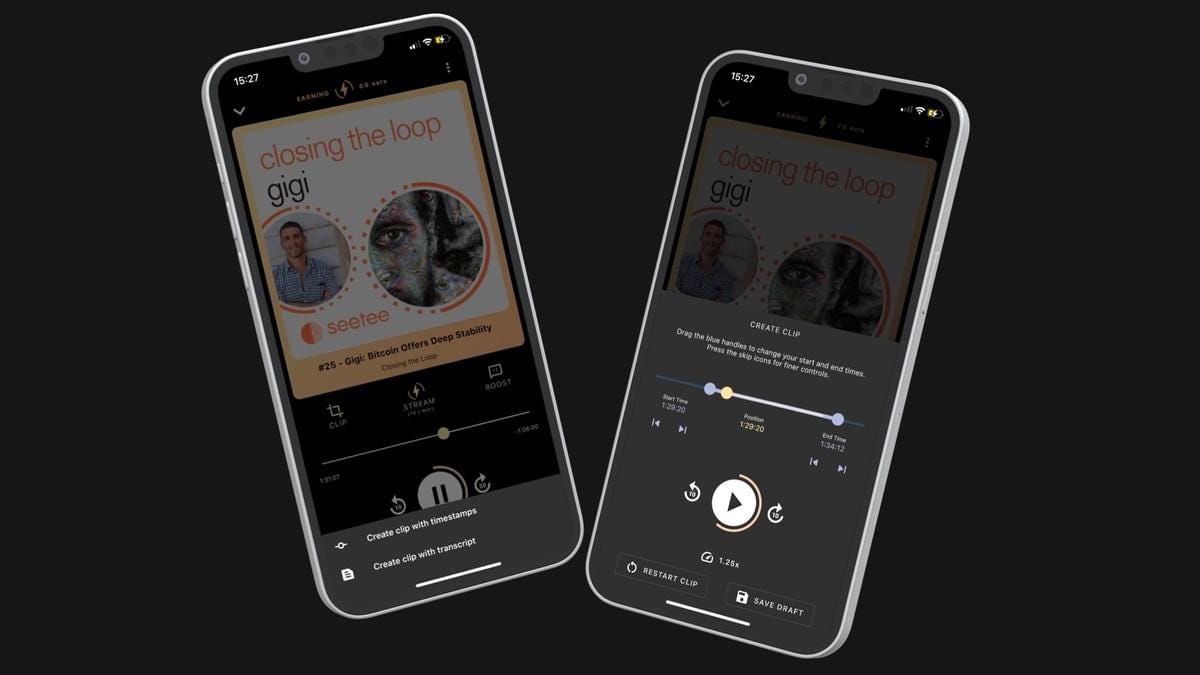
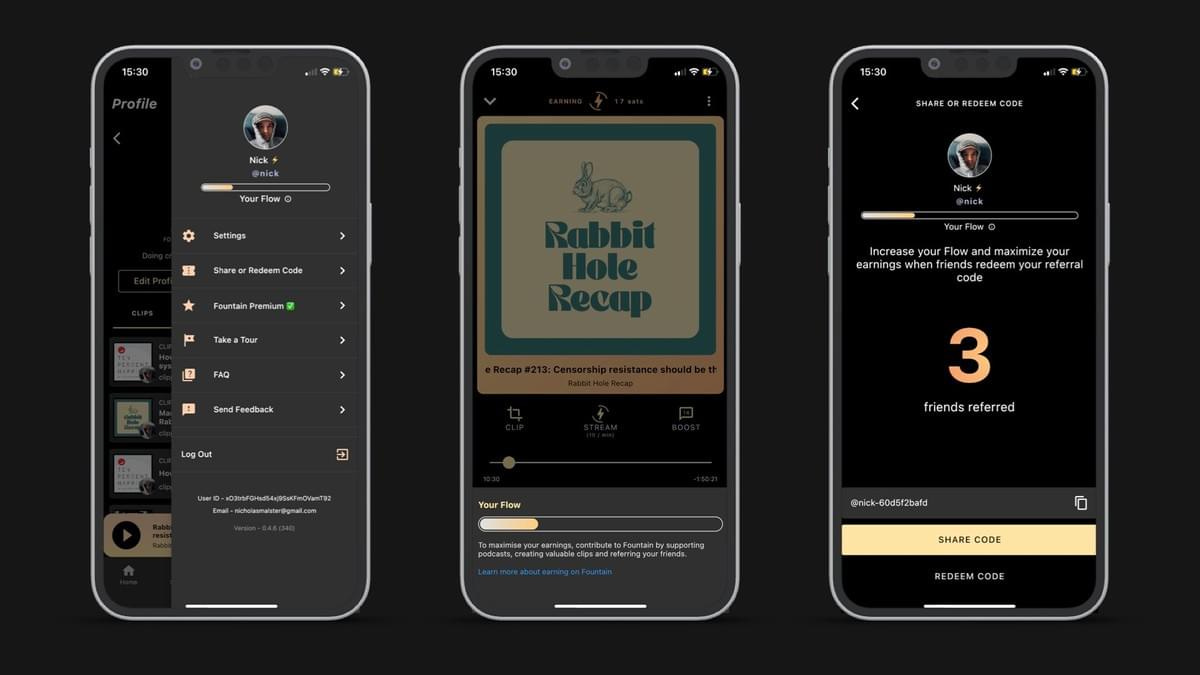
    How does this help grow Value for Value?

    People want to support the podcasts they love but to get started but if you don't already own some Bitcoin (and know how to use a Lightning wallet), switching to a Value for Value podcast app like Fountain isn't straightforward.

    We believe Value for Value is a more rewarding system for everyone, but to help Value for Value grow we must make it accessible to all. Allowing users to start earning Bitcoin as soon as they open up Fountain for the first time takes us one step closer to achieving this. Earn just by listening to your favorite podcasts and then send the money back to them to show your support.

    Fountain is a more rewarding way to enjoy podcasts

    • Listeners - Earn money for something you do every day

    • Podcasters - Turn your biggest fans into supporters

    • Advertisers - Stop paying for podcast ads that nobody hears


    Fountain 0.4.0 is now live on iOS and Android!

    We are really excited to see how listeners and podcasters enjoy the new earning features. If you would like to share your feedback or report any issues you're experiencing, you can do this through the menu in the app, or by emailing hello@fountain.fm.

    If you have questions about these new features or want more information on how Fountain works, make sure you visit our FAQs page.

    Thanks for your support,

    Fountain Team

Put your agent to work on your podcast in minutes

Get started
Products
  • Podcasters
  • Artists
  • Listeners
  • Pricing
Features
  • Hosting
  • Clips and Social
  • Daily Growth
  • Archive Search
  • Monetization
  • Livestreams
  • Community
  • Analytics
Resources
  • Docs
  • FAQs
  • Changelog
  • Blog
Discover
  • Trending
  • Feed
  • Charts
Social
  • X
  • Nostr
  • Instagram
  • LinkedIn
  • YouTube
© 2026 Fountain·Privacy Policy·Terms of Use·Contact